Freedom251 › Video Review Software
Clapshot
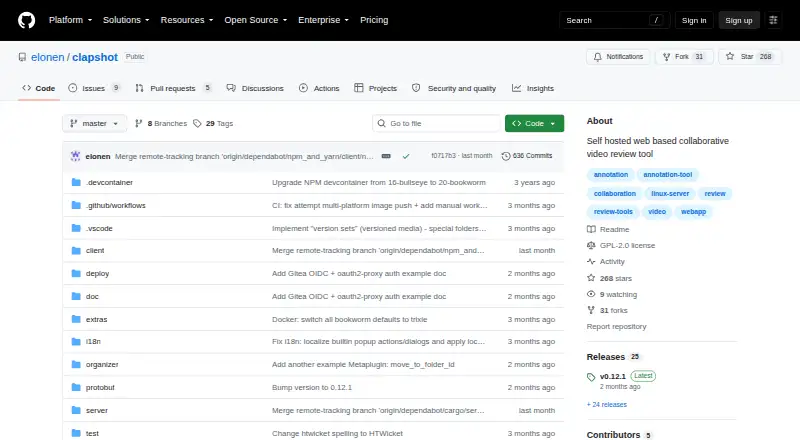
What Clapshot is
Clapshot is a free, open-source tool for organizations that want to review and annotate media on their own hosting rather than place it in commercial cloud services. It supports video, audio, and image files, including subtitle-track management. Reviewers can share synchronized viewing sessions and review links, then use frame stepping, looping, time-coded threaded comments, timeline pins, and drawing annotations. The player also includes editable SMPTE timecode fields and audio waveform visualization. Media can be uploaded through the web interface or processed from a monitored folder, with user assignment based on file ownership or folder names. Clapshot uses FFmpeg for transcoding, thumbnails, and metadata extraction, and supports custom scripts and hardware acceleration. Authentication can be connected through a reverse proxy to systems such as OAuth, LDAP, Kerberos, or SAML. Deployment options include Docker Compose and a Debian package for Debian 12 or 13. The server and client are GPLv2-licensed, while gRPC/proto3 libraries and example organizer plugins use MIT licenses. Mobile browser support is limited; desktop Chrome or Chromium is recommended.
Who it suits
Clapshot suits organizations that need collaborative media review while keeping files on self-hosted infrastructure. It may also suit teams that need synchronized playback, time-coded discussion, and annotations.
What it does well
- Supports video, audio, images, and subtitle tracks.
- Reviewers can synchronize playback and share review links.
- FFmpeg processing supports custom scripts and hardware acceleration.
- Authentication can connect through a reverse proxy.
What to know first
- Mobile browser support is limited.
- Desktop Chrome or Chromium is recommended.
- Internet-facing deployments should use HTTPS through a reverse proxy.
Limits
The free self-hosted version has limited mobile browser support. The project reports iOS and iPad player-control issues and failed drawing-annotation submission on mobile browsers.
Plans
| Plan | Billed and limits | Price |
|---|---|---|
| Clapshot (open-source self-hosted) | Self-hosted deployment · GPLv2 server and client | Free |
As github.com lists them, read 11 Oct 2026. The maker's own page has the final word.
Getting started
- Open the Clapshot GitHub project.
- Choose Docker Compose or the Debian package with systemd for Debian 12 or 13.
- Deploy the self-hosted server and client in your environment.
- Upload media through the web interface or configure a monitored folder.
- For internet-facing use, set up HTTPS through a reverse proxy and connect authentication if needed.
Clapshot is self-hosted software for collaborative review of video, audio, and image files. It is best suited to organizations that need to keep media on their own infrastructure and can manage a Linux-oriented deployment. Its focused review tools are a strong reason to consider it; limited mobile support and the work of running it make hosted alternatives a better fit for many teams.
Overview
Clapshot brings reviewers together around media without placing the files in a commercial cloud service. Participants can share viewing sessions with synchronized playback and seeking, then discuss specific moments through time-coded threaded comments, timeline pins, and drawing annotations. Subtitle track management, audio, and image support broaden its usefulness beyond video cuts.
The trade-off is operational responsibility. Clapshot stores media on the file system and metadata in SQLite, so the organization running it controls its environment but must also handle deployment and access configuration. Docker Compose and a Debian package for Debian 12 or 13 are documented deployment routes. For internet-facing use, the project recommends HTTPS through a reverse proxy and warns that monitored-folder file ownership must match the intended access model.
Key features
Precise, shared review
The browser client combines real-time synchronized playback and seeking with frame-by-frame navigation, looping, editable SMPTE timecode fields, and an audio waveform display. Threaded comments, timeline pins, and drawing annotations offer distinct ways to explain a note; the seven-color palette helps distinguish marks. This is a substantial toolkit for teams that need feedback tied closely to media, rather than a simple file-sharing link.
Ingestion and processing
Teams can upload media through the web interface or have Clapshot process files from a monitored folder. Folder ingestion can assign users according to file ownership or folder names, which can suit established local workflows but makes correct ownership configuration important. FFmpeg handles transcoding, thumbnail generation, and metadata extraction, with custom scripts and hardware acceleration available for tailored processing.
Integration and extension
Authentication can be connected through a reverse proxy to systems such as OAuth, LDAP, Kerberos, or SAML. An optional notification hook can connect to email, Slack, or other systems, and a companion Slack bot can post rich link previews in channels using Socket Mode and a channel allowlist. Organizer plugins communicate over gRPC and can be written in Python, Rust, TypeScript, or other languages, giving technically capable teams room to adapt workflows.
Pricing
Clapshot is free: the self-hosted plan costs nothing and includes deployment under the GPLv2 server and client license. There is no paid tier to trade against that offer; the price advantage comes with the responsibility to provide and operate the hosting yourself. The gRPC/proto3 libraries and example organizer plugins use MIT licenses.
Platforms
Clapshot supports Linux, macOS, and Windows operating systems, with a web client and self-hosted deployment. Mobile browser support is limited: the project reports iOS and iPad player-control issues and failures submitting drawing annotations from mobile browsers. Desktop Chrome or Chromium is recommended, so teams whose reviewers primarily use phones or tablets should look elsewhere.
Who it's for
Clapshot fits organizations with a firm preference or need to keep media on their own infrastructure, especially those able to manage networking, Linux, and security configuration. Its broad media support and precise collaborative tools can serve teams reviewing more than video alone. The project itself points users who do not need local hosting or are uncomfortable with networking and Linux toward commercial cloud services instead.
Pros and cons
- Pros: Synchronized sessions, time-coded threads, pins, and drawing tools keep feedback anchored to the media.
- Pros: Video, audio, images, and subtitle tracks are supported, with FFmpeg processing and configurable scripts.
- Pros: Self-hosting, reverse-proxy authentication options, and gRPC plugins give organizations control over deployment and customization.
- Cons: Hosting, HTTPS configuration, and monitored-folder permissions are operational responsibilities, not managed-service conveniences.
- Cons: Mobile browser limitations make it a weaker choice for review teams that depend on phones or tablets.
- Cons: Desktop Chrome or Chromium is recommended, narrowing the preferred browser setup.
Alternatives
Compare video review software if you want to assess a wider set of review tools.
- Louper is worth considering for livestream review on iOS, macOS, web, or Windows; its free plan allows one livestream room, two participants per room, and sessions up to 20 minutes, with limited sessions per day.
- Ziflow may suit teams seeking a hosted proofing workflow: its free plan includes unlimited proofs and reviewers, but limits the account to two users, 2GB storage, one workflow stage, and 60 days of review history.
- Ashore is another hosted freemium option; its free plan allows one user, 30 files per month, and 1 GB storage.
- Frame.io is a hosted alternative with a free plan capped at two members, 2GB storage, 2GB mounted storage, and up to two projects.
- Vimeo may fit users seeking a broader video platform; its free plan includes one seat and 1 GB storage.
- ViTransfer is another free self-hosted option, with storage limited by your own hardware.
- Cage offers a hosted free plan for one user and one project, with 2 GB storage and unlimited reviewers.
- Krock.io is a hosted alternative whose free plan includes one user, 2 GB storage, one workspace, two projects, and unlimited reviewers.
Verdict
Choose Clapshot if keeping media on your own infrastructure matters more than having a managed service and your organization can handle deployment and security. Its synchronized review, detailed annotations, and configurable processing make a compelling free package for technically capable teams. Look elsewhere if mobile review or a turnkey cloud workspace is central to how your collaborators work.
Verdict
Clapshot combines self-hosted media storage with synchronized review, annotations, and configurable processing. Its limited mobile support and deployment requirements are worth considering before choosing it.
Questions
How much does Clapshot cost?
The open-source self-hosted plan is listed as free.
Is Clapshot open source?
Yes. The server and client are licensed under GPLv2; gRPC/proto3 libraries and example organizer plugins use MIT licenses.
Which operating systems and platforms are supported?
Windows, macOS, and Linux are supported operating systems. The project recommends desktop Chrome or Chromium, and mobile browser support is limited.
How can Clapshot be deployed?
Documented options include Docker Compose and a Debian package with systemd for Debian 12 or 13.
Can it connect to authentication or notifications?
Authentication can connect through a reverse proxy to systems such as OAuth, LDAP, Kerberos, or SAML. An optional notification hook can connect to email, Slack, or other systems.
Where are media and metadata stored?
The project describes metadata storage in SQLite and media storage on the file system.
Facts from Clapshot's own pages
- Audience and prerequisites
- The project advises people who do not need local hosting or are not comfortable with networking and Linux to consider commercial cloud services instead. · github.com, 4 Oct 2026
- Collaboration
- Users can share remote viewing sessions with synchronized playback, seeking, and annotations, and generate shareable review links. · github.com, 4 Oct 2026
- Deployment
- The project documents Docker Compose deployments and a Debian package installer for Debian 12/13 hosts. · github.com, 11 Oct 2026
- Extensibility
- Organizer plugins communicate over gRPC and can be written in Python, Rust, TypeScript, or other languages for custom workflows and integrations. · github.com, 4 Oct 2026
- Integrations
- Authentication can be connected through a reverse proxy to systems such as OAuth, LDAP, Kerberos, or SAML, and custom Organizer plugins support external integrations. · github.com, 11 Oct 2026
- Intended users
- The project advises users who do not need local hosting or are not comfortable with networking and Linux to consider commercial cloud services instead. · github.com, 11 Oct 2026
- License
- The Clapshot Server and Client are licensed under GPLv2, while the gRPC/proto3 libraries and example organizer plugins use MIT licenses. · github.com, 11 Oct 2026
- Licensing
- The Clapshot server and client are licensed under GPLv2, while gRPC/proto3 libraries and example organizer plugins are MIT-licensed. · github.com, 4 Oct 2026
- Media ingestion
- Media can be uploaded through the web interface or processed from a monitored folder; folder ingestion can assign users based on file ownership or folder names. · github.com, 4 Oct 2026
- Media processing
- Clapshot uses FFmpeg for transcoding, thumbnails, and metadata extraction, with configurable scripts and hardware acceleration support. · raw.githubusercontent.com, 11 Oct 2026
- Media types
- It supports video, audio, and image files, including subtitle track management. · github.com, 4 Oct 2026
- Mobile limitation
- Mobile browser support is limited; the feature overview reports iOS/iPad player-control issues and failed drawing annotation submission on mobile browsers. · raw.githubusercontent.com, 11 Oct 2026
- Platform limitations
- The project says Windows, macOS, and Linux are supported operating systems, while mobile support is limited and desktop Chrome or Chromium is recommended. · github.com, 4 Oct 2026
- Player tools
- The player includes loop controls, frame-by-frame navigation, editable SMPTE timecode fields, and audio waveform visualization. · raw.githubusercontent.com, 11 Oct 2026
- Processing
- Clapshot uses FFmpeg for transcoding and thumbnail generation, and supports custom processing scripts and hardware acceleration. · github.com, 4 Oct 2026
- Purpose
- Clapshot is an open-source, self-hosted tool for collaborative video and media review and annotation, aimed mainly at organizations that cannot or will not put media in commercial cloud services. · github.com, 11 Oct 2026
- Review features
- Reviewers can synchronize playback in real time, add drawing annotations, and discuss time-coded comments in threads. · raw.githubusercontent.com, 11 Oct 2026
- Review tools
- The browser client includes frame stepping, loop controls, time-coded threaded comments, timeline pins, and drawing annotations with a seven-color palette. · github.com, 4 Oct 2026
- Security
- The project recommends HTTPS through a reverse proxy for internet-facing deployments and warns that monitored-folder file ownership must match the intended access model. · github.com, 11 Oct 2026
- Security setup
- The project recommends HTTPS through a reverse proxy for internet-facing deployments and warns that monitored-folder file ownership must match the intended access model. · github.com, 4 Oct 2026
- Slack
- An optional companion bot posts rich Clapshot link previews in Slack channels using Socket Mode and a channel allowlist. · raw.githubusercontent.com, 11 Oct 2026
- Storage
- Clapshot stores metadata in SQLite and media in the file system. · github.com, 11 Oct 2026
- Supported media
- It supports video, audio, and image files, with subtitle track management. · github.com, 11 Oct 2026
Where Clapshot stands on Freedom251
- Video Review Software#4 of 36