Freedom251 › Event Scheduling Software
ChronoFlo Calendar
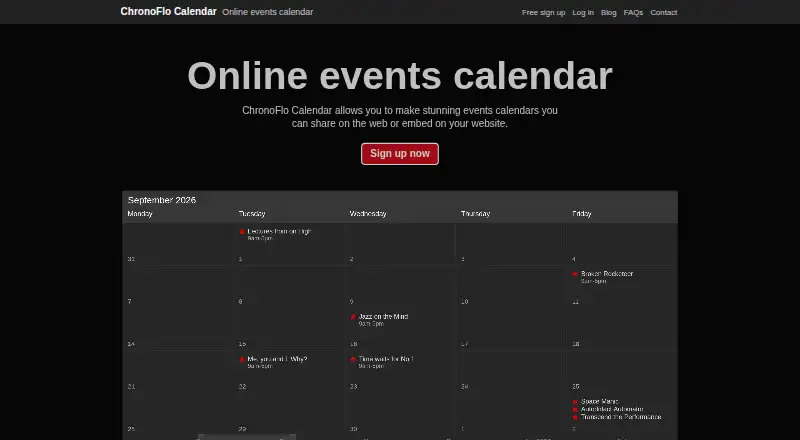
What ChronoFlo Calendar is
ChronoFlo Calendar is a browser-based tool for building interactive event calendars that people can share online or embed on a website. Its timeline lets visitors scroll through events, while calendar creators can select a hand-designed theme or make a custom one to fit their branding. Calendars can include images, video and audio. The product is suited to event, school, family, legal and project calendars. It works in a browser and requires nothing to download; it is available on the web and as an extension.
The Free plan costs nothing and includes one calendar, web sharing, a custom theme, images and video, category colors, and up to 50 current events. Paid plans start at $10/mo. Bronze costs $10 a month and adds embedding, up to five calendars, 5,000 monthly embeddable views, RSS and iCal feeds, up to 500 current events and image uploads. Silver costs $27.50 a month and allows up to 25 calendars, 30,000 monthly embeddable views, RSS, iCal and JSON feeds, and up to 1,000 current events. Feed support is a premium feature. A WordPress plugin embeds a calendar using a shortcode and requires a self-hosted or third-party WordPress installation. Accounts cannot be used commercially to create calendars for other companies; digital and communications agencies are directed to contact the maker. The product site credits Webalon Ltd.
Who it suits
ChronoFlo Calendar suits people and organizations that need to publish event, school, family, legal or project calendars online. It may also suit site owners who want an embeddable calendar, with paid plans offering embedding and feed support.
What it does well
- Timeline navigation lets visitors scroll through events.
- Calendars can include images, video and audio.
- Custom themes can match a brand.
- Free plan includes one calendar and up to 50 current events.
- Paid plans support embedding and iCal or RSS feeds.
What to know first
- Free plan is limited to one calendar and 50 current events.
- Embedding and feed support require a paid plan.
- Commercial calendars for other companies are not allowed on accounts.
Limits
The Free plan includes one calendar and up to 50 current events, with web sharing. Embedding and feed support are available on paid plans; the Bronze plan is $10 a month and allows up to five calendars and 5,000 monthly embeddable views.
Plans
| Plan | Billed and limits | Price |
|---|---|---|
| Free | 1 calendar · web sharing · custom theme · images and video · category colors · up to 50 current events | Free |
| Bronze | $10.00 a month · Up to 5 calendars · embedding · 5,000 monthly embeddable views · RSS and iCal feeds · up to 500 current events · image uploads | $10 a month |
| Silver | $27.50 a month · Up to 25 calendars · embedding · 30,000 monthly embeddable views · RSS, iCal and JSON feeds · up to 1,000 current events · image uploads | $27.50 a month |
As chronoflocalendar.com lists them, read 4 Oct 2026. The maker's own page has the final word.
Getting started
- Visit the ChronoFlo Calendar website.
- Sign up for a free account.
- Create a calendar and choose a hand-designed theme or make a custom theme.
- Add events and, if useful, images, video or audio.
- Share the calendar on the web, or use a paid plan to embed it.
- For WordPress embedding, install the maker-provided plugin on a self-hosted or third-party WordPress site.
Verdict
Choose ChronoFlo Calendar if you want a browser-based event calendar with timeline navigation, custom themes and rich media. The free plan covers one shared calendar; look elsewhere if you need to create calendars commercially for other companies, or consider a paid plan for embedding and feeds.
Questions
Is ChronoFlo Calendar free?
Yes. The Free plan costs nothing and includes one calendar, web sharing, a custom theme, images and video, category colors, and up to 50 current events.
How much do the paid plans cost?
Bronze costs $10 a month and Silver costs $27.50 a month. Paid plans start at $10/mo.
Which platforms does it support?
ChronoFlo Calendar is available on the web and as an extension. It works in a browser and requires nothing to download.
Can I embed a calendar in WordPress?
Yes. A maker-provided WordPress plugin uses a shortcode to embed a calendar. It requires a self-hosted or third-party WordPress installation.
Can calendars use external feeds?
Paid plans support feeds: Bronze includes RSS and iCal, while Silver includes RSS, iCal and JSON.
Can an account create calendars commercially for other companies?
No. Accounts cannot be used commercially to create calendars for other companies; digital and communications agencies are directed to contact the maker.
Facts from ChronoFlo Calendar's own pages
- Account setup
- Premium accounts require first signing up for a free account; annual subscription payment by invoice is available by emailing the maker. · chronoflocalendar.com, 4 Oct 2026
- Browser-based
- The maker says ChronoFlo Calendar works in a browser and requires nothing to download. · chronoflocalendar.com, 4 Oct 2026
- Commercial limit
- Accounts cannot be used commercially to create calendars for other companies; digital and communications agencies are directed to contact the maker. · chronoflocalendar.com, 4 Oct 2026
- Design
- Users can choose hand-designed themes or create a custom theme to match their branding. · chronoflocalendar.com, 4 Oct 2026
- Feeds
- The product can populate calendars from iCal, RSS and JSON feeds, with feed support marked as a premium feature. · chronoflocalendar.com, 4 Oct 2026
- Maker
- The product site credits Webalon Ltd in its copyright notice. · chronoflocalendar.com, 4 Oct 2026
- Navigation
- Calendars use a timeline so users can scroll to events instead of clicking through months. · chronoflocalendar.com, 4 Oct 2026
- Product
- ChronoFlo Calendar creates interactive event calendars that can be shared on the web or embedded on a website. · chronoflocalendar.com, 4 Oct 2026
- Rich media
- Calendars can include images, videos and audio. · chronoflocalendar.com, 4 Oct 2026
- Support
- The maker lists [email protected] for product problems and [email protected] for questions, suggestions or feedback. · chronoflocalendar.com, 4 Oct 2026
- Use cases
- The maker lists event, school, family, legal and project calendars as suitable uses. · chronoflocalendar.com, 4 Oct 2026
- WordPress integration
- A maker-provided WordPress plugin uses a shortcode to embed a ChronoFlo calendar and requires a self-hosted or third-party WordPress installation. · chronoflocalendar.com, 4 Oct 2026
Where ChronoFlo Calendar stands on Freedom251
- Event Scheduling Software#5 of 34