Freedom251 › Check Printing Software
Check Factory
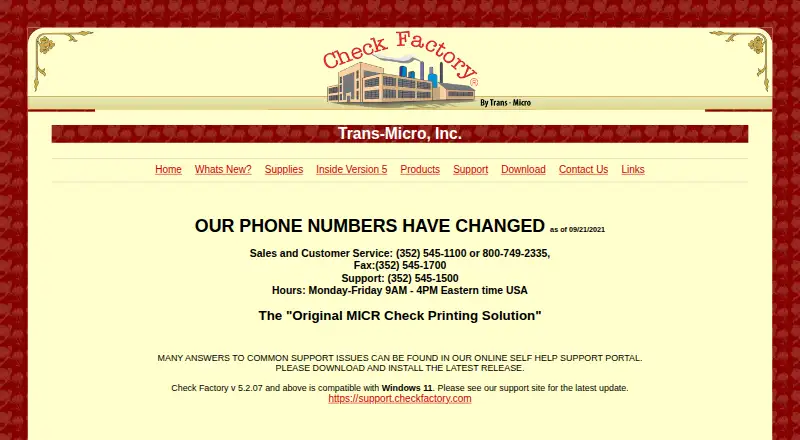
What Check Factory is
Check Factory is Windows desktop software for printing MICR checks and business forms from accounting software. It prints check details and MICR encoding together onto blank check stock, replacing preprinted checks and forms. A visual drag-and-drop designer lets users create or modify form layouts. Output can go to Windows printers, PDF, or email, and each part of a multipart form can be routed to a different printer. Listed accounting integrations include QuickBooks, Dynamics SL, Dynamics GP, Sage 50, Macola ES, Macola Progression, BusinessWorks, Passport, MAS 90/200/500, Platinum, and FHA Software - Simply Computer. Permission groups control product features, while account groups restrict checking-account access. An optional audit report can record dates, check numbers, payees, amounts, times, accounts, and user names. MICR printing requires a monochrome laser printer and MICR magnetic toner. The software is paid from $799, with a free trial and no free plan.
Who it suits
It suits Windows users who need MICR checks, customizable forms, and accounting imports. It is also relevant to organizations needing account permissions and audit records.
What it does well
- Prints checks and MICR encoding in one step
- Drag-and-drop designer supports custom forms
- Outputs to printers, PDF, and email
- Supports many accounting software integrations
- Optional audit report records account activity
What to know first
- Windows platform only
- No free plan
- MICR requires specialized printer and toner
- Evaluation output has restrictions
Limits
There is no free plan. The evaluation version adds an evaluation message, cannot save modified forms, restricts external PDF form files, and prints zeros for the MICR routing number.
Plans
| Plan | Billed and limits | Price |
|---|---|---|
| Check Factory for Sage BusinessWorks | Unlimited Checking Accounts, One year technical support · Unlimited checking accounts | $799, paid once |
| Check Factory for Sage MAS 90/200/500 | Unlimited Checking Accounts, One year technical support · Unlimited checking accounts | $995, paid once |
As checkfactory.com lists them, read 8 Oct 2026. The maker's own page has the final word.
Getting started
- Open the Check Factory website
- Choose the accounting-system plan that matches your software
- Install the Windows desktop software
- Connect a monochrome laser printer with MICR magnetic toner
- Import accounting data through a file or supported integration
- Design or adjust forms in the drag-and-drop designer
- Print checks or forms to a printer, PDF, or email
Verdict
Check Factory combines blank-stock MICR printing, form design, accounting integrations, and access controls in a Windows desktop package. Buyers should account for the paid pricing and required MICR hardware.
Questions
How much does Check Factory cost?
The listed Check Factory for Sage BusinessWorks plan is $799, paid once. Check Factory for Sage MAS 90/200/500 is $995, paid once; both include unlimited checking accounts and one year of technical support.
Is there a free trial?
Yes. A free trial is available, but evaluation printing has restrictions.
Which platforms does it support?
Check Factory is desktop software for Windows.
What printer is needed for MICR checks?
MICR checks require a monochrome laser printer and a MICR magnetic toner cartridge.
Which accounting systems integrate?
The maker lists QuickBooks, Dynamics SL, Dynamics GP, Sage 50, Macola ES, Macola Progression, BusinessWorks, Passport, MAS 90/200/500, Platinum, and FHA Software - Simply Computer.
Facts from Check Factory's own pages
- Accounting integrations
- The maker lists QuickBooks, Dynamics SL, Dynamics GP, Sage 50, Macola ES, Macola Progression, BusinessWorks, Passport, MAS 90/200/500, Platinum, and FHA Software - Simply Computer. · checkfactory.com, 8 Oct 2026
- Audit trail
- An optional audit report can record checking-account access activity, including date, check number, payee, amount, time, account, and user name. · checkfactory.com, 8 Oct 2026
- Check printing
- It prints checks and MICR encoding together in one step on blank check stock. · checkfactory.com, 8 Oct 2026
- Check security
- Users can be assigned permission groups for product features and account groups to restrict access to checking accounts. · checkfactory.com, 8 Oct 2026
- Evaluation
- The evaluation software is described as fully functional, but prints an evaluation message, cannot save modified forms, restricts external PDF form files, and prints zeros for the MICR routing number. · checkfactory.com, 8 Oct 2026
- Form designer
- Its visual drag-and-drop form designer lets users modify or create forms. · checkfactory.com, 8 Oct 2026
- Hardware requirement
- MICR checks require a monochrome laser printer and a MICR magnetic toner cartridge. · checkfactory.com, 8 Oct 2026
- Printer routing
- A multiple-part form can send each part to a different printer. · checkfactory.com, 8 Oct 2026
- Printing outputs
- The software supports printing to Windows printers, PDF, and email. · checkfactory.com, 8 Oct 2026
- Purpose
- Check Factory is MICR check and forms printing software designed to replace preprinted checks and forms and work inside accounting software. · checkfactory.com, 8 Oct 2026
- Support
- The support portal provides troubleshooting, updates, and downloads to customers with current maintenance plans. · support.trans-micro.com, 8 Oct 2026
Where Check Factory stands on Freedom251
- Check Printing Software#17 of 28