Freedom251 › Chaos Engineering Platforms
chaosd
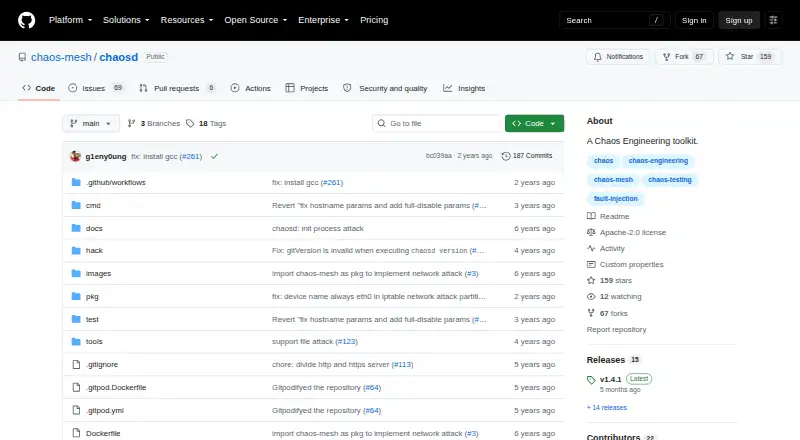
What chaosd is
chaosd is a free Chaos Engineering tool for injecting faults into physical machine environments and recovering experiments. It supports process, network, CPU or memory pressure, disk and host faults. Users can run it as a command-line tool or as a background service controlled through HTTP requests. It is downloaded and deployed separately from Chaos Mesh; PhysicalMachineChaos experiments require service mode on each targeted physical or virtual machine. The documented operating environment requires glibc 2.17 or later, and the listed binary download is a Linux amd64 tarball. Network experiments using tc or iptables require sudo or root privileges. The repository lists tc, ipset and iptables as deployment prerequisites; source builds additionally require stress-ng and byteman. Users can search for experiments and recover them by UID. The repository identifies the license as Apache-2.0. The listed plan is free. It supports network fault injection and blast-radius controls, but has no Kubernetes support, cloud fault injection or experiment scheduling.
Who it suits
chaosd suits teams injecting and recovering faults on Linux physical or virtual machines. It may fit users who can deploy it separately and meet its operating and privilege requirements.
What it does well
- Free plan and Apache-2.0 license
- Supports process, network, disk and host faults
- Runs as a CLI or HTTP-controlled service
- Experiments can be recovered by UID
What to know first
- Documented binary is a Linux amd64 tarball
- Requires glibc 2.17 or later
- Network experiments require sudo or root privileges
- No Kubernetes support or cloud fault injection
Limits
The documented Linux environment requires glibc 2.17 or later. Network experiments using tc or iptables require sudo or root privileges; Chaos Mesh PhysicalMachineChaos also requires chaosd service mode on each target machine.
Plans
| Plan | Billed and limits | Price |
|---|---|---|
| Chaosd | Apache-2.0 licensed; Linux binary download; requires glibc v2.17 or later | Free |
As github.com lists them, read 7 Oct 2026. The maker's own page has the final word.
Getting started
- Download the documented Linux amd64 tarball from the chaosd GitHub repository.
- Check that the operating environment has glibc 2.17 or later.
- Install the listed deployment prerequisites: tc, ipset, and iptables.
- Run chaosd as a command-line tool or configure it as a background service.
- For Chaos Mesh PhysicalMachineChaos, deploy it in service mode on each target machine and configure TLS certificates.
- Use sudo or root for network experiments that use tc or iptables.
chaosd is a self-hosted Chaos Engineering utility for deliberately breaking physical or virtual machines and then restoring them. It suits engineers who need low-level process, network, resource, disk, or host failure experiments without paying for a hosted platform. Its free Apache-2.0 license and service API are compelling, but Linux-only packaging and elevated privileges make deployment an infrastructure task.
Overview
chaosd injects faults directly into machines rather than concentrating on Kubernetes workloads or cloud-provider services. Experiments cover processes, network conditions, CPU and memory pressure, disks, and host behavior. You can invoke it from a command line or run it as a background service controlled through HTTP requests, giving operators a choice between local, scriptable experiments and an API-driven setup.
The tool is downloaded and deployed separately from Chaos Mesh. For Chaos Mesh PhysicalMachineChaos experiments, chaosd must run in service mode on every physical or virtual machine selected for injection. That separation is useful when you want a focused machine-level agent, but it adds another deployment component to manage.
Key features
Fault injection and recovery
Process, network, CPU, memory, disk, and host fault types cover the main failure domains of a machine. Chaosd can search for experiments and recover them by UID, an important operational safeguard when several disruptions are active or an experiment needs to be stopped before its intended end.
API and control model
Command-line execution is practical for one-off tests and automation, while HTTP-controlled service mode fits centralized orchestration and PhysicalMachineChaos integration. Blast-radius controls are supported, but there is no experiment scheduling, so timed campaigns need an external scheduler or workflow.
Security and privileges
The PhysicalMachineChaos guidance uses TLS certificates for the service and advises against running without generated certificates for cluster security. Network experiments that use tc or iptables require sudo or root privileges. Those requirements are appropriate for manipulating a host network, but they raise the bar for safe production access and credential management.
Pricing
| Plan | Price | What it includes |
|---|---|---|
| Chaosd | free | Apache-2.0 licensed Linux binary download; glibc 2.17 or later required |
There is one free plan, with no paid tier or seat charge stated. It is a strong fit for teams able to operate their own Linux agents and supporting dependencies. The trade-off is operational rather than financial: you provide the machines, deployment, TLS setup, privileges, and recovery procedures yourself.
Platforms
chaosd is self-hosted and exposes an API, with documented operation on Linux. The supplied binary download is a Linux amd64 tarball, with stable versioned and latest unstable downloads. The environment requires glibc 2.17 or later. Deployment prerequisites include tc, ipset, and iptables; source builds additionally require stress-ng and byteman.
It does not support Kubernetes directly as a standalone target or cloud fault injection. Kubernetes users reach physical-machine experiments through Chaos Mesh, which still requires chaosd on the targeted hosts.
Who it's for
Choose chaosd if your resilience work targets host operating systems, machine resources, or network stacks and you want an open-source agent that can be scripted or addressed over HTTP. It is especially suitable for Linux infrastructure teams comfortable granting narrowly controlled sudo or root access and maintaining self-hosted components.
It is a poor fit for teams seeking a browser-managed service, built-in scheduling, cross-platform desktop support, or cloud-provider fault scenarios. Organizations standardizing on Kubernetes may prefer a broader Chaos Mesh installation rather than operating chaosd alone.
Pros and cons
Pros
- Broad physical-machine coverage: process, network, CPU, memory, disk, and host faults address multiple failure layers.
- Two operating modes: CLI use keeps individual tests simple, while HTTP service mode supports automation and Chaos Mesh integration.
- Recovery by experiment UID: operators can locate and reverse disruptions instead of relying only on a process exit.
- No license fee: the Apache-2.0 plan removes subscription cost for self-hosting teams.
Cons
- Linux amd64 emphasis: the documented binary and glibc requirement narrow the deployment target.
- Privileged networking: tc and iptables experiments need sudo or root, increasing security and change-control work.
- No scheduling: recurring or timed experiments require another tool.
- Separate deployment from Chaos Mesh: Kubernetes physical-machine scenarios add an agent rollout and TLS configuration step.
Alternatives
- Chaos Toolkit is the better pick for a free open-source CLI that also runs across Linux, macOS, Windows, and web/API environments.
- ChaosBlade suits teams wanting a free tool spanning three system platforms, four programming-language application types, and more than 200 experiment scenarios.
- Reliably is preferable when a freemium, open-source approach with web and desktop-platform coverage and an explicit free team offering matters.
- Toxiproxy is a focused alternative for injecting TCP proxy conditions through a free MIT-licensed project.
- Krkn is another free option for API, Linux, self-hosted, and web-based chaos work.
- Chaos Mesh is the natural choice for a cloud-native platform that runs on Kubernetes rather than a standalone host agent.
- FaultMesh fits teams wanting a hosted-style freemium path, with a free Starter tier for up to three services and core fault types, plus a $49.00-per-month Growth tier.
- Krkn-AI offers a free Apache-licensed Linux and self-hosted alternative when no commercial plan structure is needed.
Verdict
chaosd is a strong choice for Linux infrastructure engineers who need direct, recoverable fault injection on physical or virtual machines and can operate a privileged self-hosted agent. Its zero price, broad host fault coverage, CLI/API modes, and Chaos Mesh integration are the main reasons to choose it. Look elsewhere if you need scheduling, cloud fault injection, a managed interface, or broader platform support without assembling the deployment and security controls yourself.
Verdict
chaosd covers several physical-machine fault types and offers both command-line and service modes. Check its Linux requirements, deployment prerequisites and privilege needs before using it.
Questions
How much does chaosd cost?
chaosd has a free plan.
Which operating systems does it support?
The documented binary download is a Linux amd64 tarball, and the operating environment requires glibc 2.17 or later.
Is chaosd open source?
The repository identifies its license as Apache-2.0.
What faults can chaosd inject?
It supports process, network, CPU or memory pressure, disk, and host faults.
Can it be used with Chaos Mesh?
Yes. Chaos Mesh PhysicalMachineChaos experiments require chaosd deployed in service mode on the targeted physical or virtual machines.
Does chaosd support Kubernetes, cloud fault injection, or experiment scheduling?
It does not provide Kubernetes support, cloud fault injection, or experiment scheduling.
Facts from chaosd's own pages
- Deployment
- Chaosd is downloaded and deployed separately from Chaos Mesh. · chaos-mesh.org, 7 Oct 2026
- Download
- The documented binary download is a Linux amd64 tarball, with stable versioned and latest unstable downloads described. · chaos-mesh.org, 7 Oct 2026
- Fault types
- It supports process, network, CPU or memory pressure, disk, and host faults. · chaos-mesh.org, 7 Oct 2026
- Integration
- Chaos Mesh PhysicalMachineChaos experiments require Chaosd deployed in service mode on the physical or virtual machines targeted for fault injection. · chaos-mesh.org, 7 Oct 2026
- License
- The GitHub repository identifies its license as Apache-2.0. · github.com, 7 Oct 2026
- Prerequisites
- The repository lists tc, ipset, and iptables as deployment prerequisites, and lists stress-ng and byteman as additional requirements when building from source. · github.com, 7 Oct 2026
- Privileges
- Network experiments using tc or iptables require Chaosd commands to run with sudo or root privileges. · chaos-mesh.org, 7 Oct 2026
- Purpose
- Chaosd is a Chaos Engineering tool for injecting and recovering faults in physical machine environments. · chaos-mesh.org, 7 Oct 2026
- Recovery
- Chaosd supports searching for experiments and recovering experiments by their UIDs. · chaos-mesh.org, 7 Oct 2026
- Security
- The PhysicalMachineChaos guide shows Chaosd configured with TLS certificates and says running the service without generated certificates is not recommended for cluster security. · chaos-mesh.org, 7 Oct 2026
- Supported environment
- The documented operating environment requires glibc version 2.17 or later. · chaos-mesh.org, 7 Oct 2026
- Work modes
- Chaosd can run as a command-line tool or as a background service controlled through HTTP requests. · chaos-mesh.org, 7 Oct 2026
Where chaosd stands on Freedom251
- Chaos Engineering Platforms#3 of 25