Freedom251 › Chaos Engineering Platforms

Chaos Mesh
What Chaos Mesh is
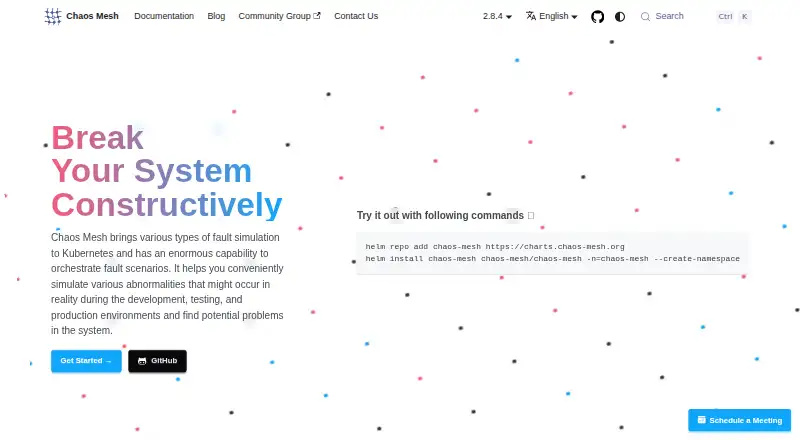
Chaos Mesh is a free, open-source platform for simulating faults in development, testing, and production environments. It runs on Kubernetes and manages experiments through CustomResourceDefinitions and the Kubernetes API. Supported fault areas include Pods, networks, DNS, HTTP, I/O, time, stress, kernels, block devices, JVMs, physical machines, and AWS, Azure, and GCP. Schedule, Workflow, and StatusCheck resources support recurring experiments, serial or parallel workflows, and application health checks. Selectors and namespace controls help target experiments and limit their scope. Chaos Dashboard provides a web interface and HTTP API for creating, managing, and observing experiments, with role-based access control enabled by default. Chaos Daemon runs as a privileged Kubernetes DaemonSet by default, though that permission can be disabled. The software uses the Apache License 2.0, and its Helm repository supports Helm 3. Kubernetes compatibility depends on the release: version 2.8 supports Kubernetes 1.30 through 1.35, while 2.7 supports 1.26 through 1.28. Community support is available through CNCF Slack and GitHub Discussions.
Who it suits
Chaos Mesh suits teams that run Kubernetes and want to simulate faults across development, testing, or production environments. Its controls support teams that need to scope experiments to selected targets.
What it does well
- Free and licensed under Apache License 2.0.
- Supports recurring and serial or parallel experiments.
- Dashboard includes a web interface and HTTP API.
- RBAC is enabled by default.
What to know first
- Chaos Daemon is privileged by default.
- Kubernetes support depends on the release.
- RemoteCluster is described as being in an early stage.
- Dashboard data may be lost after reboot without persistent volumes.
Limits
Chaos Mesh is free under its Apache License 2.0; no free-plan quota is stated. Compatibility varies by release: version 2.8 supports Kubernetes 1.30–1.35, while version 2.7 supports 1.26–1.28.
Plans
| Plan | Billed and limits | Price |
|---|---|---|
| Chaos Mesh | Open-source, cloud-native Chaos Engineering platform · runs on Kubernetes | Free |
As chaos-mesh.org lists them, read 2 Oct 2026. The maker's own page has the final word.
Getting started
- Open the Chaos Mesh website and review Kubernetes compatibility for the release you plan to use.
- Use the official Helm repository with Helm 3 to install Chaos Mesh into a Kubernetes namespace.
- Configure experiment targets and namespace controls.
- Use Chaos Dashboard or the Kubernetes API to create and observe experiments.
- Configure persistent volumes or MySQL or PostgreSQL if dashboard data must survive reboots.
Chaos Mesh is a free, open-source fault-injection platform for teams running Kubernetes. It is best suited to operators who want to manage experiments through cluster-native resources and cover faults across applications and infrastructure. Its breadth and orchestration are strong, but the privileged daemon and the care needed to contain experiments make it an operational choice, not a casual testing add-on.
Overview
Chaos Mesh uses Kubernetes CustomResourceDefinitions and the Kubernetes API to manage experiments in development, testing, and production. That approach suits teams already comfortable administering Kubernetes; it is a poor fit for organizations seeking a managed service or a tool independent of Kubernetes. Experiments can simulate faults affecting Pods, networks, DNS, HTTP, I/O, time, CPU and memory, kernels, block devices, JVMs, physical machines, and AWS, Azure, and GCP.
Selectors and namespace controls help target experiments and contain their blast radius. They do not remove the need to plan for recovery: for Pod Kill experiments, the project recommends a ReplicaSet or similar mechanism so the Pod can restart automatically. Chaos Mesh began as part of TiDB’s core testing platform, and is licensed under Apache License 2.0.
Key features
Scheduling, workflows, and health checks
Schedule resources support recurring experiments; Workflow resources can run experiments serially or in parallel and check their status and results. StatusCheck resources add application health checks. These controls make it possible to coordinate repeatable exercises rather than launch isolated faults, while giving teams a way to check application health during an experiment.
Dashboard and access
Chaos Dashboard provides a web interface and HTTP API for creating, managing, and observing experiments. Role-based access control is enabled by default, and Kubernetes RBAC and namespace annotations provide additional ways to restrict permissions and where experiments are enabled. On Google Cloud Platform, the dashboard can use Google OAuth authentication.
The dashboard uses SQLite by default. Without persistent volumes, its data is lost after a reboot; teams that need persistence can configure MySQL or PostgreSQL instead. That setup is a meaningful operational consideration for anyone relying on dashboard history or state.
Deployment and integrations
The official Helm repository supports Helm 3 and provides a command to install Chaos Mesh into a Kubernetes namespace. Chaos Mesh is self-hosted, with API and web access. Its Grafana data-source plugin requires Chaos Mesh 2.1 or later and Grafana 10.0 or later; it was tested on Grafana 10.0.3. The chaos-mesh-action GitHub Action can integrate experiments into GitHub Actions workflows.
RemoteCluster can install Chaos Mesh components in remote Kubernetes clusters and synchronize experiment status, but the feature is in an early stage. Teams should treat it as an emerging option rather than a mature basis for multi-cluster operations.
Pricing
Chaos Mesh is free and open source. The Chaos Mesh plan costs nothing and includes the Kubernetes-based platform; there is no paid tier or seat quota in the stated plan. The trade-off is self-hosting: teams operate the Kubernetes components, dashboard storage, and experiment safeguards themselves.
Compatibility depends on the release and Kubernetes version. Chaos Mesh 2.8 supports Kubernetes 1.30 through 1.35, while version 2.7 supports Kubernetes 1.26 through 1.28. Check that pairing before choosing a release. Community technical support is available through CNCF Slack’s #project-chaos-mesh channel and GitHub Discussions. Security issues are fixed as soon as possible and back-ported to the last two releases.
Platforms
Chaos Mesh runs on Kubernetes and is self-hosted, with API and web interfaces. Its cloud fault injection covers AWS, Azure, and GCP, but the platform itself remains Kubernetes-centered rather than a general-purpose desktop or hosted application.
Who it's for
Chaos Mesh is a strong fit for platform, SRE, and reliability teams that already operate Kubernetes and want to schedule, scope, and observe fault experiments through the Kubernetes API. Its broad fault coverage and workflow controls can support exercises spanning application and infrastructure behavior. Teams without Kubernetes expertise, those seeking vendor-managed operations, or those unwilling to grant a privileged component access to nodes should look elsewhere.
Pros and cons
Pros
- Broad fault coverage spans workloads, networking, time, kernels, JVMs, physical machines, and major cloud platforms.
- Kubernetes-native resources, recurring schedules, workflows, and health checks support repeatable, coordinated experiments.
- Selectors, namespace controls, and default role-based access control help teams restrict experiment scope and dashboard operations.
- The Apache-licensed platform is free to self-host, with Helm 3 installation and a GitHub Actions integration.
Cons
- Chaos Daemon runs as a privileged Kubernetes DaemonSet by default, a significant access decision for security-conscious operators, even though the privilege can be disabled.
- Dashboard data stored in default SQLite is lost on reboot without persistent volumes; MySQL or PostgreSQL requires configuration.
- RemoteCluster is described as early-stage, so it is less compelling for teams needing established remote-cluster management.
- Safe use requires deliberate scoping and recovery planning, especially for Pod Kill experiments.
Alternatives
Compare chaos engineering platforms if you want to assess the broader category. Chaos Toolkit is another free, Apache-licensed open-source option with API, desktop, self-hosted, and web platforms; consider it if those platform options better match your environment. ChaosBlade is free and describes more than 200 experiment scenarios across three system platforms and four programming-language applications, which may suit readers focused on that scenario breadth.
Reliably has a free plan for one team member and describes its open-source approach as avoiding lock-in; consider it if those terms are a better fit. Toxiproxy is a free, open-source TCP proxy under the MIT license, a narrower option for readers focused on TCP fault injection. Krkn is another free option for readers comparing chaos engineering tools. chaosd is a free Apache-2.0 option distributed as a Linux binary and requiring glibc v2.17 or later. FaultMesh offers a free Starter plan for up to three services with core fault types, basic resilience scoring, and community support; its paid Growth plan is $49 a month. Krkn-AI is a free, Apache License 2.0 option for Linux and self-hosted use.
Verdict
Choose Chaos Mesh if your team runs Kubernetes and wants free, Kubernetes-native experiments with broad fault coverage, scheduling, and controls for limiting scope. The main reason to choose it is that combination of breadth and cluster-native orchestration. Look elsewhere if you need managed operations, a non-Kubernetes-centered tool, or a less privileged deployment by default.
Verdict
Chaos Mesh offers broad fault simulation and Kubernetes-native experiment controls. Operators should account for its privileged daemon default and verify compatibility with their Kubernetes version.
Questions
How much does Chaos Mesh cost?
Chaos Mesh is free. Its listed plan is free.
Which platforms does it support?
It is self-hosted and runs on Kubernetes, with a web dashboard and HTTP API.
Is Chaos Mesh open source?
Yes. It is licensed under Apache License 2.0.
Which Kubernetes versions are supported?
Chaos Mesh 2.8 supports Kubernetes 1.30 through 1.35. Version 2.7 supports Kubernetes 1.26 through 1.28.
How can I get technical support?
Community support is available through CNCF Slack in #project-chaos-mesh and GitHub Discussions.
Does the dashboard retain data after a reboot?
It uses SQLite by default. Without persistent volumes, its data is lost after a reboot; MySQL or PostgreSQL can be configured instead.
Facts from Chaos Mesh's own pages
- Authentication
- When deployed on Google Cloud Platform, Chaos Dashboard can use Google OAuth authentication. · chaos-mesh.org, 2 Oct 2026
- CI integration
- The chaos-mesh-action GitHub Action integrates Chaos Mesh with GitHub Actions CI workflows. · chaos-mesh.org, 2 Oct 2026
- Dashboard
- Chaos Dashboard provides a web interface to define, manage, and monitor experiments. · chaos-mesh.org, 2 Oct 2026
- Dashboard data
- Chaos Dashboard uses SQLite by default; without persistent volumes, its data is lost after a reboot, and MySQL or PostgreSQL can be configured instead. · chaos-mesh.org, 2 Oct 2026
- Experiment controls
- Selectors and namespace controls let users scope experiments to chosen targets and limit their blast radius. · chaos-mesh.org, 2 Oct 2026
- Experiment orchestration
- Schedule, Workflow, and StatusCheck resources support recurring experiments, serial or parallel workflows, and application health checks. · github.com, 1 Oct 2026
- Fault coverage
- It supports Pod, network, DNS, HTTP, I/O, time, stress, kernel, block device, JVM, physical-machine, AWS, Azure, and GCP faults. · github.com, 1 Oct 2026
- Fault types
- It supports simulations for Pod, network, DNS, HTTP, CPU and memory, file I/O, clock, kernel, AWS, GCP, and JVM faults. · chaos-mesh.org, 2 Oct 2026
- Grafana integration
- The Chaos Mesh Grafana data-source plugin requires Chaos Mesh 2.1 or later and Grafana 10.0 or later, and was tested on Grafana 10.0.3. · chaos-mesh.org, 1 Oct 2026
- Installation
- The production installation guide describes installing Chaos Mesh with Helm and lists Docker, Containerd, K3s, MicroK8s, and CRI-O environments. · chaos-mesh.org, 2 Oct 2026
- Kubernetes integration
- Chaos Mesh uses Kubernetes CustomResourceDefinitions and manages experiments through the Kubernetes API. · chaos-mesh.org, 1 Oct 2026
- License
- Chaos Mesh is licensed under the Apache License 2.0. · github.com, 1 Oct 2026
- Origin
- Chaos Mesh originated from the core testing platform of TiDB and inherited TiDB testing experience. · chaos-mesh.org, 1 Oct 2026
- Privileged component
- Chaos Daemon runs as a Kubernetes DaemonSet with privileged permission by default, although this can be disabled. · chaos-mesh.org, 1 Oct 2026
- Purpose
- Chaos Mesh simulates faults in development, testing, and production environments to help identify potential system problems. · chaos-mesh.org, 2 Oct 2026
- Remote clusters
- RemoteCluster can install Chaos Mesh components in remote Kubernetes clusters and synchronize experiment status, but the feature is described as being in an early stage. · chaos-mesh.org, 1 Oct 2026
- Security
- Chaos Mesh manages permissions through Kubernetes RBAC, and namespace annotations can restrict where experiments are enabled. · chaos-mesh.org, 2 Oct 2026
- Security controls
- Role-based access control is enabled by default to restrict dashboard operations. · chaos-mesh.org, 1 Oct 2026
- Security fixes
- Security issues are fixed as soon as possible and back-ported to the last two releases. · chaos-mesh.org, 1 Oct 2026
- Support
- The project directs users to GitHub Issues, GitHub Discussions, and its Slack channel for assistance and community interaction. · chaos-mesh.org, 2 Oct 2026
- Supported Kubernetes
- Chaos Mesh 2.8 is supported with Kubernetes versions 1.30 through 1.35, while 2.7 is supported with versions 1.26 through 1.28. · chaos-mesh.org, 1 Oct 2026
- Usage restriction
- For Pod Kill experiments, the documentation recommends configuring a ReplicaSet or similar mechanism to ensure the Pod can restart automatically. · chaos-mesh.org, 2 Oct 2026
- Workflows
- Workflows can orchestrate experiments serially or in parallel and check experiment status and results. · chaos-mesh.org, 2 Oct 2026
Where Chaos Mesh stands on Freedom251
- Chaos Engineering Platforms#4 of 25