Freedom251 › Certificate Maker Software

CertifyLink
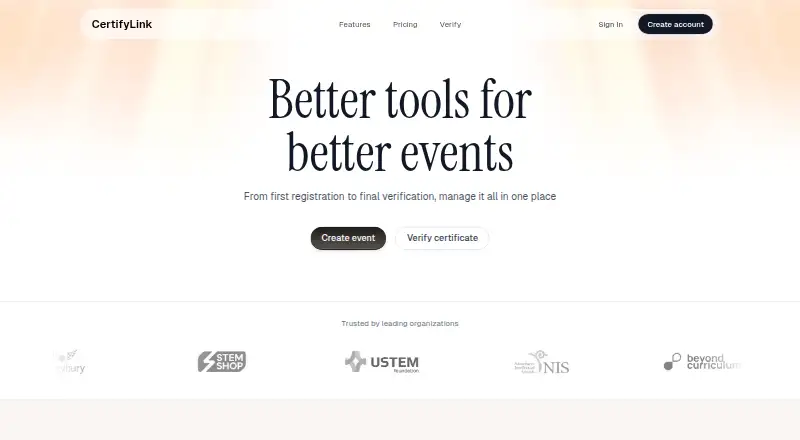
What CertifyLink is
CertifyLink is a hosted web platform for designing, generating, managing, and verifying digital certificates. Its visual drag-and-drop editor lets users customize templates with text, fonts, and colors. Certificates can be checked through unique IDs, QR codes, and public verification pages. Users can upload CSV files to generate personalized certificates in bulk, and certificates can be exported as PDFs. Organizers can make event pages with venue, schedule, speakers, and sponsors, then add custom registration forms. An organization dashboard brings the organization profile and upcoming events together. The Free Plan includes up to 4 certificates and up to 2 events. The Pro Plan is $14 a month, billed $19/month Billed annually, and includes unlimited certificates and events plus free templates. CertifyLink says it does not sell personal data and describes safeguards including encryption in transit, access controls, session protections, upload validation, and abuse monitoring. Its policy says the service is not intended for highly sensitive information such as government IDs, health data, or payment card numbers. Verification pages are viewable by anyone with the link or QR code and may show recipient details entered by the user.
Who it suits
CertifyLink suits organizations issuing certificates in bulk or alongside events, and users who need QR-code or public-page verification. Users handling highly sensitive data should note the policy's stated limitation.
What it does well
- Drag-and-drop editor customizes certificate templates.
- CSV uploads support bulk certificate generation.
- Verification uses IDs, QR codes, and public pages.
- Event pages include custom registration forms.
- Certificates can be exported as PDFs.
What to know first
- Free Plan is limited to 4 certificates.
- Free Plan allows up to 2 events.
- Verification pages may show recipient details publicly.
- Not built for highly sensitive information.
Limits
The Free Plan includes up to 4 certificates and up to 2 events. It includes QR code verification and bulk generation; the Pro Plan adds unlimited certificates and events and free templates.
Plans
| Plan | Billed and limits | Price |
|---|---|---|
| Free Plan | Up to 4 certificates · Up to 2 events · QR code verification · Bulk generation | Free |
| Pro Plan | $19/month Billed annually · Everything in free · Unlimited certificates · Unlimited events · Free templates | $14 a month |
As certifylink.com lists them, read 4 Oct 2026. The maker's own page has the final word.
Getting started
- Open the CertifyLink website.
- Use the web platform.
- Start with the Free Plan, which includes up to 4 certificates and 2 events.
- Customize a certificate template in the visual editor.
- Import a CSV file to generate personalized certificates in bulk.
- Export certificates as PDFs.
CertifyLink is a hosted web service for designing, issuing, managing, and verifying digital certificates, with event publishing built into the same workspace. It suits organizations running courses, conferences, or recognition programs that need batch issuance and event registration. The central trade-off is scale: the paid tier removes certificate and event limits, while public verification can reveal recipient information.
Overview
CertifyLink covers the workflow from template creation to verification. Its drag-and-drop editor lets you adjust certificate text, fonts, and colors, so organizers can produce branded credentials without separate design software. CSV import supports automatic creation of hundreds of personalized certificates, a practical advantage for recurring classes or large events. Finished certificates can be exported as PDFs.
Verification works through unique certificate IDs, QR codes, and public verification pages. Event pages can include a venue, schedule, speakers, and sponsors, and organizers can add custom registration forms. An organization dashboard groups the organization profile and upcoming events, making the service more suitable for event-linked credentialing than for occasional, standalone certificate artwork.
Key features
Certificate creation and bulk issuing
The visual editor provides focused control over certificate content and appearance. Its value is greatest when a team needs consistent templates rather than unrestricted graphic design. CSV-based generation turns a recipient list into personalized certificates in bulk, reducing repetitive manual work. PDF export gives recipients a familiar, portable file.
Verification and privacy
Unique IDs and QR codes give recipients and third parties straightforward ways to check authenticity. A public verification page is convenient for sharing, but anyone with its link or QR code can open it, and it may show recipient details entered by the user. Avoid putting highly sensitive information into certificates or linked pages. CertifyLink's policy says it does not sell personal data and describes encryption in transit, access controls, session protections, upload validation, and abuse monitoring. It also says the platform is not designed for government IDs, health data, or payment-card information.
Events and organization management
Event pages and custom forms extend CertifyLink beyond a certificate generator. Organizers can present practical event information and collect registrations, while the dashboard keeps organizational details and upcoming events together. These capabilities are useful when certificates are part of an event program; they add less value if you only need occasional certificates.
Pricing
CertifyLink uses a freemium model. The Free Plan costs nothing and allows up to four certificates and two events, with QR-code verification and bulk generation. It is suitable for a small pilot or a very limited program, but the certificate ceiling arrives quickly for regular cohorts.
The Pro Plan costs $14 a month, billed at $19/month when billed annually. It includes everything in the free plan, plus unlimited certificates, unlimited events, and free templates. Pro is the practical choice for organizations issuing credentials throughout the year or running multiple events. The annual billing price is higher on its stated monthly equivalent, so confirm the billing term that applies before committing.
Platforms
CertifyLink is delivered through the web, with no separate desktop platform identified. That suits teams working from browsers and sharing a central organization workspace.
Who it's for
Choose CertifyLink for training providers, conference organizers, schools, associations, and other teams that need batch-generated certificates tied to events. It is especially relevant when QR verification and a shared organization dashboard matter. It is a poor fit for workflows involving regulated or highly sensitive personal data, or for users who need an entirely private verification process.
Pros and cons
Pros
- Bulk CSV generation: creates many personalized certificates without one-by-one entry.
- Multiple verification methods: IDs, QR codes, and public pages make checking credentials straightforward.
- Event workspace: combines schedules, speakers, sponsors, registration forms, and certificates.
- Clear upgrade path: Pro removes the free plan's certificate and event quotas.
Cons
- Very small free allowance: four certificates and two events limit sustained free use.
- Public-page exposure: shared links or QR codes may display recipient details.
- Sensitive-data restriction: the service is not built for government IDs, health data, or payment cards.
- Web-only delivery: users seeking a native desktop application must look elsewhere.
Alternatives
MailMergic is a better choice if you need API, macOS, Windows, or web access and document mail-merge workflows; its free tier allows 25 documents per month, while Pro is $39 a year for 1,000 documents per month.
Berlvis Credentials suits users who want web-based studio access or unlimited ID-card templates and generation on its 5,000.00 NGN monthly ID Cards plan.
Certhive is worth considering for a web-based e-certificate service with a free Starter plan allowing up to 50 certificates.
CertificatesMaker is the simpler pick when a free-forever web certificate maker with no stated limitations is the priority.
Certifier fits teams seeking API and web access, with a free Starter allowance of up to 250 credentials per year.
Certopus is an alternative for API, self-hosted, or web deployments, with a free tier offering 250 credentials and two events.
DesignCap is a web design-oriented option with free templates, limited stock media, five image uploads, and JPG exports.
EZdoc AI Certificate Maker is another web/API option with a free allowance of 25 copies per month and CSV/XLSX upload.
For a broader comparison, browse Certificate Maker Software.
Verdict
CertifyLink is a strong choice for event organizers and training teams that need batch certificate production, QR verification, and event pages in one web service. Pro is the sensible plan for ongoing programs because it removes the free quotas. Look elsewhere if public verification pages exposing recipient details are unacceptable, if your data is highly sensitive, or if you require a native desktop app.
Verdict
CertifyLink combines certificate creation and verification with bulk issuance and event tools. Its public verification pages can expose recipient details, so consider what information is included before sharing a link or QR code.
Questions
Is CertifyLink free?
Yes. The Free Plan costs nothing and includes up to 4 certificates and 2 events, QR code verification, and bulk generation.
How much does the Pro Plan cost?
It is listed at $14 a month, billed $19/month Billed annually.
Which platforms does CertifyLink support?
CertifyLink is available on the web.
Can I create certificates in bulk?
Yes. Users can upload CSV files to generate personalized certificates in bulk.
How can someone verify a certificate?
Verification uses unique IDs, QR codes, and public verification pages. Anyone with the link or QR code can view the page, which may show recipient details supplied by the user.
Does CertifyLink sell personal data?
Its privacy policy says it does not sell personal data.
Facts from CertifyLink's own pages
- Bulk generation
- Users can upload CSV files to automatically generate hundreds of personalized certificates. · certifylink.com, 4 Oct 2026
- Certificate editor
- A visual drag-and-drop editor lets users customize certificate templates with text, fonts, and colors. · certifylink.com, 4 Oct 2026
- Data handling limit
- The policy says the platform is not built to handle highly sensitive information such as government IDs, health data, or payment card numbers. · certifylink.com, 4 Oct 2026
- Eligibility
- The terms require users to be at least 16 years old or the minimum age required in their region. · certifylink.com, 4 Oct 2026
- Events
- Event pages can show venue, schedule, speakers, and sponsors, and organizers can build custom registration forms. · certifylink.com, 4 Oct 2026
- Integrations and providers
- The policy names Vercel for hosting and analytics, Cloudflare R2 for file storage, Resend for email, Better Auth and Google for authentication, and Polar for billing. · certifylink.com, 4 Oct 2026
- Organization tools
- An organization dashboard manages the organization profile and upcoming events in one place. · certifylink.com, 4 Oct 2026
- Privacy
- The privacy policy says CertifyLink does not sell personal data. · certifylink.com, 4 Oct 2026
- Product
- CertifyLink is a hosted platform for designing, generating, managing, and verifying digital certificates. · certifylink.com, 4 Oct 2026
- Security
- The policy describes encryption in transit, access controls, session protections, upload validation, and abuse monitoring as safeguards. · certifylink.com, 4 Oct 2026
- Support
- The site lists [email protected] and links to Telegram support for custom solutions. · certifylink.com, 4 Oct 2026
- Verification
- Certificates can be verified using unique IDs, QR codes, and public verification pages. · certifylink.com, 4 Oct 2026
- Verification visibility
- Anyone with a certificate verification link or QR code can view its verification page, which may display recipient details supplied by the user. · certifylink.com, 4 Oct 2026
Where CertifyLink stands on Freedom251
- Certificate Maker Software#13 of 28