Freedom251 › Code Clone Detection Tools
CCFinderSW
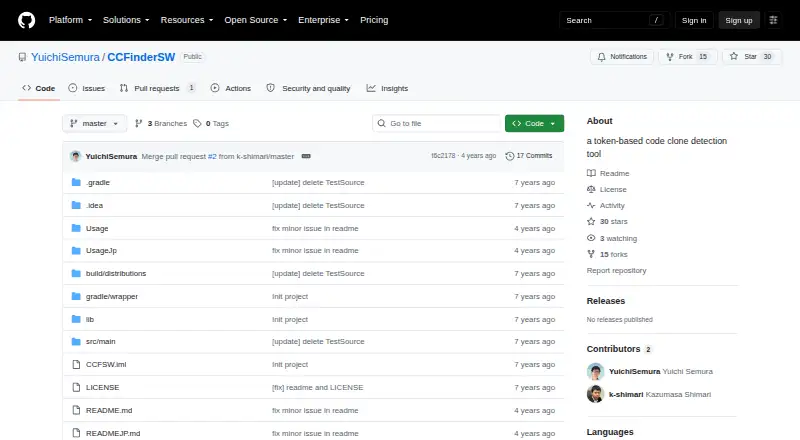
What CCFinderSW is
CCFinderSW is a free, MIT-licensed tool that finds similar code pairs through token-based clone detection. It runs from the command line, taking a source directory, language and output file; the minimum clone-token threshold starts at 50 and can be changed with the -t argument. The tool excludes clone pairs containing inserted or deleted sentences. To configure language handling, users can provide editable files for lexical analysis. A comment rule file is required for the target language; a reserved-word list is optional but recommended. Without that list, detection covers type 1 clones; with it, type 1 and type 2 clones are detected. Output can use CCFinder, CCFinderX, CCFinderSW text or JSON formats, and clone-pair results can be read by Gemini or CCFX. The software is implemented in Java and recommends Java 8 or later. Windows is its stated platform, and the README identifies Windows 10 Pro as the test environment. The repository provides a CCFinderSW-1.0.zip download.
Who it suits
It suits developers or researchers seeking a Windows command-line tool for token-based code-clone detection. Users need to configure a comment rule file for each target language.
What it does well
- Free and MIT-licensed.
- Outputs clone data in four listed formats.
- Supports UTF-8, Shift-JIS, EUC-JP and automatic recognition.
- Clone threshold can be changed with -t.
- Results can be read by Gemini or CCFX.
What to know first
- Windows is the only listed platform.
- Requires Java 8 or later.
- A comment rule file is required for the target language.
- Lexer is not optimized for individual languages.
Limits
The tool excludes clone pairs containing inserted or deleted sentences. Its lexer does not use separate analysis mechanisms for each language and is not optimized for individual languages; PrettyPrinter and MetricsFiltering arguments are not implemented.
Plans
| Plan | Billed and limits | Price |
|---|---|---|
| CCFinderSW | MIT-licensed software · Java Runtime Environment 8 or later | Free |
As github.com lists them, read 9 Oct 2026. The maker's own page has the final word.
Getting started
- Download CCFinderSW-1.0.zip from the project repository.
- Use a Windows environment and install or select Java 8 or later.
- Prepare a comment rule file for the language you want to analyze.
- Optionally add a reserved-word list to enable detection of type 2 clones as well as type 1.
- Run the command-line tool with a source directory, language, and output file; adjust the threshold with -t if needed.
- Open the resulting clone-pair output with Gemini or CCFX, or select one of the supported output formats.
Verdict
CCFinderSW provides configurable token-based clone detection with multiple output formats and command-line controls. Its language setup and Windows-only platform are important constraints to weigh.
Questions
How much does CCFinderSW cost?
It is free software, listed as free, and is MIT-licensed.
Which operating system does it support?
Windows is the listed platform. The README names Windows 10 Pro as its test environment.
What Java version does it need?
The project recommends Java 8 or later, and the program is implemented only in Java.
What clone types can it detect?
Without a reserved-word list it detects type 1 clones. With that list it detects type 1 and type 2 clones.
What output formats are available?
CCFinder, CCFinderX, CCFinderSW text, and JSON are supported. Clone information can be represented as pairs or sets.
Who authored CCFinderSW?
The repository identifies Yuichi Semura as the author and lists an affiliation with the Graduate School of Information Science and Technology at Osaka University in Osaka, Japan.
Facts from CCFinderSW's own pages
- Affiliation
- The README lists the author's affiliation as the Graduate School of Information Science and Technology, Osaka University, Osaka, Japan. · github.com, 4 Oct 2026
- Author
- The repository identifies Yuichi Semura as the author. · github.com, 4 Oct 2026
- Bundled libraries
- The README says the software contains libraries distributed under Apache License 2.0. · github.com, 4 Oct 2026
- Clone matching
- The README says it excludes clone pairs containing inserted or deleted sentences. · github.com, 9 Oct 2026
- Clone types
- Without a reserved-word list, the tool detects type 1 clones; with one, it detects type 1 and type 2 clones. · github.com, 9 Oct 2026
- Command line
- The usage guide shows running the tool from the command line with a source directory, language, and output file arguments. · github.com, 4 Oct 2026
- Detection behavior
- It excludes clone pairs that contain inserted or deleted sentences. · github.com, 4 Oct 2026
- Detection threshold
- The minimum clone token threshold defaults to 50 and can be changed with the -t argument. · github.com, 9 Oct 2026
- Download
- The repository provides a CCFinderSW-1.0.zip download. · github.com, 4 Oct 2026
- Encoding
- The command line supports Shift-JIS, UTF-8, EUC-JP, and automatic encoding recognition. · github.com, 9 Oct 2026
- Execution
- The tool runs from the command line and recommends Java 8 or later. · github.com, 9 Oct 2026
- Founded
- 2017 · github.com, 28 Sept 2026
- Language configuration
- Language-specific lexical analysis is configured through optional files that users can modify. · github.com, 9 Oct 2026
- Language handling
- It tailors lexical analysis to each language using optional files that users can modify. · github.com, 4 Oct 2026
- Language limitation
- It does not use separate lexical analysis mechanisms for each language, and its lexer algorithm is not optimized for each language. · github.com, 4 Oct 2026
- Language setup requirement
- Execution requires a comment rule file for the target language; a reserved-word list is optional but recommended. · github.com, 9 Oct 2026
- License
- The repository license file includes the MIT License for CCFinderSW and a BSD 3-clause license for ANTLR components. · github.com, 9 Oct 2026
- Output details
- CCFinderSW output can represent clone information as pairs or sets in a text file. · github.com, 9 Oct 2026
- Output formats
- It can output clone data in CCFinder, CCFinderX, CCFinderSW text, or JSON formats. · github.com, 9 Oct 2026
- Purpose
- CCFinderSW is a token-based code clone detection tool that detects similar code fragments and outputs clone pairs. · github.com, 9 Oct 2026
- Runtime
- The project recommends Java 8 or later and says the program is implemented only in Java. · github.com, 4 Oct 2026
- Support and limitations
- The documentation provides troubleshooting instructions, while its PrettyPrinter and MetricsFiltering command-line arguments are marked not implemented. · github.com, 9 Oct 2026
- Test platform
- The README lists Windows 10 Pro as its test environment. · github.com, 4 Oct 2026
- Viewer compatibility
- Clone pair output can be read by Gemini or CCFX. · github.com, 9 Oct 2026
Where CCFinderSW stands on Freedom251
- Code Clone Detection Tools#3 of 23