Freedom251 › Dental Website Builders
Canva Websites
What Canva Websites is
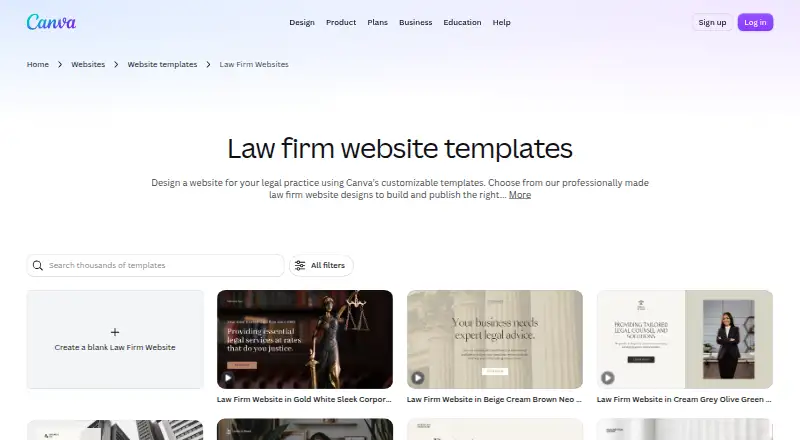
Canva Websites is a no-code builder for designing and publishing sites, including law firm websites. Users can start from customizable templates and add text, images, graphics, illustrations, videos and animations with drag-and-drop editing. Sites can contain multiple pages and are designed to adapt to different screen sizes. Free users can publish up to five live websites on a my.canva.site domain. Connecting an existing domain requires Pro, Teams, Business or Education access; Pro and Business users can connect up to five domains. Interactive Forms can capture leads. Google Analytics requires a paid plan and custom domain, and connecting it enables a cookie consent banner. Published sites include an SSL certificate and use HTTPS; sites can also be password protected. Canva Enterprise supports internal sites with single sign-on. The Free plan costs nothing, Pro is $144 a year, and Business is $250 a year per person. Canva launched in 2013 and lists Android, iOS, macOS, web and Windows platforms.
Who it suits
Canva Websites suits people making business sites, portfolios, bio links, event pages, resumes or wedding sites. It can also suit users who want to build a multi-page site without code.
What it does well
- Customizable templates include law firm options.
- Drag-and-drop editing supports text, images and video.
- Free users can publish up to five sites.
- Published sites include an SSL certificate and use HTTPS.
- Password protection is available.
What to know first
- Google Analytics requires a paid plan and custom domain.
- Free publishing is limited to five live websites.
- Connecting existing domains requires an eligible plan.
Limits
The Free plan includes up to five live Canva-domain websites and 5GB of cloud storage. Connecting an existing domain requires Pro, Teams, Business, or Education; Google Analytics requires a paid plan and custom domain.
Plans
| Plan | Billed and limits | Price |
|---|---|---|
| Free | US$0/year for one person · Free Canva domain · up to five live websites · 5GB storage | Free |
| Pro | US$144/year for one person · Custom domains · unlimited websites · 100GB storage · premium templates and assets | $144 a year |
| Business | US$250/year per person · Team administration · 100 Brand Kits · approvals · 500GB storage | $250 a year |
| Enterprise | Contact sales · SSO and SCIM · custom apps · enterprise security · 1TB storage · priority support | On request |
As canva.com lists them, read 15 Oct 2026. The maker's own page has the final word.
Getting started
- Open Canva’s website builder.
- Choose a customizable template or begin a site design.
- Use drag-and-drop editing to add content and pages.
- Publish up to five live sites on a my.canva.site domain with the Free plan.
- Choose an eligible plan to connect an existing domain.
Overview
Canva Websites is a no-code builder for people who want to design and publish a site using visual editing rather than code. It is best suited to small business sites, portfolios, event pages and other focused web presences; its free publishing allowance is useful, but using your own domain or Google Analytics pushes you toward a paid plan.
Key features
Customizable templates, including law-firm designs, give a project a starting point. Drag-and-drop editing supports text, images, graphics, illustrations, video and animation, making the builder a natural fit for visually led pages and users already working with Canva’s design tools. The trade-off is that the described feature set is oriented toward site presentation and lead capture, not more specialized website needs.
Sites can contain multiple pages and are designed to adapt to different screen sizes. Canva promotes interactive Forms for collecting leads. Free users can publish up to five live sites on a my.canva.site address; connecting an existing domain requires Pro, Teams, Business or Education. Pro and Business support up to five connected domains, a useful distinction for users managing several sites or brands.
Google Analytics integration requires both a paid plan and a custom domain. Connecting Analytics enables a cookie consent banner, so domain and measurement requirements should be part of the plan decision. Published sites include SSL certificates and use HTTPS. Sites can also be password protected, while Enterprise supports internal sites accessible with single sign-on. Canva says it protects designs in transit with TLS/SSL and encrypts stored data with AES256. An Apps Marketplace and Connect APIs and Apps SDK provide routes to integrations.
Pricing
The free plan costs nothing, billed US$0/year for one person. It includes 5GB of cloud storage and up to five live Canva-domain websites. That is enough for trying the builder or publishing several simple sites, but not for connecting an existing domain or using Google Analytics.
Pro costs $144 a year, billed US$144/year for one person, and includes 100GB of cloud storage and existing-domain publishing. It suits an individual who needs a branded domain; Analytics still requires a custom domain as well as a paid plan. Business costs $250 a year, billed US$250/year per person, with 500GB of storage, collaboration and team admin tools, and up to five connected domains. Its per-person billing makes it a better fit for teams than a solo publisher.
Enterprise has custom pricing (“Let’s talk”) and adds Enterprise-level security and controls, SSO and SCIM, and priority support. It is the relevant tier for organizations needing those controls, rather than a low-cost option for an individual site. Canva also offers a free trial, but no trial length is given.
Platforms
Canva Websites is available on Android, iOS, macOS, web and Windows, giving users a choice of desktop or mobile access.
Who it's for
Canva presents the builder for business sites, portfolios, bio links, events, resumes and weddings. It is a practical choice for individuals and small teams making a visual, relatively focused site, especially when the free Canva-domain option meets their needs. Look elsewhere if a project depends on capabilities beyond the templates, multi-page publishing, forms, privacy controls and integrations described above.
Pros and cons
- Pros: The free plan publishes up to five sites, making it possible to maintain several small web presences without a subscription.
- Pros: Multiple pages, responsive design and drag-and-drop media editing support more than a single static landing page.
- Pros: Password protection, HTTPS and Enterprise SSO provide privacy and security options for different publishing needs.
- Cons: Free publishing uses a Canva domain; an existing domain requires a paid plan.
- Cons: Google Analytics requires both a paid plan and a custom domain, limiting measurement options for free users.
- Cons: Business is priced per person, which can raise the cost for teams that need its collaboration tools and multi-domain allowance.
Alternatives
For a dental practice, Dentulu Teledentistry Website Builder is the more focused alternative: its free package includes synchronous and asynchronous teledentistry, photo consultations, mobile dentistry and patient education. For a law-firm-specific shortlist, see Law Firm Website Builders; for a dental-site shortlist, see Dental Website Builders.
Framer is another freemium option, with a free tier that includes a Framer domain, design pages and CMS collections. GoDaddy Websites + Marketing is a freemium alternative with email marketing sends in its Basic and Commerce plans. Mainfolk offers a free subdomain, unlimited edits and about 10 AI assists per month. SITE123 has a free tier with 250 MB of storage and 250 MB of bandwidth.
Wix Logo Maker is a freemium alternative centered on logo creation, with monthly AI credits in its free plan. Zarla offers a free tier with 10 pages per site and unlimited lead-capture forms. Elementor is another option, with paid plans for one or more sites at custom pricing.
Verdict
Choose Canva Websites if you want a visually edited, multi-page site and the free Canva-domain allowance or a paid domain plan fits your publishing needs. Its clearest advantage is combining flexible media editing with multiple sites and useful privacy controls. Look elsewhere if custom-domain publishing or Analytics must be available without a paid plan, or if your site needs more specialized capabilities than Canva’s described toolkit.
Verdict
Canva Websites combines template-based editing with multi-page publishing and several privacy controls. Check domain and analytics requirements against your plan before choosing it.
Questions
Is Canva Websites free?
Yes. The Free plan is listed as free and allows up to five live Canva-domain websites.
What do the paid plans cost?
Pro is $144 a year for one person. Business is $250 a year per person. Enterprise pricing is listed as “Let’s talk.”
Which platforms does Canva support?
Canva lists Android, iOS, macOS, web, and Windows.
Can I connect my own domain?
Connecting an existing domain is available to Pro, Teams, Business, and Education users. Pro and Business users can connect up to five existing domains.
Does Canva Websites support Google Analytics?
Yes, with a paid plan and a custom domain. Connecting Google Analytics enables a cookie consent banner.
Can I protect or restrict access to a site?
Websites can be password protected. Canva Enterprise supports internal sites accessible with single sign-on.
Facts from Canva Websites's own pages
- Analytics
- The website product includes an analytics tool for tracking site traffic. · canva.com, 15 Oct 2026
- Analytics integration
- Google Analytics integration requires a paid plan and a custom domain, and Canva enables a cookie consent banner when it is connected. · canva.com, 9 Oct 2026
- API
- Canva REST APIs can upload assets, create designs, synchronize content, handle comments and export finished designs to another platform. · canva.dev, 15 Oct 2026
- API documentation depth
- Documentation provides authentication, capabilities, API versions, scopes, error responses, webhooks, rate limits, security guidance and a deprecation policy. · canva.dev, 15 Oct 2026
- API limitation
- Preview APIs may change without notice and apps using them cannot pass Canva's public-app review. · canva.dev, 15 Oct 2026
- App architecture
- Canva apps run as JavaScript in an iframe and use TypeScript packages such as @canva/asset, @canva/design, @canva/platform and @canva/user. · canva.com, 15 Oct 2026
- Company
- Canva says it launched in 2013 as an online design and publishing tool. · canva.com, 9 Oct 2026
- Company facts
- LinkedIn lists Canva as privately held, founded in 2012, headquartered in Surry Hills, New South Wales, with 1,001–5,000 employees. · linkedin.com, 15 Oct 2026
- Company legal name
- The Google Play listing identifies the developer as CANVA PTY LTD. · play.google.com, 15 Oct 2026
- Custom domains
- Connecting an existing domain is available to Pro, Teams, Business, and Education users; Pro and Business users can connect up to five existing domains. · canva.com, 9 Oct 2026
- Domains
- Users can buy a domain through Canva or connect an existing domain with Canva Pro, Teams or Education access. · canva.com, 15 Oct 2026
- Editing
- Users can drag and drop text, images, graphics, illustrations, videos, and animations into a website. · canva.com, 9 Oct 2026
- Encryption
- Canva says designs use TLS/SSL in transit and AES-256 encryption at rest. · canva.com, 15 Oct 2026
- Forms
- Canva promotes interactive Forms as a way to capture leads on a website. · canva.com, 9 Oct 2026
- Forms and email
- Canva Websites supports interactive lead forms and Canva Email connections for audience outreach. · canva.com, 15 Oct 2026
- Founded
- 2013 · canva.com, 28 Sept 2026
- Free publishing
- All Canva users can publish to a Canva-hosted domain, while custom domains and unlimited publishing require eligible paid or education plans. · canva.com, 15 Oct 2026
- Integrations
- Canva advertises integrations with Slack, Asana, Microsoft Teams, Salesforce, Google Workspace, Meta and more than 300 design apps. · canva.com, 15 Oct 2026
- Intended users
- Canva presents its website builder for uses such as business sites, portfolios, bio links, events, resumes, and weddings. · canva.com, 9 Oct 2026
- Licence
- Canva's terms give users a limited revocable licence to access the service and state that Canva owns its software and related technology, so the service is proprietary rather than open source. · canva.com, 15 Oct 2026
- Limit: AI quality
- Google Play reviewers include complaints that paid AI commands produce poor results and that account switching can make the mobile app buggy. · play.google.com, 15 Oct 2026
- Limit: brand consistency
- A Gartner reviewer said the abundance of options can force repeated brand-standard checks instead of tightly limiting fonts and colors. · gartner.com, 15 Oct 2026
- Limit: mobile and complexity
- Reviewers describe occasional mobile usability problems, confusing interfaces and weaker control for complex editing. · getapp.com, 15 Oct 2026
- Limit: paywalls and value
- Review summaries note that advanced editing, premium templates and some assets require a subscription, with some users viewing paid pricing as heavy. · getapp.com, 15 Oct 2026
Where Canva Websites stands on Freedom251
- Dental Website Builders#2 of 43
- Law Firm Website Builders#2 of 40