CalcSafe
What CalcSafe is
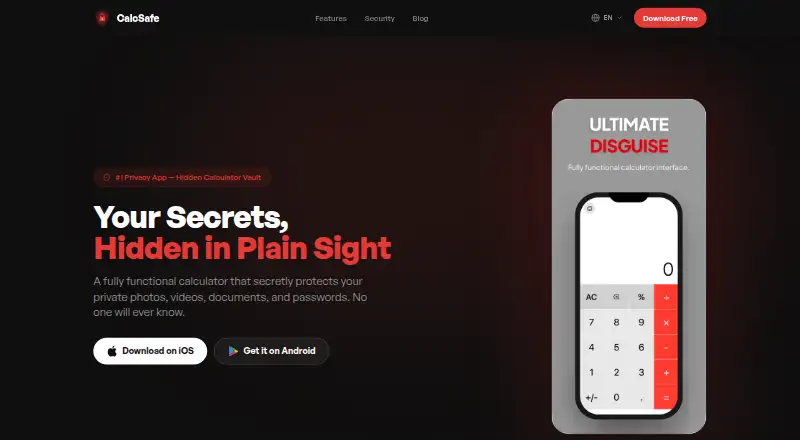
CalcSafe is a mobile app that presents a private file vault behind a calculator interface. Entering a secret PIN in the calculator opens the vault. The app stores photos, videos, documents, audio files, and passwords; photos and videos imported from the gallery disappear from the camera roll and remain locked in the vault. CalcSafe says files are encrypted and kept on the phone, without cloud storage, servers, or uploads. Setup does not require an account. Users can customize the calculator disguise with themes and colors, and the app lists decoy vault and intruder alert features. CalcSafe is available on Android and iOS. Its Free plan is listed as free and includes all core features free forever, with no account needed. The site links to a Help Center and Contact page for support. For people looking to keep selected files private on a phone, the app combines a calculator-style entry screen with on-device storage and encryption.
Who it suits
CalcSafe may suit people who want to keep selected files on an Android or iOS phone behind a calculator-style interface. It is also relevant for users who prefer on-device storage without an account or cloud backup.
What it does well
- Unlocks the vault with a secret calculator PIN
- Stores photos, videos, documents, audio, and passwords
- Says files remain encrypted on the device
- No account is required for setup
- Free plan listed as free
What to know first
- No cloud backup is listed
- Available only on Android and iOS
Plans
| Plan | Billed and limits | Price |
|---|---|---|
| Free | All core features free forever · No account needed | Free |
As calcsafe.com lists them, read 8 Oct 2026. The maker's own page has the final word.
Getting started
- Visit the CalcSafe website.
- Choose the download link for Android or iOS.
- Set up the app without creating an account.
- Import files from the phone into the vault.
- Enter your secret PIN in the calculator to unlock the vault.
CalcSafe is a mobile privacy vault that presents itself as a working calculator, with a PIN sequence opening encrypted on-device storage. It suits people who want to hide mixed personal files on an Android or iPhone without creating an account. Its strongest case is private, local storage; look elsewhere if cloud backup or broad desktop coverage is essential.
Overview
CalcSafe combines a familiar calculator interface with a concealed vault. Entering a secret PIN in the calculator unlocks the protected area, adding a discreet access method rather than exposing a conventional vault screen. The app is designed for photos, videos, documents, audio files, and passwords, so it can cover more than a camera-roll privacy problem.
Imported photos and videos disappear from the phone's camera roll and remain locked inside the vault. Files stay on the device: CalcSafe says it uses no cloud storage, servers, or uploads. That local-only approach limits exposure beyond the phone, but it also means the app does not provide cloud backup. Stored file types are encrypted and secured on the device, and setup requires no account.
Key features
- Calculator disguise: A secret PIN entered into the calculator opens the vault, making the app less conspicuous than a plainly named locker.
- Mixed-file vault: Photos, videos, documents, audio files, and passwords can share one protected space.
- Camera-roll removal: Imported media is removed from the gallery and kept locked in the vault, helping separate private material from ordinary browsing.
- On-device encryption: Files remain on the phone rather than being uploaded, which favors users prioritizing local control over synchronized access.
- Personalized disguise: Themes and colors let users alter the calculator's appearance without changing its basic cover.
- Decoy and intrusion tools: A decoy vault provides an alternate protected space, while intruder alerts add a response to attempted access.
Pricing
The Free plan costs nothing and includes all core features forever. There is no account requirement, so it is a straightforward choice for anyone who wants the full stated feature set without a subscription. The trade-off is structural rather than a feature quota: files remain local, and cloud backup is not included.
Platforms
CalcSafe has downloads for Android and iOS. Its phone-first availability fits users protecting content on a handset, but it does not extend to the desktop platforms covered by some alternatives.
Who it's for
Choose CalcSafe if you want one discreet vault for media, documents, audio, and passwords, prefer encrypted storage kept on the phone, and do not want to register an account. It is less suitable for people who need automatic off-device recovery, cloud access across devices, or a desktop client.
Pros and cons
Pros
- All core features are free forever: The free tier avoids a recurring payment for the stated functionality.
- Broad file coverage: One vault handles five listed file categories instead of limiting protection to photos.
- Discreet access: The calculator cover, themes, decoy vault, and intruder alerts add privacy layers beyond a standard folder.
- No account or uploads: Setup is account-free and content stays on the device.
Cons
- No cloud backup: A lost or damaged phone does not have a CalcSafe cloud copy to restore from.
- Mobile-only availability: Android and iOS support do not cover desktop use.
- Local dependence: Keeping data on one phone favors control but limits convenient cross-device access.
Alternatives
For a wider shortlist, see the Photo Vault Apps list.
- Hide it Pro is a freemium option on Android, iOS, macOS, and Windows, with a free plan and no paid plans listed.
- Keepsafe Photo Vault suits users wanting cloud capacity: its free Basic plan allows 200 cloud items with ads, while Premium costs $9.99 a month and renews automatically.
- NullVault is another free Android and iOS vault maintained by the independent NullVault Team.
- Private Photo Vault offers a free on-device photo and video vault; switching to Basic deletes Cloud Backup.
- Weave Vault gives its free tier up to three vaults and 50 files per vault, with a Pro annual plan and a seven-day new-subscriber trial.
- Blackbox has a free, ad-supported local tier with limited vaults and PIN-only unlocking; Premium is $12.99 a month.
- Calculator Lock - Photo Vault is Android-only, with a free plan limited to two personal vaults and a paid Pro tier.
- LockMyPix offers free basic protection with ads and a 29.99 USD one-time Premium upgrade.
Verdict
CalcSafe is a strong fit for anyone wanting a discreet, account-free vault that encrypts varied files locally on Android or iOS. Its calculator disguise, decoy vault, and intrusion alerts reinforce that focused privacy model. Choose another app if cloud backup, desktop access, or synchronized recovery matters more than keeping everything on one phone.
Verdict
CalcSafe combines a calculator disguise with an on-device vault for several file types. Its listed free plan includes the core features and does not require an account.
Questions
How much does CalcSafe cost?
Its Free plan is listed as free.
Does CalcSafe have a free plan?
Yes. The Free plan includes all core features free forever.
Which platforms support CalcSafe?
CalcSafe is available for Android and iOS.
Does CalcSafe require an account?
No. Setup does not require an account.
Does CalcSafe back up files to the cloud?
No. The site says files stay on the phone, with no cloud storage, servers, or uploads.
What file types can CalcSafe store?
The app says it stores photos, videos, documents, audio files, and passwords.
Facts from CalcSafe's own pages
- Account requirement
- The site says setup requires no account. · calcsafe.com, 8 Oct 2026
- Availability
- The site links to downloads for iOS and Android. · calcsafe.com, 8 Oct 2026
- Calculator disguise
- Entering a secret PIN in the calculator unlocks the vault. · calcsafe.com, 8 Oct 2026
- Customization
- Users can personalize the calculator disguise with different themes and colors. · calcsafe.com, 8 Oct 2026
- Encryption
- The site says stored file types are encrypted and secured on the device. · calcsafe.com, 8 Oct 2026
- File types
- The app says it stores photos, videos, documents, audio files, and passwords. · calcsafe.com, 8 Oct 2026
- Media vault
- Photos and videos imported from the gallery disappear from the camera roll and stay locked in the vault. · calcsafe.com, 8 Oct 2026
- On-device storage
- The site says files stay on the phone, with no cloud storage, servers, or uploads. · calcsafe.com, 8 Oct 2026
- Purpose
- CalcSafe describes itself as a working calculator that hides private photos, videos, documents, and passwords. · calcsafe.com, 8 Oct 2026
- Support
- The site links to a Help Center and a Contact page. · calcsafe.com, 8 Oct 2026
Where CalcSafe stands on Freedom251
- Photo Vault Apps#3 of 32