Freedom251 › PDF Creation Software
Bullzip PDF Printer
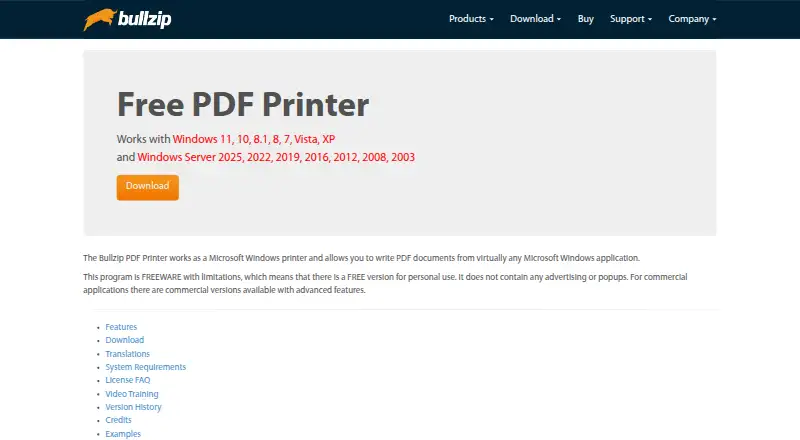
What Bullzip PDF Printer is
Bullzip PDF Printer turns Microsoft Windows printing from applications into PDF creation, and can also output EPS, PS, BMP, PNG, JPEG, PCX, and TIFF files. Listed PDF tools include document properties, watermarks, backgrounds and stamps, merging, appending, PDF/A-1b, and linearized PDFs. The editions vary in security and workflow options: password protection is listed across editions, AES protection and certificate-file signing are available in Professional and Expert, and Expert also supports certificates from the certificate store. A command-line interface and .NET, COM Automation, and COM OCX APIs are listed. Professional and Expert support Terminal Server, RDP, and Citrix; those editions include FTP upload, while SFTP upload is listed for Expert. The Community Edition is free for personal projects or a small one person company. Standard costs 29.00 USD once, Professional costs 69.00 USD once, and Expert costs 139.00 USD once. The listed Windows support includes Windows 11, 10, 8.1, 8, 7, Vista, XP, and several Windows Server versions.
Who it suits
It suits Windows users who want to create PDFs or other listed formats through printing from applications. The free Community Edition is described for personal projects or a small one person company; paid editions add features such as server support and certificate signing.
What it does well
- Prints from virtually any Windows application.
- Outputs PDF, EPS, PS, and multiple image formats.
- Lists command-line and .NET, COM Automation, and COM OCX APIs.
- Expert edition supports certificates from the certificate store.
What to know first
- Community Edition is described with limitations.
- Standard does not support Terminal Server, RDP, or Citrix.
- SFTP upload is listed only for Expert.
Limits
The free Community Edition is described for personal projects or a small one person company. Standard is a single-user license and excludes Terminal Server, RDP and Citrix; Professional and Expert add those server options.
Plans
| Plan | Billed and limits | Price |
|---|---|---|
| Community Edition | Free for personal projects or a small one person company · Free community edition; free for personal use | Free |
| Expert | Single payment (not a recurring subscription) · Single user; lawyers, brokers, and advanced users | $139, paid once |
| Standard | Single payment (not a recurring subscription) · Single user; home users; no Terminal Server, RDP, or Citrix | $29, paid once |
| Professional | Single payment (not a recurring subscription) · Single user; professional users | $69, paid once |
As bullzip.com lists them, read 10 Oct 2026. The maker's own page has the final word.
Getting started
- Open the Bullzip PDF Printer website.
- Choose the Community Edition or a paid single-payment edition.
- Download the Windows installer and install the printer.
- Print from a Windows application to create a document.
Bullzip PDF Printer is a Windows virtual printer that turns output from almost any Windows application into PDF and several image or print formats. It is best for Windows users who need a dependable print-to-file workflow, document finishing, or automation hooks. The main decision is whether your work needs only local printing or the server, security, and transfer capabilities reserved for higher editions.
Overview
Because Bullzip appears as a Microsoft Windows printer, it can create files from applications that offer printing but lack a useful export command. PDF files can also be used as input. Output includes PDF, EPS, PS, BMP, PNG, JPEG, PCX, and TIFF, so it can serve imaging and prepress-style workflows as well as ordinary document conversion.
Its PDF toolset covers document properties, watermarks, backgrounds, stamps, merging, appending, PDF/A-1b, and linearized PDFs. That makes it more capable than a bare virtual printer, particularly when documents need finishing, archival output, or faster web delivery. The trade-off is a Windows-only design rather than a browser or multi-platform service.
Key features
- Document finishing: Watermarks, backgrounds, stamps, merging, and appending handle common production tasks after the source application has rendered a document. PDF/A-1b supports archival-oriented output, while linearized PDFs suit web delivery.
- Security tiers: Editions provide 40/128-bit password protection. Professional and Expert add AES 128/256-bit protection, and Expert adds FIPS-compliant algorithms. Choose an edition based on your compliance or encryption requirements rather than assuming the free tier has every option.
- Digital signatures: Professional and Expert can sign PDFs with a certificate stored in a file. Expert additionally supports certificates from the Windows certificate store, which is useful where managed certificate infrastructure is part of the workflow.
- Automation: A command-line interface, Microsoft .NET API, COM Automation API, and COM OCX API give developers several ways to generate or control output. This is a stronger fit for scripted or embedded Windows processes than for users seeking a cloud API.
- Server and transfer workflows: Professional and Expert support Terminal Server, RDP, and Citrix. They also support FTP uploads; SFTP is an Expert capability. These edition gates matter for shared Windows environments and controlled delivery to remote systems.
- Deployment and privacy: Professional and Expert include MSI packages for Group Policy installation. Bullzip says information is not sent back to the company, and that logs and temporary files stay local and are cleaned after completion unless debug mode is enabled. The downloadable installer is described as EV-certificate signed and scanned by multiple scanners.
Pricing
| Plan | Price | Best fit and limits |
|---|---|---|
| Community Edition | free | Personal projects or a small one-person company; freeware with limitations and free personal use. |
| Standard | $29, paid once | Single user and home users; no Terminal Server, RDP, or Citrix. |
| Professional | $69, paid once | Single professional user; adds server access, AES protection, file-based certificate signing, FTP, and MSI deployment. |
| Expert | $139, paid once | Single user such as a lawyer, broker, or advanced user; adds FIPS algorithms, certificate-store signing, and SFTP. |
Paid licenses are single payments rather than recurring subscriptions. Each includes one year of support and updates, with email support for one named person at the customer’s company. Standard is the economical local option; Professional is the practical step up for business or remote-server use; Expert is justified when managed certificates, FIPS algorithms, or SFTP are essential. The single-user terms make larger rollouts a separate licensing consideration.
Platforms
Bullzip supports Windows 11, 10, 8.1, 8, 7, Vista, and XP, plus several Windows Server versions. It is therefore suitable for maintained Windows desktops and server estates, but not for Android, iOS, Linux, macOS, or browser-only deployments.
Who it's for
Choose it for home users and small offices that need a printer-based PDF workflow, for professionals who require signing or stronger encryption, and for administrators deploying a Windows printer through Group Policy. Developers can use its command-line and .NET or COM interfaces in Windows applications. Look elsewhere if your users work across operating systems or if you need a cloud-native generation API.
Pros and cons
Pros
- Prints from virtually any Windows application and exports to a broad set of PDF, image, and print formats.
- Finishing tools, PDF/A-1b, and linearization cover practical document-production needs.
- Higher editions combine encryption, signing, server access, FTP/SFTP, APIs, and Group Policy deployment.
- Local processing and cleanup behavior address privacy concerns for sensitive documents.
Cons
- Windows-only support excludes mixed-platform teams and browser-first workflows.
- Terminal Server, RDP, Citrix, AES, signing, FTP, and SFTP capabilities require paid editions, with the most advanced options limited to Expert.
- Licenses are single-user, and paid support and updates cover only one year.
- The free Community Edition is explicitly limited to personal projects or a small one-person company.
Alternatives
For a free, cross-platform desktop and web option with no limits, registration, or time restrictions, choose PDF24 Compare PDF instead. Teams building document systems across platforms can consider Carbone, which offers cloud, self-hosted, web, and API routes. Developers wanting an open-source PDF generation library should look at ReportLab; its open-source core is free for commercial use. WeasyPrint is another free, open-source choice for API or self-hosted deployments. For hosted generation APIs, compare Anvil PDF Generation API, APITemplate.io, or CraftMyPDF. Linux or macOS users wanting a simple print-to-PDF utility can choose CUPS-PDF. Browse more options in PDF Creation Software.
Verdict
Bullzip PDF Printer is a strong choice for Windows users who want printing-based PDF creation with real finishing tools and a clear path to automation, signing, server access, and file transfer. Its main reason to look elsewhere is the platform and licensing boundary: cross-platform or cloud-first teams, and installations needing more than single-user Windows licenses, will be better served by another category of tool.
Verdict
Bullzip PDF Printer combines Windows printing with a range of output formats and PDF features. Edition choice matters for server access, stronger listed security options, and transfer capabilities; paid licenses are single payments.
Questions
Is Bullzip PDF Printer free?
Yes. The Community Edition is free for personal use and is described for personal projects or a small one person company.
What do the paid editions cost?
Standard costs $29, paid once, Professional costs $69, paid once, and Expert costs $139, paid once. Each is a single payment rather than a recurring subscription.
Which operating systems does it support?
The listed platforms are Windows, including Windows 11, 10, 8.1, 8, 7, Vista, XP and several Windows Server versions.
Which edition supports certificate signing?
Professional and Expert support signing PDFs with a certificate in a file. Expert also supports certificates from the certificate store.
Does it provide an API?
Yes. Listed interfaces include a command-line interface, Microsoft .NET API, COM Automation API and COM OCX API.
Who makes Bullzip PDF Printer?
The site identifies BioPDF as the developer of PDF Printer.
Facts from Bullzip PDF Printer's own pages
- Company background
- Bullzip.com says its site launched in 2002 and identifies BioPDF as the developer of PDF Printer. · bullzip.com, 10 Oct 2026
- Deployment
- Professional and Expert include MSI packages for Group Policy installation; the download page also describes preparing an offline installation with prerequisites. · bullzip.com, 10 Oct 2026
- Digital signatures
- Professional and Expert support signing PDFs with a certificate in a file; Expert also supports certificates from the certificate store. · bullzip.com, 10 Oct 2026
- File transfer
- Professional and Expert support FTP uploads, while SFTP upload is listed for Expert. · bullzip.com, 10 Oct 2026
- Free edition limits
- The product is freeware with limitations, and the site describes the free community edition for personal projects or a small one person company. · bullzip.com, 10 Oct 2026
- Headquarters
- Ålsgårde, Denmark · bullzip.com, 28 Sept 2026
- Installer security
- Bullzip says its downloadable installer is signed with an EV certificate and that it analyzes the installer with multiple scanners. · bullzip.com, 10 Oct 2026
- Integrations and APIs
- The product lists a command-line interface, Microsoft .NET API, COM Automation API, and COM OCX API. · bullzip.com, 10 Oct 2026
- Output formats
- It supports output to PDF, EPS, PS, BMP, PNG, JPEG, PCX, and TIFF. · bullzip.com, 10 Oct 2026
- PDF features
- Listed PDF features include document properties, watermarks, backgrounds and stamps, merging, appending, PDF/A-1b, and linearized PDFs. · bullzip.com, 10 Oct 2026
- Privacy
- Bullzip says the software does not send information back to the company and that logs and temporary files are stored locally and cleaned up after completion unless debug mode is used. · bullzip.com, 10 Oct 2026
- Purpose
- Bullzip PDF Printer works as a Microsoft Windows printer to create PDF documents from virtually any Windows application. · bullzip.com, 10 Oct 2026
- Security features
- The edition comparison lists 40/128-bit password protection across editions, AES 128/256-bit protection in Professional and Expert, and FIPS-compliant algorithms in Expert. · bullzip.com, 10 Oct 2026
- Server support
- Professional and Expert editions support Terminal Server, RDP, and Citrix. · bullzip.com, 10 Oct 2026
- Support
- Paid licenses include one year of support and updates, and support is provided by email to one named person at the customer's company. · bullzip.com, 10 Oct 2026
- Windows support
- The product page lists Windows 11, 10, 8.1, 8, 7, Vista, and XP, plus several Windows Server versions. · bullzip.com, 10 Oct 2026
Where Bullzip PDF Printer stands on Freedom251
- PDF Creation Software#7 of 46