Freedom251 › Real Estate Transaction Management Software

Brokermint
What Brokermint is
Brokermint is a cloud-based back-office solution for residential real estate brokerages, covering transaction workflows, commissions, accounting, reporting, and agent management. Transaction tools bring checklists, notifications, forms, e-signatures, and centralized tracking together. Commission plans can account for splits, fees, and sliding scales, with commissions calculated automatically. Accounting features include agent billing, ledgers, financial tracking, and next-day ACH payments. Brokers can use real-time data, filters, built-in reports, and a report builder; agent tools cover onboarding, profiles, goals, and team performance. The mobile app lets users track a pipeline, complete checklist items, and send documents for e-signature. Listed integrations include QuickBooks, DocuSign, Dropbox, Google Calendar, Google Drive, Google Sheets, and MLS-related tools; an open API can support custom integrations. Transaction records are saved and can be located and exported for review and compliance. Standard includes transaction and team tools. Professional adds accounting, agent billing, next-day ACH, onboarding, multiple office locations, CRM integration, API access, custom branding, and SSO. Brokermint supports Android, iOS, web, and API access. Pricing is provided on request.
Who it suits
Brokermint suits residential real estate agencies and brokerages that need transaction, commission, accounting, or agent-management workflows. The company describes it as serving organizations from small agencies to established brokerages.
What it does well
- Centralized transaction tracking with checklists and forms
- Automatic commission calculations
- Accounting includes next-day ACH payments
- Mobile app supports pipeline and checklist tasks
- Transaction records can be located and exported
What to know first
- Pricing is provided on request
- Accounting and API access are listed under Professional
- Requires brokerage-focused workflows
Limits
Pricing is provided on request. Standard does not include the accounting, agent billing, next-day ACH, onboarding, multiple office locations, CRM integration, API access, custom branding, or SSO listed for Professional.
Plans
| Plan | Billed and limits | Price |
|---|---|---|
| BrokerMint | per month · Cloud deployment | $99 a month |
| Professional | Everything in Standard · Accounting · Agent Billing · Next-Day ACH Payments · Agent Onboarding · Multiple Office Locations · CRM Integration · API Access | On request |
| Standard | Team Management · MLS Integration · QuickBooks Integration · Dashboard · Transaction Management · Checklists and Tasks · eSignature and Forms · Commission Automation · Reports · Mobile App | On request |
As brokermint.com lists them, read 15 Oct 2026. The maker's own page has the final word.
Getting started
- Visit the Brokermint website.
- Choose Standard or Professional based on the included features.
- Contact the company for pricing and plan onboarding help.
- Use the Android, iOS, or web platform to access the product.
Brokermint is a cloud-based back-office platform for residential real estate brokerages, combining transaction workflows with commission, accounting and agent-management tools. It is best suited to brokerages that want those operations connected rather than handled in separate systems. Its Standard plan covers core transaction work; Professional is the more complete choice for firms that need accounting and broader office controls, but both require custom pricing.
Overview
Brokermint brings transactions, commissions, reporting and agent workflows into a brokerage-focused platform. Checklists, forms, eSignature and centralized tracking keep transaction work together, while automated commission calculations support plans with splits, fees and sliding scales. The appeal is breadth: brokerages can manage more of their back office in one product. The trade-off is that accounting, agent billing and several capabilities aimed at larger or more connected operations are reserved for Professional.
Key features
Transactions and compliance
Transaction management combines checklists, tasks, deadline automation, notifications, forms and eSignature. Central tracking gives teams a shared view of transaction progress, while automatically documented records can be located and exported for broker review and compliance. This suits firms that need repeatable processes and a documented transaction trail; it is less compelling if the priority is only collecting signatures.
Commissions and accounting
Commission automation handles splits, fees and sliding scales, reducing the manual work of applying a brokerage's commission rules. Professional adds accounting, agent billing, ledgers, financial tracking and next-day ACH payments. That makes it a more substantial back-office option for brokerages managing agent finances, but those functions are not part of Standard.
Reporting and agents
Real-time reporting includes filters, built-in reports and a report builder, giving managers ways to examine brokerage activity. Agent profiles, onboarding, goal setting and team performance tracking support people management; onboarding is a Professional feature. Firms that need the full combination of financial and agent oversight should compare Professional carefully with its custom pricing.
Integrations and mobile
Standard includes QuickBooks and MLS integration. The integration directory also lists DocuSign, Dropbox, Google Calendar, Google Drive, Google Sheets and MLS-related tools; Professional adds CRM integration and API access, and Brokermint says its open API can support custom integrations. The mobile app lets users track a pipeline, complete checklist items and send documents for eSignature, useful for agents who need to move transaction tasks along away from a desktop.
Pricing
Brokermint is paid, with custom pricing for both plans. The plan choice is therefore about capability rather than a published price comparison.
- Standard — custom pricing: team management, MLS and QuickBooks integrations, dashboard, transaction management, checklists and tasks, eSignature and forms, commission automation, reports and mobile app. It fits brokerages seeking core transaction and commission workflows, but excludes Professional's accounting, agent billing, next-day ACH, agent onboarding, multiple office locations, CRM integration, API access, custom branding and SSO.
- Professional — custom pricing: includes Standard features plus accounting, agent billing, next-day ACH payments, agent onboarding, multiple office locations, CRM integration, API access, custom branding and SSO. It is the better fit for brokerages that need consolidated financial operations or those added office and integration controls.
No free plan or trial is described. Ask for a quote and confirm the terms that matter to your brokerage before choosing.
Platforms
Brokermint supports web, Android, iOS and API access. Its mobile app covers pipeline tracking, checklist completion and sending documents for eSignature; API access is a Professional plan feature.
Who it's for
Brokermint is aimed at residential real estate brokerages, from small agencies to established firms. Standard is the more natural starting point for teams focused on transaction coordination and commissions. Professional is better aligned with brokerages that also want accounting, agent billing, ACH payments, multiple locations or CRM and API connections. A firm looking only for eSignature or a lightweight transaction tool may find the broader back-office scope unnecessary.
Pros and cons
- Pro: Transaction tracking, checklists, forms, eSignature and deadline automation sit alongside commission calculations, helping brokerages coordinate recurring transaction work in one platform.
- Pro: Professional adds accounting and agent billing as well as next-day ACH, making the platform more useful for brokerage finances than a transaction-only system.
- Pro: Records can be located and exported for broker review and compliance, a practical advantage for firms that need documented transaction files.
- Con: Accounting, agent onboarding, multiple locations, CRM integration and API access require Professional, so Standard users may outgrow its scope.
- Con: Both plans have custom pricing, making cost comparison less direct for buyers who need a clear published price before requesting a quote.
Alternatives
Compare real estate transaction management software if you want to assess the category broadly before settling on a brokerage back-office platform.
- dotloop is worth considering if a free plan covering up to 10 transactions or a published $34.99-per-month Premium plan for unlimited transactions and individual agents better suits your needs.
- Jointly may suit a single agent wanting 7 free deals before $9 per month, or a high-performing agent considering its $49-per-month Pro plan.
- Paperless Pipeline is an option if you want a published $69-per-month, month-to-month plan for up to 5 new transactions per month with unlimited users and storage, plus a free trial.
- Backhouse may suit buyers considering a $79-per-month per-seat plan with 500 AI tasks per seat each month and no feature gates, as well as a free trial.
- DocuSign eSignature is an alternative to consider if your primary need is sending, signing and managing agreements, with a free plan and free trial available.
- AFrame is another freemium option to compare.
- BrokerageBox is another freemium option to compare.
- Form Simplicity is another freemium option to compare.
Verdict
Choose Brokermint if you run a residential brokerage and want transaction coordination, commission automation and, with Professional, accounting and agent operations in one platform. Its strongest case is that connected back-office scope; its main drawback is custom pricing on both plans, alongside meaningful feature separation between Standard and Professional. If you need only signatures or a smaller transaction workflow, compare narrower alternatives before committing.
Verdict
Brokermint brings brokerage transaction, commission, accounting, and agent tools into one platform. Ask for pricing and compare the Standard and Professional plan features before choosing.
Questions
How much does Brokermint cost?
Pricing is available on request.
Is there a free plan?
The listed pricing model is paid; no free plan is described.
Which platforms does Brokermint support?
Brokermint is available on Android, iOS, and web, and lists API access for Professional.
What is included in Standard?
Standard includes team management, MLS and QuickBooks integrations, a dashboard, transaction management, checklists and tasks, e-signatures and forms, commission automation, reports, and a mobile app.
What does Professional add?
Professional adds accounting, agent billing, next-day ACH payments, agent onboarding, multiple office locations, CRM integration, API access, custom branding, and SSO to Standard features.
Which integrations are listed?
The integration directory lists QuickBooks, DocuSign, Dropbox, Google Calendar, Google Drive, Google Sheets, and MLS-related tools. The company says its open API can support custom integrations.
Facts from Brokermint's own pages
- Accounting
- Accounting tools cover cash flows, ledgers, agent billing, statements, expenses, commissions, and financial records. · brokermint.com, 15 Oct 2026
- ACH payments
- The accounting module advertises next-day ACH deposits for agent payments. · brokermint.com, 15 Oct 2026
- Agent management
- Agent management includes profiles, onboarding, goals, compliance documentation, checklists, and automated reminders. · blog.brokermint.com, 15 Oct 2026
- API
- The vendor markets an open API and says custom integrations are possible beyond its directory. · brokermint.com, 15 Oct 2026
- API access tier
- API access is listed as an included addition in the Professional plan. · brokermint.com, 15 Oct 2026
- Audience
- Brokermint says its platform serves needs ranging from small agencies to established brokerages. · brokermint.com, 3 Oct 2026
- Brand transition
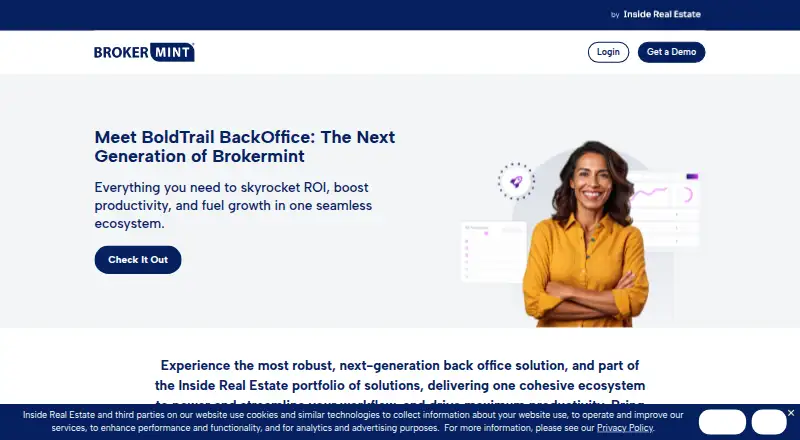
- The current site presents BoldTrail BackOffice as the next generation of Brokermint within the Inside Real Estate portfolio. · brokermint.com, 15 Oct 2026
- Checklists
- Users can create tailored transaction checklists covering documents, details, paperwork, and required steps. · brokermint.com, 15 Oct 2026
- Commission automation
- Commission automation calculates complex splits, fees, caps, and sliding scales and produces commission disbursement authorizations. · brokermint.com, 15 Oct 2026
- Commission plans
- The system allows unlimited individual or team commission plans that can be configured and edited. · brokermint.com, 15 Oct 2026
- Company history
- Brokermint says it was founded in 2014 in San Diego, California. · brokermint.com, 3 Oct 2026
- Company size
- LinkedIn lists the company at 51–200 employees. · linkedin.com, 15 Oct 2026
- Compliance
- Transaction records can be automatically documented, retained, located, and exported for broker review and audits. · brokermint.com, 15 Oct 2026
- Custom integrations
- Brokermint says its open API can support custom integrations. · brokermint.com, 3 Oct 2026
- Dash integration
- The reporting module can automatically synchronize personnel, listings, and transactions with Realogy Dash. · brokermint.com, 15 Oct 2026
- Documentation and support
- Capterra says the product offers live online sessions, webinars, documentation, and videos for onboarding and training. · capterra.com, 15 Oct 2026
- eSignature
- The product supports pre-populated state and local forms, signer fields, electronic signatures, and signature tracking. · brokermint.com, 15 Oct 2026
- Founded
- 2014 · brokermint.com, 28 Sept 2026
- Founded and headquarters
- LinkedIn lists a 2013 founding year and headquarters in Carlsbad, California. · linkedin.com, 15 Oct 2026
- Headquarters
- Carlsbad, California · brokermint.com, 28 Sept 2026
- Integration catalog
- Listed integrations include DocuSign, Dropbox, Google Calendar, Google Drive, Google Sheets, QuickBooks, Follow Up Boss, CINC, Chime, Matrix, Wise Agent, and others. · brokermint.com, 15 Oct 2026
- Integrations
- The integration directory lists QuickBooks, DocuSign, Dropbox, Google Calendar, Google Drive, Google Sheets, and MLS-related tools. · brokermint.com, 3 Oct 2026
- Legal entity and ownership
- Crunchbase identifies Brokermint LLC as the legal name and says the business was acquired by BoomTown; it lists Carlsbad, California and 11–50 employees. · crunchbase.com, 15 Oct 2026
- Limit: integrations and finance
- Complaints include QuickBooks integration failures, restricted merchant-service choices, and inaccurate or difficult financial tracking in some workflows. · capterra.com, 15 Oct 2026