Freedom251 › Real Estate Transaction Management Software

AFrame
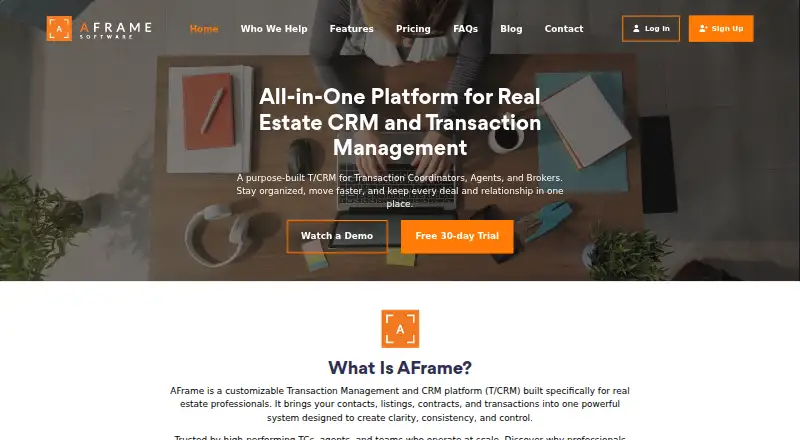
What AFrame is
AFrame is a transaction management and CRM platform for real estate professionals. It brings contacts, listings, contracts, and transactions together, with customizable templates, task and action plans, document templates, merge-field email generation, and custom data fields. Its CRM supports contact categories, relationship ratings, ownership, milestone reminders, search, and targeted mass email. Teams can assign record ownership, manage visibility, and restrict access to selected contacts or transactions. Reporting includes live pipeline visibility, individual and team performance, built-in reports, and client-facing analytics for independent transaction coordinators. Branded portals for agents, buyers, and sellers can share marketing activity, showings, feedback, and tasks, with options to hide details. Listed connections include email and calendar platforms, ShowingTime, Supra, Zapier, Mailchimp, SendGrid, and an open API; Cognito Forms and Jotform intake data can flow into transactions through Zapier. The free plan is for managed agents, and a free 30-day trial includes full platform access. Standard user plans are month-to-month, priced at $54 a month for 1–5 users, 34.00 USD for 6–10, 24.00 USD for 11–15, and 14.00 USD for 16 or more users.
Who it suits
AFrame suits transaction coordinators, real estate agents, and brokers managing growing teams. It may also fit teams that need role-based access, client portals, and workflow templates.
What it does well
- Combines contacts, listings, contracts, and transactions.
- Custom templates support tasks, documents, and email.
- Branded portals can share showings, feedback, and tasks.
- Provides pipeline, team, and client-facing analytics.
- 30-day trial includes full platform access.
What to know first
- No e-signatures.
- No compliance checklists.
- Standard user pricing varies by team size.
Limits
The free Managed Agents plan is described with branded portals, milestone reminders, reporting, and transaction summaries. Standard Users plans cost $54 a month for 1–5 users, $34 a month for 6–10, $24 a month for 11–15, and $14 a month for 16 or more users.
Plans
| Plan | Billed and limits | Price |
|---|---|---|
| Managed Agents | unlimited managed agents · branded client portal · email and text milestone reminders · reporting and performance tracking · daily/weekly transaction summaries · cannot log in | Free |
| Standard Users (16+ users) | $14 per user/month; month-to-month · Full-access team members · unlimited contacts and transactions · unlimited storage · no setup fees | $14 a month |
| Standard Users (16+) | monthly per standard user · unlimited contacts · unlimited transactions · unlimited storage | $14 a month |
| Standard Users (11–15) | monthly per standard user · unlimited contacts · unlimited transactions · unlimited storage | $24 a month |
| Standard Users (11–15 users) | $24 per user/month; month-to-month · Full-access team members · unlimited contacts and transactions · unlimited storage · no setup fees | $24 a month |
| Standard Users (6–10) | monthly per standard user · unlimited contacts · unlimited transactions · unlimited storage | $34 a month |
| Standard Users (6–10 users) | $34 per user/month; month-to-month · Full-access team members · unlimited contacts and transactions · unlimited storage · no setup fees | $34 a month |
| Standard Users (1–5) | monthly per standard user · unlimited contacts · unlimited transactions · unlimited storage · no setup fees · month-to-month | $54 a month |
The first 8 of 9 plans, as aframesoftware.com lists them, read 15 Oct 2026. The maker's own page has the final word. Every plan
Getting started
- Visit aframesoftware.com
- Start a free 30-day trial with full platform access
- Choose the free Managed Agents plan or a Standard Users plan
- Use AFrame on Android, iOS, or the web
Overview
AFrame is a real estate transaction-management and CRM platform for agents, coordinators, and brokers who need a shared view of contacts, listings, contracts, and transactions. It is best suited to growing teams that want configurable workflows and client portals in one system; teams that need built-in e-signatures or compliance checklists should look elsewhere.
Key features
Custom templates, task and action plans, document templates, merge-field emails, and custom data fields let teams adapt transaction workflows to their processes. Deadline automation and an audit trail support follow-through and recordkeeping, but the absence of e-signatures and compliance checklists leaves two important parts of many transaction processes to other tools.
The CRM combines contact categories, relationship ratings, ownership, milestone reminders, advanced search, and targeted mass email. That gives teams more ways to organize and follow up than a transaction list alone, particularly when they manage a growing contact base.
Real-time pipeline visibility, individual and team performance breakdowns, and built-in reports give managers a view of work and output. Client-facing analytics are also available for independent transaction coordinators. Branded portals for agents, buyers, and sellers can share marketing activity, showings, feedback, and tasks, with controls to hide selected details.
Integrations include email and calendar platforms, ShowingTime, Supra, Zapier, Mailchimp, SendGrid, and an open API. Through Zapier, Cognito Forms and Jotform intake submissions can create new transactions. Team permissions for record ownership and visibility help control access across contacts and transactions. AFrame says its Google Cloud infrastructure uses encryption in transit, access controls, and redundant backups; users can request deletion of their data through support.
Import templates, onboarding resources, a user guide, video library, expert Q&A sessions, and email support give teams several routes to get started and resolve questions.
Pricing
AFrame offers a free 30-day trial with full access to workflows, users, portals, analytics, and integrations. The free Managed Agents plan costs nothing and allows as many managed agents as needed, with a branded client portal, email and text milestone reminders, reporting and performance tracking, and daily or weekly transaction summary emails. It is useful for coordinators serving agents, but it is not the same as free full-access team seats.
Standard Users pricing is month-to-month and billed per user per month, with no setup fees. The rate falls as team size grows:
- 1–5 users: $54 a month ($54 per user/month).
- 6–10 users: $34 a month ($34 per user/month).
- 11–15 users: $24 a month ($24 per user/month).
- 16+ users: $14 a month ($14 per user/month).
Each Standard Users tier includes full-access team members, unlimited contacts and transactions, and unlimited storage. The declining per-user price favors larger teams; smaller teams face a higher seat rate, while the free plan is aimed at managed agents rather than a full team.
Platforms
AFrame supports Android, iOS, web, and API access, making it a fit for teams that need both mobile and browser access or want to connect other systems.
Who it's for
Transaction coordinators can use the managed-agent plan and client-facing analytics to serve multiple agents, while agents and brokers managing a growing team can use standard seats for shared workflows, reporting, and permissions. It is less suitable for teams that require e-signatures or built-in compliance checklists as part of their core system.
Pros and cons
- Pros: Configurable transaction workflows, automated deadlines, and document templates can standardize recurring work.
- Pros: Branded portals and granular visibility controls let teams share transaction updates without exposing every detail.
- Pros: Unlimited contacts, transactions, and storage on paid Standard Users tiers avoid those specific capacity ceilings.
- Cons: Standard access is priced per user, with the highest listed rate for teams of 1–5.
- Cons: E-signatures and compliance checklists are absent, so teams needing either must add another tool or process.
Alternatives
Real Estate Transaction Management Software is a broader category to explore if AFrame's mix of CRM, portals, and workflow controls is not the right fit.
dotloop is worth considering for an individual agent who wants a free allowance of up to 10 transactions or a $34.99 monthly Premium plan with unlimited transactions; AFrame instead emphasizes team workflows and per-user pricing.
BrokerageBox offers a free virtual platform with transaction and commission management, a custom dashboard, cash-flow management, billing, and payments, so it may suit readers prioritizing those brokerage functions.
Brokermint is an alternative for brokerages seeking accounting, agent billing, agent onboarding, multiple office locations, and next-day ACH payments; its Professional plan has custom pricing.
Jointly may suit a single agent who wants a free allowance of seven deals before paying $9 per month, or a high-performing agent considering its $49 per month Pro plan.
Paperless Pipeline is an option for teams that want unlimited users and storage, with a plan capped at five new transactions per month for $69 a month.
Backhouse is an alternative with seat-based pricing at $79 a month and 500 AI tasks per seat per month, with additional tasks priced at $0.12 each.
DocuSign eSignature is an alternative to consider when sending, signing, and managing agreements is the priority.
RealSmart Broker is another paid, web-based alternative.
Verdict
AFrame is a strong match for transaction coordinators and growing real estate teams that want configurable workflows, CRM, reporting, and branded client portals together. Its free managed-agent plan and lower per-user rates for larger teams are useful advantages, but smaller teams pay more per seat and the lack of e-signatures and compliance checklists makes it a poor choice for anyone who needs those functions built in.
Verdict
AFrame brings transaction workflows, CRM, reporting, and client portals into one real estate-focused system. Its free plan covers managed agents, while standard team access is priced per user and by team size.
Questions
Does AFrame have a free plan?
Yes. Managed Agents is priced at $0 and includes branded client portals, milestone reminders, reporting, and transaction summary emails.
Is there a free trial?
Yes. AFrame offers a free 30-day trial with full platform access, including workflows, users, portals, analytics, and integrations.
What platforms does AFrame support?
The listed platforms are Android, API, iOS, and web.
How much do Standard Users plans cost?
Plans are $54 a month for 1–5 users, $34 a month for 6–10, $24 a month for 11–15, and $14 a month for 16 or more users. The listed billing is per user per month, month-to-month.
Which integrations are listed?
AFrame lists email and calendar platforms, ShowingTime, Supra, Zapier, Mailchimp, SendGrid, and an open API. Cognito Forms and Jotform can send intake data into new transactions through Zapier.
Does AFrame include e-signatures?
No. E-signatures are listed as unavailable.
Facts from AFrame's own pages
- Additional form integrations
- AFrame says Cognito Forms and Jotform can send intake submission data into new transactions through its Zapier integration. · aframesoftware.com, 7 Oct 2026
- Analytics
- Reporting provides real-time pipeline visibility, individual and team performance breakdowns, built-in reports and client-facing analytics for transaction coordinators. · aframesoftware.com, 15 Oct 2026
- API limitation
- The vendor targets experienced developers for direct API work and says support for custom API development is limited. · support.aframesoftware.com, 15 Oct 2026
- Audience
- AFrame describes its intended users as transaction coordinators, real estate agents, and brokers managing growing teams. · aframesoftware.com, 7 Oct 2026
- Client portals
- Branded portals for agents, buyers and sellers can expose selected tasks, dates, files, marketing activity, showings and feedback. · aframesoftware.com, 15 Oct 2026
- Company headquarters
- G2 lists AFrameSoftware headquarters as Dallas, United States. · g2.com, 15 Oct 2026
- Company legal name
- The terms identify the maker as AFrameSoftware, LLC. · aframesoftware.com, 15 Oct 2026
- CRM
- CRM features include contact categories, relationship ratings, contact ownership, touch-date reminders, advanced search and targeted mass email. · aframesoftware.com, 15 Oct 2026
- Dashboards
- Contact, transaction and task dashboards can be filtered, sorted and saved with customizable columns and views. · aframesoftware.com, 15 Oct 2026
- Documentation and support
- The support center contains setup guidance, feature articles, FAQs, videos, tickets, a Facebook community and new-user Q&A sessions. · support.aframesoftware.com, 15 Oct 2026
- Founded year
- G2 lists AFrameSoftware as founded in 2011. · g2.com, 15 Oct 2026
- Independent directory description
- TechJockey describes AFrame as a cloud-based real-estate CRM and property-management product for agents, brokers, property managers, developers and investors. · techjockey.com, 15 Oct 2026
- Integrations
- Listed integrations include connected email and calendars, ShowingTime, Supra, Zapier, Mailchimp, SendGrid and an open API. · aframesoftware.com, 15 Oct 2026
- iOS requirements
- The App Store listing requires iOS 17.6 or later, iPadOS 17.6 or later, or macOS 14.6 with an Apple M1-or-later Mac. · apps.apple.com, 15 Oct 2026
- Licence
- The terms grant a limited, non-exclusive, revocable, non-transferable licence for internal business use, indicating proprietary software rather than open source. · aframesoftware.com, 15 Oct 2026
- Limit: Capterra complaints
- Capterra reviews mention less-developed commission/reporting functions, a desire for richer reports and a request for built-in texting. · capterra.com, 15 Oct 2026
- Limit: G2 complaints
- G2 reviewers ask for more template choices and the ability to share cadences with other users; G2 says three reviews are insufficient for buying insight. · g2.com, 15 Oct 2026
- Limit: independent comparison
- ListedKit argues that AFrame still relies on humans to read contracts, sort emails and identify issues, rather than automating those tasks with AI. · listedkit.com, 15 Oct 2026
- Limit: iOS app
- Apple reviewers say the mobile app is largely read-only and one reviewer reported being unable to set up an account. · apps.apple.com, 15 Oct 2026
- Mobile availability
- Standard users can use an iOS app; Android users are instructed to open AFrameOnline.com in Chrome and add it to the home screen, while clients use browser portals. · support.aframesoftware.com, 15 Oct 2026
- Praise: Capterra users
- Capterra reviewers repeatedly describe AFrame as easy to use, client-centric, customizable and valuable for putting documents, contacts, dates and reminders in one place. · capterra.com, 15 Oct 2026
- Praise: G2 users
- G2 reviewers praise the interface, functionality, separate client and transaction records, sales reports, goal tracking and reliable notifications. · g2.com, 15 Oct 2026
- Praise: independent review
- Stitched Real Estate praises merge-field email templates, the Daily Focus dashboard, reusable task templates, Gmail integration, team assignment, goal tracking, prospecting, calendars and dashboard filtering. · stitchedre.com, 15 Oct 2026
- Privacy
- AFrame's privacy policy says it does not sell user information without permission and that users can request data deletion by contacting support. · aframesoftware.com, 7 Oct 2026