Freedom251 › Zero Trust Network Access Software
Bowtie Private Access
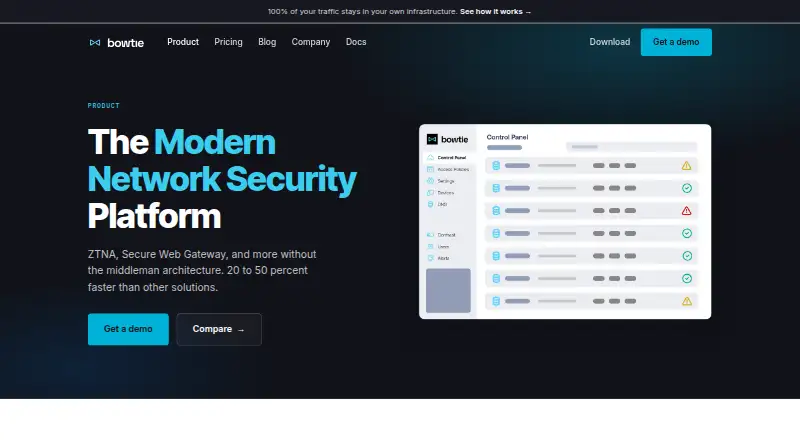
What Bowtie Private Access is
Bowtie Private Access creates encrypted connections from devices to private resources without routing traffic through intermediary networks. Its Zero Trust policies grant access based on authenticated user or device characteristics. Bowtie Internet Access adds web filtering, with policies applied on the device rather than through a centralized gateway. Bowtie identifies WireGuard as its encryption technology and says encryption keys are generated and stored in the customer’s environment; traffic does not pass through Bowtie’s cloud. Its policy engine can unify overlapping networks and segment them. The free Basic plan includes a Zero Trust Policy Engine, always-on agent, Smart DNS, and SSO authentication. It is limited to 3 users, 2 devices per user, and 2 controllers. Essentials adds Private Access and Internet Access, API access, and a Terraform provider; it costs $11 a month and supports up to 1000 users. Enterprise pricing is custom and adds MDM deployment, device posture policies, SIEM integration, and priority support with an SLA. Supported platforms include iOS, Linux, macOS, web, and Windows.
Who it suits
Bowtie may suit organizations that need policy-based access to private resources and on-device web filtering. Its Essentials and Enterprise plans include automation, deployment, and support options for larger or more integrated environments.
What it does well
- Connects devices to private resources without intermediary networks.
- Supports policy-based access using user or device characteristics.
- Keeps encryption keys in the customer environment.
- Essentials includes API access and a Terraform provider.
- Enterprise includes SIEM integration and priority SLA support.
What to know first
- Basic is limited to 3 users.
- Basic allows 2 devices per user and 2 controllers.
- Essentials allows 3 devices per user and 4 controllers.
- Enterprise pricing is custom and not listed.
Limits
Basic allows up to 3 users, 2 devices per user, and 2 controllers. Essentials allows up to 1,000 users, 3 devices per user, and 4 controllers. Enterprise lists unlimited users, devices, and controllers.
Plans
| Plan | Billed and limits | Price |
|---|---|---|
| Basic | Free forever · Up to 3 users · 2 devices per user · 2 controllers · Zero Trust Policy Engine · always-on agent · Smart DNS · SSO authentication | Free |
| Essentials | Per user / month · Up to 1000 users · 3 devices per user · 4 controllers · Private Access & Internet Access · API access · Terraform provider · email and community support | $11 a month |
| Enterprise | Custom · Unlimited users · unlimited devices · unlimited controllers · priority support with SLA · MDM deployment · device posture policies · SIEM integration | On request |
As bowtie.security lists them, read 4 Oct 2026. The maker's own page has the final word.
Getting started
- Visit the Bowtie Private Access website.
- Choose the free Basic plan or a paid plan.
- Download the client for Mac, Windows, or Linux.
- Use the agent to connect to private resources.
Bowtie Private Access connects devices directly to private resources and adds policy-based web filtering and network segmentation. It suits organizations that want these controls together, especially those that need customer-held encryption keys and traffic that avoids Bowtie’s cloud. The free plan is tightly capped; Essentials is the practical starting point for a larger team.
Overview
Bowtie uses WireGuard to establish encrypted connections between devices and private resources without routing traffic through a middleman network. Access policies can grant authenticated access according to user or device characteristics. This makes it a fit for teams that need controlled private-resource access rather than a general-purpose consumer VPN.
Encryption keys are generated and stored in the customer’s environment, and traffic does not pass through Bowtie’s cloud. Bowtie also combines private access with on-device web filtering and policy-based network segmentation, so organizations can manage more than private-resource connections through one policy engine.
Key features
The Zero Trust policy engine governs access using user or device characteristics. Device posture policies are included with Enterprise, so teams requiring that control should account for the plan boundary.
Bowtie Internet Access applies web filtering on the device rather than at a centralized gateway. Its segmentation engine can unify overlapping networks and segment them through policy. TCP, UDP and ICMP are supported, giving it scope beyond web-only application access.
Essentials adds API access and a Terraform provider, useful for teams automating deployment or connecting Bowtie to existing tooling. Enterprise adds MDM deployment through providers such as Jamf and Kandji, SIEM event logging, and priority support with an SLA and shared Slack channel.
SSO options include Okta and Entra ID, with configurations also described for GitHub, GitLab, SAML, AWS Identity Center and Google IDP. Basic includes SSO authentication, but its narrow user and device caps limit its usefulness for broad deployment.
Pricing
Basic: free, billed Free forever. It allows up to 3 users, 2 devices per user and 2 controllers, with the Zero Trust Policy Engine, always-on agent, Smart DNS and SSO authentication. It is a no-cost way for a very small team to start, but the caps make it unsuitable for a growing rollout.
Essentials: $11 a month, billed per user / month. It supports up to 1000 users, 3 devices per user and 4 controllers, and includes Private Access and Internet Access, API access, a Terraform provider, email support and community support. This is the clearest fit for teams needing both private access and filtering with room to grow beyond Basic’s limits.
Enterprise: custom pricing, with unlimited users, devices and controllers. It adds priority support with an SLA, MDM deployment, device posture policies and SIEM integration. Organizations that need those enterprise controls should expect custom pricing rather than Essentials’ per-user rate.
Platforms
Bowtie lists iOS, Linux, macOS, web and Windows platforms. Client downloads are provided for Mac, Windows and Linux. Access uses an agent, and the deployment model is hybrid.
Who it's for
Bowtie is best suited to organizations that want private-resource access, web filtering and network segmentation governed together, and value keeping keys in their own environment. Essentials fits teams of up to 1000 users that need automation and both access products. Basic is for small deployments within its strict caps; Enterprise is for organizations requiring unlimited capacity, posture policies, managed deployment or SIEM logging. Teams needing those Enterprise features but unwilling to adopt custom pricing should look elsewhere.
Pros and cons
- Pros: Direct encrypted connections and customer-held keys keep traffic off Bowtie’s cloud.
- Pros: Private access, on-device web filtering and network segmentation share policy controls, reducing the need to treat them as separate functions.
- Pros: Essentials includes API access and Terraform support, while Enterprise adds MDM and SIEM integration for more complex deployments.
- Cons: Basic’s 3-user, 2-devices-per-user and 2-controller limits are restrictive for teams beyond a small pilot.
- Cons: Essentials caps users at 1000 and controllers at 4, and allows only 3 devices per user.
- Cons: Device posture policies and SIEM integration require Enterprise, whose price is custom.
Alternatives
For a wider comparison, browse Zero Trust Network Access Software.
Choose Cloudflare Access if a free plan for under 50 users or a $7 a month pay-as-you-go plan better suits your budget and team size.
Twingate is worth comparing if its free Starter plan’s allowance of up to 5 users and 50 resources fits your deployment.
Consider NetBird if a free allowance of up to 5 users and 100 machines, or its €6 per user / month Team plan, better matches your scale and budget.
Boundary is another freemium option, with a free Community Edition and HCP Boundary Standard on usage-based custom pricing.
Choose Cloudflare Gateway if its free plan for 50 users with up to 24 hours of standard log retention, or its $7 a month pay-as-you-go tier, suits your web-access needs.
Pomerium offers a free Personal plan for 10 users, 10 routes, 5 policies and 2 service accounts, or a Business plan at $7 a month.
Consider OpenVPN CloudConnexa if its Starter plan’s 5 included seats suit your needs; its Essential plan is $7 a month.
Sangfor EasyConnect is another paid option.
Verdict
Bowtie is a strong choice for organizations seeking private access, web filtering and segmentation under one policy engine, with keys held in their own environment and traffic kept off Bowtie’s cloud. Essentials is the sensible choice for teams that fit its user, device and controller caps and want automation. Choose another product if Basic’s limits are too small, or if you need Enterprise posture, MDM or SIEM capabilities without custom pricing.
Verdict
Bowtie combines private-resource access, web filtering, and network segmentation under policy controls. The free plan has tight user and device limits; Essentials costs $11 a month, while Enterprise pricing is custom.
Questions
Is there a free plan?
Yes. Basic is free forever and supports up to 3 users, 2 devices per user, and 2 controllers.
How much does Essentials cost?
Essentials costs $11 per user per month.
What does Enterprise cost?
Enterprise has custom pricing.
Which platforms are supported?
Listed platforms are iOS, Linux, macOS, web, and Windows. Client downloads are available for Mac, Windows, and Linux.
Which identity providers are named?
The pricing page names Okta and Entra ID. Documentation also describes GitHub, GitLab, SAML, AWS Identity Center, and Google IDP configurations.
What does Enterprise add?
Enterprise includes unlimited users, devices, and controllers, priority support with an SLA, MDM deployment, device posture policies, and SIEM integration.
Facts from Bowtie Private Access's own pages
- Automation
- Essentials includes API access and a Terraform provider for automating deployment and integrating with existing tooling. · bowtie.security, 4 Oct 2026
- Client platforms
- Bowtie provides client downloads for Mac, Windows, and Linux. · bowtie.security, 4 Oct 2026
- Data and keys
- Bowtie says encryption keys are generated and stored in the customer's environment, and traffic does not pass through Bowtie's cloud. · bowtie.security, 4 Oct 2026
- Encryption
- The product comparison identifies WireGuard as Bowtie's encryption technology. · bowtie.security, 4 Oct 2026
- Enterprise integrations
- Enterprise includes MDM deployment via providers such as Jamf and Kandji, plus SIEM event logging. · bowtie.security, 4 Oct 2026
- Founded
- 2022 · bowtie.security, 28 Sept 2026
- Headquarters
- Santa Clara, California, United States · bowtie.security, 28 Sept 2026
- Internet Access
- Bowtie Internet Access provides web filtering with policy enforcement on the device rather than through a centralized gateway. · bowtie.security, 4 Oct 2026
- Limits
- The Basic plan is limited to 3 users, 2 devices per user, and 2 controllers; Essentials is limited to 1000 users, 3 devices per user, and 4 controllers. · bowtie.security, 4 Oct 2026
- Network segmentation
- Bowtie says it can unify overlapping networks and segment them through its policy engine. · bowtie.security, 4 Oct 2026
- Product
- Bowtie Private Access establishes encrypted connections directly from devices to private resources, without routing traffic through middleman networks. · bowtie.security, 4 Oct 2026
- SSO integrations
- The pricing page names Okta and Entra ID as SSO providers, and the SSO documentation describes GitHub, GitLab, SAML, AWS Identity Center, and Google IDP configurations. · bowtie.security, 4 Oct 2026
- Support
- Essentials includes email and site chat support plus access to a public Slack community; Enterprise includes priority support with an SLA and shared Slack channel. · bowtie.security, 4 Oct 2026
- Zero Trust
- Its access policies allow authenticated access to private resources based on user or device characteristics. · bowtie.security, 4 Oct 2026