Freedom251 › Business VPN Software
Cloudflare Access
What Cloudflare Access is
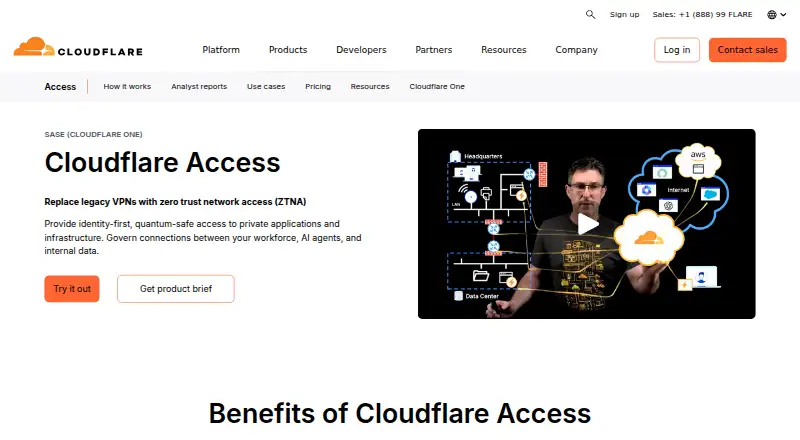
Cloudflare Access controls access to self-hosted apps, SaaS applications, and infrastructure by checking identity, device posture, and other context on each request. Policies can grant access to individual resources, and applications deny access unless a user matches an Allow policy. The service supports SAML- and OIDC-compliant identity providers, including enterprise and social providers and Cloudflare as an identity provider. Contractors, partners, and people using unmanaged devices can connect through a browser with social sign-in or one-time PINs. Access can replace or supplement a legacy VPN by limiting connections to specific applications, and its controls also cover SSH and RDP infrastructure. Administrators can manage policies centrally and scale them with APIs and Terraform. Publishing a self-hosted public application requires an active Cloudflare domain configured with full or partial CNAME. The free plan covers fewer than 50 users; paid service starts at $7/user/mo (annual). Cloudflare Access is available on Android, iOS, Linux, macOS, web, and Windows.
Who it suits
It suits organizations that want identity- and device-aware controls for application or infrastructure access, including access for contractors and partners. It may also suit teams replacing or supplementing VPN access with per-application policies.
What it does well
- Policies can grant access per resource.
- Supports SAML and OIDC identity providers.
- Browser access supports one-time PINs.
- Policy management supports APIs and Terraform.
- Infrastructure controls include SSH and RDP.
What to know first
- Self-hosted public apps require an active Cloudflare domain.
- Free plan is limited to fewer than 50 users.
- Paid pricing starts at $7/user/mo (annual).
Limits
The free plan costs nothing, billed forever, and covers under 50 users. Pay-as-you-go is $7 a month, billed annually, for over 50 users. The Contract Plan has custom pricing.
Plans
| Plan | Billed and limits | Price |
|---|---|---|
| Free Plan | forever · under 50 users | Free |
| Pay-as-you-go | paid annually · over 50 users | $7 a month |
| Contract Plan | Custom pricing · Maximum support | On request |
| Cloudflare One free plan | proof of concept; Cloudflare One is offered for free trial | Free |
As cloudflare.com lists them, read 20 Sept 2026. The maker's own page has the final word.
Getting started
- Visit the Cloudflare Access website.
- Choose the free plan or a paid plan; the free plan is for under 50 users.
- Connect a supported SAML- or OIDC-compliant identity provider, or use Cloudflare as an identity provider.
- Set an Allow policy for users who should connect; applications deny access by default.
- For a self-hosted public application, use an active Cloudflare domain with full or partial CNAME setup.
- Use browser access with a social identity provider or one-time PIN for contractors, partners, or unmanaged devices.
Overview
Cloudflare Access is a zero-trust access service for organizations protecting applications and infrastructure. It suits teams that want granular controls for employees and outside partners, and are comfortable building access around Cloudflare’s domain and device ecosystem. Its per-resource model is compelling; the domain requirement and free-tier user cap deserve attention before rollout.
Key features
Access policies and identity
Access evaluates identity, device posture, and request context, with policies applied to individual resources rather than broad network access. Applications deny access unless a user matches an Allow policy. That default is a sound fit for least-privilege deployments, though it puts the onus on administrators to define who needs access to each resource.
SAML- and OIDC-compliant identity providers are supported, including enterprise SSO, social identity providers, and Cloudflare itself. Contractors, partners, and users on unmanaged devices can connect through a browser using social identity or a one-time PIN. This clientless option is useful for external access without requiring those users to install a client.
Applications and infrastructure
Access can protect self-hosted and SaaS applications as well as infrastructure targets such as SSH and RDP. Supported protocols also include HTTP, HTTPS, TCP, SMB, and VNC. Cloudflare positions the service as a way to replace or supplement legacy VPNs by granting access to specific applications, which is a more focused choice than broad network access when that is the goal.
Publishing a self-hosted public application requires an active Cloudflare domain configured through full or partial CNAME setup. That requirement may make Access a less direct fit for teams unwilling or unable to use a Cloudflare domain for this purpose.
Deployment and administration
The deployment model is hybrid, with multicloud support across AWS, Azure, and GCP. Access policies can be managed centrally and scaled through APIs and Terraform, a useful combination for teams automating configuration. Cloudflare lists Fleet, Hexnode, Intune, Jamf, JumpCloud, and Kandji as technology partners for deploying its One Client and remotely configuring devices. The product supports device posture checks; session recording is not supported.
Pricing
Cloudflare Access uses a freemium model, with a free trial also offered. The Free Plan costs nothing, is billed forever, and is capped at under 50 users. It is the natural starting point for small teams or a proof of concept, but the user ceiling rules it out for larger deployments.
Pay-as-you-go costs $7 a month, billed paid annually, and applies to over 50 users. It is the published paid step for organizations beyond the free cap; the annual billing term matters for buyers comparing it with month-to-month services. The Contract Plan has custom pricing and maximum support, making it the option to consider when that support level matters and a standard per-user plan is not the fit.
Cloudflare One also has a free plan described for proof of concept, and is offered for free trial. The published plan terms do not state a trial length.
Platforms
Cloudflare Access supports Android, iOS, Linux, macOS, web, Windows, and API. Cloudflare publishes stable One Client releases for Windows, macOS, Linux, iOS, and Android.
Who it's for
Access is a strong fit for organizations that need per-application controls, device checks, and access to infrastructure targets in one zero-trust approach, especially when they already work with Cloudflare or can meet its domain setup requirement. Its free tier gives smaller deployments a route to start, while teams above 50 users should weigh the annual paid term and contract option. It is less suited to buyers who need session recording or cannot use an active Cloudflare domain to publish a self-hosted public application.
Pros and cons
- Pros: Default-deny applications and per-resource policies support least-privilege access instead of blanket network permissions.
- Pros: Browser access with social identity or one-time PINs gives contractors and partners a clientless route in.
- Pros: API and Terraform administration can help teams centralize and scale policy management.
- Cons: Public self-hosted application publishing requires an active Cloudflare domain with full or partial CNAME setup.
- Cons: The free plan is limited to under 50 users, and the paid plan is billed annually.
- Cons: Session recording is not supported.
Alternatives
For readers comparing adjacent categories, see Zero Trust Network Access Software, Business VPN Software, Cloud Access Security Broker Software, SaaS Security Posture Management Software, Cloud Network Management Software, and SD-WAN Software.
D-Link Nuclias Cloud SD-WAN Gateway (DBG-2000) is an alternative to consider if you want a free-plan SD-WAN gateway product with Android, iOS, Linux, web, and Windows support; its listed one-year gateway license costs $111.99 a year.
flexiWAN may suit readers seeking a Linux, API, self-hosted, and web option with a free tier for 1–5 flexiEdge instances and a free trial.
Arista NG Firewall has a free plan with basic security and connectivity features, with limited capabilities.
Fortinet Secure SD-WAN is worth considering for basic SD-WAN functionality included on FortiGate models without an additional charge.
AccessOne is another paid option with web, Windows, macOS, Linux, iOS, and Android support.
Versa Zero Trust Network Access is a paid option with no free plan; its Essential plan covers 10 applications.
Cato Client is a paid alternative with a free trial and Android, iOS, Linux, macOS, and Windows support.
Bigleaf SD-WAN is another paid option with web support.
Verdict
Choose Cloudflare Access if your priority is resource-level zero-trust access for applications and infrastructure, with identity and device checks and a clientless path for outside users. Its strongest case is the combination of default-deny policies and flexible identity options; look elsewhere if the Cloudflare domain prerequisite, under-50 free cap, annual paid billing, or lack of session recording conflicts with your deployment.
Verdict
Cloudflare Access combines per-resource access policies with identity and device checks, and supports browser access for contractors and partners. Check the domain requirement and user limit against your deployment before choosing a plan.
Questions
How much does Cloudflare Access cost?
The free plan costs nothing, billed forever, for under 50 users. Pay-as-you-go is $7 a month, billed annually, for over 50 users; a Contract Plan has custom pricing.
Is there a free plan or free trial?
Yes. A free plan and a free trial are listed.
Which platforms are supported?
The listed platforms are Android, API, iOS, Linux, macOS, web, and Windows. Cloudflare One Client stable releases are published for Windows, macOS, Linux, iOS, and Android.
Which identity providers does it support?
It supports SAML- or OIDC-compliant identity providers, including enterprise and social providers, and Cloudflare as an identity provider.
What is required to publish a self-hosted public application?
An active Cloudflare domain configured with full or partial CNAME setup is required.
Who makes Cloudflare Access?
The maker is Cloudflare Access. Cloudflare was founded in 2009 and is headquartered in San Francisco, California, United States.
Facts from Cloudflare Access's own pages
- App setup requirement
- Publishing a self-hosted public application requires an active Cloudflare domain using full or partial CNAME setup. · developers.cloudflare.com, 30 Sept 2026
- Automation
- Cloudflare says Access policy administration can be centralized and scaled with APIs and Terraform. · cloudflare.com, 30 Sept 2026
- Company background
- Cloudflare says it was founded in 2009 and lists San Francisco as its headquarters. · cloudflare.com, 30 Sept 2026
- Compliance
- Cloudflare's Trust Hub says its security certifications and compliance posture include ISO 27001, ISO 27701, PCI DSS, and SOC 2 Type II. · cloudflare.com, 30 Sept 2026
- Contractor access
- Contractors, partners, and unmanaged devices can use clientless browser access with social identity providers or one-time PINs. · cloudflare.com, 30 Sept 2026
- Default access policy
- Access applications deny access by default, and a user must match an Allow policy to connect. · developers.cloudflare.com, 30 Sept 2026
- Device management integrations
- Cloudflare lists Fleet, Hexnode, Intune, Jamf, JumpCloud, and Kandji as Zero Trust technology partners for deploying the Cloudflare One Client and configuring devices remotely. · developers.cloudflare.com, 30 Sept 2026
- Founded
- 2009 · cloudflare.com, 23 Sept 2026
- Free plan
- Cloudflare's Zero Trust and SASE pricing page invites customers to start a proof of concept with its free plan. · cloudflare.com, 30 Sept 2026
- Headquarters
- San Francisco, CA · cloudflare.com, 23 Sept 2026
- Identity integrations
- Access supports SAML- or OIDC-compliant identity providers, including enterprise SSO providers, social identity providers, and Cloudflare as an IdP. · cloudflare.com, 30 Sept 2026
- Infrastructure access
- Access extends zero trust controls to infrastructure targets such as SSH and RDP. · cloudflare.com, 30 Sept 2026
- Least privilege
- Access policies grant granular access per resource, and the product page says all requests are verified using identity, device posture, and other context. · cloudflare.com, 30 Sept 2026
- Purpose
- Cloudflare Access is a zero trust network access solution for self-hosted apps, SaaS applications, and infrastructure that checks identity, device posture, and context for each request. · cloudflare.com, 30 Sept 2026
- Paid from
- 7 · cloudflare.com, 20 Sept 2026
- Supported clients
- Cloudflare publishes Cloudflare One Client stable releases for Windows, macOS, Linux, iOS, and Android. · developers.cloudflare.com, 30 Sept 2026
- VPN replacement
- Cloudflare says Access can replace or augment legacy VPNs by offloading access to specific applications. · cloudflare.com, 30 Sept 2026
Where Cloudflare Access stands on Freedom251
- Business VPN Software#9 of 94
- SSH Server Software#4 of 34
- Zero Trust Network Access Software#5 of 42