Freedom251 › Business VPN Software
Cato Client
by Cato Client
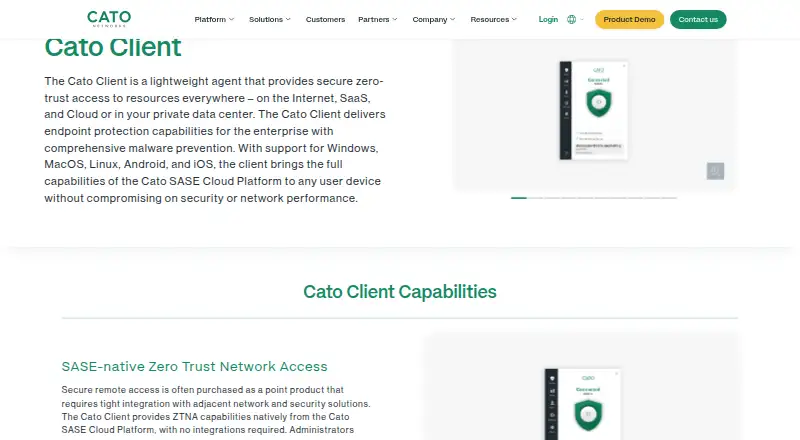
What Cato Client is
Cato Client is a device agent for zero-trust access to Internet, SaaS, cloud, and private-datacenter resources. It authenticates users, checks device posture, and creates an encrypted tunnel to the Cato SASE Cloud Platform for application-centric access. Its posture checks can cover anti-malware, firewall, disk encryption, patching, endpoint DLP, and device certificates. If a device falls outside policy, Cato can limit access or end the user connection. Built-in Cato EPP scans files and running processes for malware, including unknown and zero-day threats. Administrators can deploy the Client through an MDM or self-service onboarding portal, control software upgrade rollouts centrally, and enable always-on mode, which can prevent users from disabling it. It supports Android, iOS, Linux, macOS, and Windows, and connects dynamically to the nearest Cato PoP using Cato’s Global Private Backbone. A free trial is listed, but there is no free plan; pricing is available on request. Secured remote and Internet access require a ZTNA license, while Digital Experience requires a DEM license.
Who it suits
It suits organizations seeking zero-trust access for users connecting remotely or from behind a site, with centralized device and software controls. Administrators can deploy it across organizational devices.
What it does well
- Supports Android, iOS, Linux, macOS, and Windows
- Device posture checks can enforce policy
- Built-in malware scanning
- MDM and self-service deployment options
- Centralized upgrade rollout controls
What to know first
- No free plan
- Pricing is available on request
- Remote and Internet access require a ZTNA license
Limits
There is no free plan. Secured remote and internet access require a ZTNA license, and Digital Experience features require a DEM license; commercial licenses are purchased for one or more years.
Plans
| Plan | Billed and limits | Price |
|---|---|---|
| Commercial license | Purchased from Cato for one or more years; contact a Cato representative or reseller · Secured remote and Internet access require a ZTNA license · Digital Experience requires a DEM license | On request |
As catonetworks.com lists them, read 30 Sept 2026. The maker's own page has the final word.
Getting started
- Request pricing from Cato or a reseller for a commercial license.
- Choose a deployment route: MDM or the self-service onboarding portal.
- Install the client on organizational devices running Android, iOS, Linux, macOS, or Windows.
- Apply the required ZTNA license for secured remote and internet access.
- Add a DEM license if you need Digital Experience features.
Verdict
Cato Client combines zero-trust access with device posture checks, endpoint protection, and centralized administration. It has a free trial but no free plan, and pricing is available on request.
Questions
What platforms does Cato Client support?
It supports Android, iOS, Linux, macOS, and Windows.
Is there a free plan or free trial?
There is no free plan. A free trial is listed.
How is Cato Client priced?
Pricing is on request. A commercial license is purchased from Cato for one or more years.
Who makes Cato Client?
The listed maker is Cato Client. The maker is headquartered in Tel Aviv, Israel, and was founded in 2015.
What licenses do the listed capabilities require?
Secured remote and internet access require a ZTNA license. Digital Experience requires a DEM license.
How can administrators deploy the client?
Administrators can deploy it through an MDM or a self-service onboarding portal.
Facts from Cato Client's own pages
- Access model
- ztna · catonetworks.com, 22 Sept 2026
- Access response
- When a device deviates from policy, Cato can limit access or terminate the user connection. · catonetworks.com, 30 Sept 2026
- Admin control level
- advanced · catonetworks.com, 22 Sept 2026
- Always-on
- Always-on mode can prevent users from disabling the Client and force traffic inspection by the Cato SASE Cloud Platform. · catonetworks.com, 30 Sept 2026
- Audit logs
- Yes · catonetworks.com, 22 Sept 2026
- Deployment
- Administrators can deploy the Client through an MDM or a self-service onboarding portal. · catonetworks.com, 30 Sept 2026
- Device posture
- Yes · catonetworks.com, 22 Sept 2026
- Digital experience
- Digital Experience features include Synthetic Monitoring and combining network, application, and user analytics. · knowledge.catonetworks.com, 30 Sept 2026
- Endpoint protection
- The built-in Cato EPP scans files and analyzes running processes for malware, including unknown and zero-day threats. · catonetworks.com, 30 Sept 2026
- Founded
- 2015 · catonetworks.com, 28 Sept 2026
- Free plan
- No · catonetworks.com, 22 Sept 2026
- Headquarters
- Tel Aviv, Israel · catonetworks.com, 28 Sept 2026
- Integrations
- Cato’s Integration Hub lists 100 integrations across authentication, EDR, SIEM, SaaS security, storage, ITSM, and other categories. · catonetworks.com, 30 Sept 2026
- Management
- The Cato Management Application centrally controls Client software upgrade rollouts, including pilot-group upgrades. · catonetworks.com, 30 Sept 2026
- Network performance
- The Client dynamically connects to the nearest Cato PoP and uses Cato’s Global Private Backbone for optimized access. · catonetworks.com, 30 Sept 2026
- Posture checks
- The Client continuously checks attributes including anti-malware, firewall, disk encryption, patching, endpoint DLP, and device certificates. · catonetworks.com, 30 Sept 2026
- Purpose
- The Cato Client is a lightweight agent providing secure zero-trust access to Internet, SaaS, cloud, and private-datacenter resources. · catonetworks.com, 30 Sept 2026
- Security certifications
- Cato states that it holds SOC 2, SOC 3, PCI-DSS Level 1, ISO 27001, ISO 27017, ISO 27018, ISO 27701, GDPR, and other certifications or attestations. · catonetworks.com, 30 Sept 2026
- SSO / SCIM
- Yes · catonetworks.com, 22 Sept 2026
- Support
- Cato provides a support portal and directs customers to contact the Cato support team for help. · catonetworks.com, 30 Sept 2026
- Supported platforms
- Windows,macOS,Linux,iOS,Android · catonetworks.com, 22 Sept 2026
- Target users
- The Client is recommended for installation on all devices in an organization and supports users connecting remotely or behind a site. · knowledge.catonetworks.com, 30 Sept 2026
- ZTNA
- It authenticates users, validates device posture, and establishes an encrypted tunnel to the Cato SASE Cloud Platform for application-centric access. · catonetworks.com, 30 Sept 2026
Where Cato Client stands on Freedom251
- Business VPN Software#50 of 94