Freedom251 › Startup Manager Software
BootRacer
by BootRacer
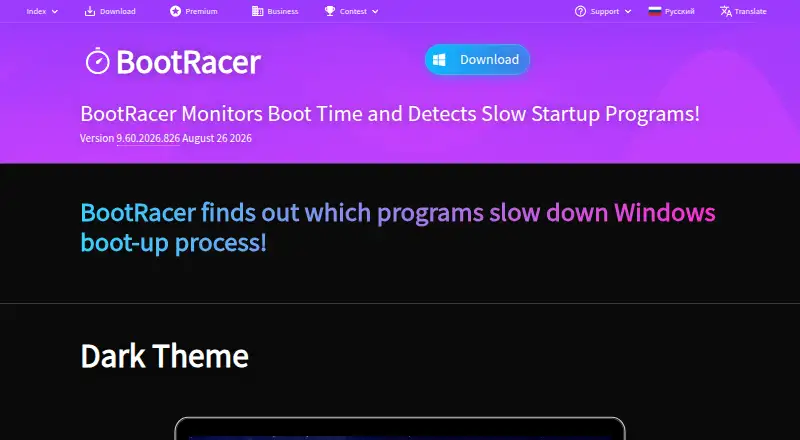
What BootRacer is
BootRacer is a Windows startup manager for Windows 10 and 11. It helps users measure startup delays and inspect and manage startup activity. Its listed tools include startup delay, service control, startup inspection, and restore-point tools. BootRacer does not include junk cleanup, driver updates, or scheduled maintenance, so its listed functions center on Windows startup management. The software is available on Windows, and the free plan is for non-commercial use. Paid choices include Premium licenses for one or two PCs, a Family License for household PCs, a Roaming License for one computer running at a time, a Business license, and Enterprise options. Premium 1 PC is listed at $39.95 a month, with lifetime billing terms and use on one PC. Premium 2 PC is $59.95 a month with lifetime terms for two PCs. The Family License is $99.95 a month with lifetime terms for household PCs. A Roaming License costs $99.95 a year. The free plan costs nothing. Business 1 PC is listed at $39.95 a month with a lifetime license.
Who it suits
BootRacer suits Windows 10 and 11 users who want to inspect and manage startup activity, including startup delays and services. The free plan is for non-commercial use; paid license choices cover individual PCs, household use, roaming use, and business or enterprise deployments.
What it does well
- Measures startup delay on Windows.
- Includes startup inspection and service control.
- Provides restore-point tools.
- Offers a free plan for non-commercial use.
- Family License covers all PCs in a household.
What to know first
- Runs on Windows only.
- Free plan is limited to non-commercial use.
- Junk cleanup, driver updates, and scheduled maintenance are not included.
Limits
The free plan is for non-commercial use. Premium 1 PC and Premium 2 PC cover one and two PCs respectively; the Family License covers household PCs, while the Roaming License allows one computer to run at a time. Enterprise requires a minimum of 100 licenses, and Enterprise Site License allows unlimited installations.
Plans
| Plan | Billed and limits | Price |
|---|---|---|
| Free | Free for non-commercial use | Free |
| Premium 1 PC | Premium is lifetime · 1 PC | $39.95 a month |
| Premium 2 PC | Premium is lifetime · 2 PCs | $59.95 a month |
| Premium Family License | Family Pack allows use on all PCs in your household · Lifetime license · Use on all PCs in the household | $99.95 a month |
| Roaming License | One-year License · 1 computer running at a time | $99.95 a year |
| Business 1 PC | Lifetime License. One-year free program upgrades. · 1 PC | $39.95 a month |
| Enterprise | Minimum 100 licenses | On request |
| Enterprise Site License | Unlimited installations | On request |
As greatis.com lists them, read 22 Sept 2026. The maker's own page has the final word.
Getting started
- Visit the BootRacer website.
- Choose the free plan for non-commercial use or select a listed license.
- Use BootRacer on Windows 10 or 11.
- Select a license matching the number of PCs or household, roaming, business, or enterprise use.
BootRacer is a Windows utility for inspecting and managing what runs when a PC starts. It suits people who want startup controls and restore-point tools in one focused application. Its strength is that narrow scope; it is not a general PC maintenance suite.
Overview
BootRacer combines startup management and inspection with controls for startup delays and services. Restore-point tools add a system-safety capability alongside those controls. The trade-off is a deliberately limited toolkit: junk cleanup, driver updates and scheduled maintenance are not included.
BootRacer is made by a company founded in 1998 and headquartered in Sheridan, Wyoming, USA. It supports Windows 10 and 11.
Key features
Startup management and inspection
Users can inspect startup items, manage them, control delays and work with services. That makes BootRacer a fit for people focused on shaping Windows startup behavior. The listed capabilities do not extend to broader maintenance tasks such as cleaning junk files or updating drivers.
Restore-point tools
Restore-point tools complement the startup controls for users who want that capability alongside system changes. The feature list does not describe particular restore operations, so this should not be the deciding factor for anyone needing a specific restore workflow.
Pricing
BootRacer has a free plan for non-commercial use and paid licenses for individual, household and business use. The plan entries show monthly amounts for several licenses, but their billing descriptions call them lifetime licenses; the roaming license is explicitly for one year.
| Plan | Price | What it includes |
|---|---|---|
| Free | free | Free for non-commercial use |
| Premium 1 PC | $39.95 a month | Lifetime license for 1 PC |
| Premium 2 PC | $59.95 a month | Lifetime license for 2 PCs |
| Premium Family License | $99.95 a month | Lifetime license for all PCs in the household |
| Roaming License | $99.95 a year | One-year license; 1 computer running at a time |
| Business 1 PC | $39.95 a month | Lifetime license for 1 PC, with one year of free program upgrades |
| Enterprise | Custom pricing | Minimum 100 licenses |
| Enterprise Site License | Custom pricing | Unlimited installations |
The free tier is the straightforward choice for non-commercial use on a single device. Premium 1 PC fits an individual, while Premium 2 PC covers two PCs; the family license is aimed at household use across all PCs there. The roaming option trades a perpetual term for a one-year license and limits use to one running computer at a time. Business 1 PC adds a year of free upgrades. Larger organizations can consider Enterprise at a minimum of 100 licenses, or the site license for unlimited installations.
Platforms
BootRacer runs on Windows 10 and 11. Its device limit is 1, so readers seeking a broader license should compare the two-PC, household, roaming or business options against their use case.
Who it's for
BootRacer is best for Windows users who want to inspect startup activity, adjust delays or manage services, with restore-point tools available alongside. It is a poor fit for anyone looking for cleanup, driver updates or scheduled maintenance in the same utility. Non-commercial users can start with Free; households and businesses have paid license options for more devices or installations.
Pros and cons
- Startup controls cover several relevant areas: inspection, startup management, delay controls and service control address users' startup-focused needs.
- Restore-point tools are included: useful to readers who want this capability alongside startup changes.
- Multiple license scopes: choices range from one PC to household use and enterprise installations.
- Narrow maintenance scope: junk cleanup, driver updates and scheduled maintenance are absent, so users needing those tools must look elsewhere.
- License terms require care: several plans display a monthly price while describing the license as lifetime, and roaming is a one-year license limited to one active computer.
Alternatives
For more startup-focused options, browse Startup Manager Software; for a broader category, see PC Optimization Software.
- Microsoft Quick Assist is free and spans Windows, macOS and web, with the macOS and web versions limited to Microsoft Support interactions.
- Argente Uninstall Manager is a Windows freemium option with a free tier for one PC forever and paid tiers for one or three PCs.
- AutoRun Manager is a free, MIT-licensed Windows option for startup configuration.
- Autorun Organizer is free for Windows and includes startup entry management, delay controls and VirusTotal scanning.
- Autoruns is free for Windows, with no limit on installs or use across your devices or supported devices.
- Corionis Service Manager.NET is a free Windows service manager for x86 and x64, with Windows 7 through Server 2016 tested and .NET Framework 4.7.2 required.
- HiBit Startup Manager is free for Windows and covers startup programs, monitoring, services and scheduled tasks.
- NSSM is a free, public-domain Windows service helper with 32-bit and 64-bit binaries.
Verdict
Choose BootRacer if you want focused Windows startup inspection and controls, plus restore-point tools, and its license options fit your device count and use. Look elsewhere if you need junk cleanup, driver updates or scheduled maintenance as part of the same application.
Verdict
Choose BootRacer if startup timing and management on Windows 10 or 11 are the main needs, with license options for individual, household, and business use. Look elsewhere if junk cleanup, driver updates, or scheduled maintenance are required.
Questions
Is BootRacer free?
Yes. The Free plan costs nothing and is for non-commercial use.
Which platforms does BootRacer support?
BootRacer supports Windows 10 and 11.
How much does Premium 1 PC cost?
Premium 1 PC is listed at $39.95 a month, with lifetime billing terms, for one PC.
Does BootRacer include restore-point tools?
Yes. Restore-point tools are listed among its features.
Does BootRacer include junk cleanup or driver updates?
No. Junk cleanup and driver updates are listed as unavailable.
Facts from BootRacer's own pages
- Device limit
- 1 · greatis.com, 22 Sept 2026
- Driver updates
- No · greatis.com, 22 Sept 2026
- Founded
- 1998 · greatis.com, 28 Sept 2026
- Free plan
- Yes · greatis.com, 22 Sept 2026
- Headquarters
- Sheridan, Wyoming, USA · greatis.com, 28 Sept 2026
- Junk cleanup
- No · greatis.com, 22 Sept 2026
- Restore-point tools
- Yes · greatis.com, 22 Sept 2026
- Scheduled maintenance
- No · greatis.com, 22 Sept 2026
- Startup manager
- Yes · greatis.com, 22 Sept 2026
- Windows support
- windows 10 and 11 · greatis.com, 22 Sept 2026
Where BootRacer stands on Freedom251
- Startup Manager Software#5 of 30
- PC optimisers#61 of 104
- PC Optimization Software#58 of 97