Freedom251 › Startup Manager Software
AutoRun Manager
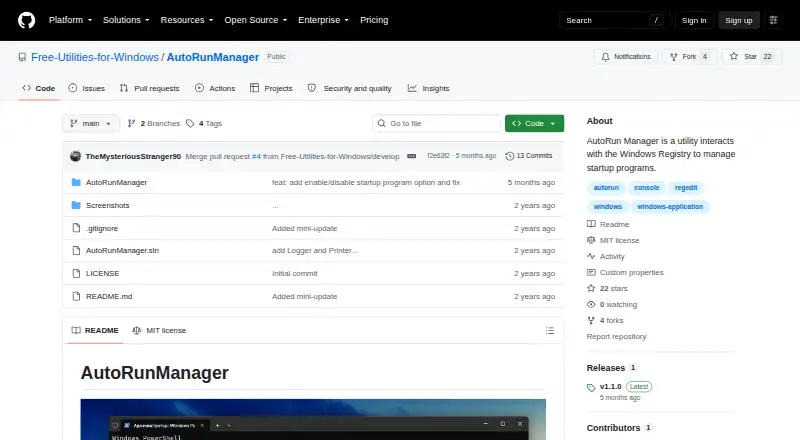
What AutoRun Manager is
AutoRun Manager is a free Windows command-line utility for viewing and changing the programs configured to run when Windows starts. It lists current startup entries and lets you add or remove programs. It can also save and restore the startup configuration, which covers the configuration rather than copies of the programs themselves. A separate command clears all programs from the startup list. The utility manages entries through the Windows Registry, and records actions and errors in timestamped text files in My Documents\AutoRunManager. To start it, open Command Prompt as an administrator and run AutoRunManager.exe; the command-line interface displays the available commands. AutoRun Manager is available under the MIT License, which permits use and distribution without charge and provides the software without warranty. The project README names Bohdan Harabadzhyu as its author and invites community contributions through pull requests. The GitHub organization behind the repository describes itself as Free Utilities for Windows. This tool focuses on inspecting and changing startup configuration, so its backup and restore functions apply to the settings that control startup entries.
Who it suits
AutoRun Manager suits Windows users who want to inspect, add, remove, or clear programs configured to launch at startup. It also fits users who want to save and restore that startup configuration through a command-line utility.
What it does well
- Lists programs configured to run at Windows startup.
- Can add and remove startup entries.
- Can back up and restore startup configuration.
- Provides a command to clear the startup list.
- Logs actions and errors to timestamped text files.
- MIT License permits free use and distribution.
What to know first
- Windows only.
- Requires running commands in an administrator Command Prompt.
- Backs up configuration, not the programs themselves.
- The MIT License provides the software without warranty.
Limits
The free plan costs nothing. Its backup and restore covers the startup configuration, not the programs themselves.
Plans
| Plan | Billed and limits | Price |
|---|---|---|
| Free | MIT-licensed software · Windows startup configuration | Free |
As github.com lists them, read 8 Oct 2026. The maker's own page has the final word.
Getting started
- Open the project website on GitHub.
- Run the utility on Windows.
- Open Command Prompt as an administrator.
- Run AutoRunManager.exe and use the commands displayed.
Overview
AutoRun Manager is a free Windows command-line utility for managing programs configured to launch at startup. It is aimed at users who are comfortable with an administrator Command Prompt and want direct control over startup entries rather than a graphical dashboard. The result is a focused maintenance tool: capable for registry-backed startup work, but less suitable for anyone who expects visual guidance or application backups.
Key features
The utility displays programs currently set to run at startup, and it can add or remove entries. That makes it useful for trimming an unwanted launcher or restoring a program that should start with Windows. Because it works with the Windows Registry, changes affect the underlying startup configuration rather than a separate convenience list.
AutoRun Manager can back up and restore the startup configuration. This is valuable before experimenting with entries or performing a reset, but the scope matters: the backup preserves configuration, not the programs themselves. Removing an application cannot be undone by restoring this backup.
A dedicated command removes all programs from the startup list. It can provide a clean slate, but its all-at-once behavior calls for deliberate use; it is not a substitute for selective review when some startup items are still needed.
Actions and errors are written to timestamped text files in My Documents\AutoRunManager. Those records help trace what the utility attempted after a change. To operate it, open Command Prompt as administrator and run AutoRunManager.exe. The program shows its available commands when launched, although command-line operation remains a meaningful barrier for users who prefer menus and toggles.
Pricing
| Plan | Price | Includes |
|---|---|---|
| Free | free | MIT-licensed software for Windows startup configuration |
There is one plan and no paid tier to unlock. The MIT License grants free use and distribution rights, while also providing the software without warranty. That combination suits personal maintenance and community-led use, but users who require a vendor warranty have no commercial support tier to select.
Platforms
AutoRun Manager targets Windows. Its documented launch method requires an administrator Command Prompt and the Windows executable, so it is not a cross-platform option for macOS or web-based startup management.
Who it's for
This is a good fit for Windows users who understand administrator privileges and want a compact way to inspect, add, remove, back up, or restore startup entries. It also suits people who value timestamped logs and are comfortable making registry-related changes through commands.
Choose another category of tool if you need a graphical interface, startup scheduling beyond entry management, or a backup that includes installed applications. The bulk-clear command is best reserved for users who specifically need a complete startup reset.
Pros and cons
Pros
- Focused startup control: viewing, adding, and removing entries keeps the utility relevant to a narrow maintenance job.
- Configuration backup and restore: preserves the startup list before changes, though not the software behind it.
- Registry-level operation: works directly with Windows startup configuration.
- Action and error logs: timestamped files in My Documents\AutoRunManager provide a change record.
- Free MIT license: there is no purchase cost and the license grants use and distribution rights.
Cons
- Command-line only: administrator Command Prompt use excludes readers seeking a visual workflow.
- All-items removal: the command to clear the entire startup list is powerful but broad.
- Backup is limited: restoring configuration does not recover deleted or missing programs.
- No warranty: the MIT license supplies the software “AS IS,” with no warranty protection.
Alternatives
For a broader starting point, browse Startup Manager Software.
Microsoft Quick Assist is a free Windows, macOS, and web tool for support interactions, not a direct startup-entry manager.
Argente Uninstall Manager is a Windows freemium option with a free one-PC plan and paid tiers for additional coverage.
BootRacer is a Windows freemium choice with a free non-commercial plan and paid Premium licenses.
Autorun Organizer is free on Windows and adds startup-delay controls and VirusTotal scanning alongside entry management.
Autoruns is a free Windows utility with no limit on installs or use on your devices or supported devices, but no redistribution license.
Corionis Service Manager.NET is a free Windows service-management alternative.
HiBit Startup Manager is free on Windows and also manages startup monitoring, services, and scheduled tasks.
NSSM is a free public-domain Windows service helper with 32-bit and 64-bit binaries, rather than a dedicated startup-list editor.
Verdict
Choose AutoRun Manager if you want a free, narrowly focused way to inspect and change Windows startup entries from an administrator command line, with configuration backup, restore, and logs. Look elsewhere if you need a graphical experience, broader startup-management features, or backups that contain the programs themselves.
Verdict
Choose AutoRun Manager if you want a free command-line tool to inspect and change Windows startup entries, with configuration backup and restore. Look elsewhere if you need a graphical interface or a backup of the programs themselves.
Questions
How much does AutoRun Manager cost?
The listed Free plan costs nothing.
Which platforms does it support?
It is listed for Windows.
What can it do with startup programs?
It lists startup programs and can add or remove entries. It also includes a command to remove all programs from the startup list.
Does it back up the programs?
No. The backup and restore feature applies to the startup configuration, not the programs themselves.
How do I run it?
Open Command Prompt as an administrator and run AutoRunManager.exe.
Is AutoRun Manager open source?
The project uses the MIT License, which grants use and distribution rights free of charge and provides the software without warranty.
Facts from AutoRun Manager's own pages
- Add and remove
- It can add a program to and remove a program from the startup list. · github.com, 8 Oct 2026
- Author
- The README names Bohdan Harabadzhyu as the author. · github.com, 8 Oct 2026
- Backup and restore
- It can back up and restore the startup configuration, but does not back up or restore the programs themselves. · github.com, 8 Oct 2026
- Cleanup
- It includes a command to remove all programs from the startup list. · github.com, 8 Oct 2026
- How to run
- The usage instructions say to open a command prompt as administrator and run AutoRunManager.exe. · github.com, 8 Oct 2026
- Integrations
- The project page does not list integrations. · github.com, 4 Oct 2026
- Intended users
- The README describes a Windows utility for people managing startup programs and their startup configuration. · github.com, 4 Oct 2026
- Interface
- The README describes a command-line utility that displays available commands when started. · github.com, 8 Oct 2026
- License
- The project is distributed under the MIT License. · github.com, 8 Oct 2026
- Logging
- Actions and errors are logged to timestamped text files in the user's My Documents\AutoRunManager directory. · github.com, 8 Oct 2026
- Project maintainer
- The GitHub organization describes itself as Free Utilities for Windows and lists AutoRunManager as one of its public repositories. · github.com, 8 Oct 2026
- Purpose
- AutoRun Manager manages programs that run at startup on a Windows system. · github.com, 8 Oct 2026
- Registry access
- The utility interacts with the Windows Registry, and its README advises using it with caution. · github.com, 8 Oct 2026
- Startup controls
- It can display, add, and remove startup programs. · github.com, 4 Oct 2026
- Support and contributions
- The README invites community contributions through pull requests. · github.com, 4 Oct 2026
- Usage
- The instructions say to open Command Prompt as administrator and run AutoRunManager.exe. · github.com, 4 Oct 2026
- View startup programs
- It lists programs currently set to run at startup. · github.com, 8 Oct 2026
- Warranty
- The MIT license says the software is provided "AS IS" without warranty. · github.com, 8 Oct 2026
Where AutoRun Manager stands on Freedom251
- Startup Manager Software#2 of 30