
BookFusion
What BookFusion is
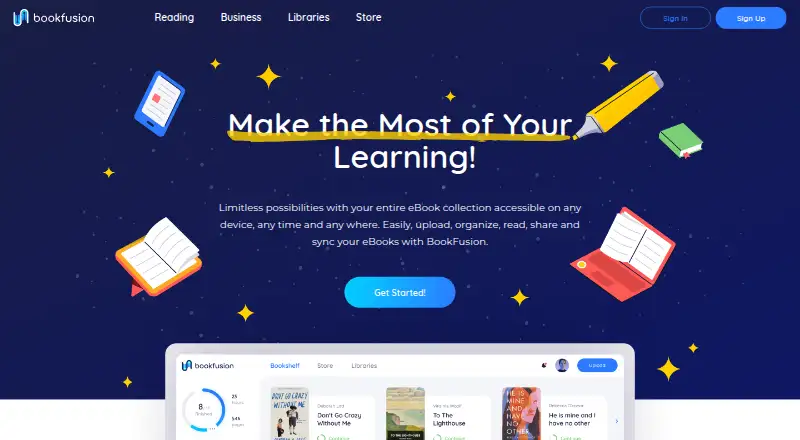
BookFusion is a digital library and reading platform for organizing, reading, sharing, and syncing eBooks across Android, iOS, and web. Its reader supports PDF, MOBI, and EPUB, and syncs bookmarks, comments, highlights, and reading progress across devices. Downloaded eBooks can be read offline. Readers can organize books by author, genre, and custom tags, and use rule-based Smart Shelves and Smart Queries. An official Calibre plugin syncs books and metadata through an API key, with documentation specifying Calibre 5.0 or later. A KOReader plugin lets users browse their BookFusion library, download books, and sync reading position and highlights. The store offers over 70,000 free eBooks as well as titles for purchase. Personal uploads must be DRM-free, and storage and maximum file size depend on the plan. Individual options include a free tier and paid plans from $1.99 per month billed yearly. Business and institutional plans are also listed, including options for member groups and library collections.
Who it suits
BookFusion suits readers who want to organize an eBook library and sync reading across devices. Its plans also address publishers, authors, businesses, educational institutions, and enterprises.
What it does well
- Supports PDF, MOBI, and EPUB.
- Reading progress and highlights sync across devices.
- Downloaded books are available offline.
- Store includes over 70,000 free eBooks.
What to know first
- Personal eBook uploads must be DRM-free.
- Free plan is limited to 10 books.
- Calibre plugin requires version 5.0 or later.
Limits
The Free plan allows 10 books, a maximum file size of 15 MB, three virtual bookshelves, three devices, and two Send to Kindle eBooks per month. Paid individual plans start at $1.99 per month billed yearly, with storage, file-size, bookshelf, device, family-sharing, and concurrent-loan allowances that vary by plan.
Plans
| Plan | Billed and limits | Price |
|---|---|---|
| Free | 10 books · 15 MB max file · 3 virtual bookshelves · 2 Send to Kindle eBooks/month · 3 devices · 1 concurrent loan | Free |
| Power | monthly · 100 GB storage · 4 GB max file · family sharing for 5 · 5 concurrent loans · prioritized feature requests | $14.99 a month |
| Starter | monthly · Up to 50 members · 500 eBooks/documents · iOS and Android readers · 15-day trial | $199 a month |
| Casual | monthly · 5 GB storage · 100 MB max file · unlimited shelves · unlimited Send to Kindle · unlimited devices · 1 concurrent loan | $2.99 a month |
| Premium | monthly · Up to 150 members · 2,000 eBooks/documents · iOS, Android and web readers · 15-day trial | $399 a month |
| Plus | monthly · Up to 500 members · 5,000 eBooks/documents · dedicated library URL · 15-day trial | $599 a month |
| Advanced | monthly · 20 GB storage · 1 GB max file · family sharing for 2 · 2 concurrent loans | $7.99 a month |
| Enterprise | Unlimited books and space · premium support · customer success manager · branded apps · dedicated library URL | On request |
As bookfusion.com lists them, read 14 Oct 2026. The maker's own page has the final word.
Getting started
- Visit BookFusion’s website and choose the Free plan or a paid plan.
- Create a library and upload DRM-free personal eBooks within the plan’s storage and file-size limits.
- Install BookFusion on web, iOS, or Android.
- For Calibre syncing, use the official plugin with an API key and Calibre 5.0 or later.
- For KOReader, use the BookFusion plugin to browse the library and sync reading activity.
Overview
BookFusion is a digital library and eBook reader for people who want to keep a collection organized and continue reading across devices. It is particularly well suited to readers who already use Calibre or KOReader. Its broad reading and library tools are balanced by firm upload and storage limits.
Key features
PDF, MOBI, and EPUB support covers several major eBook formats. Bookmarks, comments, highlights, and reading progress sync across devices, while downloaded books remain readable offline. That combination suits readers who move between screens or need access away from a connection.
Books can be organized by author, genre, and custom tags, with rule-based Smart Shelves and Smart Queries for more structured libraries. Calibre users can sync books and metadata through the official plugin; it requires an API key and Calibre 5.0 or later. The KOReader plugin can browse the BookFusion library, download books, and sync reading position and highlights. These integrations are a meaningful advantage for readers already invested in either tool, but are less compelling if they do not use them.
The store offers more than 70,000 free eBooks alongside titles for purchase. Social reading is in beta, discovery is coming soon, and lending and borrowing are upcoming, so those features should not drive a purchase decision today. Personal uploads must be DRM-free, ruling out DRM-protected books from an uploaded personal library.
Pricing
BookFusion has a free plan and paid personal plans billed yearly. The paid personal prices are presented monthly, with “Save 20%” shown for each.
| Plan | Price | Limits and inclusions |
|---|---|---|
| Free | free | 10 books, 15 MB maximum file size, 3 virtual bookshelves, 2 Send to Kindle eBooks per month, 3 devices, and 1 concurrent loan per book. |
| Casual | $1.99 a month (billed Yearly) | 5 GB storage, 100 MB maximum file size, unlimited bookshelves and devices, and 1 concurrent loan per book. |
| Advanced | $4.99 a month (billed Yearly) | 20 GB storage, 1 GB maximum file size, 2 family sharing members, and 2 concurrent loans per book. |
| Power | $9.99 a month (billed Yearly) | 100 GB storage, 4 GB maximum file size, 5 family sharing members, and 5 concurrent loans per book. |
Free is a small-scale way to try the service, but ten books, three devices, and a 15 MB file ceiling can constrain a collection quickly. Casual removes the bookshelf and device caps and adds 5 GB, making it the practical step up for an individual reader; it still allows only one concurrent loan per book. Advanced and Power raise storage and file-size ceilings and add family sharing and more concurrent loans, which better suit larger collections and households. Advanced and Power also include priority email support, while reader plans include email support.
Business plans are monthly and include free 15-day trials: Starter costs $199 a month for up to 50 members and 500 eBooks or documents, with iOS and Android readers; Premium costs $399 a month for up to 150 members and 2,000 items, with iOS, Android, and web readers; Plus costs $599 a month for up to 500 members and 5,000 items, plus a dedicated library URL. Enterprise has custom pricing, unlimited books and space, premium support, a customer success manager, and branded apps. These tiers target organizations rather than personal libraries.
Platforms
BookFusion supports web, iOS, and Android, with an API also listed as a platform. The business plans distinguish mobile readers from Premium’s addition of a web reader.
Who it's for
BookFusion is a strong fit for readers building a DRM-free digital library who value cross-device sync, offline access, and Calibre or KOReader integration. Its personal plans accommodate collections of different sizes, while the business tiers address publishers, educational institutions, businesses, and enterprises. It is a poor fit for readers whose collection depends on DRM-protected uploads or who need more than the free plan’s modest caps without paying.
Pros and cons
- Pro: Sync for progress, bookmarks, comments, and highlights makes reading continuity part of the library rather than a single device.
- Pro: Calibre and KOReader plugins support library workflows that many readers already use.
- Pro: Offline downloads and flexible organization help make a sizeable collection usable across devices.
- Con: Personal uploads must be DRM-free, limiting which purchased books can join the library.
- Con: The free plan’s 10-book cap, 15 MB file ceiling, and three-device limit are restrictive for ongoing use.
- Con: Personal paid plans are billed yearly, and larger storage or family sharing requires moving up to a higher tier.
Alternatives
FBReader is worth considering for readers who want a freemium reader across Android, iOS, Linux, macOS, and Windows. FreshRSS is a free, self-hosted RSS and Atom feed aggregator, not an eBook library. ReadTheory is oriented toward students and staff, with a free Basic plan capped at one staff member and 30 students. AndBible is a free Bible study app with no ads for readers focused on scripture rather than general eBooks. Duolingo is a freemium language-learning alternative with a free plan and a one-week trial. Headway offers a free daily book-summary option for readers seeking one pre-selected summary per day. JW Library is a free choice for Bible translations, publications, videos, and audio programs. Olive Tree Bible App has a free download and more than 100 free resources, with optional paid resources and subscriptions. For broader comparisons, see Reading Apps and Ebook Reader Software.
Verdict
Choose BookFusion if you want a DRM-free digital library that syncs reading across devices and connects with Calibre or KOReader. Its organization, offline reading, and tiered storage make it useful for both individual collections and larger institutional libraries. Look elsewhere if your books are DRM-protected, or if you need a generous free tier without storage and file-size constraints.
Verdict
BookFusion combines library organization, synced reading, offline access, and integrations with Calibre and KOReader. Review the plan-specific storage and file-size limits, along with the DRM-free upload requirement.
Questions
Is BookFusion free?
Yes. Its Free plan costs nothing and includes 10 books, a 15 MB maximum file size, three virtual bookshelves, three devices, and two Send to Kindle eBooks per month.
How much do paid individual plans cost?
Casual is $1.99 a month billed yearly, Advanced is $4.99 a month billed yearly, and Power is $9.99 a month billed yearly. The pricing page says “Save 20%” for those plans.
Which platforms does BookFusion support?
It supports Android, iOS, and web.
What eBook formats can I read?
The reader supports major eBook formats including PDF, MOBI, and EPUB.
Can I use BookFusion offline?
Yes. Downloaded eBooks can be read without an internet connection.
Does BookFusion have a free trial?
Yes. The Starter, Premium, and Plus business plans each include a free 15-day trial.
Facts from BookFusion's own pages
- API status
- A BookFusion representative stated on Reddit that the API used by integrations was not yet public and that a permissioned developer portal was planned. · reddit.com, 14 Oct 2026
- Audience
- BookFusion describes solutions for readers, publishers and authors, businesses, educational institutions, and enterprises. · bookfusion.com, 8 Oct 2026
- Browser extension
- A browser-extension beta provides Chrome and Firefox installation instructions for saving web articles. · support.bookfusion.com, 14 Oct 2026
- Business analytics
- Business accounts provide reader analytics including who reads and how long they spend reading. · bookfusion.com, 14 Oct 2026
- Business distribution
- Organizations can distribute content through the reader app, email or coupon codes and grant or revoke access for users. · bookfusion.com, 14 Oct 2026
- Business security
- BookFusion says its business DRM uses encryption methods comparable to those used by major banks and secures content on web and mobile devices. · bookfusion.com, 14 Oct 2026
- Calibre API key
- The Calibre plugin requires an account-generated BookFusion API key and configurable sync-thread count. · docs.bookfusion.com, 14 Oct 2026
- Calibre integration
- A Calibre plugin synchronizes books, metadata, tags, series and incremental PDF or EPUB updates to BookFusion devices. · bookfusion.com, 14 Oct 2026
- Calibre integration limit
- Calibre synchronization currently runs only from Calibre to BookFusion; custom columns and automatic virtual-shelf assignment are planned. · docs.bookfusion.com, 14 Oct 2026
- Company headquarters and size
- Crunchbase lists New York, United States as headquarters and a 1–10 employee range. · crunchbase.com, 14 Oct 2026
- Company legal name
- Crunchbase lists the legal name as BookFusion Inc and operating status as active. · crunchbase.com, 14 Oct 2026
- Content ownership
- Terms state that users retain ownership of uploaded ebooks, documents and files while granting permissions needed to operate the service. · bookfusion.com, 14 Oct 2026
- Cross-device sync
- Reading progress, bookmarks, highlights, annotations and ebook files can synchronize across devices. · bookfusion.com, 14 Oct 2026
- Desktop availability
- The January 2026 roadmap says a Qt native desktop app for Windows, Linux and macOS was in development, with Windows beta limited to some educational institutions. · blog.bookfusion.com, 14 Oct 2026
- Developer roadmap
- A January 2, 2026 product post says BookFusion added loan and borrow API capabilities and is building a full developer portal for third-party apps. · blog.bookfusion.com, 14 Oct 2026
- Digital store
- The reading page says its store offers over 70,000 free eBooks as well as titles for purchase. · bookfusion.com, 8 Oct 2026
- Documentation and support
- Documentation covers introductions, reading, text-to-speech, smart shelves and Calibre, while support is delivered through a Zendesk help center with email contact. · support.bookfusion.com, 14 Oct 2026
- EPUB 3
- The reader supports interactive EPUB 3 content such as audio, video, questions and games. · play.google.com, 14 Oct 2026
- Feature status
- The reading page labels its social reading experience as beta, discovery as coming soon, and lending and borrowing as upcoming. · bookfusion.com, 8 Oct 2026
- Formats
- The reader supports major eBook formats including PDF, MOBI, and EPUB. · bookfusion.com, 8 Oct 2026
- Founder and funding
- Crunchbase names Dwayne Campbell as founder and CEO and lists one pre-seed funding round without publicly showing its amount. · crunchbase.com, 14 Oct 2026
- Google Play account requirement
- The Android listing says an account is required for synchronization and related functions, advising users not to install if they do not want an account. · play.google.com, 14 Oct 2026
- Highlights and export
- Highlights support colors and tags and can be sorted and exported as CSV, Markdown, HTML or PDF. · apps.apple.com, 14 Oct 2026
- KOReader integration
- The BookFusion KOReader plugin can browse the BookFusion library, download books, and sync reading position and highlights. · docs.bookfusion.com, 8 Oct 2026
Where BookFusion stands on Freedom251
- Reading Apps#4 of 47
- Ebook Reader Software#5 of 27