Freedom251 › Religious and Spiritual Apps
Olive Tree Bible App
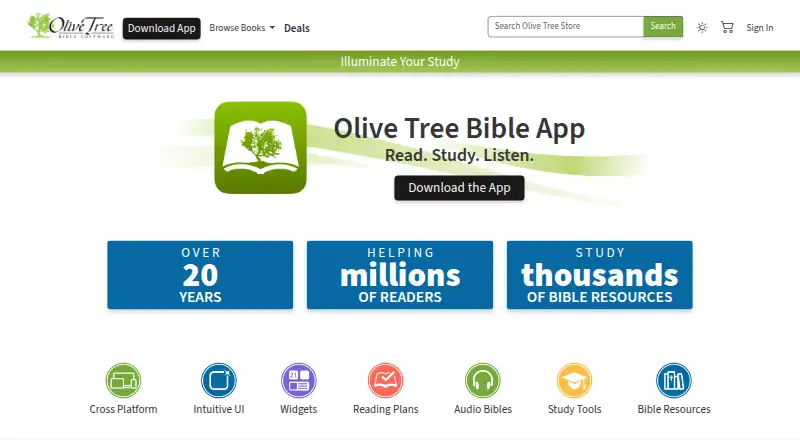
What Olive Tree Bible App is
Olive Tree Bible App is Bible software for reading and studying scripture on Android, iOS, macOS, and Windows. Its free app includes reading plans, notes and highlights, parallel reading, and access to over 100 free resources. The Resource Guide follows the passage being read and presents relevant materials from the user's library, such as notes, commentaries, and maps. In the Study Center, Parallel view places another library resource beside the main Bible text. Reading plans include daily readings, reminders, and a calendar for tracking progress. Logged-in users can sync notes and highlights across devices through Olive Tree servers. Downloaded library books and audio files can be used offline. The library includes Bible translations in multiple languages as well as commentaries, dictionaries, devotionals, and eBooks. Paid options include a Starter Pack at $2.99 per month, and trial terms vary: Bible Study Packs offers 14 days, while Commentary Select and Classic Commentaries offer 7 days. Some resources are not available for in-app purchase and may need to be bought through the website.
Who it suits
It suits readers who want Bible reading and study tools across mobile and desktop devices, including offline access to downloaded books and audio. It also offers free resources for people who want to begin without a paid plan.
What it does well
- Available on Android, iOS, macOS, and Windows
- Free app includes over 100 resources
- Downloaded books and audio work offline
- Notes and highlights can sync across devices
What to know first
- Some resources require website purchase
- Trial length varies by offering
- Logged-in annotations are stored on Olive Tree servers
Limits
The free app includes over 100 resources, while additional resources and subscriptions are optional. Some resources cannot be purchased in-app and may require a website purchase.
Plans
| Plan | Billed and limits | Price |
|---|---|---|
| Olive Tree Bible App | Free app download · over 100 free resources · optional paid resources and subscriptions | Free |
| Starter Pack | $2.99/month · Curated maps, eBooks, commentaries, cross references, devotionals, dictionaries, and sermons | $2.99 a month |
| Bible Study Packs | $5.99/month; $59.99/year · NIV, ESV, NKJV, NLT, or CSB pack · includes study resources for the selected translation | $5.99 a month |
| Classic Commentary Subscription | $7.99/month or $79.99/year · Unlimited access to a library of classic commentary sets | $7.99 a month |
| Commentary Select | $8.99–$19.99/month · Choose 4, 8, or 15 commentary volumes per month · renew or exchange volumes monthly | $8.99 a month |
As olivetree.com lists them, read 11 Oct 2026. The maker's own page has the final word.
Getting started
- Visit the Olive Tree website.
- Download the free app for Android, iOS, macOS, or Windows.
- Use the free reading plans, notes, highlights, and resources.
- Log in to sync annotations across devices.
- Choose a paid subscription or trial if you want its included resources. Some titles may need to be purchased through the website.
Verdict
Olive Tree Bible App combines reading plans and annotations with study resources and offline access to downloads. The free app provides a starting point, while resource purchase availability and trial terms vary.
Questions
Is Olive Tree Bible App free?
Yes. The app is free to download and includes over 100 free resources, with optional paid resources and subscriptions.
What do the paid plans cost?
Listed plans include Starter Pack at $2.99 per month, Bible Study Packs at $5.99 per month, Classic Commentary Subscription at $7.99 per month, and Commentary Select at $8.99–$19.99 per month.
What platforms does it support?
It is available on Android, iOS, macOS, and Windows.
Can I use it offline?
Downloaded books in the library and downloaded audio files are available offline.
Does it offer free trials?
Yes. Bible Study Packs offers a 14-day trial; Commentary Select and Classic Commentaries offer 7-day trials.
Can every resource be bought in the app?
No. Some titles may need to be purchased through Olive Tree’s website.
Facts from Olive Tree Bible App's own pages
- Annotations and sync
- Users can create notes and highlights, and logged-in users' annotations can sync across devices through Olive Tree servers. · help.olivetree.com, 11 Oct 2026
- Audio
- The app offers audio Bibles and books, and downloaded audio files can be used offline. · www2.olivetree.com, 11 Oct 2026
- Data handling
- For logged-in users, Olive Tree Core Services stores account information, download and purchase history, and annotations on Olive Tree servers to enable access across devices. · help.olivetree.com, 11 Oct 2026
- Free resources
- The free app includes features such as reading plans, personal notes and highlights, parallel reading, and access to over 100 free resources. · help.olivetree.com, 11 Oct 2026
- Library content
- Olive Tree says its library includes thousands of Bible study resources, including commentaries, dictionaries, devotionals, and eBooks, in addition to Bible translations in multiple languages. · olivetree.com, 11 Oct 2026
- Offline use
- Downloaded books in the app library are available offline. · help.olivetree.com, 11 Oct 2026
- Parallel reading
- The Study Center's Parallel view lets users view another library resource alongside the main Bible text. · help.olivetree.com, 11 Oct 2026
- Privacy controls
- Users can review and adjust privacy settings in the app, and performance analytics can be disabled without affecting app use. · help.olivetree.com, 11 Oct 2026
- Purchase limit
- Not every resource is available for in-app purchase, and Olive Tree says some titles may need to be purchased through its website instead. · help.olivetree.com, 11 Oct 2026
- Purpose
- The Olive Tree Bible App is Bible software for reading and studying the Bible through technology. · olivetree.com, 11 Oct 2026
- Reading plans
- Reading plans include daily readings, personalized reminders, and a calendar to track progress. · olivetree.com, 11 Oct 2026
- Study tools
- The app's Resource Guide follows the open Bible passage and displays relevant study information from the user's library, including notes, commentaries, and maps. · olivetree.com, 11 Oct 2026
- Support
- Olive Tree directs users to its Customer Support team and provides support by email at [email protected]. · olivetree.com, 11 Oct 2026
- Trial terms
- The Bible Study Packs page offers a 14-day free trial; Commentary Select and Classic Commentaries pages offer 7-day free trials. · olivetree.com, 11 Oct 2026
Where Olive Tree Bible App stands on Freedom251
- Religious and Spiritual Apps#2 of 57
- Reading Apps#18 of 47