Freedom251 › Desktop Publishing Software
Kindle Create
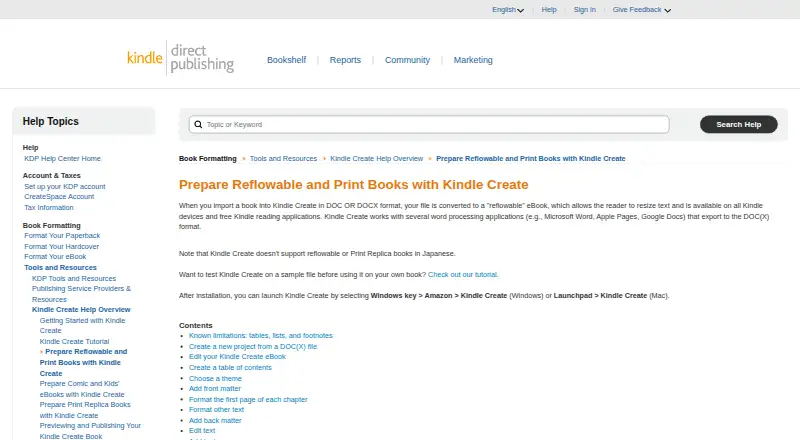
What Kindle Create is
Kindle Create is a free desktop tool for turning a completed manuscript into a book for Kindle or print publishing through KDP. It supports reflowable eBooks, interactive print replica books, and comics with Guided View. DOC and DOCX manuscripts can become reflowable eBooks, allowing readers to resize the text. A single project file can prepare a book for digital and print editions, with content and margins adjusted to the selected trim size. Editing and layout tools include chapter detection, tables of contents, predefined themes, front and back matter, text formatting, image placement, and hyperlinks. Comic projects can include Guided View panels and a table of contents, and pages can be reordered or arranged as facing pages. Kindle Create works with documents exported from Microsoft Word, Apple Pages, and Google Docs. Export produces a KPF file for KDP submission; the KCB project file and related resources are used for book updates. The tool runs on Windows and macOS and supports eBooks in Dutch, English, French, German, Gujarati, Hindi, Italian, Malayalam, Marathi, Portuguese, Spanish, and Tamil. Reflowable and Print Replica books in Japanese are not supported. Tables, lists, footnotes, and imported inline images cannot be edited in the tool. Headers and footers are available for paperbacks, but not eBooks.
Who it suits
Kindle Create is for preparing completed manuscripts for Kindle or print publication through KDP. It is relevant to users working with DOC or DOCX documents, print replica layouts, or comics, and runs on Windows or macOS.
What it does well
- Free desktop book formatting tool.
- Supports reflowable, print replica, and Guided View comic formats.
- A single project can prepare digital and print editions.
- Includes chapter detection, themes, text formatting, and hyperlinks.
- Works with DOC and DOCX files exported from Microsoft Word, Apple Pages, or Google Docs.
- Runs on Windows and macOS.
What to know first
- Tables, lists, and footnotes cannot be edited in the tool.
- Imported inline images cannot be edited there.
- Japanese is unsupported for reflowable and Print Replica books.
- Headers and footers are unavailable for eBooks.
Limits
Kindle Create is free. Tables, lists, footnotes, and imported inline images cannot be edited in the tool; Japanese reflowable and Print Replica books are unsupported.
Plans
| Plan | Billed and limits | Price |
|---|---|---|
| Kindle Create | Desktop book formatting tool · exports files for publishing through KDP | Free |
As kdp.amazon.com lists them, read 8 Oct 2026. The maker's own page has the final word.
Getting started
- Kindle Create runs on Windows or macOS.
- Prepare a manuscript in DOC or DOCX, or export one from Microsoft Word, Apple Pages, or Google Docs.
- Use the editing and layout tools to format the book.
- Export a KPF file for submission to KDP.
- Keep the KCB project file and related resources for future updates.
Kindle Create is a free desktop tool for turning a finished manuscript into a Kindle or print book for KDP. It suits authors preparing their own books, including comics, who want KDP-ready layout rather than a full-featured text editor. Its strongest case is the shared workflow for digital and print editions; its editing limits make a clean source manuscript important.
Overview
Kindle Create converts DOC or DOCX manuscripts into reflowable eBooks, whose text readers can resize, and supports interactive print-replica books and comics. A single project can prepare both digital and print editions, with content and margins adjusted for the selected trim size. That can simplify producing multiple KDP formats, but the tool is for layout and publishing preparation, not for revising every element of an imported document.
It exports a KPF file for KDP submission, and EPUB export is supported. The KCB project file and associated resources are used to update the book, so authors should retain the project materials rather than treating the export as the editable working copy.
Key features
Chapter detection, tables of contents, predefined themes, front and back matter, text formatting, image placement, and hyperlinks cover common book-assembly tasks. These are useful for moving a structured manuscript into a publishable sequence without rebuilding its basic organization.
For comics, Guided View panels, a contents page, reordered pages, and facing-page settings support a more deliberate reading sequence. That makes Kindle Create a more relevant choice for sequential art than a tool limited to ordinary flowing text.
Its boundary is important: tables, lists, footnotes, and imported inline images cannot be edited in Kindle Create. Prepare those elements in Microsoft Word, Apple Pages, Google Docs, or another word processor before import. Headers and footers work for paperbacks but not eBooks, so print and digital editions do not offer identical control.
Language support covers Dutch, English, French, German, Gujarati, Hindi, Italian, Malayalam, Marathi, Portuguese, Spanish, and Tamil. Reflowable and Print Replica books in Japanese are not supported, which rules out those workflows for Japanese-language editions.
Pricing
| Plan | Price | Includes |
|---|---|---|
| Kindle Create | free | Desktop book-formatting tool; exports files for publishing through KDP |
There is no subscription, seat allowance, usage quota, trial period, or renewal charge to weigh. The free plan is therefore suitable for occasional self-publishers as well as authors preparing several editions. Its cost advantage does not remove the need for a separate source editor: Kindle Create's uneditable imported elements remain a practical constraint.
Platforms
Kindle Create runs on Windows and macOS. It is a desktop workflow rather than a browser-based editor, and there is no PDF export. Choose it when KDP delivery is the destination; choose another layout application if PDF proofing or broader publishing output is central to your process.
Who it's for
Self-publishing authors with a completed DOC or DOCX manuscript are the clearest fit, especially those releasing both Kindle and paperback editions from one project. Comic creators can use Guided View and page-order controls. It is less suitable for writers who need to edit complex tables, lists, footnotes, or inline images after import, or for Japanese reflowable and Print Replica books.
Pros and cons
Pros
- Free with no recurring commitment: the single plan costs nothing.
- One project for digital and print: trim-size resizing and margin adjustments reduce duplicated layout work.
- Multiple book types: reflowable, interactive Print Replica, and comic formats cover more than a basic eBook converter.
- KDP-oriented output: KPF export is built for submission, while KCB files preserve an updateable project.
Cons
- Limited post-import editing: tables, lists, footnotes, and inline images must be corrected before they enter the tool.
- Platform restriction: Windows and macOS users are supported, with no browser workflow.
- No PDF export: it is not a general-purpose print-proof or publishing-format converter.
- Japanese exclusions: reflowable and Print Replica Japanese books are unsupported.
Alternatives
For broader page-design workflows, compare Desktop Publishing Software and Book Layout Software. Authors focused on digital conversion can review eBook Creation Software, while visual projects may fit Graphic Design Software better.
If the goal is spoken-word production rather than book layout, Vox9 offers a free author account with 100,000 ElevenLabs characters per month across Android, iOS, and the web. AudioPod AI has a free Basic plan with 1,000 credits per month and API, iOS, and web access. Audibloom provides a free web plan with five minutes per month and watermarked MP3 output. AudioBookByMe includes one free audiobook conversion per month and a watermarked MP3 download. Bindery by Infinite Library is a web option with 800 AI credits after sign-in and watermarked proofs. Musely Audiobook Generator, Narrated Novels, and Spotify Audiobook Creation Tools are alternatives when audiobook generation, narration, or spoken distribution is the priority.
Verdict
Choose Kindle Create if you have a finished manuscript, publish through KDP, and want one free Windows or macOS project for reflowable, print, or comic editions. Look elsewhere if you need to repair complex imported content inside the layout tool, export PDF, work in a browser, or produce Japanese reflowable or Print Replica books.
Verdict
Kindle Create prepares completed manuscripts for KDP in reflowable, print replica, or comic formats. Tables, lists, footnotes, and imported inline images cannot be edited in the tool, and Japanese reflowable or Print Replica books are unsupported.
Questions
How much does Kindle Create cost?
The listed plan is free.
Which platforms does it support?
Kindle Create runs on Windows and macOS.
Which book formats can it prepare?
It supports reflowable eBooks, interactive print replica books, and comics with Guided View.
What files does it export?
Export creates a KPF file for KDP submission. The KCB project file and related resources are used to update a book.
Can I use it with Microsoft Word, Apple Pages, or Google Docs?
Yes. It works with documents those applications export as DOC or DOCX.
Can Kindle Create edit tables and footnotes?
No. Tables, lists, and footnotes cannot be edited in Kindle Create; imported inline images also cannot be edited there.
Facts from Kindle Create's own pages
- Book formats
- It supports reflowable books, interactive print replica books, and comics with Guided View. · kdp.amazon.com, 8 Oct 2026
- Comic features
- Comic eBooks can include Guided View panels, a table of contents, and pages that can be reordered or set as facing pages. · kdp.amazon.com, 8 Oct 2026
- Editing and layout
- Features include chapter detection, tables of contents, predefined themes, front and back matter, text formatting, image placement, and hyperlinks. · kdp.amazon.com, 8 Oct 2026
- Free plan
- Yes · kdp.amazon.com, 20 Sept 2026
- Integrations
- Kindle Create works with word processing applications such as Microsoft Word, Apple Pages, and Google Docs that export to DOC or DOCX. · kdp.amazon.com, 8 Oct 2026
- Languages
- The tool supports eBooks in Dutch, English, French, German, Gujarati, Hindi, Italian, Malayalam, Marathi, Portuguese, Spanish, and Tamil; reflowable and Print Replica books in Japanese are not supported. · kdp.amazon.com, 8 Oct 2026
- Limitations
- Tables, lists, and footnotes cannot be edited in Kindle Create, and imported inline images cannot be edited there. · kdp.amazon.com, 8 Oct 2026
- Platforms
- The download page offers Kindle Create for Windows 10 or later and macOS 10.15 or later, with Apple M1 requiring macOS 11 or later. · kdp.amazon.com, 8 Oct 2026
- Print headers
- Headers and footers are available for paperbacks but not for eBooks. · kdp.amazon.com, 8 Oct 2026
- Print preparation
- A single project file can prepare a book for digital and print publishing, and Kindle Create resizes content and margins for the chosen trim size. · kdp.amazon.com, 8 Oct 2026
- Publishing files
- Export creates a KPF file for submission to KDP, while the KCB project file and related resources are used to update the book. · kdp.amazon.com, 8 Oct 2026
- Purpose
- Kindle Create turns a completed manuscript into a book for Kindle or print publishing through KDP. · kdp.amazon.com, 8 Oct 2026
- Reflowable input
- DOC or DOCX files can be converted into reflowable eBooks with text readers can resize. · kdp.amazon.com, 8 Oct 2026
- Support
- KDP's Kindle Create help overview directs users to contact support for issues, feature requests, or additional guidance. · kdp.amazon.com, 8 Oct 2026
Where Kindle Create stands on Freedom251
- Desktop Publishing Software#6 of 30
- AI Audiobook Generators#10 of 25
- File Reader Software#11 of 24
- eBook Creation Software#13 of 28
- Book Layout Software#13 of 28
- Ebook Reader Software#13 of 27
- Design tools#109 of 146
- Graphic Design Software#112 of 150