Freedom251 › File Reader Software

FBReader
What FBReader is
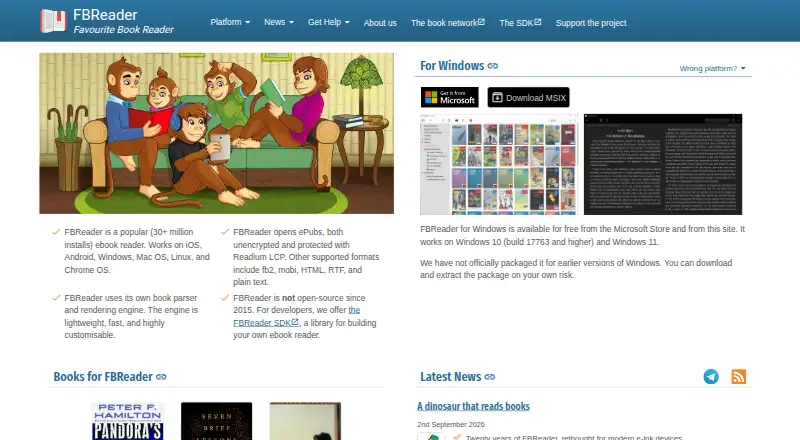
FBReader is an ebook reader for Android, iOS, Linux, macOS, and Windows. It opens formats such as ePub, fb2, mobi, HTML, RTF, and plain text, including ePub books protected with Readium LCP. Its Book Network can synchronize book collections, reading positions, bookmarks, and custom shelves across supported devices. Books in the network are kept in the user's Google Drive space, while metadata, covers, and reading positions are held on FBReader servers. Online OPDS book catalogues are supported on Android, Windows, macOS, and Linux; iOS support is planned. Android Premium adds PDF and comics support, Google and DeepL translation integration, and automatic reading aloud. Free plans are listed for desktop and Android, and Android Premium costs $14.99, paid once. The free iOS version is limited to ten books and disables online translators. FBReader's current code is closed source.
Who it suits
It suits readers who want an ebook app across desktop and mobile devices, especially those using the listed formats or synchronizing collections and reading progress. Android users seeking PDF or comics support, translation integrations, or automatic reading aloud can consider Premium.
What it does well
- Supports ePub, fb2, mobi, HTML, RTF, and plain text.
- Opens ePub books protected with Readium LCP.
- Book Network syncs collections and reading progress.
- Android Premium adds PDF and comics support.
- Free plans are listed for desktop and Android.
What to know first
- Free iOS version is limited to ten books.
- Free iOS version disables online translators.
- iOS does not currently support third-party network catalogues.
- Current code is closed source.
Limits
The free iOS version is limited to ten books and disables online translators. Android Premium costs 14.99 USD once; some Android features require Premium or separate plugins. Android 10 and later with FBReader 3.8 or newer uses Storage Access Framework, which restricts folder access and can slow file operations.
Plans
| Plan | Billed and limits | Price |
|---|---|---|
| FBReader for Windows/macOS/Linux | Free of charge · Desktop reader; supported features and formats vary by platform | Free |
| FBReader Free for Android | Free · Some features require Premium or separate plugins | Free |
| FBReader for iOS | Free · In‑App Purchases · Free version limited to ten books; online translation disabled; full version is a one-time fee | Free |
| FBReader Premium for Android | $14.99 Buy · One-time purchase; Premium features; purchase tied to Google Play or Huawei account | $14.99, paid once |
As fbreader.org lists them, read 4 Oct 2026. The maker's own page has the final word.
Getting started
- Visit the FBReader website.
- Choose the version for Windows, macOS, Linux, iOS, or Android.
- Start with the free edition available for your platform.
- On Android, purchase Premium for its additional reading features if needed.
- Use the Book Network to sync collections and reading progress across supported devices.
Overview
FBReader is an ebook reader for desktop and mobile, with support for formats such as ePub, fb2, mobi, HTML, RTF and plain text. It is best suited to readers who keep books in several formats or move between supported devices. Its breadth is appealing, but the platform you use determines which features and limits apply.
Key features
FBReader opens ePub books protected with Readium LCP, giving readers another option for managing compatible protected titles alongside ordinary ebook and text files. Support varies by platform, so the same library may not offer the same capabilities everywhere.
The Book Network syncs book collections, reading positions, bookmarks and custom shelves across supported devices. Books are kept in the user's Google Drive space; metadata, covers and reading positions are kept on FBReader servers. FBReader says the service can upload new files to Drive and access files it created, but cannot access other Drive content. This is useful for readers who want their library and place in a book to follow them, with the trade-off that the service uses both Google Drive and FBReader's servers.
OPDS online book catalogues work on Android, Windows, macOS and Linux, but not on iOS at present. That makes FBReader a stronger fit for catalogue browsing on desktop and Android than on an iPhone or iPad. Android Premium adds PDF and comics support, Google and DeepL translation integration, and automatic reading aloud; those are meaningful additions for Android readers, but they do not extend to every platform.
FBReader's current code is closed source. On Android 10 and later, version 3.8 and newer uses Android's Storage Access Framework, which restricts folder access and can slow file operations. Android readers who regularly manage files in folders should factor that limitation into their choice. The maker offers a binary SDK for Android and iOS with a text-format rendering engine, but no PDF renderer. Support is directed through its FAQ and public Telegram group.
Pricing
FBReader is freemium, with free desktop, Android and iOS options. The Windows, macOS and Linux reader is free of charge; supported features and formats vary by platform. FBReader Free for Android costs nothing, though some features require Premium or separate plugins.
FBReader for iOS is free with in-app purchases. The free version is limited to ten books and disables online translation; the full version is a one-time fee, with no amount stated. This free tier suits a small library, but readers with more than ten books or who want online translation should expect to pay.
FBReader Premium for Android costs $14.99, paid once, billed as a $14.99 buy. It is a one-time purchase tied to a Google Play or Huawei account and adds the Android Premium features. Android readers who want PDF, comics, translation integration or automatic reading aloud have a clear upgrade path; those who only need the basic reader can stay on the free plan.
Platforms
FBReader supports Windows, macOS, Linux, iOS and Android. Its catalogue access and Premium additions differ by platform: OPDS is supported on Android and desktop systems, while iOS lacks third-party network catalogues and has a ten-book free limit. Android Premium is the only plan with the stated PDF, comics, translation and reading-aloud additions.
Who it's for
FBReader is a good fit for readers with varied ebook formats who want synchronized collections, bookmarks and reading positions across supported devices. It is less suitable for iOS readers who rely on OPDS catalogues or need more than ten books without paying, and for anyone seeking an open-source reader.
Pros and cons
Pros
- Supports ePub, fb2, mobi, HTML, RTF and plain text, making it useful for libraries in mixed formats.
- Book Network syncs collections, positions, bookmarks and shelves across supported devices.
- Android Premium adds PDF and comics support, translation integration and automatic reading aloud for a one-time 14.99 USD purchase.
- Readium LCP-protected ePub support covers compatible protected books.
Cons
- iOS limits free users to ten books, disables online translators and lacks third-party OPDS catalogues.
- Android's Storage Access Framework can restrict folder access and slow file operations on Android 10 and later with FBReader 3.8 or newer.
- Code is closed source, and the SDK does not include a PDF renderer.
- Book Network storage is split between Google Drive and FBReader servers, which may not suit readers who prefer all library data in one place.
Alternatives
For other reading software, browse Reading Apps or Ebook Reader Software. Duolingo is a freemium language-learning app with a free plan and a one-week free trial, rather than an ebook reader. ReadTheory offers a free Basic plan for one staff member and 30 students, with limited weekly quizzes and progress history, making it a more relevant option for classroom reading practice. CommonLit has a free digital text library and curriculum for teachers and students, better suited to instructional use. Epic offers a free school plan with about 20,000 books and videos during weekday classroom hours, making it the more classroom-focused choice. Headway offers one pre-selected book summary per day on its free plan, for readers who want summaries rather than an ebook library. Skybrary provides a free collection of children's books and videos with child profiles and progress tracking, making it a family-oriented alternative. Google Read Along is a free children's reading app with no ads or in-app purchases. Instapaper saves articles, videos and pages and syncs them across web, iOS and Android, making it better suited to saving web reading than managing ebooks.
Verdict
Choose FBReader if you want a multi-format ebook reader with cross-device library and progress sync, especially on Android or desktop. Its clearest reasons to look elsewhere are iOS's catalogue and free-library limits, Android's file-access restrictions, and the closed-source code.
Verdict
FBReader supports a broad set of ebook formats and offers synchronization across supported devices. Platform differences matter: iOS has stated limits, while several additional reading features are listed for Android Premium.
Questions
Is FBReader free?
Yes. Free plans are listed for desktop, Android, and iOS. The iOS free edition is limited to ten books and disables online translators.
What does Android Premium cost?
Android Premium is 14.99 USD as a one-time purchase. The purchase is tied to a Google Play or Huawei account.
Which platforms does FBReader support?
FBReader supports Windows, macOS, Linux, iOS, and Android.
What formats can FBReader read?
Formats include ePub, fb2, mobi, HTML, RTF, and plain text. It also opens ePub books protected with Readium LCP.
Is FBReader open source?
No. FBReader says its current code is closed source and is no longer open source.
How does FBReader sync books and reading progress?
The FBReader Book Network synchronizes collections, reading positions, bookmarks, and custom shelves across supported devices. Books are stored in the user's Google Drive space, while metadata, covers, and reading positions are stored on FBReader servers.
Facts from FBReader's own pages
- Android file access
- On Android 10 and later, FBReader 3.8 and newer uses Android's Storage Access Framework, which restricts folder access and can slow file operations. · fbreader.org, 4 Oct 2026
- Catalogues
- On Android, Windows, macOS, and Linux, FBReader supports online book catalogues using OPDS; iOS OPDS support is planned. · fbreader.org, 4 Oct 2026
- Cloud storage
- Books in the Book Network are stored in the user's Google Drive space, while metadata, covers, and reading positions are stored on FBReader servers. · books.fbreader.org, 4 Oct 2026
- Cloud sync
- The FBReader Book Network synchronizes book collections, reading positions, bookmarks, and custom shelves across supported devices. · books.fbreader.org, 4 Oct 2026
- Company
- FBReader.ORG Limited develops and supports FBReader and was founded in the United Kingdom in 2013. · fbreader.org, 4 Oct 2026
- Developer SDK
- FBReader offers a binary SDK for Android and iOS that includes a text format rendering engine but no PDF renderer. · sdk.fbreader.org, 4 Oct 2026
- DRM
- FBReader opens ePub books protected with Readium LCP. · fbreader.org, 4 Oct 2026
- Formats
- It supports formats including ePub, fb2, mobi, HTML, RTF, and plain text. · fbreader.org, 4 Oct 2026
- Google Drive access
- FBReader says its Book Network requests permission to upload new files and access files it created, and cannot access other Google Drive content. · books.fbreader.org, 4 Oct 2026
- iOS limits
- The free iOS version is limited to ten books and disables online translators, and iOS does not currently support third-party network catalogues. · fbreader.org, 4 Oct 2026
- Open source
- FBReader says its current code is closed source and is no longer open source. · fbreader.org, 4 Oct 2026
- Premium features
- Android Premium adds PDF and comics support, Google and DeepL translation integration, and automatic reading aloud. · fbreader.org, 4 Oct 2026
- Product
- FBReader is an ebook reader for desktop and mobile devices. · fbreader.org, 4 Oct 2026
- Support
- The maker directs users to its FAQ and public Telegram group for online support. · fbreader.org, 4 Oct 2026
Where FBReader stands on Freedom251
- File Reader Software#3 of 24
- Reading Apps#7 of 47
- Ebook Reader Software#7 of 27