Freedom251 › Task Mining Software

Blueprint Task Capture
What Blueprint Task Capture is
Blueprint Task Capture is described in a 2021 product datasheet as a browser-based process discovery tool for recording and documenting business processes. Its capture workflow records sequenced actions, Common Object Model details, and screenshots of clicks, hotkeys, and keyboard input. Users can choose a capture mode designed to avoid recording sensitive data. The Common Object Model can identify the share of a process that is automatable or mappable to an RPA platform.
The datasheet says captured Digital Blueprints can produce user stories and functional and user acceptance test cases, and can be exported as a BRD or PDD. Blueprint can also transform a Digital Blueprint into an RPA platform’s development environment and generate up to 80% of the code. Process information can be imported from Visio, process design documents, Excel, and whiteboards. Listed integrations include Microsoft Power Automate, Automation Anywhere, Blue Prism, more than 40 ALM tools, test suites, and REST APIs.
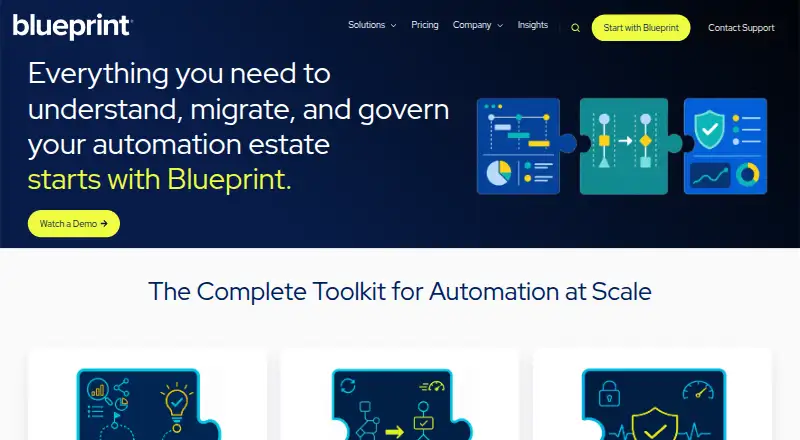
The former Task Capture page now redirects to Process Design; Blueprint’s current site describes a platform for understanding, migrating, and governing automation estates. Blueprint lists dedicated customer environments, encryption in transit and at rest, role-based access controls, and SAML 2.0 single sign-on. The Task Capture datasheet identifies process owners and subject matter experts as users who capture process details for transformation or RPA Center of Excellence teams.
Who it suits
The Task Capture workflow suits process owners and subject matter experts documenting processes for transformation or an RPA Center of Excellence. Its outputs and RPA connections may also suit teams mapping processes to automation platforms.
What it does well
- Captures sequenced actions, object details, and screenshots.
- Capture mode can be chosen to avoid sensitive data.
- Digital Blueprints can produce user stories and test cases.
- Imports process information from Visio, Excel, design documents, and whiteboards.
- Lists connections to RPA platforms, ALM tools, test suites, and REST APIs.
What to know first
- The former Task Capture page redirects to Process Design.
- Listed plans have substantial fees, starting at $20,000, paid once.
- The Migrate plan uses custom pricing.
Limits
The listed MAP for Organizations plan is a single estate with estate-scoped assessments and costs $20,000, paid once. MAP for SIs costs $50,000 a year; ALC costs $50,000 a year. Migrate has custom pricing.
Plans
| Plan | Billed and limits | Price |
|---|---|---|
| MAP for Organizations | One-Time Project Fee · Single estate · Estate-scoped assessments · Onboarding, eLearning, training, support and success teams included | $20,000, paid once |
| MAP for SIs | Subscription · Unlimited RPA mapping and planning · Unlimited assessment environment · Onboarding, eLearning, training, support and success teams included | $50,000 a year |
| ALC | Subscription · One ALC environment · Onboarding, eLearning, training, support and success teams included | $50,000 a year |
| Migrate | One-Time Project Fee · Custom pricing · One migration environment · Onboarding, eLearning, training, support and success teams included | On request |
As blueprintsys.com lists them, read 7 Oct 2026. The maker's own page has the final word.
Getting started
- Visit the Blueprint website, where the former Task Capture page redirects to Process Design.
- Contact Blueprint for pricing and plan details.
- Choose a listed plan: MAP for Organizations, MAP for SIs, ALC, or Migrate.
- Use the browser-based capture workflow to record process actions and details.
- Export a Digital Blueprint or connect it to a listed RPA platform.
Verdict
Consider Blueprint when a transformation or RPA team needs documented process details, task-level maps, and outputs that connect to automation work. The former Task Capture page redirects to Process Design, and the listed plans carry project fees or subscriptions, so confirm that the current offering and pricing fit your needs.
Questions
What is Blueprint Task Capture?
A 2021 product datasheet describes it as a browser-based tool for capturing and documenting business processes. The former Task Capture page redirects to Process Design.
What does Blueprint Task Capture cost?
Pricing is on request. Listed plans include MAP for Organizations at $20,000, paid once, MAP for SIs at $50,000 a year, ALC at $50,000 a year, and Migrate with custom pricing.
Which platforms does it support?
The capture workflow is browser-based, and the listed platform is web.
What can it produce from captured processes?
Digital Blueprints can produce user stories and functional and user acceptance test cases, and can be exported as a BRD or PDD.
Which integrations are listed?
Blueprint lists Microsoft Power Automate, Automation Anywhere, Blue Prism, more than 40 ALM tools, test suites, and REST APIs.
Who is it intended for?
The datasheet describes process owners and subject matter experts capturing details for transformation or RPA Center of Excellence teams.
Facts from Blueprint Task Capture's own pages
- Authentication
- Blueprint supports role-based access controls and SAML 2.0 single sign-on, verified with Entra ID, Okta, and ADFS. · blueprintsys.com, 7 Oct 2026
- Automation prioritization
- The datasheet says Blueprint’s common object model identifies the percentage of a process that is automatable or mappable to the user’s RPA platform. · blueprintsys.com, 7 Oct 2026
- Capture workflow
- The datasheet says the browser-based tool records sequenced actions, Common Object Model details, and screenshots of clicks, hotkeys, and keyboard input. · blueprintsys.com, 7 Oct 2026
- Data security
- Blueprint says customer environments are dedicated and data is encrypted in transit with TLS 1.2 or TLS 1.3 and at rest with AES-256. · blueprintsys.com, 7 Oct 2026
- Generated outputs
- The datasheet says Digital Blueprints can produce user stories and functional and user acceptance test cases, and can be exported as a BRD or PDD. · blueprintsys.com, 7 Oct 2026
- Headquarters
- Toronto, Ontario, Canada · blueprintsys.com, 28 Sept 2026
- Import sources
- Blueprint says it can import process information from Visio, process design documents, Excel, and whiteboards. · blueprintsys.com, 7 Oct 2026
- Integrations
- Blueprint lists integrations with Microsoft Power Automate, Automation Anywhere, Blue Prism, more than 40 ALM tools, test suites, and REST APIs. · blueprintsys.com, 7 Oct 2026
- Privacy during capture
- The datasheet says users can choose a capture mode to avoid capturing sensitive data. · blueprintsys.com, 7 Oct 2026
- Product status
- The former Task Capture page redirects to Process Design, and the current site describes Blueprint as a platform for understanding, migrating, and governing automation estates. · blueprintsys.com, 7 Oct 2026
- RPA output
- The datasheet says Blueprint can transform a Digital Blueprint into a leading RPA platform’s development environment and generate as much as 80% of the code. · blueprintsys.com, 7 Oct 2026
- Security certifications
- Blueprint says its hosting data centers are operated by Rackspace, which maintains SOC 2 Type II and ISO 27001 certifications. · blueprintsys.com, 7 Oct 2026
- Support and uptime
- Blueprint says support requests can be logged 24x7x365, Severity 1 incidents receive an initial response and assignment within four hours, and Blueprint Cloud has a monthly 99.5% uptime SLA. · blueprintsys.com, 7 Oct 2026
- Target users
- The Task Capture datasheet describes process owners and subject matter experts capturing process details for transformation or RPA Center of Excellence teams. · blueprintsys.com, 7 Oct 2026
- Task Capture purpose
- A 2021 product datasheet describes Blueprint Task Capture as a process discovery tool for capturing and documenting business processes. · blueprintsys.com, 7 Oct 2026
Where Blueprint Task Capture stands on Freedom251
- Task Mining Software#14 of 28