Freedom251 › Release Management Software

Blue Canvas
What Blue Canvas is
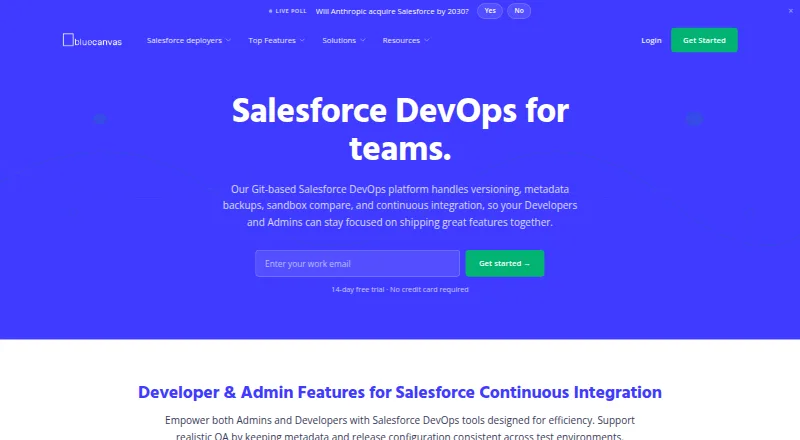
Blue Canvas provides Salesforce version control, metadata backups, and release management through web and API access. It automatically backs up metadata changes from sandbox, staging, and production environments to Git. Teams can compare Salesforce orgs, resolve merge conflicts and dependencies, manage approvals, and protect branches. Its REST API can extend workflows with quality gates, code reviews, automated checks, and two-person release approvals. Listed integrations include Jira, Azure DevOps, Slack, GitHub, Bitbucket, Azure Repos, and CI/CD tools. Blue Canvas describes a Provar integration that launches automated functional tests and displays reports in the product, and asks interested users to contact the company about its beta. The Enterprise product includes an exportable audit trail for SOX and CAB reviews. Blue Canvas says it is SOC 2 certified and conducts regular third-party penetration tests. It offers a free plan and a 15-day trial; CPQ Deployer costs $300 a month, billed yearly. Enterprise pricing is by custom quote, with a one-time $3,000 setup fee. Repositories are privately hosted on AWS, and the company says it does not offer on-premise deployment.
Who it suits
It suits Salesforce teams managing multiple environments and release processes that need reviews and audit records. The described Enterprise offering is intended for teams with several developers and multiple sandboxes.
What it does well
- Automatically backs up Salesforce metadata changes to Git
- Supports org comparison and dependency resolution
- REST API can add release checks and approvals
- Enterprise includes an exportable audit trail
- Offers a 15-day trial
What to know first
- No on-premise solution is offered
- Enterprise pricing requires a custom quote
- Enterprise includes a one-time $3,000 setup fee
- Provar testing integration is described as a beta
Limits
The free Profiles & Permissions plan provides side-by-side profile and permission set comparison, including field-level security differences, and runs in a browser without an install. CPQ Deployer is $300 a month billed yearly; Enterprise has custom pricing and a one-time $3,000 setup fee.
Plans
| Plan | Billed and limits | Price |
|---|---|---|
| Profiles & Permissions | Side-by-side profile and permission set comparison · Field-level security differences · Runs in browser; no install | Free |
| CPQ Deployer Free | up to 10 migrations per month · Salesforce CPQ · dependency checking · org comparisons · picklist deployment | Free |
| CPQ Deployer Pro | 1 user per month · all Free features · unlimited monthly deployments · Salesforce CPQ and Advanced Approvals · priority email support | $129 a month |
| CPQ Deployer Business | per user/month · all Pro features · SSO · history and rollback · Git export | $229 a month |
| Salesforce Metadata Deployer | per user/month; limited offer through December 31, 2026 · all features · up to 3 Salesforce orgs per user on basic plan · volume discounts available | $250 a month |
| CPQ Deployer | billed yearly · Compare CPQ configuration across two orgs · CPQ + Advanced Approvals support | $300 a month |
| CPQ Deployer Team | per year · up to 3 users · one project · unlimited deployments · CPQ comparisons · Advanced Approvals | $3,500 a year |
| Salesforce Metadata Deployer regular | per user/month · all features · up to 3 Salesforce orgs per user on basic plan · volume discounts available | $419 a month |
The first 8 of 10 plans, as bluecanvas.io lists them, read 29 Sept 2026. The maker's own page has the final word. Every plan
Getting started
- Visit https://bluecanvas.io/.
- Use the Profiles & Permissions plan in a browser; it requires no install.
- Start the 15-day trial if you want to evaluate the product before choosing a plan.
- Choose CPQ Deployer for comparisons of CPQ configuration across two orgs, or seek a custom Enterprise quote.
Blue Canvas is a Salesforce release-control service that combines metadata protection with governed deployments. It is best suited to development teams running several orgs and needing approvals, traceability, and repeatable promotion steps. Choose it when Git-backed Salesforce control matters more than broad platform coverage or self-hosting.
Overview
Blue Canvas focuses on Salesforce version control, metadata backup, and release management. Automatic backups capture changes from sandbox, staging, and production environments in Git, giving teams a recoverable history instead of relying on manual exports. The product is aimed at organisations with multiple sandboxes, several developers, and a release process that requires review and audit.
The service has been developed since 2016 by a company based in Las Vegas. Repositories are privately hosted on AWS; organisations that require an on-premise repository cannot use that deployment model.
Key features
Org comparison shows differences before promotion, while merge-conflict and dependency resolution help coordinate related Salesforce changes. Release workflows, approval gates, protected branches, environment tracking, and rollback tracking add structure for teams moving changes through controlled stages. These controls are more useful than a simple backup service when several contributors share responsibility for production releases.
The REST API extends workflows with quality gates, code reviews, automated checks, and two-person release approvals. Jira, Azure DevOps, Slack, and CI/CD integrations connect release activity to planning, communication, and automation tools. GitHub, Bitbucket, and Azure Repos are also supported. A Provar integration can launch automated functional tests and display reports inside Blue Canvas, although the integration is in beta and requires contacting the company.
Blue Canvas says it is SOC 2 certified and performs regular third-party penetration tests. Enterprise adds an exportable audit trail for SOX and CAB reviews, a material benefit for regulated release processes.
Pricing
Blue Canvas uses a freemium model. A 15-day trial is available, and paid plans start at $300/mo when billed annually.
Profiles & Permissions
This free plan provides side-by-side profile and permission-set comparison, including field-level security differences, in a browser with no installation. It is a practical fit for teams that need to inspect access settings, but it is narrower than the full backup and release-management product.
CPQ Deployer
CPQ Deployer costs $300 a month, billed yearly. It compares CPQ configuration across two orgs and supports CPQ plus Advanced Approvals. This suits Salesforce teams with a focused CPQ promotion problem; it does not represent the broader controls of the enterprise offering.
Blue Canvas Core - Enterprise
Enterprise uses a custom quote and includes a one-time $3,000 setup fee. The basic plan supports up to three Salesforce orgs per user, with a customizable limit. The custom structure fits larger or more controlled deployments, especially where audit exports and tailored org capacity justify setup involvement.
Platforms
Blue Canvas is offered through web and API access. Its AWS-hosted private repositories and lack of an on-premise option make hosting requirements an important procurement check.
Who it's for
Choose Blue Canvas for Salesforce teams coordinating multiple sandboxes, several developers, and formal release reviews. It is particularly well matched to organisations that need Git history, approval separation, dependency-aware deployments, and audit evidence. The free permissions tool suits a narrower access-comparison need, while CPQ Deployer targets teams whose main challenge is CPQ configuration promotion.
Look elsewhere if your release estate extends beyond Salesforce, if you require self-hosting, or if you only need lightweight feature-flag or project-tracking functionality rather than metadata governance.
Pros and cons
- Pro: Automatic Git backups cover sandbox, staging, and production metadata, creating a consistent recovery and change history.
- Pro: Comparison, conflict and dependency resolution, approvals, protected branches, and rollback tracking address the practical risks of multi-developer releases.
- Pro: API quality gates, two-person approvals, integrations, and an Enterprise audit export support formal governance.
- Con: Enterprise pricing is custom and carries a $3,000 setup fee, making budgeting less straightforward.
- Con: The CPQ Deployer price is tied to annual billing, and the free Profiles & Permissions plan does not provide the full release-control feature set.
- Con: AWS-only repository hosting excludes organisations with an on-premise requirement.
Alternatives
For a wider selection of release tools, see Release Management Software.
Flagsmith is a freemium, open-source-oriented feature-flag platform with broad client and self-hosted coverage, so it is a better fit for feature management than Salesforce metadata releases.
Unleash offers a free open-source plan with one project, two environments, 5,000 flags per instance, and no seat limit, making it preferable for teams managing feature flags.
ConfigCat provides a forever-free plan with 10 flags, two environments, two products, and generous configuration-download and traffic allowances for configuration delivery rather than Salesforce deployment control.
LaunchDarkly Experimentation suits teams seeking experimentation and A/B testing, with a free Developer plan capped at 100,000 experimentation MAU per month, one project, and three environments.
Statsig is aimed at product analytics and experimentation; its free Developer plan includes 2 million events per month, unlimited flag checks and seats, and session replay allowances.
Zoho Sprints is a project-management option with a free tier for three users, three projects, and 500 MB of storage.
Devtron Release Orchestration offers API, web, and self-hosted deployment orchestration, including a freemium tier for up to 50 vCPUs, 10 users, and one cluster.
ReARM is a self-hosted software supply-chain and SBOM platform, not a Salesforce metadata release service.
Verdict
Blue Canvas is a strong choice for Salesforce teams that need automatic Git backups combined with approval-driven, auditable release controls. Its principal drawbacks are custom Enterprise pricing, the setup fee, and AWS-only hosting. Pick it for governed Salesforce delivery; look elsewhere for self-hosting or for tools centred on feature flags, experimentation, or general project management.
Verdict
Blue Canvas covers Salesforce metadata backup and release controls, with API extensions and an Enterprise audit trail. Its repositories are hosted privately on AWS, and there is no on-premise option.
Questions
Is there a free plan?
Yes. Profiles & Permissions is free and provides browser-based side-by-side comparison of profiles and permission sets, including field-level security differences.
How much does Blue Canvas cost?
CPQ Deployer costs $300 a month, billed yearly. Enterprise pricing is by custom quote and includes a one-time $3,000 setup fee.
Is there a free trial?
Yes, Blue Canvas offers a 15-day trial.
Which platforms does it support?
Blue Canvas is available through web and API.
Which integrations are listed?
The listed integrations include Jira, Azure DevOps, Slack, CI/CD, GitHub, Bitbucket, and Azure Repos.
Does Blue Canvas offer on-premise hosting?
No. Its repositories are privately hosted on AWS, and Blue Canvas says it does not currently offer an on-premise solution.
Facts from Blue Canvas's own pages
- Apex testing
- The release workflow can run Apex unit tests before promotion. · bluecanvas.io, 20 Oct 2026
- API and quality gates
- The REST API can extend workflows with quality gates, code reviews, automated checks, and two-person release approvals. · bluecanvas.io, 29 Sept 2026
- API authentication
- Public API calls use OAuth 2.0 credentials and bearer access tokens, with client-credentials and authorization-code flows documented. · docs.bluecanvas.io, 20 Oct 2026
- API usage limit
- The FAQ says Blue Canvas normally uses fewer than 6,000 Salesforce API calls per day and pauses synchronization at 75% of an account limit. · docs.bluecanvas.io, 20 Oct 2026
- Approval controls
- Deployment checklists, permission rules and two-person approvals can be required before promotion, with SSO-friendly controls such as Okta. · bluecanvas.io, 20 Oct 2026
- Audit trail
- The Enterprise product includes an exportable audit trail for SOX and CAB reviews. · bluecanvas.io, 29 Sept 2026
- Automatic backups
- It automatically backs up Salesforce metadata changes from sandboxes, staging, and production environments to Git. · bluecanvas.io, 29 Sept 2026
- Bulk releases
- Multiple Stories can be grouped into one Salesforce release for coordinated multi-user deployments. · bluecanvas.io, 20 Oct 2026
- Change selection
- Users can cherry-pick Salesforce changes and associate them with Stories or pull requests. · bluecanvas.io, 20 Oct 2026
- Code review
- Built-in review tools support comments, revision tracking and pull-request approvals for Salesforce changes. · bluecanvas.io, 20 Oct 2026
- Company founding
- LinkedIn states that Blue Canvas was founded in 2016. · linkedin.com, 20 Oct 2026
- Company size and location
- LinkedIn lists Blue Canvas as a privately held San Francisco company with 2–10 employees. · linkedin.com, 20 Oct 2026
- Dependency validation
- Blue Canvas checks metadata dependencies before deployment and validates packages to reduce missing-component failures. · bluecanvas.io, 20 Oct 2026
- Deployments
- The platform supports org comparison, merge conflict and dependency resolution, approvals, and protected branches. · bluecanvas.io, 29 Sept 2026
- Documentation depth
- The documentation includes API authentication, SDK examples, webhook verification, getting-started material, FAQs and changelog pages. · docs.bluecanvas.io, 20 Oct 2026
- Founded
- 2016 · bluecanvas.io, 28 Sept 2026
- Founders
- Crunchbase lists Jack Moxon and Alexander Brausewetter as co-founders, serving as CEO and CTO respectively. · crunchbase.com, 20 Oct 2026
- Funding status
- Crunchbase categorizes Blue Canvas as a private seed-stage company and shows one seed funding round without a disclosed amount. · crunchbase.com, 20 Oct 2026
- Headquarters
- Las Vegas, Nevada, United States · bluecanvas.io, 28 Sept 2026
- Hosting limit
- Blue Canvas says its repositories are privately hosted on AWS and that it does not currently offer an on-premise solution. · docs.bluecanvas.io, 29 Sept 2026
- Integrations
- Listed integrations include Salesforce, Jira, GitHub, Bitbucket, Azure Repos and Provar. · bluecanvas.io, 20 Oct 2026
- Intended users
- Blue Canvas Core - Enterprise is described for teams with multiple sandboxes, several developers, and a release process needing review and audit. · bluecanvas.io, 29 Sept 2026
- Jira integration
- Jira stories can be created or managed while their Salesforce deployments are tracked and synchronized. · bluecanvas.io, 20 Oct 2026
- Legal name
- Crunchbase identifies the legal entity as Blue Canvas Labs Inc. · crunchbase.com, 20 Oct 2026
Where Blue Canvas stands on Freedom251
- Release Management Software#4 of 38