Freedom251 › PC Optimization Software

BitBroom
What BitBroom is
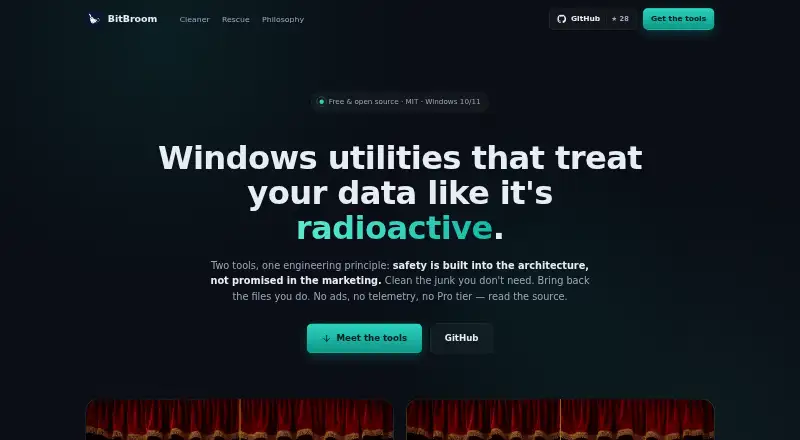
BitBroom is a free set of Windows utilities for disk cleanup and file recovery. Cleaner covers more than 60 cleanup categories, including Windows, GPU, developer-tool, and app caches. It also offers a Space Hogs radar, duplicate finder, and disk analyzer with treemap, largest-file, and CSV views. Cleaning can be scheduled through Windows Task Scheduler, and a command-line interface includes dry-run and JSON options. The maker says scans are read-only, deletions are audited, junctions are not followed, and OneDrive placeholders are untouched. Rescue recovers deleted files from NTFS, FAT32, and exFAT, and can carve files from formatted media. Its signature carving supports formats including JPEG, PNG, HEIC, PDF, ZIP/DOCX, MP4/MOV, MP3, RAR, and SQLite, with validation before results appear. Rescue reads the source drive read-only and requires recovered files to be saved to another drive. For failing drives, it can create two-pass images before recovery. Both tools are MIT-licensed and described as having no ads or telemetry. Cleaner has installer and portable ZIP downloads; Rescue is portable and has no installer.
Who it suits
BitBroom suits Windows 10 and 11 users who want disk cleanup tools or file recovery utilities. Rescue may be relevant when recovering files from formatted media or from failing drives.
What it does well
- Cleaner covers more than 60 cleanup categories.
- Cleaning supports scheduling and command-line options.
- Rescue handles NTFS, FAT32, and exFAT recovery.
- Both tools are described as having no ads or telemetry.
What to know first
- Windows-only, for Windows 10 and 11.
- Recovered files must be saved to a different drive.
- Rescue requires administrator access for raw disk access.
- Rescue has no installer.
Limits
Both plans are free forever for Windows 10/11. Rescue requires administrator access for raw disk access and cannot save recovered files to the source drive.
Plans
| Plan | Billed and limits | Price |
|---|---|---|
| BitBroom Cleaner | Free forever · Windows 10/11 · x64 & ARM64 | Free |
| BitBroom Rescue | Free forever · Windows 10/11 · GUI + CLI · Administrator required for raw disk access | Free |
As bitbroom.app lists them, read 11 Oct 2026. The maker's own page has the final word.
Getting started
- Open https://bitbroom.app/
- Download Cleaner as an installer or portable ZIP, or download portable Rescue
- Use the Windows 10 or 11 build for your system
- Run Cleaner for disk analysis and cleanup, or Rescue for file recovery
- For Rescue raw-disk access, run it with administrator privileges
- Save recovered files to a different drive
Verdict
BitBroom pairs a detailed cleanup utility with a separate file recovery tool, both free for Windows 10 and 11. Note Rescue’s separate-drive requirement and administrator requirement for raw disk access.
Questions
How much does BitBroom cost?
BitBroom Cleaner and BitBroom Rescue each cost nothing, with free-forever plans.
Which Windows versions are supported?
The utilities support Windows 10 and Windows 11.
Is BitBroom portable?
Cleaner has installer and portable ZIP downloads. Rescue is portable and has no installer.
What file systems can Rescue recover?
Rescue recovers deleted files from NTFS, FAT32, and exFAT, and can carve files from formatted media.
Does BitBroom include telemetry or ads?
The maker describes both tools as having no ads or telemetry. Cleaner makes only an optional update-check network call.
Facts from BitBroom's own pages
- Cleaner analysis
- Cleaner includes a Space Hogs radar, duplicate finder and disk analyzer with treemap, largest-file and CSV views. · bitbroom.app, 11 Oct 2026
- Cleaner categories
- Cleaner covers more than 60 researched cleanup categories, including Windows, GPU, developer-tool and app caches. · bitbroom.app, 11 Oct 2026
- Cleaner safeguards
- Cleaner says scans are read-only, deletions are audited, junctions are not followed, and OneDrive placeholders are not touched. · bitbroom.app, 11 Oct 2026
- Cleaner scheduling and CLI
- Cleaner supports scheduled cleaning through Windows Task Scheduler and a command-line interface with dry-run and JSON options. · bitbroom.app, 11 Oct 2026
- Downloads
- Cleaner provides installer and portable ZIP downloads, while Rescue is portable and has no installer; both pages mention SHA-256 checksums. · bitbroom.app, 11 Oct 2026
- Failing drives
- Rescue provides two-pass, ddrescue-style imaging for failing drives before recovery from the image. · bitbroom.app, 11 Oct 2026
- Free plan
- Yes · bitbroom.app, 20 Sept 2026
- Intended users
- The maker describes Cleaner for reclaiming disk space and Rescue for recovering deleted files, formatted media and data from failing drives. · bitbroom.app, 11 Oct 2026
- Junk cleanup
- Yes · bitbroom.app, 20 Sept 2026
- Product
- BitBroom offers Windows utilities for cleaning disks and recovering files. · bitbroom.app, 11 Oct 2026
- Rescue formats
- Rescue supports signature carving for formats including JPEG, PNG, HEIC, PDF, ZIP/DOCX, MP4/MOV, MP3, RAR and SQLite, with validation before results are shown. · bitbroom.app, 11 Oct 2026
- Rescue recovery
- Rescue recovers deleted files from NTFS, FAT32 and exFAT, and can carve files from formatted media. · bitbroom.app, 11 Oct 2026
- Rescue safety
- Rescue opens the source drive read-only and requires recovered files to be saved to a different drive. · bitbroom.app, 11 Oct 2026
- Scheduled maintenance
- Yes · bitbroom.app, 20 Sept 2026
- Security and privacy
- The maker describes both tools as MIT-licensed and says they have no ads or telemetry; Cleaner’s only network call is an optional update check. · bitbroom.app, 11 Oct 2026
- Support
- The maker invites questions by email and issues on either project’s repository. · bitbroom.app, 11 Oct 2026
- Windows support
- windows 10 and 11 · bitbroom.app, 20 Sept 2026
Where BitBroom stands on Freedom251
- PC Optimization Software#23 of 97
- PC optimisers#27 of 104
- Data recovery software#59 of 128