Freedom251 › PC Optimization Software
Easy PC Optimizer
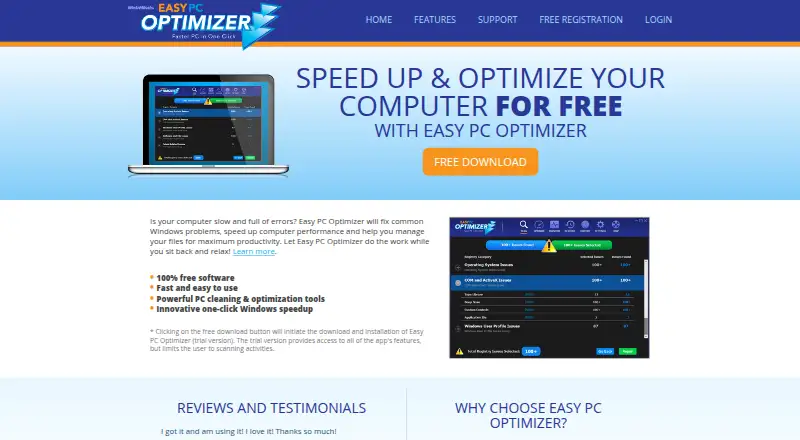
What Easy PC Optimizer is
Easy PC Optimizer is a Windows tool for scanning performance issues, cleaning computer junk, and adjusting system settings. It can remove junk files, recover disk space, optimize RAM, speed up internet, and help Windows start faster. Startup management and scheduled maintenance are also listed. Tools for system services and some software errors sit alongside Windows Tweaks, which can change visual, performance, security, and browser settings. A Monitor tool watches selected registry locations and can notify users about changes. The product says it backs up settings before cleanup so users can undo changes with restore-point tools. The free trial offers access to all features but limits activity to scanning; the Free plan costs nothing and requires free registration and a license key. It supports Windows XP, Vista, 7, 8, and 10. The maker says updates are free during the license period, while the software remains usable after expiry but cannot receive the latest version. It is not a virus removal program and can address only some software- or Windows-related blue-screen errors, not hardware or driver issues.
Who it suits
It suits Windows users who want cleanup, startup, maintenance, and settings tools in one application. It may also fit users who want registry monitoring or restore-point tools.
What it does well
- Includes junk cleanup and scheduled maintenance.
- Can manage startup and system services.
- Offers Windows settings and browser customization.
- Backs up settings before cleanup, according to the maker.
- Free technical support is listed.
What to know first
- Trial use is limited to scanning.
- Free registration and a license key are required.
- Does not remove viruses or fix hardware issues.
- Updates stop after the license period expires.
Limits
The Free trial provides access to all app features but restricts use to scanning activities. The free plan requires registration and a license key; updates are free during the license period, and the software remains usable after expiry but cannot be updated to the latest version.
Plans
| Plan | Billed and limits | Price |
|---|---|---|
| Free | Trial version scans only · free registration and license key required | Free |
As easypcoptimizer.com lists them, read 10 Oct 2026. The maker's own page has the final word.
Getting started
- Open the Easy PC Optimizer website.
- Use the Free plan at no cost.
- Register for free and obtain a license key.
- Install it on a supported Windows system that meets the listed requirements.
- Use the trial for scanning activities only.
Verdict
Easy PC Optimizer combines cleanup, system management, and Windows customization tools for Windows users. Its trial is scan-only, and its stated repair scope excludes viruses, hardware faults, and driver issues.
Questions
How much does Easy PC Optimizer cost?
The Free plan costs nothing.
Does Easy PC Optimizer have a free trial?
Yes. The trial opens all app features but limits users to scanning activities.
Which Windows versions does it support?
The listed requirements include Windows XP, Vista, 7, 8, or 10. Windows 10 is listed as its Windows support.
Does it remove viruses?
No. The maker says it is not a virus removal program.
Can it fix blue-screen errors?
It can address some software- or Windows-related blue-screen errors, but not hardware or driver issues.
What support is available?
The maker offers a support ticket form, user manual, FAQs, and technical articles, and says technical support is free.
Facts from Easy PC Optimizer's own pages
- Cleanup and speed
- Features include cleaning junk files, speeding up internet, making Windows start faster, and optimizing RAM. · easypcoptimizer.com, 10 Oct 2026
- Driver updates
- No · easypcoptimizer.com, 21 Sept 2026
- Free plan
- Yes · easypcoptimizer.com, 21 Sept 2026
- Junk cleanup
- Yes · easypcoptimizer.com, 21 Sept 2026
- Limitations
- The maker says the product is not a virus removal program and can only fix some software- or Windows-related blue-screen errors, not hardware or driver issues. · easypcoptimizer.com, 10 Oct 2026
- Purpose
- Easy PC Optimizer is an all-in-one Windows optimization tool that scans for performance issues, cleans computer junk, and adjusts Windows settings. · easypcoptimizer.com, 10 Oct 2026
- Registry monitoring
- The Monitor tool watches selected Windows registry locations for changes and can notify users when programs modify them. · easypcoptimizer.com, 10 Oct 2026
- Restore points
- The product says it automatically backs up settings before cleanup so users can undo changes to system settings. · easypcoptimizer.com, 10 Oct 2026
- Scheduled maintenance
- Yes · easypcoptimizer.com, 21 Sept 2026
- Security claim
- The maker says Easy PC Optimizer contains no malware, adware, or spyware. · easypcoptimizer.com, 10 Oct 2026
- Startup manager
- Yes · easypcoptimizer.com, 21 Sept 2026
- Support
- The maker offers a support ticket form, a user manual, FAQs, and technical articles; its FAQ says technical support is free. · easypcoptimizer.com, 10 Oct 2026
- System management
- The product lists tools to fix some system crashes and software errors, recover disk space, and manage system services. · easypcoptimizer.com, 10 Oct 2026
- Trial limit
- The trial provides access to all app features but limits users to scanning activities. · easypcoptimizer.com, 10 Oct 2026
- Updates
- The maker says software updates are free during the license period, and the product remains usable after the license expires but cannot be updated to the latest version. · easypcoptimizer.com, 10 Oct 2026
- Windows customization
- Its Windows Tweaks feature adjusts visual, performance, and security settings, and it can customize browser settings. · easypcoptimizer.com, 10 Oct 2026
- Windows requirements
- The listed requirements are Windows XP, Vista, 7, 8, or 10, a 400 MHz or faster CPU, 128 MB or more RAM, and 5 MB of free disk space. · easypcoptimizer.com, 10 Oct 2026
- Windows support
- windows 10 · easypcoptimizer.com, 21 Sept 2026
Where Easy PC Optimizer stands on Freedom251
- PC Optimization Software#21 of 97
- PC optimisers#25 of 104