Freedom251 › PC Optimization Software
WinZenith
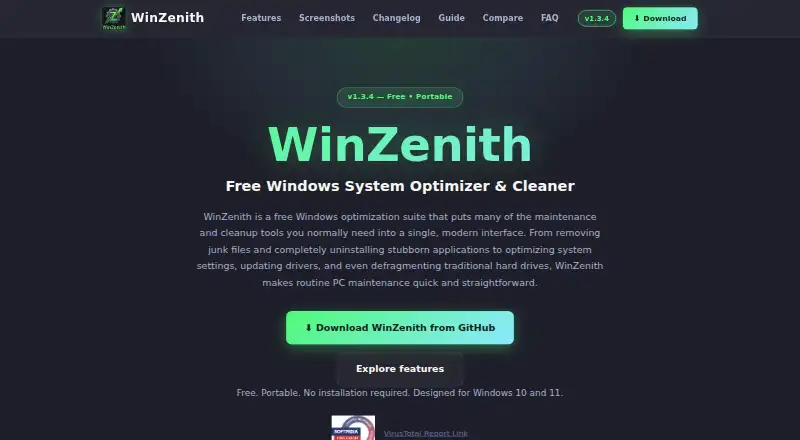
What WinZenith is
WinZenith is a free Windows suite for cleaning junk, removing apps, managing system settings, updating drivers, and working with disks. Its cleaner handles 40 categories of clutter, including temporary files, browser cache, Windows update leftovers, and registry items. Other built-in utilities cover app removal, startup management, system information, disk tools, browser extensions, and network optimization. The extension manager supports Chrome, Edge, Firefox, Brave, Opera, and Vivaldi.
For application updates, WinZenith uses winget to update apps in batches, but it does not check Microsoft Store apps. The suite supports Windows 10 and Windows 11 and comes as a portable ZIP that runs without installation. Its website says the software has no telemetry, ads, or bundled software, and that its source code is public on GitHub. Since the app is unsigned, Windows SmartScreen may display a warning; the site advises selecting “More info” and then “Run anyway.” The free plan costs nothing. Questions, bug reports, and suggestions can be sent by email to [email protected].
Who it suits
WinZenith suits Windows 10 and 11 users who want cleanup, app removal, driver updates, startup management, and disk tools in one portable suite. It can also suit users who want browser extension management across several browsers and prefer software described as having no telemetry, ads, or bundled software.
What it does well
- Cleans 40 categories of system junk.
- Includes app removal, startup, disk, and network tools.
- Uses winget for batch application updates.
- Runs from a portable ZIP without installation.
- Public source code and no telemetry, ads, or bundled software, according to its site.
What to know first
- Microsoft Store apps are not checked for updates.
- Unsigned software may trigger a Windows SmartScreen warning.
- Only Windows 10 and Windows 11 are supported.
Limits
The Free plan costs nothing. Its batch application updates do not check Microsoft Store apps.
Plans
| Plan | Billed and limits | Price |
|---|---|---|
| Free | Free for use · no ads · portable ZIP | Free |
As winzenith.github.io lists them, read 11 Oct 2026. The maker's own page has the final word.
Getting started
- Open the WinZenith website.
- Download the portable ZIP.
- Run the app from the ZIP without installation.
- If SmartScreen warns, select “More info” and then “Run anyway.”
Verdict
Choose WinZenith if you want a free portable suite for Windows cleanup and maintenance, with tools for apps, drivers, startup items, and disks. Look elsewhere if you need Microsoft Store apps included in batch updates or need a platform other than Windows 10 or 11.
Questions
How much does WinZenith cost?
The Free plan costs nothing.
Which Windows versions does it support?
WinZenith supports Windows 10 and Windows 11.
Does it need to be installed?
It is distributed as a portable ZIP and runs without installation.
Can it update Microsoft Store apps?
No. Its winget-based batch updates do not check Microsoft Store apps.
Is WinZenith open source?
Its website says the source code is public on GitHub.
Why might SmartScreen show a warning?
The app is unsigned. The site advises choosing “More info” and then “Run anyway.”
Facts from WinZenith's own pages
- Browser support
- Its browser extension manager supports Chrome, Edge, Firefox, Brave, Opera, and Vivaldi. · winzenith.github.io, 11 Oct 2026
- Cleanup
- The system junk cleaner covers 40 categories, including temporary files, browser cache, Windows update leftovers, and registry items. · winzenith.github.io, 11 Oct 2026
- Driver updates
- It scans for outdated drivers from 12+ providers, including Intel, NVIDIA, and Realtek, and supports driver backups and rollback. · winzenith.github.io, 11 Oct 2026
- Free plan
- Yes · winzenith.github.io, 20 Sept 2026
- Junk cleanup
- Yes · winzenith.github.io, 20 Sept 2026
- Other tools
- Built-in tools include an app uninstaller, startup manager, system information, disk tools, browser extension manager, and network optimizer. · winzenith.github.io, 11 Oct 2026
- Privacy and source
- The site says WinZenith has no telemetry, ads, or bundled software, and that its source code is public on GitHub. · winzenith.github.io, 11 Oct 2026
- Purpose
- WinZenith is a Windows optimization suite for cleanup, app removal, system settings, driver updates, and disk defragmentation. · winzenith.github.io, 11 Oct 2026
- Restore-point tools
- Yes · winzenith.github.io, 20 Sept 2026
- Security note
- The site says Windows SmartScreen may warn because the app is unsigned and advises users to choose “More info” and then “Run anyway.” · winzenith.github.io, 11 Oct 2026
- Software updates
- It uses winget for batch application updates; its GitHub README says Microsoft Store apps are not checked. · github.com, 11 Oct 2026
- Startup manager
- Yes · winzenith.github.io, 20 Sept 2026
- Support
- The site invites questions, bug reports, and suggestions by email at [email protected]. · winzenith.github.io, 11 Oct 2026
- Supported systems
- WinZenith supports Windows 10 and Windows 11 and is distributed as a portable ZIP that runs without installation. · winzenith.github.io, 11 Oct 2026
- Windows support
- windows 10 and 11 · winzenith.github.io, 20 Sept 2026
Where WinZenith stands on Freedom251
- PC Optimization Software#19 of 97
- PC optimisers#23 of 104