Freedom251 › Event Badge Printing Software

Badgy
What Badgy is
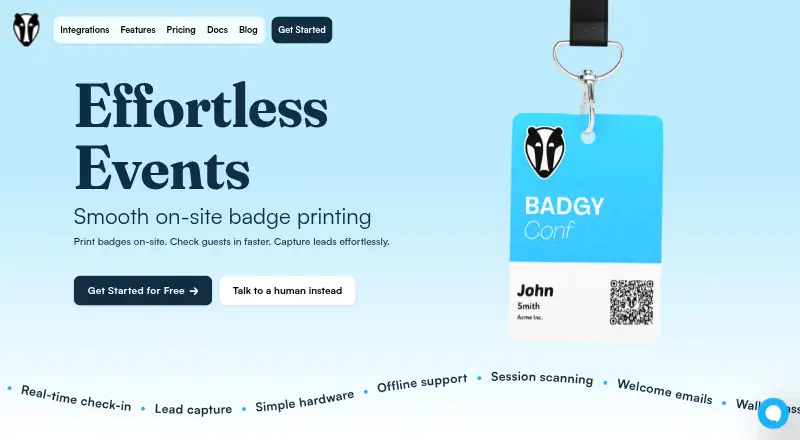
Badgy is a web app for event check-in, on-site badge printing, and vendor lead capture. Staff can scan ticket QR codes or find attendees by name, with check-in changes syncing across devices in real time. Organizers can edit badge content, fonts, and layouts, then assign designs to ticket types. Listed ticketing integrations are Tito, Luma, Eventbrite, and Ticket Tailor; attendee lists can also come from a CSV or spreadsheet. Vendors can scan badges to collect contact information, download leads, or send them to a CRM through Zapier. Badgy can send customizable attendee emails the day before an event, including a QR code and branded wallet pass. Once event details have synced to a device, they remain available offline, and check-in updates sync when that device reconnects. Printing requires a laptop running Google Chrome and a supported Zebra label printer connected over USB. Built-in label choices include common 3-inch and 4-inch sizes, and organizers can enter custom measurements. The Free plan costs nothing and covers all events, unlimited check-in devices, real-time sync, and offline support. Premium uses event credits, with the amount to add not shown; its listed features include badge printing, multiple print stations, one-off badges, vendor lead capture, self check-in, VIP notifications, wallet passes, and welcome emails. Badgy’s site credits 8bytes, which identifies itself as a small product team based in Ireland.
Who it suits
Badgy suits event organizers who need coordinated attendee check-in and customizable badges, from small meetups to large conferences. It also serves vendors collecting attendee leads and event teams that use one of its listed ticketing integrations or can import a spreadsheet.
What it does well
- Free plan covers all events and unlimited check-in devices.
- Check-in updates sync in real time across devices.
- Works offline after event data syncs to a device.
- Badge layouts can be assigned to ticket types.
- Lead details can be downloaded or sent to a CRM through Zapier.
What to know first
- Badge printing requires a laptop running Google Chrome.
- Printing requires a supported Zebra printer connected by USB.
- Premium credit amounts are not shown.
Limits
The Free plan includes all events, unlimited check-in devices, real-time sync, and offline support. Premium features, including badge printing and vendor lead capture, require adding event credits; the amount is not shown.
Plans
| Plan | Billed and limits | Price |
|---|---|---|
| Free | All events · unlimited check-in devices · real-time sync · offline support | Free |
| Premium | Add credits to upgrade an event; amount not shown · Badge printing · multiple print stations · one-off badges · vendor lead capture · attendee self check-in · VIP notifications · wallet passes · welcome emails | On request |
As badgy.app lists them, read 3 Oct 2026. The maker's own page has the final word.
Getting started
- Open Badgy’s website and create or configure an event.
- Connect the event through Tito, Luma, Eventbrite, or Ticket Tailor.
- If there is no ticketing integration, upload an attendee CSV or spreadsheet.
- Sync event data to check attendees in across devices, including offline.
- For badge printing, use a laptop running Google Chrome with a supported Zebra printer connected by USB.
Verdict
Choose Badgy if your event needs on-site check-in, editable badges, and vendor lead capture, with a free plan covering all events and check-in devices. Look elsewhere if you cannot use the required Chrome laptop and supported Zebra printer for badge printing.
Questions
How much does Badgy cost?
The Free plan costs nothing. Premium requires adding credits to upgrade an event, and the amount is not shown.
What does the Free plan include?
It covers all events, unlimited check-in devices, real-time sync, and offline support.
Which ticketing integrations are listed?
Badgy lists Tito, Luma, Eventbrite, and Ticket Tailor. Attendee data can also be uploaded from a CSV or spreadsheet.
What equipment is needed to print badges?
Printing requires a laptop running Google Chrome and a supported Zebra label printer connected by USB.
Can vendors send captured leads to a CRM?
Yes. Vendors can download leads or send them to a CRM through Zapier.
Who makes Badgy?
Badgy’s site credits 8bytes, which identifies itself as a small product team based in Ireland.
Facts from Badgy's own pages
- Audience
- Badgy describes itself as suitable for events from small meetups to large conferences. · badgy.app, 3 Oct 2026
- Badge design
- The badge designer lets organizers adjust content, fonts, and layouts and assign layouts to ticket types. · badgy.app, 3 Oct 2026
- Check-in
- Staff can check attendees in by scanning ticket QR codes or searching by name, with real-time sync across devices. · badgy.app, 3 Oct 2026
- CSV import
- Attendee lists can be uploaded from a CSV or spreadsheet when a ticketing integration is unavailable. · badgy.app, 3 Oct 2026
- Hardware requirement
- Badge printing requires a laptop running Google Chrome and a supported Zebra label printer connected by USB. · badgy.app, 3 Oct 2026
- Integrations
- The site lists ticketing integrations for Tito, Luma, Eventbrite, and Ticket Tailor. · badgy.app, 3 Oct 2026
- Lead capture
- Vendors can scan attendee badges to collect contact information, download leads, or send them to a CRM through Zapier. · badgy.app, 3 Oct 2026
- Maker
- The site credits 8bytes, and 8bytes identifies itself as a small product team based in Ireland. · 8bytes.ie, 3 Oct 2026
- Offline support
- After an event syncs to a device, attendee information stays available offline and check-in data syncs when the device reconnects. · badgy.app, 3 Oct 2026
- Purpose
- Badgy provides on-site event badge printing, attendee check-in, and lead capture. · badgy.app, 3 Oct 2026
- Security
- The site links to a Privacy Policy PDF, but the policy content could not be retrieved from the opened page. · badgy.app, 3 Oct 2026
- Support
- Badgy offers printer rental and label stock by contacting the company; its help docs also say users can chat through the site widget. · badgy.app, 3 Oct 2026
- Supported labels
- Built-in label options include common 3-inch and 4-inch sizes, and custom measurements can be entered in settings. · badgy.app, 3 Oct 2026
- Welcome emails
- Badgy can send customizable attendee emails the day before an event with a QR code and branded wallet pass. · badgy.app, 3 Oct 2026
Where Badgy stands on Freedom251
- Event Badge Printing Software#11 of 49