Freedom251 › NAS Backup Software

BackupPC
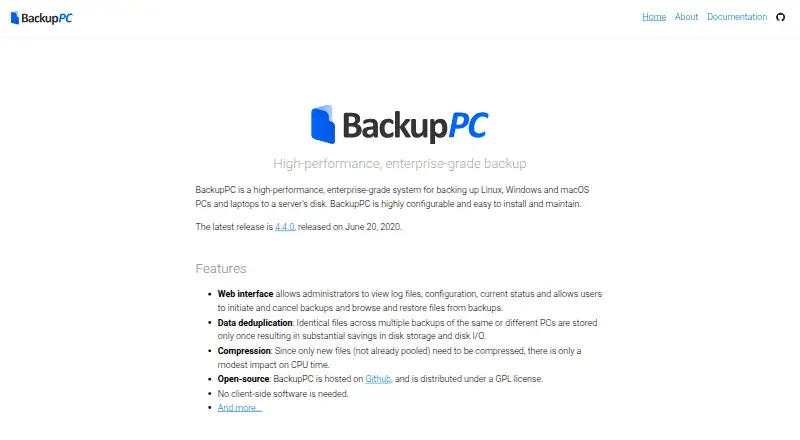
What BackupPC is
BackupPC is free, open-source software for backing up Linux, Windows and macOS PCs and laptops to a server's disk. It stores identical files from different backups only once, and optional compression can reduce storage use. No client-side software is needed; documented backup methods include SMB, rsync, tar and FTP. Through its web interface, administrators can review logs, configuration and status, while users can start or cancel backups, browse files and restore them. Files can be restored directly or downloaded as ZIP or tar archives. Configuration supports parallel backups, full and incremental schedules, and settings for the whole system or individual PCs. The software supports laptops with intermittent connections and dynamic IP addresses, and configurable email reminders can flag PCs that have not been backed up recently. The project lists announcement, user-support and developer mailing lists. Its home page lists version 4.4.0, released June 20, 2020, as the latest release. The documentation says it is not designed for exact re-imaging of failed disks and notes that MD5 collisions remain possible.
Who it suits
BackupPC may suit administrators who want to back up Linux, Windows or macOS computers to a server and manage restores through a web interface. It also supports laptops that connect intermittently or use dynamic IP addresses.
What it does well
- Free, open-source software under the GPL.
- No client-side software is needed.
- Identical files across backups are stored once.
- Files can be restored directly or as archives.
What to know first
- It is not designed for exact disk re-imaging.
- The latest listed release is from June 20, 2020.
- MD5 collisions remain possible.
Limits
BackupPC handles file backup and restore but is not designed for exact re-imaging of failed disks. The documentation notes that MD5 collisions remain possible.
Plans
| Plan | Billed and limits | Price |
|---|---|---|
| BackupPC | Open-source backup software; backs up PCs and laptops to a server's disk | Free |
As backuppc.github.io lists them, read 9 Oct 2026. The maker's own page has the final word.
Getting started
- Visit the BackupPC website.
- Set up a server to receive backups.
- Choose a documented SMB, rsync, tar, or FTP backup method.
- Configure backup schedules and system-wide or per-PC settings.
- Use the web interface to review status and browse or restore files.
BackupPC is a free, open-source system for backing up Linux, Windows, and macOS computers to a server’s disk. It suits administrators protecting files across computers that may connect intermittently. Its shared storage and flexible scheduling are useful, but it cannot recreate a failed disk exactly.
Overview
BackupPC centralizes computer backups on a server, with configuration available globally or for individual PCs. The web interface gives administrators access to logs, settings, and backup status; users can start or cancel backups and browse or restore files. That division is practical for managed environments, though the server-based design calls for someone able to administer the setup.
The project describes BackupPC as GPL-licensed open-source software. Its home page identifies version 4.4.0, released June 20, 2020, as the latest release. Support is organized through announcement, user-support, and developer mailing lists.
Key features
- Deduplication and optional compression: Identical files across backups are stored once, cutting repeated disk use and disk I/O. Optional compression can reduce storage further, and only new files need compression. This is a strong fit when multiple computers hold overlapping files.
- Several backup methods: No client-side software is required; documented methods include SMB, rsync, tar, and FTP. That flexibility can simplify deployment across different computers, while administrators still need to choose and configure a suitable method.
- Scheduling and intermittent connections: Full and incremental schedules can run in parallel, with settings at the system or individual-PC level. Laptop support includes intermittent connections and dynamic IP addresses, useful for devices that are not always on the same network.
- File recovery: Users can restore files directly or download them as ZIP or tar archives. The documentation explicitly says BackupPC is not designed for exact re-imaging of failed disks, so it is unsuitable when whole-machine recovery is the requirement.
- Reminders and integrity checks: Configurable email reminders can flag PCs that have not been backed up recently. Backup files use full-file MD5 digests; the documentation notes that MD5 collisions remain possible.
Pricing
BackupPC costs nothing. The free plan is the open-source software itself, with backups stored on a server’s disk. The software has no stated seat or backup quota in the plan, but the server’s disk is the destination and storage must be provided for the deployment.
There is no paid tier described. That makes BackupPC a sensible choice for teams able to provide and administer their own server; organizations seeking a priced hosted service or a plan with bundled storage should compare other options.
Platforms
BackupPC supports Linux, Windows, and macOS computers, and provides a web interface. It backs up computer files; mobile backup is not supported. The documented client methods and server destination make it oriented toward computer-to-server protection rather than a general mobile backup service.
Who it's for
BackupPC is best for administrators who want centralized, scheduled file backups for Linux, Windows, and macOS PCs and laptops, including machines that connect irregularly. Deduplication and configurable schedules help where a server is already part of the environment. Look elsewhere if you need mobile coverage, exact disk re-imaging, or a setup that does not depend on administering a server.
Pros and cons
- Pro: Deduplication stores matching files just once across backups, which can reduce the disk space and I/O required for overlapping data.
- Pro: No client software is required, and SMB, rsync, tar, and FTP are documented backup methods.
- Pro: Full and incremental schedules, per-PC settings, and support for intermittent connections suit mixed computer fleets.
- Con: Backups go to a server’s disk, so the deployment depends on server administration and disk capacity.
- Con: File restore does not provide exact re-imaging of a failed disk.
- Con: MD5 collisions remain possible, a limitation relevant to anyone relying on the stated digest for integrity checks.
Alternatives
For other products in this category, browse Backup software or NAS Backup Software.
- IDrive is worth considering if you want a freemium service with a free plan, a free trial, and platforms that include Android and iOS.
- Synology Photos is a free alternative for users with a Synology NAS who want a product whose supported platforms include Android and iOS.
- Bareos offers an open-source community edition with public repository access and complete source code, alongside paid subscription options.
- Duplicacy is an option for users seeking a freemium backup tool with a free trial and a personal license priced at $20 a year for the first year for one home computer.
- Duplicati may suit users who want a free plan with monitoring for up to 2 machines and visibility into the last 200 backups.
- Kopia is another free, open-source backup and restore option for users willing to provision and pay for storage separately.
- MSP360 Backup offers a free personal workstation plan with file and image-based backup and forum support.
- BorgBackup is a free, BSD-licensed open-source backup option.
Verdict
Choose BackupPC if you can run a server and want free, scheduled file backups across Linux, Windows, and macOS computers, especially when deduplication and support for intermittent laptops matter. Its central advantage is efficient shared storage without client-side software. Choose another tool if you need mobile backup or exact recovery of a failed disk.
Verdict
BackupPC provides scheduled file backups and restore options for computers connected to a server. Its stated limitation is important if you need exact re-imaging of a failed disk.
Questions
How much does BackupPC cost?
The listed plan is free.
Which platforms does it support?
It supports Linux, Windows, macOS, and web access.
Does BackupPC back up phones?
No. It supports computer backup, while mobile backup is listed as unsupported.
What can I restore?
Files can be restored directly or downloaded in ZIP or tar archives.
Is BackupPC open source?
Yes. The maker describes it as open-source software distributed under the GPL license.
Facts from BackupPC's own pages
- Backup scope
- file · backuppc.github.io, 20 Sept 2026
- Client setup
- No client-side software is needed; the documentation describes SMB, rsync, tar, and FTP backup methods. · backuppc.github.io, 9 Oct 2026
- Compression
- Optional compression reduces storage use, and only new files need to be compressed. · backuppc.github.io, 9 Oct 2026
- Computer backup
- Yes · backuppc.github.io, 20 Sept 2026
- Deduplication
- Identical files across backups are stored only once to reduce disk storage and disk I/O. · backuppc.github.io, 9 Oct 2026
- Email reminders
- Users can receive configurable email reminders when their PC has not recently been backed up. · backuppc.github.io, 9 Oct 2026
- Free plan
- Yes · backuppc.github.io, 20 Sept 2026
- Intermittent connections
- BackupPC supports laptops that connect intermittently and have dynamic IP addresses. · backuppc.github.io, 9 Oct 2026
- License
- The maker describes BackupPC as open-source software distributed under the GPL license. · backuppc.github.io, 9 Oct 2026
- Limit
- The documentation says BackupPC is not designed to provide exact re-imaging of failed disks. · backuppc.github.io, 9 Oct 2026
- Mobile backup
- No · backuppc.github.io, 20 Sept 2026
- Supported platforms
- Linux,Windows,macOS,web · backuppc.github.io, 20 Sept 2026
- Purpose
- BackupPC backs up Linux, Windows, and macOS PCs and laptops to a server's disk. · backuppc.github.io, 9 Oct 2026
- Release
- The maker's home page lists version 4.4.0, released June 20, 2020, as the latest release. · backuppc.github.io, 9 Oct 2026
- Restore
- Files can be restored directly or downloaded in ZIP or tar archives. · backuppc.github.io, 9 Oct 2026
- Restore modes
- file · backuppc.github.io, 20 Sept 2026
- Scheduling
- Configuration supports parallel backups, full and incremental schedules, and settings at the system or individual-PC level. · backuppc.github.io, 9 Oct 2026
- Security
- The documentation describes full-file MD5 digests for backup files and notes that MD5 collisions remain possible. · backuppc.github.io, 9 Oct 2026
- Support
- The project lists announcement, user-support, and developer mailing lists. · backuppc.github.io, 9 Oct 2026
- Web interface
- Its web interface lets administrators review logs, configuration, and status, while users can start or cancel backups and browse or restore files. · backuppc.github.io, 9 Oct 2026
Where BackupPC stands on Freedom251
- NAS Backup Software#4 of 45
- Server Backup Software#3 of 33
- Backup software#34 of 151