Freedom251 › NAS Backup Software
BorgBackup
by BorgBackup
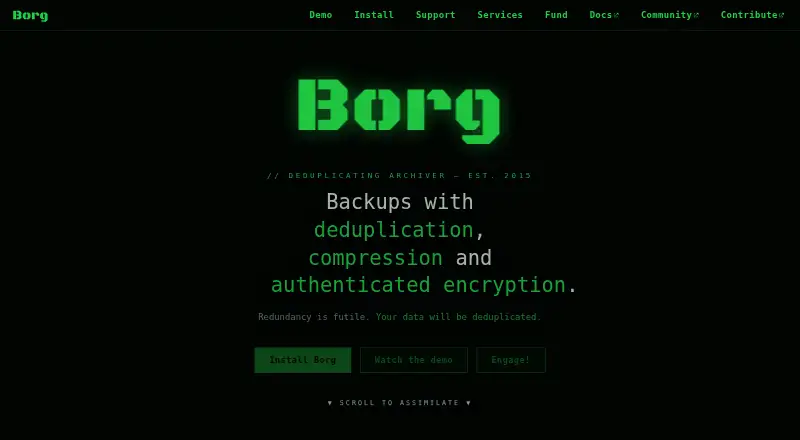
What BorgBackup is
BorgBackup is free software for backing up computers and servers on Linux, macOS, and Windows. It uses content-defined chunking to save each new chunk once, including across files, backups, and machines that share a repository. Optional compression choices include lz4, zstd, zlib, and lzma. Borg supports client-side 256-bit AES encryption and checks data integrity and authenticity with HMAC-SHA256. Backups can be stored on remote hosts reached over SSH, and archives can be mounted as user-space file systems for browsing and file restores. The project lists repository hosting and storage options from BorgBase, Hetzner Storage Box, and rsync.net. Community support is available through documentation, the issue tracker, IRC, Matrix, and a mailing list; commercial consulting, support, development, and storage services are also listed. BorgBackup uses the BSD 3-clause license. The site identifies version 1.4.5 as the current stable release and says the 2.0 beta remains in testing and should not be used in production. Documentation warns that compatibility may break repeatedly when the major release number changes.
Who it suits
BorgBackup suits computer and server users who want free, self-managed backups with deduplication, optional compression, and encryption. It is also relevant to users who can manage repositories locally or over SSH.
What it does well
- Stores repeated chunks only once across shared repositories.
- Supports client-side 256-bit AES encryption.
- Optional compression includes lz4, zstd, zlib, and lzma.
- Archives can be mounted for browsing and file restores.
- Free software under the BSD 3-clause license.
What to know first
- The 2.0 beta is not recommended for production use.
- Compatibility may break repeatedly across major release changes.
- Remote backup storage requires access over SSH.
Limits
The listed plan is free. The project warns that compatibility may break repeatedly when the major release number changes; its 2.0 beta is still being tested and should not be used in production.
Plans
| Plan | Billed and limits | Price |
|---|---|---|
| BorgBackup | Free and open-source backup software · BSD licensed | Free |
As borgbackup.org lists them, read 11 Oct 2026. The maker's own page has the final word.
Getting started
- Visit the BorgBackup website.
- Choose a supported platform: Linux, macOS, or Windows.
- Install or run BorgBackup on your computer or server.
- Choose local storage or a remote host accessible over SSH.
- Select optional compression and encryption settings for your backups.
Verdict
BorgBackup offers free, encrypted backups with deduplication and several storage approaches. Users should note the major-version compatibility warning and avoid the 2.0 beta for production.
Questions
How much does BorgBackup cost?
The listed plan costs nothing.
Is BorgBackup open source?
Yes. It is free software under the BSD 3-clause license.
Which platforms does it support?
The listed platforms are Linux, macOS, and Windows.
Can BorgBackup store backups remotely?
Yes. It can store backups on remote hosts accessible over SSH.
How can I browse or restore an archive?
Archives can be mounted as user-space file systems for interactive examination and file restores.
Which release is stable?
The project identifies version 1.4.5 as the current stable release. Its 2.0 beta is still in testing and should not be used in production.
Facts from BorgBackup's own pages
- Archive browsing
- Backup archives can be mounted as user-space file systems for interactive examination and restores. · borgbackup.readthedocs.io, 11 Oct 2026
- Backup scope
- mixed · borgbackup.org, 20 Sept 2026
- Compatibility limit
- The documentation warns that compatibility may break repeatedly when the major release number changes. · borgbackup.readthedocs.io, 11 Oct 2026
- Compression
- Optional compression choices include lz4, zstd, zlib, and lzma. · borgbackup.readthedocs.io, 11 Oct 2026
- Computer backup
- Yes · borgbackup.org, 20 Sept 2026
- Deduplication
- Content-defined chunking stores each new chunk once, including across files, backups, and machines sharing a repository. · borgbackup.readthedocs.io, 11 Oct 2026
- Encryption
- Borg supports client-side 256-bit AES encryption and verifies data integrity and authenticity with HMAC-SHA256. · borgbackup.readthedocs.io, 11 Oct 2026
- Founded
- 2015 · borgbackup.org, 28 Sept 2026
- Free plan
- Yes · borgbackup.org, 20 Sept 2026
- Integrations
- The project lists BorgBase repository hosting, Hetzner Storage Box with Borg support, and rsync.net cloud storage with Borg support. · borgbackup.org, 11 Oct 2026
- License
- BorgBackup is free software under the BSD 3-clause license, and the documentation says its security and functionality can be independently audited. · borgbackup.readthedocs.io, 11 Oct 2026
- Paid services
- The project lists commercial consulting, support, and development from Waldmann EDV, plus repository hosting and storage services from other providers. · borgbackup.org, 11 Oct 2026
- Platforms
- The documentation lists binaries for Linux, macOS, FreeBSD, OpenBSD, and NetBSD; Cygwin and Windows Subsystem for Linux are listed with experimental limitations. · borgbackup.readthedocs.io, 11 Oct 2026
- Purpose
- BorgBackup is a deduplicating backup program with optional compression and authenticated encryption. · borgbackup.readthedocs.io, 11 Oct 2026
- Release status
- The site identifies version 1.4.5 as the current stable release and says the 2.0 beta is still in testing and should not be used in production. · borgbackup.org, 11 Oct 2026
- Remote storage
- Borg can store backups on remote hosts accessible over SSH. · borgbackup.readthedocs.io, 11 Oct 2026
- Restore modes
- file · borgbackup.org, 20 Sept 2026
- Server backup
- Yes · borgbackup.org, 20 Sept 2026
- Support
- Free community support is available through documentation, the issue tracker, IRC, Matrix, and the mailing list. · borgbackup.org, 11 Oct 2026
Where BorgBackup stands on Freedom251
- NAS Backup Software#5 of 45
- Backup software#27 of 151
- Data Backup Software#7 of 25