Freedom251 › Product Lifecycle Management Software
Autodesk Fusion
What Autodesk Fusion is
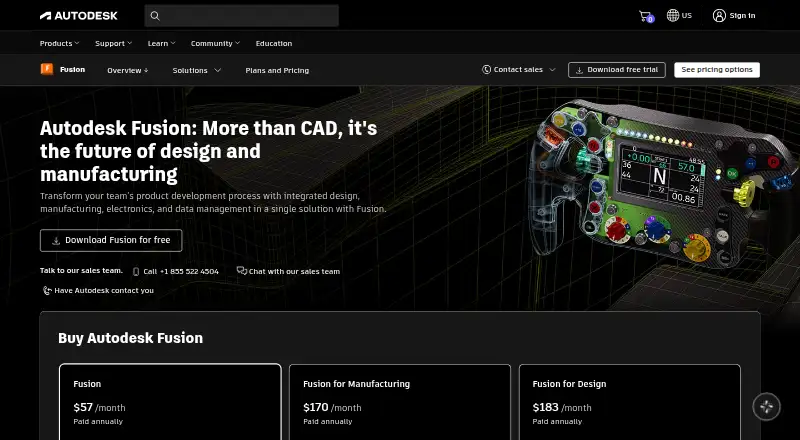
Autodesk Fusion is a design application available on Windows, macOS, and the web. Its listed capabilities include parametric modeling, sculpting, animation, rendering, and 3D print export. The Autodesk Fusion paid plan costs $57 a month, billed annually, and includes integrated CAD/CAM, real-time team collaboration, PCB design and electromechanical integration, and drawing automation and design configuration. A 30-day trial and a free plan are listed. Fusion for personal use is described for hobbyists and non-commercial projects, with limited functionality; no price is listed. A separate educational-use plan lists full features and functionality for qualifying students and educators, also with no price listed. The platform access and render engine are each listed as both. Autodesk was founded in 1982 and is headquartered in San Francisco, California. The listed plans distinguish between paid use, limited personal projects, and qualifying educational use, so the intended purpose and access route matter when choosing an option.
Who it suits
Autodesk Fusion suits people looking for design tools such as parametric modeling, sculpting, or 3D print export. Its personal-use plan is for hobbyists and non-commercial projects, while the educational option is for qualifying students and educators.
What it does well
- Available on Windows, macOS, and the web.
- Includes parametric modeling, sculpting, and animation.
- Paid plan includes integrated CAD/CAM and team collaboration.
- A 30-day trial and free plan are listed.
What to know first
- Paid plan costs $57 a month, billed annually.
- Personal-use plan has limited functionality.
- Educational plan is limited to qualifying students and educators.
Limits
The personal-use plan has limited functionality and is for hobbyist, non-commercial projects. The paid plan is $57 per user per month, billed annually.
Plans
| Plan | Billed and limits | Price |
|---|---|---|
| Autodesk Fusion | billed annually · Integrated CAD/CAM · Real-time team collaboration · PCB design and electromechanical integration · Drawing automation and design configuration | $57 a month |
| Fusion for personal use | Limited functionality · For hobbyist users · For non-commercial projects | On request |
| Fusion for educational use | Full features and functionality · For qualifying students and educators | On request |
As autodesk.com lists them, read 16 Sept 2026. The maker's own page has the final word.
Getting started
- Open the Autodesk Fusion product website.
- Choose the free plan, a personal-use or educational-use option, or the paid Autodesk Fusion plan.
- Use the 30-day trial if you want to try the paid offering.
- Access Autodesk Fusion on macOS, Windows, or the web.
Autodesk Fusion is a cross-platform CAD/CAM and 3D design environment for people who need engineering, visualization and fabrication tools in one application. It is strongest for product designers, small engineering teams, and qualifying students or educators; hobbyists should examine the personal-use restrictions before committing. The paid tier is capable but its per-user subscription makes the economics less attractive for occasional individual work.
Overview
Fusion brings parametric modeling, sculpting, animation, rendering and 3D-print export into one workflow. That breadth suits projects that move from precise parts to presentation output or printable files without changing applications. Access spans macOS, Windows and the web, so a team can choose desktop or browser-based use.
The product’s main dividing line is commercial scope. Personal use is intended for hobbyists and non-commercial projects, with limited functionality. The full Autodesk Fusion plan is aimed at professional work and adds the engineering and collaboration capabilities that make the subscription worthwhile for teams.
Key features
Engineering and electronics
The paid Autodesk Fusion plan combines integrated CAD/CAM with PCB design and electromechanical integration. That combination is a strong fit when mechanical parts and electronics belong to the same product, rather than being managed in separate tools. Real-time team collaboration supports shared work, while drawing automation and design configuration target repeatable documentation and variants.
Modeling, presentation and output
Parametric modeling provides controlled, dimension-driven design, while sculpting supports less rigid forms. Animation and rendering add presentation options, and the product supports 3D-print export for taking a finished model toward fabrication. Rendering is marked as available through both supported access modes. Together, these tools cover a wider production path than a narrowly focused modeler, although the personal plan does not provide the full feature set.
Pricing
The Autodesk Fusion plan costs $57 per user per month, billed annually, and includes integrated CAD/CAM, real-time team collaboration, PCB design and electromechanical integration, plus drawing automation and design configuration. A 30-day trial is offered, giving prospective subscribers a defined evaluation period. This is the plan to consider for commercial design work and teams that need the complete toolset, but the recurring per-user charge can be significant for a solo creator.
Fusion for personal use has no listed price and is limited in functionality. It is reserved for hobbyist, non-commercial projects, so it is a sensible entry point only when those restrictions match the work. Fusion for educational use also has no listed price and provides full features and functionality for qualifying students and educators. Eligibility is therefore more important than a simple price comparison for academic users.
Platforms
Fusion runs on macOS and Windows, with web access as well. That mix accommodates desktop modeling while retaining a browser route for supported workflows. The product is marked as having both platform access and rendering access, rather than being confined to a single environment.
Who it's for
Choose Fusion when one project needs CAD/CAM, parametric and sculpted modeling, rendering, animation, electronics integration and 3D-print export. Professional product teams gain the most from the paid plan’s collaboration and PCB capabilities. Qualifying students and educators can pursue the full-featured educational option. Hobbyists working purely on non-commercial projects can start with personal use, provided its limited functionality is sufficient.
Pros and cons
- Pro: CAD/CAM, PCB and electromechanical design are combined in the paid tier, helping multidisciplinary product work stay together.
- Pro: Parametric modeling, sculpting, animation, rendering and 3D-print export cover design through output.
- Pro: macOS, Windows and web access give teams flexible ways to work.
- Con: The personal-use plan is limited and restricted to hobbyist, non-commercial projects.
- Con: The complete plan costs $57 per user per month when billed annually, which may be heavy for occasional solo use.
- Con: Educational and personal pricing depends on eligibility or plan restrictions rather than offering the same commercial feature set to everyone.
Alternatives
Browse 3D CAD Software, 3D modeling software, Product Lifecycle Management Software, Bill of Materials Software or Jewelry Design Software when you want a category-focused shortlist.
- Diatech Studio is a freemium, multi-platform option with a free tier offering 25 images and full AI-feature access; choose it when image-oriented AI work matters more than Fusion’s engineering stack.
- Kerf is free, MIT licensed and runs locally without accounts or billing, making it preferable when those terms matter more than Fusion’s integrated CAD/CAM and electronics tools.
- Rhino 3D is a paid Windows/macOS alternative with a permanent commercial license listed at $995 a month for one concurrent user; consider it when a perpetual license model is the priority.
- Pencil offers a free forever plan with three designs and STL downloads, while its Professional plan is $39.00 per month; it suits small-scale design work with explicit free-plan limits.
- ZBrush provides a free iPad plan with 28 brushes and a subscription option; pick it when sculpting is the central requirement.
- 3Design CAD is a paid macOS/Windows product with a free trial and sales-led pricing; it is an alternative for readers willing to request licensing details.
- Facetra is a web product with a ₹1,500 one-time Starter plan covering 100 renders or refines; choose it for that focused rendering purchase.
- JewelForge offers an Artisan plan at ₹799.00 per month with eight designs monthly and STL, OBJ, GLB and USDZ export; it is aimed at jewelry workflows rather than broad engineering.
Verdict
Autodesk Fusion is a strong recommendation for product designers and small teams that need connected mechanical, electronic, collaborative and fabrication workflows. Its central advantage is the breadth of the paid workspace. Look elsewhere if you are a hobbyist constrained to non-commercial work, need only sculpting or rendering, or cannot justify a $57.00-per-user monthly commitment billed annually.
Verdict
Autodesk Fusion lists design, rendering, and 3D print export capabilities, with different access options for paid, personal, and educational use. Check the limits and eligibility of the plan that matches your intended projects.
Questions
Is Autodesk Fusion free?
A free plan is available. Fusion for personal use is a separate option with limited functionality for hobbyists and non-commercial projects.
How much does the Autodesk Fusion paid plan cost?
It costs $57 per user per month, billed annually. A 30-day trial is listed.
Which platforms does Autodesk Fusion support?
The listed platforms are macOS, Windows, and web.
What does the paid Autodesk Fusion plan include?
It includes integrated CAD/CAM, real-time team collaboration, PCB design and electromechanical integration, and drawing automation and design configuration.
Is there an education plan?
Fusion for educational use lists full features and functionality for qualifying students and educators.
Who makes Autodesk Fusion?
Autodesk was founded in 1982 and is headquartered in San Francisco, California.
Facts from Autodesk Fusion's own pages
- Founded
- 1982 · autodesk.com, 23 Sept 2026
- Headquarters
- San Francisco, California · autodesk.com, 23 Sept 2026
Where Autodesk Fusion stands on Freedom251
- Product Lifecycle Management Software#4 of 38
- Bill of Materials Software#11 of 47
- Jewelry Design Software#5 of 21
- 3D CAD Software#37 of 79
- 3D modeling software#101 of 147