Freedom251 › Jewelry Design Software
3Design CAD
by 3Design CAD
What 3Design CAD is
3Design CAD is CAD/CAM software for professional jewelers designing jewelry. Its parametric construction tree lets users revise a design after creating it, and jewelry-specific tools include custom stone building, advanced pavé, and microsetting. The software also offers sculpting and animation tools, parametric modeling, a built-in render engine, and 3D print export. The maker describes Version 13 as adding more than 400 fixes and 50 new features across stone setting, curves, the interface, and performance. Rendering updates include reflections, ambient occlusion, bloom effects, and refined materials. Desktop installers are available for macOS and Windows, and the maker says files can be shared between them. Separate downloads are provided for the application, model libraries, and Swarovski stone libraries; 3Dconnexion SpaceMouse is also listed as compatible. A 30-day Version 13 trial includes access to experts for questions and guidance. Pricing is on request. The maker recommends 16 GB RAM and a dedicated graphics card on Windows, or Apple Silicon with 16 GB RAM on Mac.
Who it suits
It suits professional jewelers who need jewelry-specific design tools and parametric revision. It may also suit teams working across Mac and Windows or preparing 3D-print exports.
What it does well
- Jewelry tools include custom stones, pavé, and microsetting.
- Parametric construction tree supports later design changes.
- Built-in rendering and 3D print export are included.
- A 30-day Version 13 trial is available.
- Files can be shared between macOS and Windows.
What to know first
- Pricing is available only on request.
- V13 requires replacement of some older HASP keys.
- V11 and earlier no longer receive technical support.
Limits
The 30-day trial is limited to Version 13. Pricing and license options are available from a sales representative; V11 and earlier are end-of-life, with installation files no longer distributed and technical support unavailable.
Plans
| Plan | Billed and limits | Price |
|---|---|---|
| 3DESIGN CAD | Pricing, license options, subscriptions, and maintenance details available from a sales representative | On request |
As 3design.com lists them, read 7 Oct 2026. The maker's own page has the final word.
Getting started
- Visit the 3Design CAD website.
- Choose the Windows or macOS installer.
- Install the software and, if needed, download model or Swarovski stone libraries separately.
- Start the 30-day Version 13 trial and use expert access for questions.
3Design CAD is desktop CAD/CAM software made specifically for professional jewelry design. It suits jewelers who need editable, technically detailed models for stone setting and production, rather than a general-purpose modeling workspace. Its strongest case is the combination of parametric revision, specialist setting tools, and integrated rendering; custom pricing and hardware requirements make it a deliberate investment.
Overview
3Design CAD is built around jewelry workflows. Its parametric construction tree keeps a model changeable after it has been created, so revisions can propagate through the design instead of forcing a complete rebuild. Custom stone construction, advanced pavé, and microsetting tools target the parts of jewelry modeling where generic CAD packages may require more manual work.
Version 13 broadens that foundation with more than 400 fixes and 50 new features covering stone setting, curves, the interface, and performance. Its built-in renderer adds improved reflections, ambient occlusion, bloom effects, and more refined materials, making presentation images part of the same desktop workflow. Sculpting, animation, and 3D-print export are also included, although the software’s value depends on whether jewelry is your primary modeling work.
Key features
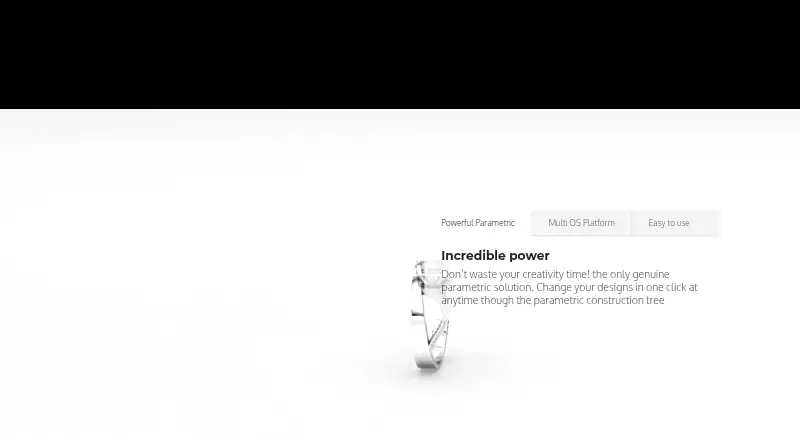
- Parametric construction tree: Existing designs remain editable, which is useful when a client changes proportions, stones, or other construction decisions late in a project.
- Jewelry-specific modeling: Custom stone building, advanced pavé, and microsetting tools directly support professional setting work rather than treating it as an afterthought.
- Built-in rendering: Better reflections, ambient occlusion, bloom, and materials in Version 13 help create more convincing design presentations without moving the model to a separate renderer.
- Production output: 3D-print export connects finished designs to fabrication workflows.
- Supporting libraries and hardware: Separate installers provide model libraries and Swarovski stone libraries, and the software supports a 3Dconnexion SpaceMouse. These are useful additions for a jeweler building a repeatable design setup.
- Cross-platform files: The maker supports installation on both Macintosh and Windows and says files can be shared between them, which suits studios with mixed hardware.
Pricing
The 3DESIGN CAD plan uses custom pricing, with license, subscription, and maintenance terms handled by a sales representative. That makes a direct quote necessary before budgeting and gives no fixed public tier for a small studio to compare against a larger operation.
A 30-day Version 13 trial is available, with access to experts for questions and guidance. It is long enough to assess the parametric tree, setting tools, rendering, and export in a real evaluation, but it is a time-limited route to assessment rather than a permanent free edition.
Platforms
3Design CAD runs as desktop software on macOS and Windows. The maker recommends Apple Silicon with 16 GB of RAM for Mac, and 16 GB of RAM plus a dedicated graphics card for Windows. Those recommendations point to a workstation-oriented application rather than a lightweight laptop tool.
Version 13 has an important hardware compatibility condition: HASP security keys with serial numbers below 707800 are not compatible and may require replacement. Older users should check that before committing to an upgrade. Versions 11 and earlier are end-of-life; installation files are no longer distributed and technical support is unavailable.
Who it's for
Professional jewelers who need specialized stone-setting construction, editable parametric designs, and print-ready output are the clearest audience. Studios that present concepts to clients also benefit from the integrated renderer, while mixed Mac-and-Windows teams gain from file sharing across platforms. The training videos, classroom training, and worldwide live technical support are practical advantages for businesses that want structured onboarding.
It is a poor fit for casual hobbyists, buyers seeking a browser or mobile workflow, or modelers who need a broad general-purpose package at a published price. Desktop installation, recommended workstation hardware, custom sales-led pricing, and security-key checks all add procurement overhead.
Pros and cons
Pros
- Jewelry-first toolset: Custom stones, advanced pavé, and microsetting address specialist work directly.
- Editable designs: The parametric construction tree makes later changes practical instead of destructive.
- Integrated presentation: Built-in rendering with updated reflections, ambient occlusion, bloom, and materials reduces the need for a separate rendering step.
- Production flexibility: 3D-print export, model libraries, Swarovski stones, and SpaceMouse compatibility support a complete studio workflow.
- Cross-platform deployment: Mac and Windows support with file sharing helps mixed-device teams.
Cons
- Unpublished cost: Custom pricing prevents quick comparison and requires a sales conversation.
- Hardware demands: The recommended RAM and dedicated graphics on Windows raise the entry cost.
- Legacy-key risk: Older HASP keys may need replacement for Version 13.
- Limited legacy support: V11 and earlier no longer receive installation files or technical support.
Alternatives
For a wider shortlist, browse Jewelry Design Software and 3D modeling software.
- Diatech Studio is the better starting point if you want a freemium option with a free plan and Android, iOS, web, API, and self-hosted access.
- Kerf suits readers who want free, MIT-licensed software that runs locally with no accounts or billing.
- Rhino 3D is worth choosing when you prefer a general modeling package for Windows and macOS with a permanent commercial license option.
- Pencil fits users seeking a web-based freemium jewelry tool with a free tier and STL downloads.
- ZBrush is the alternative for sculpting-focused work, including a free iPad plan.
- Autodesk Fusion is a broader CAD/CAM choice with Windows, macOS, and web access plus collaboration and PCB capabilities.
- Facetra offers web-based rendering and refining plans aimed at Indian-style jewelry presets.
- JewelForge is a web option with monthly design allowances, weight estimates, hollowing, and several export formats.
Verdict
Choose 3Design CAD if you are a professional jeweler who will use its parametric revision, dedicated setting tools, rendering, and print export often enough to justify a quoted desktop license. Look elsewhere if you need transparent pricing, a free long-term plan, browser or mobile access, or a general-purpose modeler; the hardware recommendations, legacy-key issue, and end-of-life older versions make this a specialized business purchase rather than an easy default.
Verdict
3Design CAD combines jewelry-focused construction tools with parametric editing and rendering. Check the system recommendations and older-key compatibility before choosing a version.
Questions
How much does 3Design CAD cost?
Pricing is available on request from a sales representative. License options, subscriptions, and maintenance details are also available from sales.
Is there a free trial?
Yes. The maker offers a 30-day free trial of Version 13 with access to experts for questions and guidance.
Which operating systems does it support?
It is available as desktop software for macOS and Windows. The maker says files can be shared between the platforms.
What jewelry design tools does it include?
It includes custom stone building, advanced pavé, microsetting, and a parametric construction tree, as well as sculpting and animation tools.
Does it support 3D printing?
Yes. 3D print export is included.
Who makes 3Design CAD?
The maker is 3Design CAD, based in Rillieux-la-Pape, France.
Facts from 3Design CAD's own pages
- Animation tools
- Yes · 3design.com, 22 Sept 2026
- Downloads and libraries
- The maker provides installers for Windows and macOS, with separate 3DESIGN software, model libraries, and Swarovski stone libraries. · 3design.com, 7 Oct 2026
- Headquarters
- Rillieux-la-Pape, France · 3design.com, 23 Sept 2026
- Integrations
- The maker lists a Swarovski stone library and compatibility with 3Dconnexion SpaceMouse among its supported accessories and tools. · 3design.com, 7 Oct 2026
- Jewelry tools
- The software includes custom stone building, advanced pavé, and microsetting tools. · 3design.com, 7 Oct 2026
- Mac and Windows
- The maker says users can install 3DESIGN on both Macintosh and Windows and share files between the platforms. · 3design.com, 7 Oct 2026
- Maker
- The site identifies 3DESIGN as a TYPE3 Software brand and lists its worldwide headquarters in Rillieux-la-Pape, France. · 3design.com, 7 Oct 2026
- Older versions
- The maker says V11 and earlier are end-of-life, with installation files no longer distributed and technical support unavailable. · 3design.com, 7 Oct 2026
- Parametric design
- Its parametric construction tree lets users change designs after creating them. · 3design.com, 7 Oct 2026
- Parametric modeling
- Yes · 3design.com, 22 Sept 2026
- Platform access
- desktop · 3design.com, 22 Sept 2026
- 3D print export
- Yes · 3design.com, 22 Sept 2026
- Purpose
- 3DESIGN is CAD/CAM software for jewelry design, aimed at professional jewelers. · 3design.com, 7 Oct 2026
- Render engine
- built-in · 3design.com, 22 Sept 2026
- Rendering
- V13's rendering engine includes improved reflections, ambient occlusion, bloom effects, and refined materials. · 3design.com, 7 Oct 2026
- Sculpting tools
- Yes · 3design.com, 22 Sept 2026
- Security
- The V13 technical page says HASP security keys with serial numbers below 707800 are not compatible with V13 and may need replacement. · 3design.com, 7 Oct 2026
- Support and training
- The maker advertises worldwide live technical support, training videos, and classroom training. · 3design.com, 7 Oct 2026
- System requirements
- The maker recommends 16 GB RAM and a dedicated graphics card for Windows, and recommends Apple Silicon with 16 GB RAM for Mac. · 3design.com, 7 Oct 2026
- Trial
- The maker offers a 30-day free trial of Version 13 with access to experts for questions and guidance. · 3design.com, 7 Oct 2026
- Version 13
- The maker describes V13 as adding over 400 fixes and 50 new features across stone setting, curves, interface, and performance. · 3design.com, 7 Oct 2026
Where 3Design CAD stands on Freedom251
- Jewelry Design Software#10 of 21
- 3D modeling software#117 of 147