
Arduino IDE
What Arduino IDE is
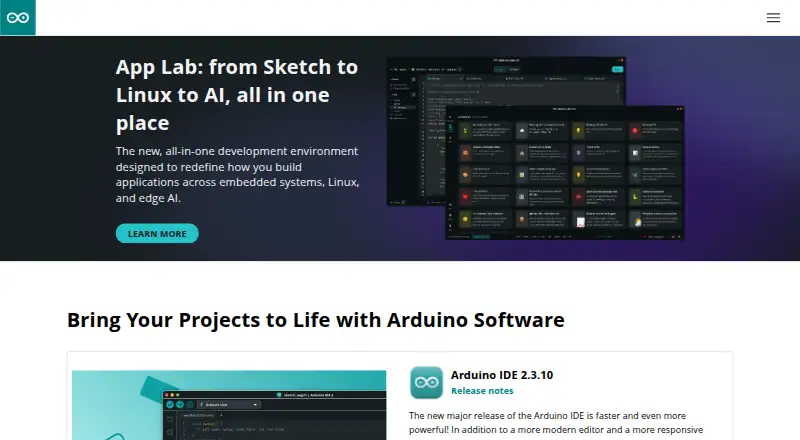
Arduino IDE is a free desktop environment for making projects with electronic devices that interact with the physical world. The software page lists Arduino IDE 2.3.10, with downloads for Windows, macOS, and Linux. Its editor includes autocompletion, code navigation, and a live debugger. Documentation also covers debugging, the Serial Monitor, and the Serial Plotter. Arduino CLI provides a text-based way to build, compile, and upload sketches and manage libraries and boards. Arduino documentation describes synchronizing sketches between IDE 2 and Arduino Cloud through a Remote Sketchbook. Arduino IDE 2.0 is open source, with its source code hosted on GitHub. Listed supported targets include Arduino AVR, megaAVR, SAMD, SAM, Mbed OS Nano, and Mbed OS Portenta. Nightly builds provide previews of incoming releases with updated features and bug fixes. Arduino links to documentation, a Help Center, and a support request channel. Its software page says downloads are provided as is and disclaims express and implied warranties.
Who it suits
It suits students, makers, and professional developers creating projects with electronic devices. The listed desktop options are Windows, macOS, and Linux.
What it does well
- Free and open source at version 2.0.
- Editor includes autocompletion and code navigation.
- Includes a live debugger.
- Arduino CLI manages boards and libraries.
- Downloads available for Windows, macOS, and Linux.
What to know first
- Downloads are provided as is.
- The software page disclaims express and implied warranties.
Plans
| Plan | Billed and limits | Price |
|---|---|---|
| Arduino IDE 2 | Desktop IDE · Windows, macOS and Linux · IDE 2.3.10 shown | Free |
As arduino.cc lists them, read 15 Oct 2026. The maker's own page has the final word.
Getting started
- Visit the Arduino software page.
- Download Arduino IDE 2 for Windows, macOS, or Linux.
- Install and open the IDE, then use its editor to create a project sketch.
- Use the IDE documentation for debugging, the Serial Monitor, or the Serial Plotter.
- Use Arduino CLI if you want a text-based route to build, compile, upload sketches, or manage boards and libraries.
Overview
Arduino IDE is a desktop development environment for making software that connects electronic devices with the physical world. It suits students, makers and professional developers working with supported Arduino boards. Its strongest case is a free, open-source editor with debugging and board-management tools; it is less suited to readers seeking a complete IoT device-management platform.
The IDE combines code editing with integrated debugging and flashing, while Arduino CLI offers a text-based route for compiling sketches and managing boards and libraries. That breadth makes it a practical starting point for Arduino projects, from users who prefer a graphical editor to those who want command-line workflows.
Key features
Editing and debugging
IDE 2 includes autocompletion, code navigation and a live debugger. Those features help developers move through code and investigate behavior without treating the editor as a bare text window. Integrated debugging and flashing are supported, with hardware probe support identified as both; the supported targets include Arduino AVR, megaAVR, SAMD, SAM, Mbed OS Nano and Mbed OS Portenta.
Arduino documentation also covers the Serial Monitor and Serial Plotter. These tools give developers ways to inspect serial output and plotted values while working on a project, alongside the debugger. Arduino offers nightly builds as previews of upcoming releases, with updated features and bug fixes; those previews may suit readers who want to follow changes, while the stated-as-is download terms are worth considering before choosing a preview or release.
CLI and cloud
Arduino CLI can build, compile and upload sketches, and manage boards and libraries in a text-based environment. This is useful for developers who prefer command-line work or want board and library tasks without relying only on the graphical interface.
Arduino documentation describes syncing sketches between IDE 2 and Arduino Cloud through a Remote Sketchbook. That provides a cloud connection for sketches, but the described integration is specifically synchronization rather than a claim that the IDE manages an entire IoT deployment.
Open source and security
Arduino IDE 2.0 is open source, with its source code hosted on GitHub. Arduino says its security practices span planning, design, building, testing, release, operation and monitoring, and include automated static application security testing and secure component analysis. These are relevant assurances, though they do not replace a reader's own review of the software's fit and download terms.
Pricing
Arduino IDE 2 — free. The free plan is open source and includes autocompletion, code navigation and a live debugger. It is the natural fit for individual learners, makers and developers who want the core editor and development tools without a subscription. No paid IDE tier is presented here, so there is no higher plan to weigh against a reduced free feature set.
The software page says downloads are provided as is and disclaims express and implied warranties. Readers should take that term into account before relying on the software in a project with requirements beyond personal development.
Platforms
Arduino IDE 2 has download options for Windows, macOS and Linux. Those desktop choices cover the major computer platforms named for the software; no mobile IDE option is included in its platform support.
Who it's for
Students and makers can use the free editor and its debugging and serial tools to build projects around supported boards. Professional developers may value the CLI, board and library management, and range of supported targets, particularly when a text-based workflow is preferable. The software is a less direct choice for teams whose main need is fleet administration, device dashboards or an end-to-end IoT management service.
Arduino links users to documentation, a Help Center and a support request channel. That gives new users several paths to guidance, while the IDE itself remains a development environment rather than a substitute for broader device-management software.
Pros and cons
- Pros: The free plan includes autocompletion, code navigation and a live debugger, making core development tools accessible without a paid tier.
- Pros: Integrated debugging and flashing, serial tools and CLI support serve both graphical and command-line workflows.
- Pros: Windows, macOS and Linux downloads and support for several Arduino and Mbed targets give developers multiple desktop and board options.
- Cons: The stated-as-is download terms disclaim warranties, so readers should account for that before depending on the software.
- Cons: Its focus is creating and developing projects, not managing an IoT device fleet; readers needing that broader function should consider a platform built for it.
Alternatives
For device and asset management rather than sketch development, compare ThingsBoard: its Free plan includes 5 devices, 5 assets and 1M data points per month, while its Prototype plan is $49 a month. Datacake is another IoT platform option; its Free plan covers 5 devices, and Hobby is €25 a month for up to 25 devices with 1 year of data retention.
Ubidots may suit non-commercial projects, with its free STEM plan allowing 3 devices for non-commercial use. For deployments framed around payload volume and retention, Losant Enterprise IoT Platform offers Launch at $250 a month with 100,000 payloads per month and 90 days of data retention.
Kaa IoT Platform offers a free plan for 5 devices, while its Kaa Cloud 5 plan is $9.99 a month. Mender is a more focused alternative for over-the-air updates: its free plan includes core Mender OTA update features and open source software, and Basic is $34 a month for up to 50 devices.
OpenRemote is an alternative IoT platform. Tuya IoT Development Platform is another option for readers comparing IoT development offerings.
For broader discovery, browse IoT Device Management Platforms, IoT Development Tools, Embedded Development IDEs or IDE Software.
Verdict
Arduino IDE is a strong fit for students, makers and developers building projects on its supported boards who want a free editor, integrated debugging and flashing, and a CLI option. The main reason to choose it is the combination of those tools across Windows, macOS and Linux without a paid plan. Look elsewhere if the priority is operating an IoT device fleet rather than developing its software, and weigh the as-is terms before downloading.
Verdict
Arduino IDE combines editing and debugging tools with CLI support for building sketches and managing boards and libraries. Review the stated as-is terms before downloading.
Questions
How much does Arduino IDE cost?
Arduino IDE 2 is free, listed as free.
Which desktop platforms are supported?
Arduino IDE 2 download options are listed for Windows, macOS, and Linux.
Is Arduino IDE open source?
Arduino IDE 2.0 is open source, and its source code is hosted on GitHub.
What does the editor include?
The editor has autocompletion, code navigation, and a live debugger. IDE documentation also covers debugging, the Serial Monitor, and the Serial Plotter.
Which targets are listed as supported?
The listed targets are Arduino AVR, megaAVR, SAMD, SAM, Mbed OS Nano, and Mbed OS Portenta.
Can IDE 2 connect with Arduino Cloud?
Arduino documentation describes synchronizing sketches between IDE 2 and Arduino Cloud through a Remote Sketchbook.
Facts from Arduino IDE's own pages
- API
- Arduino IoT Cloud API offers HTTP endpoints for devices, Things, properties and time series, with JavaScript, Python and Go clients. · docs.arduino.cc, 15 Oct 2026
- Board and library management
- Arduino CLI can build, compile, and upload sketches and manage libraries and boards in a text-based environment. · arduino.cc, 29 Sept 2026
- Board Manager
- Official documentation covers installing board packages through the IDE 2 Board Manager. · docs.arduino.cc, 15 Oct 2026
- CLI integration
- Arduino CLI exposes IDE capabilities such as building, compiling, uploading sketches, and managing boards and libraries from text interfaces. · arduino.cc, 15 Oct 2026
- Cloud integration
- Arduino documentation describes synchronizing sketches between IDE 2 and Arduino Cloud through a Remote Sketchbook. · docs.arduino.cc, 29 Sept 2026
- Cloud synchronization
- IDE 2 can synchronize sketches with Arduino Cloud Remote Sketchbook. · docs.arduino.cc, 15 Oct 2026
- Company founded
- LinkedIn lists Arduino as founded in 2005. · linkedin.com, 15 Oct 2026
- Company size
- LinkedIn lists Arduino at 51–200 employees. · linkedin.com, 15 Oct 2026
- Current version
- The software page lists Arduino IDE 2.3.10. · arduino.cc, 29 Sept 2026
- Debugger
- IDE 2 provides an integrated live debugger; debugging became stable in release 2.3. · blog.arduino.cc, 15 Oct 2026
- Debugging and serial tools
- The IDE documentation includes guides for debugging, the Serial Monitor, and the Serial Plotter. · docs.arduino.cc, 29 Sept 2026
- Documentation depth
- Official IDE documentation includes getting started, installation, uploads, autocomplete, formatting, debugging, certificates, libraries, security, serial tools and shared sketches. · docs.arduino.cc, 15 Oct 2026
- Editor
- IDE 2 includes a modern editor with code autocompletion and code navigation. · arduino.cc, 15 Oct 2026
- Editor features
- Arduino IDE 2 features a modern editor and responsive interface with autocompletion, code navigation, and a live debugger. · arduino.cc, 29 Sept 2026
- Extensibility
- Arduino IDE 2 debugging uses an open framework that lets core maintainers add debugger support for boards. · blog.arduino.cc, 15 Oct 2026
- Funding
- Arduino announced an additional $22 million in 2023, bringing Series B funding to $54 million. · blog.arduino.cc, 15 Oct 2026
- Headquarters
- Arduino's privacy policy gives its registered office as Via Andrea Appiani 25, Monza, Italy. · arduino.cc, 15 Oct 2026
- Install formats
- Downloads include Windows executable, macOS disk image, Linux AppImage, portable ZIP archives, Windows MSI and nightly builds. · support.arduino.cc, 15 Oct 2026
- Intended users
- Arduino describes its ecosystem as serving students, makers, and professional developers. · arduino.cc, 29 Sept 2026
- Library Manager
- IDE 2 has a Library Manager for installing Arduino software libraries. · docs.arduino.cc, 15 Oct 2026
- License
- Arduino IDE 2 source code and executable distributions are licensed under GNU AGPLv3; bundled third-party components use compatible GPLv2, MIT and BSD-3 licenses. · github.com, 15 Oct 2026
- Limit: chart refresh
- A Google Play reviewer reports that dashboard chart data may not update until another time range is selected. · play.google.com, 15 Oct 2026
- Limit: customer service and hardware complaints
- Trustpilot reviews include reports of slow support, delivery problems, faulty boards and dissatisfaction with product quality or returns. · trustpilot.com, 15 Oct 2026
- Limit: missing advanced editor features
- G2 reviewers ask for better autocomplete or AI help, fuller project and header-file navigation, and improved terminal-style debugging. · g2.com, 15 Oct 2026
Where Arduino IDE stands on Freedom251
- IDE Software#1 of 53
- Integrated Development Environment Ide Software#1 of 31
- Embedded Development IDEs#1 of 29
- Diy Makers#1 of 23
- IoT Device Management Platforms#1 of 18
- IoT Development Tools#1 of 16