Freedom251 › Restaurant Self-Ordering Kiosk Software

Applova Self Ordering Kiosk
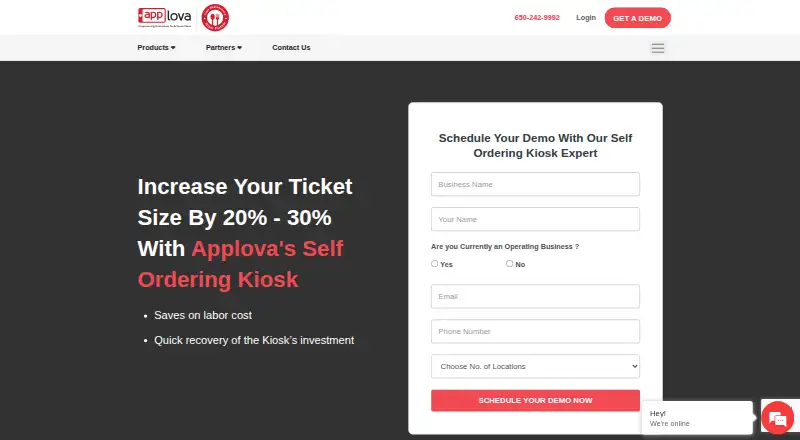
What Applova Self Ordering Kiosk is
Applova Self Ordering Kiosk is an Android touchscreen ordering system for restaurants. Customers can browse menus, customize items, place orders, and pay at the kiosk. The workflow supports item modifiers, combo meals, upsells, and multiple payment methods. Personalized recommendations are based on customers’ previous purchases, and kiosk orders can be sent directly to the kitchen; Applova says QSR kiosks support instant order routing.
Restaurants can choose countertop, wall-mounted, or floor-standing hardware. Hardware is quoted separately based on customer needs. Applova lists Clover, Square, RPOWER, GoDaddy, and other partners for its restaurant solutions, and says the kiosk integrates with Square POS for order and payment management. Card transactions go through third-party payment processors that Applova says are PCI DSS compliant; Applova says it does not store or handle cardholder data.
The product is aimed at restaurants, including QSRs, fast-casual businesses, and multi-location brands. Its page mentions a monthly software plan and invites prospective customers to request a demo, but does not state a specific kiosk price. Applova describes a dedicated support team, and its FAQ describes 24/7 customer support. Merchants must not use the Self Service Kiosk as an unmanned kiosk.
Who it suits
This kiosk suits restaurants that want customers to browse, customize, and pay for orders at an in-store touchscreen. Applova describes it for QSRs, fast-casual businesses, high-volume restaurants, and multi-location brands.
What it does well
- Supports modifiers, combo meals, upsells, and multiple payment methods.
- Can route kiosk orders directly to the kitchen.
- Recommendations use customers’ previous purchases.
- Countertop, wall-mounted, and floor-standing hardware options are available.
- Applova describes dedicated support and 24/7 customer support.
What to know first
- The specific kiosk price is provided on request.
- Hardware is quoted separately.
- Merchants may not use the kiosk as an unmanned kiosk.
Plans
| Plan | Billed and limits | Price |
|---|---|---|
| Applova Self Ordering Kiosk | Custom quote; hardware quoted separately; price depends on locations, products, and hardware | On request |
As applova.io lists them, read 8 Oct 2026. The maker's own page has the final word.
Getting started
- Visit the Applova Self Ordering Kiosk website.
- Request a demo and pricing for the monthly software plan.
- Discuss countertop, wall-mounted, or floor-standing hardware; hardware is quoted separately.
- Choose Android kiosk hardware for the in-store touchscreen.
- Review the listed POS options and discuss the restaurant workflow and integrations with Applova.
Applova Self Ordering Kiosk is an Android touchscreen system for restaurant customers to browse menus, customize orders, and pay in store. It suits QSRs, fast-casual restaurants, and multi-location brands that want to route kiosk orders to the kitchen. Its menu and payment workflow is broad, but the unmanned-kiosk restriction and separately quoted hardware make it a poor fit for unattended installations or buyers seeking a clear upfront price.
Overview
The kiosk combines menu browsing, item customization, payment, and kitchen routing in one restaurant-facing workflow. Recommendations based on previous purchases may help returning customers find relevant items, while modifiers, combos, and upsells give restaurants room to present more than a basic menu. The trade-off is that merchants must not use it as an unmanned kiosk, so it is not a fit for a self-service station intended to operate without staff oversight.
Applova supports countertop, wall-mounted, and floor-standing hardware, with hardware quoted separately according to customer needs. The software price is also custom, and prospective customers are directed to request a demo. That leaves a restaurant with two costs to scope rather than a published package price.
Key features
Ordering and kitchen workflow
Customers can customize items, select combo meals, and encounter upsells before paying at the touchscreen. Kiosk orders can go directly to the kitchen; Applova says its QSR kiosks support instant order routing. This makes the product relevant to restaurants that want to connect front-of-house self-ordering with kitchen operations, rather than use a kiosk only to collect orders.
Payments, integrations, and support
Applova says the kiosk integrates with Square POS for order and payment management, and its restaurant solutions list Clover, Square, RPOWER, GoDaddy, and other partners. Its privacy policy says third-party payment processors handle card transactions, are PCI DSS compliant, and Applova does not store or handle cardholder data. Applova also describes a dedicated support team, while its FAQ describes 24/7 customer support.
Pricing
Applova Self Ordering Kiosk
The kiosk is a paid product with custom pricing. Applova mentions a monthly software plan and invites prospective customers to request a demo; the price depends on locations, products, and hardware. Hardware is quoted separately, so buyers should account for both the software quote and the terminal configuration when evaluating cost. No free plan or trial is described for this kiosk.
Platforms
Applova Self Ordering Kiosk runs on Android. Its hardware options include countertop, wall-mounted, and floor-standing installations, but they do not change the stated platform requirement.
Who it's for
Restaurants of different sizes—including QSRs, fast-casual businesses, high-volume restaurants, and multi-location brands—are the intended audience. It is best suited to operators who value configurable menu workflows, kitchen routing, and an Android touchscreen, and who can obtain a custom quote for software and hardware. It is not appropriate for merchants who need an unmanned kiosk.
Pros and cons
Pros
- Useful restaurant ordering workflow: Modifiers, combos, upsells, recommendations, payment, and kitchen routing cover more than simple order capture.
- Flexible physical setup: Countertop, wall-mounted, and floor-standing hardware options accommodate different restaurant layouts.
- Card-data handling: Third-party processors handle card transactions, and Applova says it does not store or handle cardholder data.
Cons
- No unmanned use: The merchant terms rule out using the Self Service Kiosk as an unmanned kiosk, excluding unattended deployments.
- Cost requires a sales step: Software is custom-priced, hardware is separate, and prospective customers must request a demo rather than compare a published kiosk price.
- Android only: Restaurants seeking a kiosk platform beyond Android should consider another product.
Alternatives
For a broader comparison, see Restaurant Self-Ordering Kiosk Software.
- OnePe Kiosk System is worth considering if a free plan or trial matters: its free plan allows 10 menu items, while its Starter plan is ₹199 a month for 100 menu items and 100 orders per day. It supports Android, iOS, and web.
- SelfX is an option for restaurants comparing a freemium product with wider platform support. Its Smart Growth plan is ₹4,999 a month for up to 3 POS terminals plus KDS; it supports Android, API, iOS, web, and Windows.
- MyKiosk is a paid alternative for web and Windows.
- TRAY Self-Service Kiosk is a paid alternative for Android and Windows.
- Bite is a paid web-based option with pricing details provided through a demo.
- DineEngine Kiosk Ordering is a paid alternative for iOS and web.
- PalmNet Self-Service Kiosk offers custom-quoted kiosk terminal and system setups.
- Clover Kiosk has a published device and software fee: $3,499, paid once, with a $34.95/mo per device software fee.
Verdict
Choose Applova Self Ordering Kiosk if your restaurant wants an Android touchscreen that can handle menu customization, payment, and kitchen routing, and you are comfortable pricing software and hardware through a custom quote. Its restaurant-specific workflow is the central reason to consider it. Look elsewhere if your kiosk must operate unmanned, you need a non-Android platform, or you want published pricing before speaking with a vendor.
Verdict
Consider Applova Self Ordering Kiosk if your restaurant needs an Android touchscreen for menu browsing, order customization, payment, and kitchen routing. Look elsewhere if you require an unmanned kiosk; hardware is also quoted separately and the software price requires a request.
Questions
What does Applova Self Ordering Kiosk cost?
Pricing is on request. The kiosk page mentions a monthly software plan but does not state a specific price; hardware is quoted separately.
What platform does it run on?
The kiosk platform is Android.
Which restaurants is it designed for?
Applova describes it for restaurants of all sizes, including QSRs, fast-casual businesses, and multi-location brands.
Can it connect to a POS or kitchen workflow?
Applova says the kiosk integrates with Square POS for order and payment management. Orders can be sent directly to the kitchen, and Applova says QSR kiosks support instant order routing.
How are card payments handled?
Applova says third-party payment processors handle card transactions and are PCI DSS compliant. Applova says it does not store or handle cardholder data.
Can a restaurant operate it as an unmanned kiosk?
No. Applova’s terms say merchants must not use the Self Service Kiosk as an unmanned kiosk.
Facts from Applova Self Ordering Kiosk's own pages
- Company
- Applova says it was founded in 2016. · applova.io, 8 Oct 2026
- Company founded
- An Applova news page says the company was founded in 2016. · applova.io, 7 Oct 2026
- Hardware
- Applova offers countertop, wall-mounted, and floor-standing kiosk hardware, quoted separately based on customer needs. · applova.io, 8 Oct 2026
- Hardware options
- Applova says it supports countertop, wall-mounted, and floor-standing kiosk hardware, with hardware quoted separately. · applova.io, 7 Oct 2026
- Intended customers
- Applova describes its kiosk as designed for restaurants, including QSRs, fast-casual businesses, and multi-location brands. · applova.io, 7 Oct 2026
- Limit
- Applova’s terms say merchants must not use the Self Service Kiosk as an unmanned kiosk. · applova.io, 7 Oct 2026
- Order routing
- Applova says kiosk orders can route to the kitchen and POS integrations can sync menus and pricing in real time. · applova.io, 8 Oct 2026
- Payments
- Applova says its self-service kiosk integrates with Square POS for order and payment management. · applova.io, 8 Oct 2026
- POS integrations
- Applova names Clover and Square among its kiosk-related POS integrations. · applova.io, 8 Oct 2026
- Pricing
- Applova says pricing is customizable and depends on locations, selected products, and hardware requirements, with personalized quotes offered after a demo. · applova.io, 8 Oct 2026
- Product
- Applova offers a restaurant self-ordering kiosk for browsing menus, customizing items, placing orders, and paying at the kiosk. · applova.io, 8 Oct 2026
- Purpose
- Applova Self-Ordering Kiosk lets restaurant customers browse menus, customize orders, and pay at an in-store touchscreen. · applova.io, 7 Oct 2026
- Recommendations
- The kiosk uses customer purchase history for AI-powered product recommendations and upsells. · applova.io, 8 Oct 2026
- Restaurant workflows
- The kiosk supports modifiers, combo meals, upsells, and multiple payment methods. · applova.io, 8 Oct 2026
- Security
- Applova's privacy policy says third-party payment processors handle credit card transactions and are PCI DSS compliant, and that Applova does not store or handle cardholder data. · applova.io, 8 Oct 2026
- Support
- Applova says it provides guided onboarding, menu setup, training, launch support, and access to human customer support. · applova.io, 8 Oct 2026
- Target customers
- Applova describes the kiosk as designed for restaurants of all sizes, including quick-service and high-volume restaurants. · applova.io, 8 Oct 2026