Freedom251 › Remote Desktop Access Software
AnyViewer
by AnyViewer
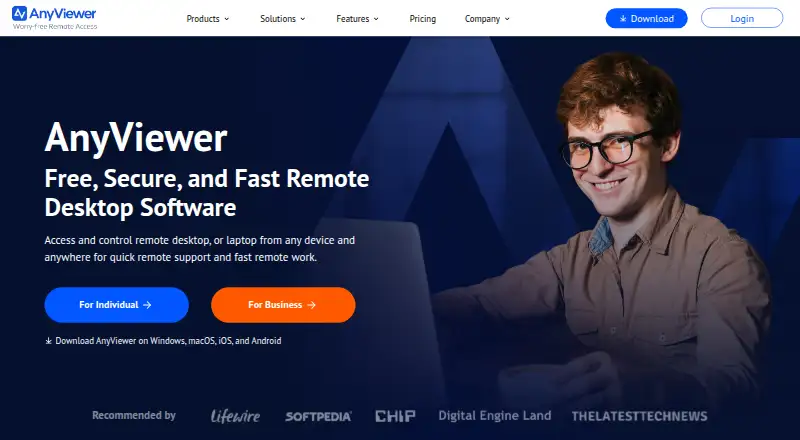
What AnyViewer is
AnyViewer supports access across Windows, macOS, iOS, and Android. It includes file transfer and session recording. Mobile apps are available, and the listed managed-device allowance is 30.
The Free plan is listed at 0.00 USD. It allows one user, three login devices, up to 10 devices connected at once, and two simultaneous sessions. Solo Yearly lists 1 account, five login devices, and 30 recently connected devices. Team Yearly lists 10 accounts and 30 login devices, with up to 200 recently connected devices and a maximum file size of 2 TB. Enterprise Yearly lists 30 accounts, 100 login devices, 500 recently connected devices, and unlimited deployed team devices.
AnyViewer is made by AnyViewer, founded in 2010. Its plans set different account and device allowances, from the Free plan’s individual use to Enterprise’s larger deployment capacity.
Who it suits
AnyViewer may suit individuals who need access across desktop and mobile platforms, with file transfer or session recording. Teams and enterprises can consider the yearly plans for their larger account and device allowances.
What it does well
- Supports Windows, macOS, iOS, and Android.
- Its access mode is listed as both.
- Includes file transfer and session recording.
- Free plan allows two simultaneous sessions.
- Enterprise includes unlimited deployed team devices.
What to know first
- Free plan is limited to one user.
- Free plan allows only three login devices.
- Free plan allows two simultaneous sessions.
Limits
The Free plan supports one user, three login devices, 10 currently connected devices, and two simultaneous sessions.
Plans
| Plan | Billed and limits | Price |
|---|---|---|
| Free | 1 user · 3 login devices · 10 currently connected devices · 2 simultaneous sessions | Free |
| Solo Yearly | 1 account · 5 login devices · 30 recently connected devices | On request |
| Team Yearly | 10 accounts · 30 login devices · 200 recently connected devices · 2 TB maximum file size | On request |
| Enterprise Yearly | 30 accounts · 100 login devices · 500 recently connected devices · Unlimited deployed team devices | On request |
As anyviewer.com lists them, read 20 Sept 2026. The maker's own page has the final word.
Getting started
- Visit the AnyViewer website.
- Use a supported platform: Windows, macOS, iOS, or Android.
- Choose the Free plan or a yearly plan.
- For the Free plan, work within its one-user, three-login-device, 10-connected-device, and two-session allowances.
Verdict
Choose AnyViewer if its cross-platform access, file transfer, or session recording fits your needs. The Free plan has defined user, login-device, connected-device, and session caps; larger account and device allowances are on the yearly plans.
Questions
Is there a free plan?
Yes. The Free plan is listed at 0.00 USD.
Which platforms does AnyViewer support?
Windows, macOS, iOS, and Android are supported.
What access mode does AnyViewer offer?
Its access mode is listed as both, and mobile apps are available.
What does the Free plan allow?
It includes one user, three login devices, 10 currently connected devices, and two simultaneous sessions.
What yearly plans are available?
The listed yearly plans are Solo Yearly, Team Yearly, and Enterprise Yearly.
Who makes AnyViewer?
It is made by AnyViewer, founded in 2010.
Facts from AnyViewer's own pages
- Access mode
- both · anyviewer.com, 20 Sept 2026
- File transfer
- Yes · anyviewer.com, 20 Sept 2026
- Founded
- 2010 · anyviewer.com, 28 Sept 2026
- Free plan
- Yes · anyviewer.com, 20 Sept 2026
- Managed devices
- 30 · anyviewer.com, 20 Sept 2026
- Mobile apps
- Yes · anyviewer.com, 20 Sept 2026
- Session recording
- Yes · anyviewer.com, 20 Sept 2026
- Supported platforms
- Windows,macOS,iOS,Android · anyviewer.com, 20 Sept 2026
Where AnyViewer stands on Freedom251
- Remote Desktop Access Software#2 of 28
- Unattended Remote Access Software#3 of 29
- Remote desktop software#39 of 135