Freedom251 › Screenshot Annotation Software
Annotely
by Annotely
What Annotely is
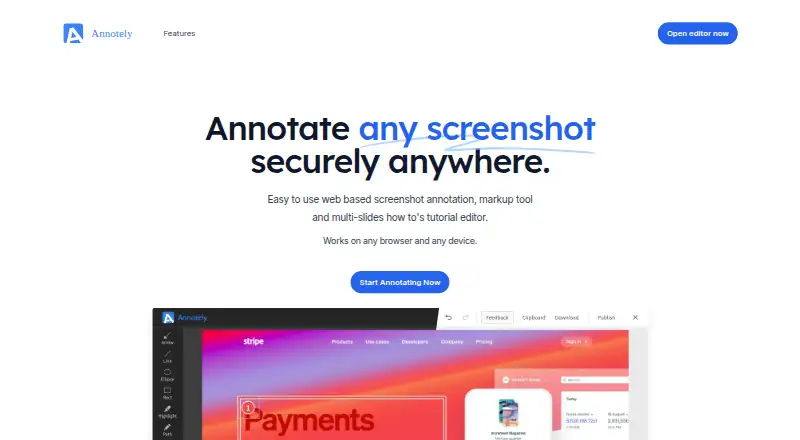
Annotely is a web-based editor for marking up screenshots and images and creating multi-slide how-to tutorials. It works in modern browsers on mobile and desktop devices, with no installation required, and needs JavaScript enabled. The editor can capture screenshots directly from a browser. Its tools include arrows, lines, ellipses, rectangles, highlights, freehand drawing, blur, spot marks, zoom, numbered pins, labels, and cropping. Redaction and team collaboration are supported. Annotely says information stays off its servers until a user takes an action such as requesting publication, and it presents the editor as suitable for restricted-access environments. The site offers free access without a credit card or sign-up. Its Free plan is listed as free. Annotely began as Szoter, released publicly in 2010, and was rewritten in modern JavaScript in 2019.
Who it suits
It suits people who need browser-based image annotation, screenshot capture, or multi-slide instructions on mobile or desktop. It may also fit restricted-access environments and teams needing collaboration.
What it does well
- Works on mobile and desktop devices
- No installation required
- Includes redaction tools
- Supports team collaboration
- Free plan needs no sign-up
What to know first
- Requires a modern browser with JavaScript
- Free plan is browser-based only
Plans
| Plan | Billed and limits | Price |
|---|---|---|
| Free | No credit card required · No sign-up required | Free |
As annotely.com lists them, read 11 Oct 2026. The maker's own page has the final word.
Verdict
Annotely combines screenshot capture, detailed markup tools, redaction, and tutorial creation in a browser editor. Its free access and no-sign-up start make it easy to try, while JavaScript and browser access are required.
Facts from Annotely's own pages
- Annotation tools
- The listed tools include arrow, line, ellipse, rectangle, highlight, freehand, blur, spot, zoom, numbered pin, labels, and crop. · annotely.com, 11 Oct 2026
- Browser access
- Annotely works on modern browsers and requires no installation. · annotely.com, 11 Oct 2026
- Devices
- The maker says it works on mobile and desktop devices. · annotely.com, 11 Oct 2026
- Editor requirement
- The editor requires a modern browser with JavaScript enabled. · annotely.com, 11 Oct 2026
- Founded
- 2010 · annotely.com, 19 Oct 2026
- Free access
- The site invites users to start for free without a credit card or sign-up. · annotely.com, 11 Oct 2026
- Free plan
- Yes · annotely.com, 24 Sept 2026
- History
- The maker says Annotely began as Szoter, first released publicly in 2010, and was rewritten in modern JavaScript in 2019. · annotely.com, 11 Oct 2026
- Image support
- The maker says users can annotate, draw on, and highlight images. · annotely.com, 11 Oct 2026
- Intended use
- The maker describes Annotely as suitable for work in restricted access environments. · annotely.com, 11 Oct 2026
- Privacy and data transmission
- The maker says no data is sent to its servers without a prior user action, such as asking to publish output. · annotely.com, 11 Oct 2026
- Purpose
- Annotely is a web based screenshot annotation and markup tool, and a multi-slide how-to tutorial editor. · annotely.com, 11 Oct 2026
- Redaction tools
- Yes · annotely.com, 24 Sept 2026
- Screenshot capture
- The maker says the current editor can capture screenshots directly from the browser. · annotely.com, 11 Oct 2026
- Support contact
- The contact page invites users to send questions, comments, or requests through a form. · annotely.com, 11 Oct 2026
- Team collaboration
- Yes · annotely.com, 24 Sept 2026
Where Annotely stands on Freedom251
- Screenshot Annotation Software#54 of 76