Freedom251 › Screenshot Annotation Software
Annotation.com Screenshot Annotator
Visit Annotation.com Screenshot Annotator Alternatives Pricing
What Annotation.com Screenshot Annotator is
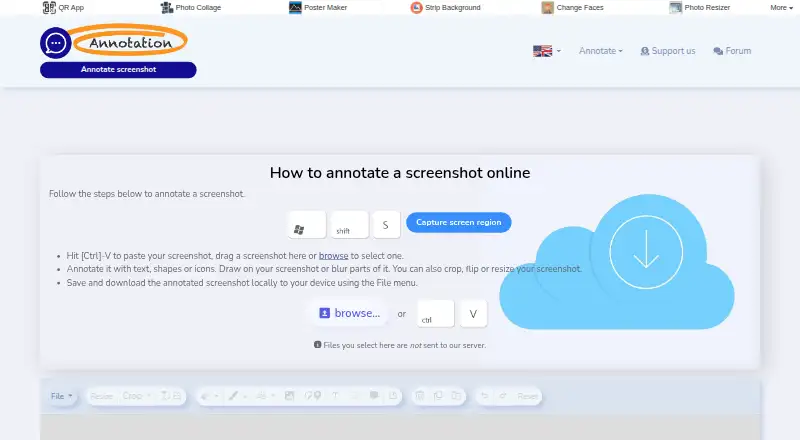
Annotation.com Screenshot Annotator is a free browser tool for marking up screenshots and saving the finished image locally. You can paste a screenshot, drag one onto the page, or choose a file. Annotation tools include free drawing, erasing, shapes, icons, markers, text, speech bubbles, and notes. You can also add images and tooltips, blur parts of a screenshot, and crop, flip, or resize the image. The page says selected files are not sent to its server and that processing occurs in your browser. Finished work can be saved and downloaded through the File menu. Keyboard shortcuts cover opening and saving files, undo and redo, moving and rotating objects, changing order, deleting items, and flipping them. The tool works online without installation or an account. Its listed Free plan costs nothing.
Who it suits
It suits anyone who needs quick screenshot annotations in a browser without installing software or creating an account. It is useful for adding notes, shapes, blur, and other visual markup before local download.
What it does well
- Free browser-based screenshot annotation
- No account or installation required
- Processing occurs in the browser
- Includes drawing, text, shapes, and blur
- Saves files locally
What to know first
- No redaction tools
- No measurement tools
- No team collaboration
- No browser extension
Plans
| Plan | Billed and limits | Price |
|---|---|---|
| Free | No account required · no installation required | Free |
As annotation.com lists them, read 10 Oct 2026. The maker's own page has the final word.
Verdict
Screenshot Annotator provides a broad set of basic markup and image-adjustment tools at no cost.
Facts from Annotation.com Screenshot Annotator's own pages
- Access
- The tool works online on devices and browsers, requires no installation and requires no account. · annotation.com, 10 Oct 2026
- Annotation tools
- It offers free drawing, erasing, shape drawing, icons, markers, text, speech bubbles and notes. · annotation.com, 10 Oct 2026
- Browser extension
- No · annotation.com, 24 Sept 2026
- Company background
- Zygomatic says it has published online since 2003 and focuses on website publishing and online game development and publishing. · annotation.com, 10 Oct 2026
- Cost
- The page describes the Screenshot Annotator as completely free to use. · annotation.com, 10 Oct 2026
- Free plan
- Yes · annotation.com, 24 Sept 2026
- Headquarters
- Zygomatic lists its address as Rigaweg 19, 3825 PP Amersfoort, The Netherlands. · annotation.com, 10 Oct 2026
- Image editing
- You can crop, flip and resize screenshots. · annotation.com, 10 Oct 2026
- Input methods
- You can paste a screenshot, drag one onto the page or select a file to open. · annotation.com, 10 Oct 2026
- Keyboard shortcuts
- The tool lists shortcuts for opening and saving files, undoing and redoing, moving and rotating objects, changing their order, deleting them and flipping them. · annotation.com, 10 Oct 2026
- Local processing
- The page says selected files are not sent to its server and annotations are processed in your browser. · annotation.com, 10 Oct 2026
- Maker
- The site credits Zygomatic and links to its company information. · annotation.com, 10 Oct 2026
- Measurement tools
- No · annotation.com, 24 Sept 2026
- More markup
- You can add images, tooltips and blur parts of a screenshot. · annotation.com, 10 Oct 2026
- Redaction tools
- No · annotation.com, 24 Sept 2026
- Saving
- Annotated screenshots can be saved and downloaded locally using the File menu. · annotation.com, 10 Oct 2026
- Team collaboration
- No · annotation.com, 24 Sept 2026
- What it does
- The tool lets you annotate screenshots online and save the result to your device. · annotation.com, 10 Oct 2026
Where Annotation.com Screenshot Annotator stands on Freedom251
- Screenshot Annotation Software#57 of 76