Freedom251 › Legal Docketing Software

AnchorLex
What AnchorLex is
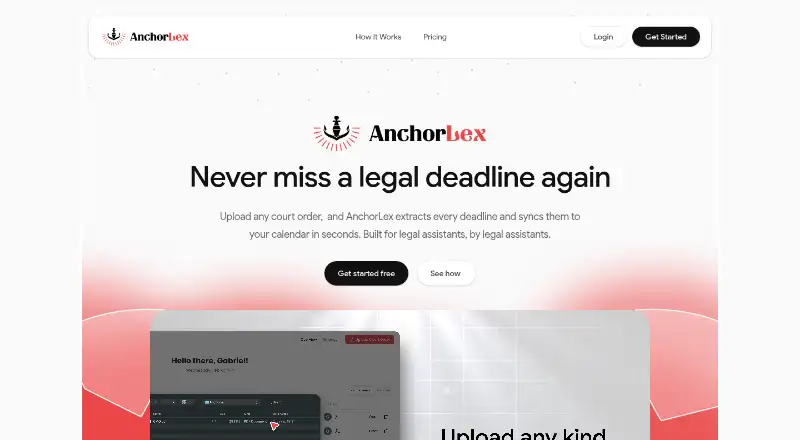
AnchorLex is a web-based docketing tool that turns court orders into calendar deadlines for legal teams. It accepts scanned PDFs and typed case management, trial, and scheduling orders. Its AI identifies anchor dates, works out related deadlines, and flags conflicts. Before dates reach a calendar, users can review and confirm them, compare documents side by side, or edit dates with one click. AnchorLex connects with Google Calendar, Microsoft Outlook, or both. The free plan allows five court orders per month and one sync calendar. Paid plans start with Boutique at $49 a month, with higher tiers offering more order capacity and calendars; calendars beyond plan allowances cost $10/month each. The terms limit intended use to orders from U.S. local, county, state, and federal courts, excluding specialty, administrative, and non-U.S. courts. They also say the tool’s training uses Florida court orders and may be less accurate with substantially different formats. AnchorLex says it is not intended for sensitive client information or legal work product.
Who it suits
It suits legal administrators, assistants, paralegals, associates, attorneys, and other legal support staff handling eligible U.S. court orders. Teams should consider the stated limits on court types, document formats, and sensitive information.
What it does well
- Accepts scanned PDFs and typed court orders.
- Flags conflicts and calculates relative deadlines.
- Review and edit dates before calendar sync.
- Connects to Google Calendar and Outlook.
- Free plan includes five orders monthly.
What to know first
- Intended only for specified U.S. courts.
- Florida training may be less accurate on different formats.
- Not intended for sensitive client information or legal work product.
- Free plan allows one sync calendar.
Limits
The free plan allows five court orders per month and one sync calendar. Boutique, the cheapest paid plan, allows 30 court orders per month and one sync calendar; additional calendars beyond plan allowances cost $10/month each.
Plans
| Plan | Billed and limits | Price |
|---|---|---|
| Free Plan | Free forever · 5 court orders per month · 1 sync calendar · no credit card required | Free |
| Big Law | Monthly; yearly option shown as “Yearly (-20%)” · 500 court orders per month · up to 50 synced calendars · personal account manager | $299 a month |
| Boutique | Monthly; yearly option shown as “Yearly (-20%)” · 30 court orders per month · 1 sync calendar · email support | $49 a month |
| Mid-Sized | Monthly; yearly option shown as “Yearly (-20%)” · 100 court orders per month · up to 10 synced calendars · priority support | $99 a month |
As anchorlex.com lists them, read 3 Oct 2026. The maker's own page has the final word.
Getting started
- Open AnchorLex on the web and choose the free plan or a paid plan.
- Upload a scanned PDF or typed court order, such as a case management, trial, or scheduling order.
- Review and confirm the extracted dates; compare documents or edit dates if needed.
- Connect Google Calendar, Microsoft Outlook, or both, within the plan’s calendar allowance.
- Request the free 15-minute demo to see a court order docketed into a calendar.
AnchorLex is a web-based docketing tool for legal teams that turn court-order PDFs into calendar deadlines. It is best suited to U.S. legal support staff working with supported court orders who want a review step before syncing. Its court coverage and handling limits make it a poor fit for sensitive work or jurisdictions outside its stated scope.
Overview
AnchorLex accepts scanned PDFs and typed case-management, trial, and scheduling orders. Its AI identifies anchor dates, calculates related deadlines, and flags conflicts. Users can check extracted dates before syncing, compare documents side by side, and edit dates with one click. Those controls support review, but the tool is not a substitute for checking deadlines against the order and applicable rules.
Its terms limit intended processing to orders from U.S. local, county, state, and federal courts; specialty and administrative courts, along with courts outside the United States, are excluded. The system is trained on Florida state and county court-order documents, so substantially different formats may be less accurate. AnchorLex also says it is not intended for sensitive client information or legal work product and does not guarantee the security of sensitive uploads. It employs typical encryption systems and relies on third parties including Cloudflare, Google Cloud, and Stripe.
Key features
Deadline extraction and review
The combination of anchor-date identification, relative-deadline calculation, and conflict flags can reduce the manual work of converting an order into calendar entries. The confirmation and editing steps matter most: they let staff correct a proposed date before it reaches a shared calendar. Teams still need a human review process, particularly when an order format differs from the Florida-based training scope.
Calendar sync
AnchorLex connects to Google Calendar, Microsoft Outlook, or both. One sync calendar is included on Free and Boutique, while Mid-Sized allows up to 10 and Big Law up to 50. Additional calendars cost $10/month each beyond plan allowances, a cost to account for when a firm has many teams or matters requiring separate calendars.
Pricing
AnchorLex has a free plan and paid monthly tiers. Each paid plan also shows a yearly option labeled “Yearly (-20%).”
| Plan | Price | Allowance and support |
|---|---|---|
| Free Plan | free, Free forever | 5 court orders per month, 1 sync calendar, no credit card required |
| Boutique | $49 a month | 30 court orders per month, 1 sync calendar, email support |
| Mid-Sized | $99 a month | 100 court orders per month, up to 10 synced calendars, priority support |
| Big Law | $299 a month | 500 court orders per month, up to 50 synced calendars, personal account manager |
Free is a practical way to assess the workflow at low volume, but its five-order cap and single calendar restrict ongoing use. Boutique is the entry paid tier for a small practice processing up to 30 orders monthly; it does not add calendar capacity over Free. Mid-Sized suits teams needing more volume and shared calendars, while Big Law raises both limits and adds an account manager. Extra calendars are $10/month each. A free 15-minute demo shows an order being docketed into Outlook or Google Calendar.
Platforms
AnchorLex is available on the web and integrates with Google Calendar and Microsoft Outlook. The maker lists email support; the demo is a short way to see the calendar workflow before choosing a plan.
Who it's for
The maker intends AnchorLex for legal administrators, legal assistants, paralegals, associates, attorneys, and other legal support staff. It is most relevant to teams processing supported U.S. court orders that can verify extracted dates and do not need to upload sensitive client information or legal work product. It is not a fit for teams handling excluded courts or relying on formats substantially unlike those in its Florida-based training scope.
Pros and cons
- Pros: Accepts scanned and typed orders, then proposes anchor dates and related deadlines, with conflict flags and pre-sync review to help staff catch mistakes.
- Pros: Supports both Google Calendar and Outlook, with plans scaling from one calendar to as many as 50.
- Cons: Intended court coverage excludes specialty, administrative, and non-U.S. courts.
- Cons: Florida-focused training may be less accurate on substantially different order formats, and the service disclaims suitability and guaranteed security for sensitive information and work product.
- Cons: Free and Boutique each allow only one sync calendar; extra calendars add $10/month apiece.
Alternatives
For a broader comparison, see Legal Docketing Software.
- CaseDesk may suit readers seeking a multi-platform option with a free beta and annual Pro plan.
- DocketBird is another web option, with a free library-access plan and a paid individual plan.
- LitDocket may be worth considering for teams looking for web, API, or self-hosted access and a free tier after a trial.
- AcclaimIP uses annual, prepaid, per-seat licensing with pricing supplied in a license quote.
- DockItFlo offers AI calendaring for firms with 2–50 attorneys, with pricing based on firm size.
- CourtDrive is a web and mobile option with a Basic firm license that includes up to three users.
- Deadlines.com may suit readers seeking nationwide coverage and per-case pricing.
- CalendarRules offers court-rule sets selected by jurisdiction and court, with new rule sets built free once subscribed.
Verdict
AnchorLex is worth considering for U.S. legal teams that process supported court orders and want proposed deadlines reviewed before they reach Outlook or Google Calendar. Its extraction and editing workflow is useful, and the free tier offers a low-volume starting point. Look elsewhere if your work involves excluded courts, substantially different order formats, or sensitive client material that should not be uploaded.
Verdict
AnchorLex combines deadline extraction with review controls and Google Calendar or Outlook sync. Its stated court and information-handling limits are important to weigh before use.
Questions
Is there a free plan?
Yes. The Free Plan costs nothing, is billed free forever, and includes five court orders per month and one sync calendar. No credit card is required.
What does AnchorLex cost?
Boutique costs $49 a month and includes 30 court orders per month and one sync calendar. Mid-Sized costs $99 a month, and Big Law costs $299 a month; yearly options are shown as “Yearly (-20%).”
Which calendars can I connect?
The homepage lists Google Calendar and Microsoft Outlook. You can connect either or both, subject to your plan’s calendar allowance.
Which court orders is it intended to process?
Its terms describe intended processing for orders from U.S. local, county, state, and federal courts. They exclude specialty, administrative, and non-U.S. courts.
How does it handle extracted dates?
Users can review and confirm dates before calendar sync, compare documents side by side, and edit dates with one click.
Can I see a demo?
Yes. The homepage offers a free 15-minute demo showing a court order docketed into Outlook or Google Calendar.
Facts from AnchorLex's own pages
- Calendar integrations
- The homepage lists Google Calendar and Microsoft Outlook integrations, with the option to connect either or both. · anchorlex.com, 3 Oct 2026
- Deadline extraction
- Its AI identifies anchor dates, calculates relative deadlines, and flags conflicts in uploaded orders. · anchorlex.com, 3 Oct 2026
- Document input
- The homepage says it accepts scanned PDFs and typed court orders, including case management, trial, and scheduling orders. · anchorlex.com, 3 Oct 2026
- Extra calendars
- The homepage says additional calendars beyond plan allowances can be added for $10/month each. · anchorlex.com, 3 Oct 2026
- Geographic scope
- The terms limit intended processing to court orders from United States local, county, state, and federal courts, and exclude specialty, administrative, and non-U.S. courts. · anchorlex.com, 3 Oct 2026
- Headquarters
- Miami, Florida, United States · anchorlex.com, 28 Sept 2026
- Purpose
- AnchorLex is a SaaS deadline docketing tool for Outlook and Google Calendar that processes court-order PDFs listing required deadlines. · anchorlex.com, 3 Oct 2026
- Review controls
- Users can review and confirm extracted dates before calendar sync, compare documents side by side, and edit dates with one click. · anchorlex.com, 3 Oct 2026
- Security
- The terms state that AnchorLex employs typical encryption systems and relies on third-party services including Cloudflare, Google Cloud, and Stripe. · anchorlex.com, 3 Oct 2026
- Sensitive information
- The terms say AnchorLex is not intended to handle sensitive client information or legal work product and does not guarantee the security of uploaded sensitive information. · anchorlex.com, 3 Oct 2026
- Support and demo
- The homepage lists email contact and offers a free 15-minute demo showing a court order docketed into Outlook or Google Calendar. · anchorlex.com, 3 Oct 2026
- Training scope
- The terms say deadline output is trained through state and county court order documents from Florida and may be less accurate for substantially different formats. · anchorlex.com, 3 Oct 2026
- Users
- The maker says the application is intended for legal administrators, legal assistants, paralegals, associates, attorneys, and other legal support staff. · anchorlex.com, 3 Oct 2026
Where AnchorLex stands on Freedom251
- Legal Docketing Software#3 of 26