Freedom251 › Legal Docketing Software
LitDocket
What LitDocket is
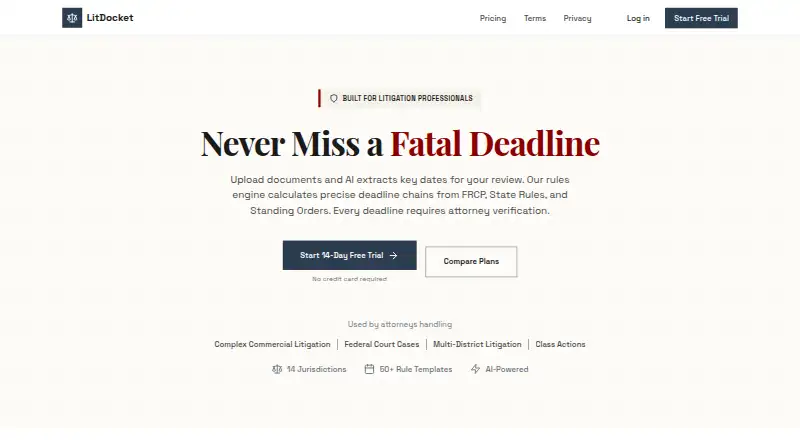
LitDocket is legal docketing software that combines rules-based deadline calculations with AI analysis of legal documents. It extracts key dates, parties, and deadlines from uploads, but an attorney must verify AI-generated deadlines before activation. A trigger event can produce more than 50 dependent deadlines, with changes cascading through the chain. Coverage includes federal rules and state courts across 14 jurisdictions, and each deadline includes rule citations and calculation methodology. A priority-coded calendar, configurable alerts, and a morning dashboard surface urgent and overdue items. Teams can share cases with role-based access and see who is viewing a case in real time. Cases, deadlines, and documents can be exported in CSV, JSON, or iCal. LitDocket is offered on the web, as an API, or self-hosted. The free tier becomes read-only after the 14-day trial if you do not subscribe. Solo costs $49 per month for up to 25 active cases; Team costs $149 per month for unlimited active cases and up to five members.
Who it suits
Solo suits solo practitioners needing docketing for up to 25 active cases. Team is intended for small firms needing case collaboration, with up to five members and unlimited active cases.
What it does well
- Deadline calculations include citations and methodology.
- Trigger events can generate more than 50 dependent deadlines.
- Cases, deadlines, and documents export in three formats.
- Team includes unlimited active cases and up to five members.
What to know first
- AI-generated deadlines require attorney verification before activation.
- Solo is limited to 25 active cases.
- The free tier becomes read-only after the 14-day trial if unsubscribed.
- Solo costs $49 per month; Team costs $149 per month.
Limits
The 14-day trial is followed by read-only access to data on the free tier if you do not subscribe. Solo costs $49.00 per month and is limited to 25 active cases; Team costs $149.00 per month and includes up to five team members.
Plans
| Plan | Billed and limits | Price |
|---|---|---|
| Limited free tier | Read-only access to data after the 14-day trial if not subscribed | Free |
| Team annual | $1,430/year (Save $358/year) · Unlimited active cases · AI document analysis · Deadline chain generation · Calendar view with drag & drop · Email and SMS notifications · 14 jurisdictions · Morning report · Advanced analytics and workload · Up to 5 team members · Case sharing and collaboration · Real-time presence · Priority support | $1,430 a year |
| Team | $149/month · Unlimited active cases · AI document analysis · Deadline chain generation · Calendar view with drag & drop · Email and SMS notifications · 14 jurisdictions · Morning report · Advanced analytics and workload · Up to 5 team members · Case sharing and collaboration · Real-time presence · Priority support | $149 a month |
| Solo annual | $470/year (Save $118/year) · Up to 25 active cases · AI document analysis · Deadline chain generation · Calendar view with drag & drop · Email notifications · 14 jurisdictions · Morning report · Basic analytics · Team collaboration · API access | $470 a year |
| Solo | $49/month · Up to 25 active cases · AI document analysis · Deadline chain generation · Calendar view with drag & drop · Email notifications · 14 jurisdictions · Morning report · Basic analytics · Team collaboration · API access | $49 a month |
| Enterprise | Custom; contact sales · Unlimited team members · SSO (SAML/OIDC) · API access · Custom integrations · Dedicated account manager · Custom rule templates · On-premise deployment option · SLA guarantee · Security audit reports | On request |
As litdocket.com lists them, read 15 Oct 2026. The maker's own page has the final word.
Getting started
- Visit https://www.litdocket.com/.
- Choose the web, API, or self-hosted option.
- Start the 14-day trial.
- Select Solo at $49.00 per month or Team at $149.00 per month if you want a paid plan.
- Upload legal documents for extraction, then have an attorney review and approve generated deadlines before activation.
Overview
LitDocket is AI-assisted legal docketing software that turns uploaded filings into reviewable dates, parties, and deadline relationships. It fits solo attorneys and small firms working in its covered jurisdictions, especially those that need deadlines to update together rather than be maintained one by one. The decisive question is whether a 25-case Solo ceiling is sufficient or whether collaboration and unlimited active cases justify the Team price.
Key features
Document analysis and deadline chains
Upload a legal document and LitDocket extracts key dates, parties, and deadlines for review and approval. A trigger event can create more than 50 dependent deadlines, and changing that trigger cascades through the chain. This is valuable when one filing date controls a long sequence of follow-ups, because related dates can move together instead of being edited manually. It is still an assisted workflow: an attorney must verify AI-generated deadlines before they become active.
Rules, citations, and accountability
The engine combines document analysis with rules-based calculations covering federal rules and state courts in 14 jurisdictions. Each deadline includes a rule citation and the calculation methodology, giving counsel a concrete basis for checking the result. An audit trail records the verification process. That combination is a strong fit for practices that want explainable calculations, but firms handling matters outside those jurisdictions will face a meaningful coverage boundary.
Calendars, alerts, and teamwork
A priority-coded calendar, configurable deadline alerts, and a morning dashboard for urgent and overdue items focus attention on work that needs action now. Team members can share cases with role-based access control and see who is viewing a case in real time. These collaboration tools matter on a small docketing team; they add little value to a solo user who does not need shared access.
Exports and safeguards
Cases, deadlines, and documents can be exported as CSV, JSON, or iCal, which supports moving data into other workflows or retaining an external copy. LitDocket says data is encrypted in transit and at rest and stored in SOC 2 compliant data centers. Its privacy policy says customer data is not used to train AI models or shared with third parties for their own purposes. The policy names Firebase for authentication, Railway and Vercel for hosting, and Anthropic for AI processing.
Pricing
LitDocket uses a freemium structure with a 14-day trial. After the trial, the free tier provides read-only access to data rather than ongoing docketing functions, so it works mainly as a way to inspect retained information without subscribing.
Solo — $49 a month
Solo includes up to 25 active cases, AI document analysis, deadline-chain generation, and API access. It is the sensible entry point for an individual practitioner whose live caseload stays below that cap. The limit is restrictive for a growing practice, and the plan does not include the Team tier's shared-case tools or priority support.
Team — $149 a month
Team raises capacity to unlimited active cases and up to five team members, with case sharing and priority support. Small firms that need concurrent access and a common docket will get the practical benefits of this upgrade. It costs three times Solo, and the five-member ceiling still leaves larger groups needing a different arrangement.
Enterprise — custom pricing
Enterprise supports unlimited team members, SSO, API access, custom integrations, and an on-premise deployment option. Custom billing makes it a conversation for organizations with security, identity, or integration requirements rather than a transparent self-serve plan. A dedicated account manager is included.
Platforms
LitDocket is offered through the web, an API, and self-hosted deployment. That range accommodates browser-based use, programmatic connections, and organizations that require an on-premise option, with the latter specifically associated with Enterprise capabilities.
Who it's for
Choose LitDocket if you are a solo practitioner or small firm that works in its 14 supported jurisdictions and wants extracted filing data tied to cascading, rules-based deadlines. It is particularly well suited to teams that value attorney approval, citations, audit history, and calendar visibility. Look elsewhere if your active docket exceeds 25 cases on a solo plan, your team is larger than five without an Enterprise budget, or your courts fall outside the supported coverage.
Pros and cons
- Pro: A single trigger can generate more than 50 linked deadlines, reducing repetitive recalculation when dates change.
- Pro: Rule citations, calculation methodology, attorney verification, and an audit trail make AI-assisted dates easier to review and defend.
- Pro: CSV, JSON, and iCal exports provide practical ways to reuse docket data.
- Pro: Team adds role-based sharing, real-time viewing visibility, unlimited active cases, and priority support.
- Con: Solo is capped at 25 active cases, which can force a costly upgrade as a practice grows.
- Con: The free tier becomes read-only after 14 days, so it is not a permanent working docket.
- Con: Coverage across 14 jurisdictions may not meet practices with broader or multi-jurisdictional court work.
- Con: Team supports only five members, while Enterprise pricing is custom.
Alternatives
For a broader device footprint and a 90-day free beta, CaseDesk is worth considering; its Pro plan is $290 per year and runs on Android, iOS, Linux, macOS, and Windows.
AnchorLex suits users seeking a web service with a free-forever plan limited to five court orders per month and one synced calendar, plus a $49 monthly Boutique tier.
Docket Alarm is the alternative when docket searching and document viewing are the priority: its free plan allows five actions per week, while some government-purchased documents are excluded.
DocketBird is a lower-cost choice for tracking a single case daily on its Individual plan at $9.99 per month, with a separate library-access option.
Filevine is aimed at organizations wanting custom matter management, documents, billing, and optional intake, deposition, signature, or AI packages.
AcclaimIP uses annual prepaid, per-seat licensing with automatic seat renewal, making it a fit for teams that prefer quoted licensing.
Docket Enterprise is an on-premise application for organizations prepared to contact BEC for pricing and a demo.
CalendarRules is the specialist option when selecting court-rule sets by jurisdiction and court is the central requirement.
See more legal docketing software for a wider shortlist.
Verdict
LitDocket is a strong choice for solo lawyers and small firms that want document extraction connected to explainable, cascading deadlines and a mandatory attorney check. Choose it for that reviewable workflow and its export and collaboration options; look elsewhere when the 25-case Solo limit, five-person Team limit, or 14-jurisdiction coverage does not match your practice.
Verdict
LitDocket links document analysis to deadline chains, calendars, and case exports, with an attorney review step before AI-generated deadlines become active. Check the active-case and member limits against your practice’s needs.
Questions
How much does LitDocket cost?
Solo costs $49.00 per month and Team costs $149.00 per month. Enterprise pricing is custom, and no price is given here.
Does LitDocket have a free plan or trial?
It offers a 14-day trial. If you do not subscribe, the free tier provides read-only access to data after the trial.
What platforms or deployment options are available?
LitDocket is available on the web, through an API, or as a self-hosted deployment.
How many active cases and team members are included?
Solo allows up to 25 active cases. Team includes unlimited active cases and up to five team members.
Must an attorney check AI-generated deadlines?
Yes. An attorney must verify AI-generated deadlines before activation, and LitDocket provides an audit trail.
How does LitDocket handle customer data and AI?
The maker says data is encrypted in transit and at rest and stored in SOC 2 compliant data centers. The privacy policy says customer data is not used to train AI models or shared with third parties for their own purposes.
Facts from LitDocket's own pages
- Account signup
- The signup page supports Google authentication or email registration and links acceptance to the Terms of Service and Privacy Policy. · litdocket.com, 15 Oct 2026
- AI and hosting providers
- The privacy policy names Firebase for authentication, Railway and Vercel for cloud hosting, and Anthropic for AI processing. · litdocket.com, 2 Oct 2026
- AI data use
- The privacy policy says customer data is not used to train AI models or shared with third parties for their own purposes. · litdocket.com, 15 Oct 2026
- API access
- API access is listed for Solo and Enterprise plans, although no public API reference or SDK is linked on the pages reviewed. · litdocket.com, 15 Oct 2026
- Audit trail
- The verification workflow provides a complete audit trail intended to support malpractice protection. · litdocket.com, 15 Oct 2026
- Calendar
- A priority-coded calendar supports drag-and-drop rescheduling and workload visibility. · litdocket.com, 15 Oct 2026
- Calendar and alerts
- The product offers a priority-coded calendar, configurable deadline alerts, and a morning dashboard for urgent and overdue items. · litdocket.com, 2 Oct 2026
- Collaboration
- Teams can share cases with role-based access control and see who is viewing a case in real time. · litdocket.com, 15 Oct 2026
- Data deletion
- Users may request deletion of their personal information by contacting LitDocket support. · litdocket.com, 15 Oct 2026
- Deadline chains
- A trigger such as a trial date or service of a complaint can generate more than 50 dependent deadlines, with changes cascading through the chain. · litdocket.com, 15 Oct 2026
- Deployment
- Enterprise includes an on-premise deployment option, while the public product pages otherwise describe a web service. · litdocket.com, 15 Oct 2026
- Document analysis
- Uploaded legal documents are analyzed to extract dates, parties and deadlines for attorney review. · litdocket.com, 15 Oct 2026
- Export
- Users can export cases, deadlines, and documents in CSV, JSON, or iCal formats. · litdocket.com, 2 Oct 2026
- Exports
- Cases, deadlines and documents can be exported in CSV, JSON and iCal formats. · litdocket.com, 15 Oct 2026
- Integrations
- Enterprise offers custom integrations; the maker does not list named prebuilt integrations on the reviewed pages. · litdocket.com, 15 Oct 2026
- Intended users
- The pricing page describes Solo as suited to solo practitioners and Team as intended for small firms needing collaboration. · litdocket.com, 2 Oct 2026
- Limit: AI review
- AI suggestions cannot be activated without attorney verification, so automated docketing is not fully hands-off. · litdocket.com, 15 Oct 2026
- Limit: Enterprise pricing
- Enterprise pricing is not published and requires contacting sales. · litdocket.com, 15 Oct 2026
- Limit: jurisdiction scope
- Deadline rules are limited to the 14 listed jurisdictions, with additional jurisdictions described only as being added regularly. · litdocket.com, 15 Oct 2026
- Limits
- Solo is limited to 25 active cases, while Team includes unlimited active cases and up to five team members. · litdocket.com, 2 Oct 2026
- Limit: Solo capacity
- The Solo plan allows no more than 25 active cases; archived or closed cases do not count toward the limit. · litdocket.com, 15 Oct 2026
- Limit: Team seats
- The Team plan is limited to five team members. · litdocket.com, 15 Oct 2026
- Morning report
- A dashboard prioritizes urgent deadlines, overdue items and recommended actions each morning. · litdocket.com, 15 Oct 2026
- Nonprofit discount
- Legal-aid organizations and nonprofits can request a 50% discount with proof of nonprofit status. · litdocket.com, 15 Oct 2026
Where LitDocket stands on Freedom251
- Legal Docketing Software#6 of 26