Freedom251 › AI Podcast Editing Software

Adobe Podcast
What Adobe Podcast is
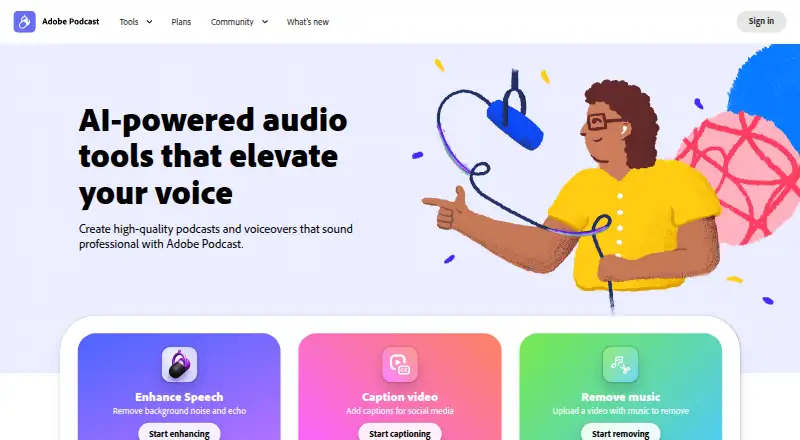
Adobe Podcast is a browser-based toolkit for recording, transcribing, editing, and sharing audio. Studio can record each participant's audio directly in a browser, save it continuously during a session, and keep tracks separate. It can also import multitrack audio and video, and users can edit by deleting text from the transcript. Enhance Speech filters noise and artifacts, adjusts pitch and volume, and normalizes audio. Studio runs only in Google Chrome on desktop, while Enhance Speech supports recent Chrome, Safari, Edge, and Firefox on desktop and mobile. The free plan supports audio-only enhancement, with a 30-minute and 500 MB maximum per file and one hour of use per day. Free Studio downloads are limited to two projects daily, each up to 30 minutes. Firefly Pro costs $19.99 a month and adds Premium access, video support in Enhance Speech, bulk enhancement uploads, unlimited Studio project downloads, and original speaker-separated recordings. A 30-day free trial of Premium features is offered. Adobe Podcast is available worldwide except in China, Cuba, Iran, North Korea, Syria, Crimea, and the Donetsk and Luhansk People’s Republics.
Who it suits
Adobe Podcast suits people who want browser-based tools to record and edit audio, including remote sessions with separate participant tracks. Users who need Studio must have desktop access to Google Chrome; those using other browsers can use Enhance Speech where supported.
What it does well
- Records participant audio in separate tracks
- Edits audio or video through transcript text
- Enhance Speech supports several desktop and mobile browsers
- 30-day Premium-feature trial is offered
What to know first
- Studio works only in Google Chrome on desktop
- Free enhancement is limited to audio
- Free use is limited to one hour per day
- Worldwide availability excludes listed regions
Limits
The free plan limits Enhance Speech to audio files up to 30 minutes and 500 MB each, with one hour of use per day. It also limits Studio downloads to two projects per day, each up to 30 minutes. The free plan does not include video support in Enhance Speech, bulk enhancement uploads, unlimited Studio downloads, or original speaker-separated recording downloads; these are listed with Firefly Pro.
Plans
| Plan | Billed and limits | Price |
|---|---|---|
| Free plan | Enhance Speech: audio only · 30 minutes and 500 MB max per file · 1 hour per day · Studio downloads: 2 projects per day, up to 30 minutes each | Free |
| Firefly Pro | Includes Adobe Podcast Premium · Enhance Speech: up to 4 hours per day, 1 GB per file · Studio downloads: unlimited · 4,000 generative credits/month | $19.99 a month |
As podcast.adobe.com lists them, read 29 Sept 2026. The maker's own page has the final word.
Getting started
- Visit the Adobe Podcast website.
- Open Studio in Google Chrome on desktop for recording, transcript editing, or multitrack work.
- Use Enhance Speech in a recent version of Chrome, Safari, Edge, or Firefox on desktop or mobile.
- Start with the free plan or use the 30-day Premium-feature trial.
- Choose Firefly Pro at $19.99 a month for Premium features and its listed additional capabilities.
Adobe Podcast is a browser-based recording and editing suite for spoken-word production. It suits interviewers and podcast teams that need isolated participant tracks, transcript-driven cuts, and automatic speech cleanup in one workflow. Its strongest fit is a Chrome-equipped desktop setup; users with tighter browser or quota constraints should compare alternatives.
Overview
Adobe Podcast combines remote capture, transcription, editing, and sharing rather than treating recording and post-production as separate jobs. Studio records every participant directly in their browser and continuously saves the session. Keeping speakers on separate tracks gives an editor control over individual voices, while imported multitrack audio and video retain that separation for material recorded elsewhere.
The browser split matters. Studio is supported only in Google Chrome on desktop, so a guest or producer using another browser cannot rely on the full recording workflow. Enhance Speech has broader support—recent Chrome, Safari, Edge, and Firefox on desktop and mobile—but that does not remove Studio's Chrome requirement. Adobe offers a 30-day trial of Premium features, and its Trust Center describes company-wide security, privacy, and availability commitments.
Key features
Remote recording and multitrack work
Each participant's audio is captured separately and saved continuously, reducing the practical risk of losing a long conversation and making voice-by-voice correction possible. Studio also records video, imports multitrack audio and video, and preserves separate tracks. Adobe documents a workflow for importing the separate participant files produced by Zoom, which is useful when a conversation was captured elsewhere.
Transcript-based editing
Automatic transcription turns Studio into a text-led editor: deleting words in the transcript removes the corresponding audio or video. That is a faster way to cut verbal detours or tighten an interview than locating every passage on a timeline, although the result still depends on an accurate transcript.
Speech enhancement
Enhance Speech filters noise and artifacts, adjusts pitch and volume, and normalizes audio. It is available beyond Studio's desktop-Chrome environment and therefore works for cleanup on mobile browsers as well as other desktop browsers. Free users get audio enhancement only; video enhancement requires Premium.
Exports and support
Audio exports use WAV, and Premium can download original speaker-separated recordings. Adobe sends users to its support chat or the Podcast team when help is needed.
Pricing
Free plan — $0.00 USD
The free tier is suitable for occasional audio projects, not an unrestricted production pipeline. Enhance Speech accepts audio files up to 30 minutes and 500 MB, with one hour of use per day. Studio downloads are limited to two projects per day, each up to 30 minutes, and video is not included in Enhance Speech. Those caps can force a regular show to split work across days or move to a paid tier.
Firefly Pro — $19.99 a month
Billed monthly, Firefly Pro provides Adobe Podcast Premium, video support in Enhance Speech, bulk enhancement uploads, unlimited Studio project downloads, and downloads of original speaker-separated recordings. It is the practical choice for frequent producers who need video cleanup or cannot work around daily download limits.
Platforms
Adobe Podcast is a web service. Studio requires Google Chrome on desktop; Enhance Speech supports recent Chrome, Safari, Edge, and Firefox on desktop and mobile. Availability excludes China, Cuba, Iran, North Korea, Syria, Crimea, and the so-called Donetsk and Luhansk People's Republics.
Who it's for
Choose Adobe Podcast for interviews, co-hosted shows, and other productions where separate speaker tracks, transcript cuts, and speech cleanup reduce editing work. It is particularly compelling when contributors can use desktop Chrome and the team benefits from continuous saving. Casual creators may find the free tier adequate for short audio jobs, but frequent recording, video enhancement, or larger download needs point to Firefly Pro. It is a weaker fit for teams that require Studio on Safari, Firefox, or mobile.
Pros and cons
Pros
- Separate, continuously saved participant recordings: gives editors independent voice control and reduces interruption risk during a session.
- Transcript-driven audio and video cuts: deleting text removes the matching media, which suits fast interview tightening.
- Integrated enhancement: noise and artifact filtering, level normalization, and pitch and volume adjustment cover common spoken-word cleanup.
- Premium production headroom: bulk enhancement, video support, unlimited project downloads, and original separated-track downloads address recurring workflows.
Cons
- Studio is desktop-Chrome only: browser choice can exclude contributors from the main recording workflow.
- Free quotas are restrictive: one hour of enhancement per day and two short Studio downloads per day limit regular publishing.
- Free enhancement is audio-only: video cleanup requires the paid tier.
Alternatives
For a broader device mix and a free plan with two guests and unlimited recording time, consider Cleanfeed; its free tier uses one local audio source and mono remote audio. Choose Riverside when you want multi-track recordings, up to 720p video, and 44.1 kHz audio on a wider range of platforms, accepting the free plan's two-hour allowance and watermark. Spreaker is the better choice for publishing one podcast with unlimited episodes on its Free Speech plan. Iris.fm suits browser-based guests with no credit card required on its free plan. Choose Async for AI-chat media workflows and lifetime free credits, or Zencastr for a free tier allowing six participants, unlimited recording and downloads, and up to 4K video. Alitu is a paid web alternative with a 30-day trial and monthly recording and transcription allowances. Boomcaster offers a free-forever tier and a $20-per-month Starter plan with five hours of studio-quality recording and livestreaming.
Browse more options in Podcast Recording Software, AI Podcast Editing Software, Audio Editing Software, and Video Podcast Software.
Verdict
Adobe Podcast is a strong choice for interview-focused creators who want remote, separate-track recording, transcript-based cuts, and speech enhancement in one browser service. Choose Firefly Pro when daily limits, video enhancement, or unlimited downloads obstruct production. Look elsewhere if Studio's desktop-Chrome requirement conflicts with your contributors' devices or if the free quotas cannot support your schedule.
Verdict
Adobe Podcast combines remote recording, transcript-based editing, and speech enhancement in the browser. Review Studio's Chrome requirement and the free-plan file, usage, and download limits before choosing a plan.
Questions
Is Adobe Podcast free?
Yes. It has a free plan. A 30-day free trial of Premium features is also offered.
How much does Firefly Pro cost?
Firefly Pro costs $19.99 a month, billed monthly.
What are the free plan’s limits?
Enhance Speech is audio only, with a 30-minute and 500 MB maximum per file and one hour of use per day. Studio downloads are limited to two projects daily, up to 30 minutes each.
Which browsers and platforms are supported?
Studio is supported only in Google Chrome on desktop. Enhance Speech supports recent Chrome, Safari, Edge, and Firefox on desktop and mobile.
Can Adobe Podcast record separate participant tracks?
Yes. Studio records each participant’s audio in their browser and keeps tracks separate. It continuously saves audio during the session.
Who makes Adobe Podcast?
The listed maker is Adobe Podcast, founded in 1982 and headquartered in San Jose, California, USA.
Facts from Adobe Podcast's own pages
- Availability
- Adobe Podcast is available worldwide except China, Cuba, Iran, North Korea, Syria, Crimea, and the so-called Donetsk and Luhansk People’s Republics. · helpx.adobe.com, 29 Sept 2026
- Browser support
- Studio is supported only in Google Chrome on desktop; Enhance Speech supports recent Chrome, Safari, Edge, and Firefox on desktop and mobile. · helpx.adobe.com, 29 Sept 2026
- Founded
- 1982 · podcast.adobe.com, 23 Sept 2026
- Free plan
- Yes · podcast.adobe.com, 19 Sept 2026
- Headquarters
- San Jose, California, USA · podcast.adobe.com, 23 Sept 2026
- Maker
- Adobe says it was founded in 1982 by John Warnock and Charles Geschke. · adobe.com, 29 Sept 2026
- Multitrack
- Studio can import multitrack audio and video while keeping tracks separate for editing. · helpx.adobe.com, 29 Sept 2026
- Purpose
- Adobe Podcast provides browser-based tools to record, transcribe, edit, and share audio. · helpx.adobe.com, 29 Sept 2026
- Remote recording
- Studio records each participant’s audio directly in their browser and continuously saves it during the session. · helpx.adobe.com, 29 Sept 2026
- Security and privacy
- Adobe’s Trust Center describes company-wide security, privacy, and availability commitments and links to its security and compliance resources. · adobe.com, 29 Sept 2026
- Speech enhancement
- Enhance Speech filters noise and artifacts, adjusts pitch and volume, and normalizes audio. · helpx.adobe.com, 29 Sept 2026
- Paid from
- 19.99 · podcast.adobe.com, 19 Sept 2026
- Support
- Adobe directs users who need help to its support page’s chat or to contact the Podcast team. · helpx.adobe.com, 29 Sept 2026
- Text editing
- Studio lets users edit audio or video by deleting text in its transcript. · helpx.adobe.com, 29 Sept 2026
- Trial
- Adobe’s feature page offers a 30-day free trial of the Premium features. · podcast.adobe.com, 29 Sept 2026
- Zoom workflow
- Adobe’s guide explains how to import separate participant audio files recorded in Zoom into Studio. · podcast.adobe.com, 29 Sept 2026
Where Adobe Podcast stands on Freedom251
- AI Podcast Editing Software#3 of 26
- Video Podcast Software#5 of 39
- Podcast Recording Software#3 of 22
- Virtual Recording Studio Software#3 of 18
- Audio Editing Software#32 of 131