To stop an AI agent from running up an API bill, put a stop condition in the agent application and set a provider spending limit as a separate backstop. Provider controls can alert, reject later API requests, or pause a service, but their scope and enforcement timing vary—and none of the controls documented here guarantees an exact ceiling for every in-flight agent task.
Why a provider limit is not a per-run budget
A provider-level limit governs usage within the scope that provider defines. An application-level budget can instead track the cost of a particular agent run and stop that run when it reaches its own threshold. That distinction matters when an agent can keep working across multiple requests or when a provider’s enforcement is delayed.
As an Amazon Associate I earn from qualifying purchases.
For safer operation, meter usage at the granularity that needs a ceiling—such as a single run—define what the application does when that ceiling is reached, and retain the provider limit as an additional safeguard. This is an engineering approach, not a guarantee supplied by the provider controls below.
Recommended Free Tools
What each provider’s control actually does
| Control | Scope and eligibility | Action and timing | Operational consequence |
|---|---|---|---|
| OpenAI API spend limit | Organization and project levels; both limits may apply. | Monthly alerts notify without stopping traffic. A hard limit can cause affected API requests to fail with HTTP 429. Enforcement is not instantaneous, and recorded spend can slightly exceed the configured amount. OpenAI’s spend limits documentation explains that usage may continue briefly while the limit state propagates. | Requests can fail and production traffic can be interrupted. Do not treat the configured amount as an exact final bill ceiling. |
| Google Cloud Spend Caps | One eligible service in one project. Availability depends on the service and current eligibility. | Notices are sent at 50%, 80%, and 100% of the target budget. Usage is paused when gross estimated costs exceed the budget; the pause remains until manually lifted or the next budget period. Google Cloud’s Spend Caps documentation describes the scope and enforcement. | The specified service can stop serving API traffic. A project cap is not necessarily a per-run or immediate stop for every task. |
| Anthropic Claude Enterprise member spend limits API | Member limits for Claude Enterprise organizations only; requires an appropriately scoped Admin API key. The documented API is not available to Claude Platform organizations. | Provides APIs to read and manage member spend limits and review limit-increase requests. The cited documentation does not establish a per-agent-run ceiling or specify enforcement timing. | Do not assume this Enterprise control is available to Claude Platform users or that it bounds every individual run. Check current eligibility in Anthropic’s member spend limits documentation. |
OpenAI API: alerts warn; hard limits can reject requests
OpenAI distinguishes monthly spend alerts from hard limits. An alert notifies you while traffic continues. A hard limit can cause affected API requests to return a 429 response, so reaching it may interrupt production activity. Organization and project limits can both apply, which makes the effective boundary dependent on the configuration at both levels.
#1 Best Overall

- AI CODING USAGE AT A GLANCE Dedicated WiFi desk display for Claude Code users showing your 5 hour session usage and weekly usage as clean color gauges.
- RUNS ON ITS OWN OVER WIFI No laptop app, no browser tab, and no background daemon needed. Once connected, codeMeter updates automatically from your own Claude account.
- FAST GUIDED SETUP Ships pre flashed and ready to configure. Plug in, join the setup WiFi, enter your home WiFi, paste your Claude Code token, and start tracking.
- COLOR LIMIT WARNINGS Easy visual cues shift from green to amber to red as you approach usage limits, with reset countdowns to help you plan your work.
- MULTIPLE VARIATION OPTIONS Choose from available finish and power options, including USB powered and battery equipped versions depending on the selected model.
OpenAI cautions that enforcement is not instantaneous: some extra usage may be processed while the limit state propagates, so recorded spend can slightly exceed the configured amount. Use the hard limit as a protective control, not as a mathematically exact cap for every request or run. These are API Platform controls, not a statement about ChatGPT Enterprise usage.
Google Cloud: service-and-project scope, with an agent-session caveat
Google Cloud’s documented Spend Cap is scoped to one eligible service in one project. It sends notices at 50%, 80%, and 100% of the target budget, then pauses usage when gross estimated usage costs exceed the budget. The pause lasts until someone manually lifts it or the next budget period begins. Because the trigger is based on estimated costs exceeding the budget, the notice at 100% is not itself the pause threshold.
Rank #2

- REAL-TIME HOME POWER MONITORING Track your home’s electricity usage in real time via IAMMETER-Cloud and mobile apps. Monitor grid import/export, power consumption, and energy trends clearly—no technical or smart home experience required.
- WORKS WITH SPLIT-PHASE, SINGLE & THREE-PHASE SYSTEMS Supports split-phase (120/240V) homes commonly used in North America, as well as single-phase and three-phase systems—ideal for most residential installations.
- SOLAR & GRID ENERGY INSIGHTS If you have solar panels, easily monitor solar generation, grid interaction, and self-consumption in one system. If you don’t have solar, WEM3050T still provides complete home power monitoring.
- EASY SETUP WITH WI-FI & MOBILE ACCESS Connects directly to your home Wi-Fi for fast setup. View your energy data anytime with free iOS and Android apps or the web portal—no additional gateway required.
- OPEN PLATFORM FOR ADVANCED USERS (OPTIONAL) For users who want deeper control, WEM3050T offers open APIs and integration with platforms like Home Assistant, Node-RED, and MQTT—powerful features when you need them, without complexity when you don’t.
Google’s Gemini API billing guide warns that long-running tasks—including batch-mode completions and agent sessions—may incur overages beyond a project spend cap. Do not rely on that project-level control to halt every in-flight task immediately or to enforce an exact per-run ceiling. See Google’s Gemini API billing guide for this qualification.
The Tool Desk
Outbyte PC Repair FREERepair Windows errors before they cause bigger problemsFix Now →Outbyte Driver Updater FREEScan for outdated or missing drivers - takes under a minuteDriver Scan →Google announced project-level Spend Caps in private preview on April 22, 2026, for selected services including Google AI Studio, Gemini Enterprise Agent Platform, Cloud Run, Cloud Run Functions, and Maps. Preview status and eligible services can change; consult the current Spend Caps documentation rather than assuming a service is eligible based on the announcement.
Rank #3
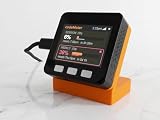
- AI CODING USAGE AT A GLANCE Dedicated WiFi desk display for Claude Usage (Pro, Max, Team, Enterprise Plans) users showing your 5 hour session usage and weekly usage as clean color gauges.
- RUNS ON ITS OWN OVER WIFI No laptop app, no browser tab, and no background daemon needed. Once connected, codeMeter updates automatically from your own Claude account.
- FAST GUIDED SETUP Ships pre flashed and ready to configure. Plug in, join the setup WiFi, enter your home WiFi, paste your Claude Code token, and start tracking.
- COLOR LIMIT WARNINGS Easy visual cues shift from green to amber to red as you approach usage limits, with reset countdowns to help you plan your work.
- MULTIPLE VARIATION OPTIONS Choose from available finish and power options, including USB powered and battery equipped versions depending on the selected model.
Anthropic: member controls are limited to Claude Enterprise
Anthropic documents an Admin API for reading and managing member spend limits and reviewing requests to increase those limits. Access requires an appropriately scoped Admin API key, and the documented feature is available to Claude Enterprise organizations only—not Claude Platform organizations. The documentation describes member-level controls; it does not establish that they function as a budget for one agent run.
Independent reader supportYour contribution helps us test, update, and keep practical guides available for everyone.Design a run-level ceiling in the agent itself
Provider limits protect a provider-defined scope. If the requirement is “this agent run must stop at this budget,” implement that condition in the application as well. A practical design is to track the usage or cost attributable to a run, compare it with a configured maximum, and stop scheduling further work once the threshold is reached. The provider documentation supports the need for this distinction; the application-level design is a recommendation, not a feature these sources claim to provide.
Rank #4

- Official IAMMETER Delta-Compatible Model: WEM3080TD is a professional three-phase energy meter designed by IAMMETER for seamless integration with Delta systems, supporting Delta communication protocols for stable and accurate data exchange.
- High-Precision Three-Phase Power Monitoring: Measures voltage, current, active power, energy, power factor, and frequency with high accuracy. Ideal for industrial, commercial, and residential three-phase monitoring applications.
- Real-Time Wi-Fi Data & IAMMETER Cloud: Connects via Wi-Fi for continuous real-time data upload. Works with IAMMETER Cloud for dashboards, energy reports, historical charts, alerts, and multi-site energy management.
- DIN-Rail Design for Easy Installation: Compact 4P DIN-rail form factor ensures fast installation inside electrical distribution boxes and industrial cabinets. Supports split-core CT options for easy deployment without rewiring.
- Open API & IoT Integration: Supports HTTP/HTTPS API, MQTT, Modbus/TCP, and third-party automation platforms such as Home Assistant and Node-RED. Ideal for OEM integrations and advanced energy management solutions.
- Choose the scope that needs protection, such as a run, user, or project, and meter at that same scope.
- Set an application stop condition that prevents the agent from starting further work once its budget is reached.
- Keep a provider-level limit as a separate backstop, with a threshold and scope that make sense for the service.
- Plan for interruption: a hard limit or service pause can break active production workflows, so decide how the application should handle failed requests or paused access.
This layered approach avoids treating an alert as a cap, while also avoiding the assumption that a provider-level cap is an instantaneous per-run stop.
What’s actually slowing this PC down?
Pick the symptom - the matching free tool is one click away.
Quick Recap
Best Value
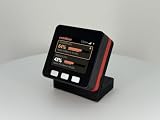
- AI CODING USAGE AT A GLANCE Dedicated WiFi desk display for Claude Code users showing your 5 hour session usage and weekly usage as clean color gauges.
- RUNS ON ITS OWN OVER WIFI No laptop app, no browser tab, and no background daemon needed. Once connected, codeMeter updates automatically from your own Claude account.
- FAST GUIDED SETUP Ships pre flashed and ready to configure. Plug in, join the setup WiFi, enter your home WiFi, paste your Claude Code token, and start tracking.
- COLOR LIMIT WARNINGS Easy visual cues shift from green to amber to red as you approach usage limits, with reset countdowns to help you plan your work.
- MULTIPLE VARIATION OPTIONS Choose from available finish and power options, including USB powered and battery equipped versions depending on the selected model.
Product prices and availability are accurate as of the date/time indicated and are subject to change. Any price and availability information displayed on Amazon at the time of purchase will apply.




