On an Acer Aspire 5 running Windows 10 or Windows 11, press Windows + Shift + S to choose and capture an area of the screen. For a full-screen or active-window capture, use the Print Screen shortcuts; where the image goes depends on the shortcut.
Choose the screenshot method that fits
| What you want to capture | Shortcut or method | What happens |
|---|---|---|
| A selected area, window, or the full screen | Windows + Shift + S | Opens the Snipping Tool overlay so you can select a capture. The snip is copied to the Snipping Tool window for editing, saving, or sharing. Microsoft Support: Snipping Tool |
| The whole screen copied for pasting | Print Screen (PrtSc or PrtScn) | Copies a full-screen image to the clipboard; paste it into another app with Ctrl + V. Microsoft Support: Print Screen shortcut |
| Only the active window copied for pasting | Alt + Print Screen | Copies the active window to the clipboard; paste it into another app with Ctrl + V. Microsoft Support: Print Screen shortcut |
| A full-screen capture saved as a file | Windows + PrtScn, if supported by the device | Microsoft directs users to File Explorer > Pictures > Screenshots to find saved captures. Microsoft Support: Open Snipping Tool and take a screenshot |
How do I capture a selected area?
- Press Windows + Shift + S. The screen dims and the Snipping Tool overlay appears.
- Choose a capture mode, then select the area or window you want. The Snipping Tool offers freeform, rectangular, window, and full-screen snips. Microsoft Support: Snipping Tool
- Open the resulting snip in the Snipping Tool window to edit, save, or share it. Microsoft Support says a captured snip is automatically copied there.
For a menu that disappears when you change focus, open Snipping Tool first and set a delay of 1–5 seconds. Then open the menu during the delay and capture it. Microsoft Support: Snipping Tool
As an Amazon Associate I earn from qualifying purchases.
Where does the screenshot go?
Windows + Shift + S, Print Screen, and Alt + Print Screen provide a capture through Snipping Tool or the clipboard rather than guaranteeing an automatically saved file. For clipboard captures, open the app where you want the image and press Ctrl + V. To save a snip, use the Snipping Tool window’s save option.
What’s actually slowing this PC down?
Pick the symptom - the matching free tool is one click away.
If Windows + PrtScn works on your device, check File Explorer > Pictures > Screenshots for the saved image. Windows shortcut behavior can vary with hardware and settings. Microsoft Support: Open Snipping Tool and take a screenshot
#1 Best Overall

- 【Unleash Powerful Performance】Elevate your experience with the Acer Aspire 5 Laptop featuring an Intel Core i5-13420H processor. Boasting an impressive 8 cores, a lightning-fast clock speed of up to 4.6GHz, and a massive 12MB cache, this laptop is a powerhouse for gamers and content creators alike.
- 【15.6" Touchscreen FHD IPS Display】 15.6" FHD IPS (1920x1080) Anti Glare Display with 85% screen-to-body ratio, 16:9 aspect ratio, and mirco-edge. Bring you an appealing and vibrant 15.6 display that delivers stunning color accuracy and detailed image quality. It also helps reduce the onset of eye blemishes from long hours at work, thanks to its eye-friendly screen that delivers great image quality and saves you from discomfort.
- 【8GB LPDDR5 RAM + 512GB PCIe SSD Storage】16GB high-bandwidth LPDDR5 RAM to smoothly run multiple applications and browser tabs all at once; 1TB PCIe M.2 Solid State Drive allows to fast bootup and speedy data transfer
- Enhanced Productivity - Heighten your efficiency with the integrated keypad, perfect for numerical and calculation-based tasks. Streamline data input and reduce reliance on external peripherals, guaranteeing a smoother workflow
- 【Windows 11 Pro】This latest version of Windows comes with a host of new features and enhancements, including a refreshed design, improved multitasking capabilities, and enhanced security features.
What if the Acer Aspire 5 has no Print Screen key?
Microsoft lists Fn + Windows + Space Bar as an alternative for devices without a Print Screen button. Microsoft Support: Open Snipping Tool and take a screenshot
Aspire 5 keyboard layouts and Fn-layer behavior vary, and Microsoft’s instructions do not establish one key arrangement for every model. Check the legends printed on your keyboard. If a Print Screen combination does not work, use Windows + Shift + S to capture through Snipping Tool.
Quick Recap
Best Value
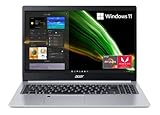
- Powerful Productivity: AMD Ryzen 3 3350U delivers desktop-class performance and amazing battery life in a slim notebook. With Precision Boost, get up to 3.5GHz for your high-demand applications.Voltage:240.0 volts.Control method:touch
- Maximized Visuals: See even more on the stunning 15.6" Full HD display with 82.58% screen-to-body, 16:9 aspect ratio and narrow bezels
- Backlit Keyboard and Fingerprint Reader: Biometric fingerprint reader and Windows Hello sign-in options help keep your Acer PC secure
- Internal Specifications: 4GB DDR4 on-board memory (1 slot available); 128GB NVMe solid-state drive storage (1 hard drive bay available) to store your files and media
- Acer's Purified.Voice technology, features enhanced digital signal processing to cancel out background noise, improve speech accuracy and far-field pickup, which not only makes calls clearer, but makes talking to Alexa easier than before.
Rank #4

- Exceptional Performance and Productivity: Experience smooth and responsive performance powered by an Intel Core 3 processor N355, 8GB memory and fast 128GB UFS storage. Enjoy extended productivity thanks to exceptional battery life and the support of Copilot, your everyday AI companion
- Copilot in Windows - your AI Assistant: Do more, quicker than ever across multiple applications with the centralized generative AI assistance of Copilot in Windows Accessible with a single touch of the Copilot Key
- Immersive Visuals: With its narrow bezel design the 15.6" 1080p Full HD IPS display is perfect for casual web browsing and watching movies or streaming, allowing for a sharp, detailed view of what's in front of you. And with Acer BluelightShield, lower the levels of blue light to lessen the negative effects of blue light exposure.
- User-Friendly by Design: Seamlessly connect or charge your devices through dual full-function USB Type-C ports, while Wi-Fi 6 and HDMI 2.1 connectivity enhance your digital experiences to be faster, smoother, and more enjoyable.
- Unlock More with AcerSense: Intuitive device control is available at the touch of a button with AcerSense, which manages battery life, storage, and apps for optimal performance. Acer TNR solution and Acer PurifiedVoice enhance your video calling experience to a new level of clarity and quality.
Rank #3
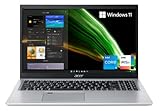
- Great performance meets long battery life with the Intel Core i5-1135G7 Processor - up to 4.20 GHz, 4 cores, 8 threads, 8 MB Intel Smart Cache
- 15.6" Full HD (1920 x 1080) IPS Widescreen LED-backlit Display | Intel Iris Xe Graphics
- 8GB DDR4 Memory (Expandable to 20GB) and 256GB NVMe SSD
- 1 - USB 3.2 (Type-C) Gen 1 port (up to 5 Gbps) | 2 - USB 3.2 Gen 1 Port (one with Power-off Charging) | 1 - USB 2.0 Port | 1 - HDMI Port with HDCP support
- Wi-Fi 6 | Acer Fingerprint Reader | Backlit Keyboard | Up to 8.5 Hours Battery Life | Comes with Windows 11
Rank #2

- 【Unleash Powerful Performance】Elevate your experience with the Acer Aspire 5 Laptop featuring an Intel Core i5-13420H processor. Boasting an impressive 8 cores, a lightning-fast clock speed of up to 4.6GHz, and a massive 12MB cache, this laptop is a powerhouse for gamers and content creators alike.
- 【15.6" Touchscreen FHD IPS Display】 15.6" FHD IPS (1920x1080) Anti Glare Display with 85% screen-to-body ratio, 16:9 aspect ratio, and mirco-edge. Bring you an appealing and vibrant 15.6 display that delivers stunning color accuracy and detailed image quality. It also helps reduce the onset of eye blemishes from long hours at work, thanks to its eye-friendly screen that delivers great image quality and saves you from discomfort.
- 【8GB LPDDR5 RAM + 512GB PCIe SSD Storage】16GB high-bandwidth LPDDR5 RAM to smoothly run multiple applications and browser tabs all at once; 1TB PCIe M.2 Solid State Drive allows to fast bootup and speedy data transfer
- Enhanced Productivity - Heighten your efficiency with the integrated keypad, perfect for numerical and calculation-based tasks. Streamline data input and reduce reliance on external peripherals, guaranteeing a smoother workflow
- 【Windows 11 Home】This latest version of Windows comes with a host of new features and enhancements, including a refreshed design, improved multitasking capabilities, and enhanced security features.
Product prices and availability are accurate as of the date/time indicated and are subject to change. Any price and availability information displayed on Amazon at the time of purchase will apply.
Quick wins for a faster PC:
Clear out junk files and repair common Windows errorsFree Scan →Fix the driver behind crashes, sound loss and screen glitchesFind Drivers →



