Recommended Free Tools
A service reported to handle 80,000 requests per second is not necessarily safe at that rate in production. The number is meaningful only alongside the workload that produced it, the latency users experienced, and what happened when demand exceeded the tested limit. The title’s 80,000 figure is a scenario, not a verified measurement of a particular service.
What does a requests-per-second figure actually tell you?
Throughput is the rate at which a system processes requests. By itself, it does not say whether those requests were small or complex, whether they succeeded, how long they took, or whether the service stayed within its latency objective.

As an Amazon Associate I earn from qualifying purchases.
A useful capacity claim ties the rate to a defined workload and an acceptable performance target. For example, a test report should make clear what request types and sizes it generated, how many requests completed successfully, and what latency users experienced at the reported rate. Google Cloud’s load-testing guidance treats throughput and latency as linked capacity-planning measures, not interchangeable headline numbers.
Windows Errors? Fix Them Before They Spread
Repair common Windows errors and clear accumulated junk for a smoother, more stable PC - no reinstall needed.Free scan · no reinstallOutdated Drivers Are Slowing You Down
One free scan finds every outdated or missing driver and matches the right update for your exact hardware.Free scan · exact hardware matchThat distinction answers the practical question, “How many requests per second can my service handle before it falls over?” There is no reliable universal number. The useful answer is the highest arrival rate at which the service meets its own performance and reliability objectives for a representative workload—and how it behaves when demand goes beyond that rate.
#1 Best Overall
Why can a service fail near its tested limit?
Queues grow when arrivals outpace completions
If requests arrive faster than the service can complete them, work accumulates in queues. Waiting requests consume memory and may already be too old to be useful by the time they reach a worker. Longer waits can also cause clients to time out and retry, adding more arrivals to the backlog.
Resource pressure can turn delay into errors
More concurrent work can exhaust a constrained resource such as worker capacity, memory, connections, or a downstream service’s available capacity. A rise in latency is therefore not just a slower experience: it can be an early sign that requests are competing for resources the system cannot supply fast enough.
Timeouts and retries can amplify load
A client that times out before the server finishes may send the same request again. If many clients do this together, the retries add traffic precisely when the service is least able to handle it. AWS recommends choosing appropriate connection and request timeouts and bounding retries; exponential backoff with jitter helps prevent synchronized retry bursts. See its guidance on limiting retries.
Rank #2
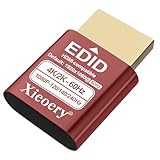
- 🚚Optimized 1080P 60Hz Default EDID for Maximum Compatibility Preconfigured with a stable 1920×1080@60Hz recommended output, ensuring reliable display initialization for servers, remote desktops, GPU clusters and mini PCs.
- 🚚High Refresh Rate Support Up to 240Hz for Smooth Performance Built for high-frame-rate applications, supporting 119Hz, 120Hz, 144Hz and 240Hz across various resolutions. Ideal for game streaming, virtualization, multi-monitor testing and real-time visualization setups
- 🚚4K & 2K Resolution Emulation for Advanced GPU Workloads Compatible with 3840×2160, 2560×1660 and 2560×1440 modes at 59/60Hz. Enables UHD and QHD rendering in headless environments without a physical monitor.
- 🚚Prevents Headless Display Issues on Workstations and Servers Eliminates low-resolution fallback, black screens, GPU downclocking and scaling errors during remote access. Ensures proper graphics acceleration for cloud computing and industrial systems.
- 🚚Wide EDID Library for Maximum Hardware Compatibility Supports dozens of display modes—from 4K all the way to classic 800×600. Works with Windows, Linux, macOS, VMware, Proxmox, NUCs, mini PCs and industrial controllers.
Timeouts that are too short can be counterproductive if they trigger retries while the original operation is still consuming resources. AWS also describes circuit breakers as a way to stop repeatedly sending requests to a dependency that is failing or too slow, giving it an opportunity to recover.
One failed instance can shift pressure onto the rest
If an instance crashes or is removed from service, its work may be routed to the instances that remain. Those instances can then become overloaded too. Google Cloud warns that this kind of capacity loss can contribute to cascading failure: the system’s usable capacity falls, while the load on its surviving parts rises.
How should you test the service’s capacity?
A capacity test should find not only a peak rate, but also the conditions under which the service still behaves acceptably and the way it fails beyond that envelope. Google Cloud distinguishes capacity planning from overload testing; its load-testing guidance describes testing as a way to understand trade-offs, while overload guidance addresses behavior when demand exceeds available capacity.
Rank #3

- Smart HDMI Display Emulation – Simulates a real HDMI monitor by providing Hot Plug Detect and EDID information, ensuring stable GPU and remote desktop operation even without a physical display. Perfect for headless setups and remote servers.
- Wide Resolution Compatibility – Default resolution 1920×1080@60Hz RGB. Supports 800×600@60Hz up to 1920×1080@144Hz with adaptive refresh rates. Ideal for gaming, streaming, or testing environments.
- VRR & Multi-Channel Audio Support – Compatible with Variable Refresh Rate (30–144Hz) for smoother visuals, plus 8-channel digital audio including DTS & Dolby formats. Note: HDR and HDCP are not supported.
- Bi-Directional Plug Design – Features automatic Sink and Source detection, supporting both forward and reverse connections. You can connect the EDID emulator either to your PC or display side — making installation easier and more flexible.
- Plug & Play, No Power Needed – Works without an external power supply. Supports true headless operation — even if the monitor is off, your system stays active. Compact, lightweight, and perfect for any HDMI-enabled device.
- Define the objective. State the latency and error objectives the service must meet, and which request outcomes count as successful. Without that, a high request rate may simply mean the system accepted work it could not complete usefully.
- Build a representative workload. Include the request types, sizes, and complexity expected in production. A test dominated by cheap requests does not establish capacity for a mix containing more expensive operations. Google Cloud’s load-testing guidance emphasizes workload characteristics as part of capacity analysis.
- Increase offered load in controlled stages. Measure completed throughput, latency, and errors at each stage. Compare the offered arrival rate with the rate of useful completed work; a rising number of incoming requests is not evidence that the system is keeping up.
- Continue into overload deliberately. Observe whether the service rejects excess work, lets queues grow, degrades selected functions, or fails. Track resource use, queue depth and age, dependency timeouts, and retry traffic so the first signs of overload are visible.
- Test reduced capacity and recovery. Remove an instance or otherwise reduce available capacity under load, then observe whether the remaining service stays within its objectives. Check whether queues drain after the surge and whether retries or backlogs prolong the incident.
Google Cloud’s overload guidance describes load shedding—rejecting some requests to preserve acceptable performance for others—as one possible response to excess demand. The right overload behavior depends on which work is valuable and whether it can still be completed in time.
Quick wins for a faster PC:
Repair Windows errors before they cause bigger problemsFix Now →Scan for outdated or missing drivers - takes under a minuteDriver Scan →Clear out junk files and repair common Windows errorsFree Scan →What should happen when real demand exceeds capacity?
Reject or shed work before it harms everything
Rate limits and load shedding can keep excess requests from consuming resources needed for work the service can still complete. Where requests have different importance, prioritization can protect critical operations while lower-priority work is delayed or rejected. The policy should be intentional: indiscriminate rejection can discard important work, while accepting every request can make the whole service unusable.
Keep queues bounded and work worth doing
Buffering can be appropriate when work is asynchronous and callers do not need an immediate result. But a queue should have limits, and operators should monitor both its depth and the age of its oldest work. A long backlog may contain requests whose callers have already given up or whose results are no longer useful. AWS discusses buffering as an excessive-load mitigation in its queueing guidance.
Rank #4

- Type: PSU Test Starter, 24 pin female ATX plug
- 24 pin connectors is compatible with ATX power jumper
- Feature: Be available to power up PSU without motherboard
- Ideal for troubleshooting and testing power supplies, the 24-Pin ATX Power Supply Jumper Bridge Tool. Simplify your testing process with this convenient connector
- Mainly used for assembling/testing PC water cooling systems, BTC mining machines, testing lights, fans, hard drives or the power supply itself, etc
If a request cannot succeed usefully within its time budget, failing fast can be safer than leaving it in a queue indefinitely. That prevents stale work from consuming capacity needed for current requests.
Protect dependencies and make retries bounded
Set timeouts that reflect the operation and its dependency path, and cap how many times a request can be retried. Backoff with jitter spreads retries over time instead of allowing clients to retry in lockstep. Circuit breakers can stop calls to an unhealthy dependency until it is ready to receive them again. AWS lists these alongside rate limiting, load shedding, work prioritization, queue management, and autoscaling as excessive-load mitigations in its reliability guidance.
Use autoscaling as one control, not the whole plan
Autoscaling can add capacity as demand changes, but it does not by itself define what happens while capacity is unavailable or demand rises faster than new instances can become useful. Overload policies still matter: the service needs a way to preserve useful work, protect dependencies, and recover without letting queues or retries extend the surge.
Best Value

- The ATX power switch uses high-quality braided mesh to wrap the wire, far exceeding ordinary plastic wires. It effectively resists pulling, wear and tear, and is resistant to bending, ensuring long-lasting durability.
- The 20/24-pin ATX/EPS power switch cable enables you to easily turn the ATX power on and off.
- It is equipped with a built-in red LED indicator light, which lights up when the power is activated and goes off when it is turned off, allowing for intuitive verification of the operating status. This design avoids misjudgment of power supply faults caused during the testing process.
- When there is no motherboard on the PC reset switch, use it to start the power supply. It can be used to test whether the power output is normal, whether the fan is running, or to power the graphics card, hard drive and other hardware separately for testing. It is a practical tool for computer repair and DIY computer assembly.
- The 24-pin female connector is precisely adapted to the standard 24-pin ATX power interface design, which can perfectly match the mainstream ATX power supplies on the market. It can be used simply by plugging it into the power interface without the need for wire cutting, soldering or other modification operations, thus avoiding damage to the power interface or internal circuits.
What does deliberate load shedding look like?
A historical example from Google SRE illustrates why protecting the kind of work matters. In an account published in 2017, a client release caused a synchronized surge in uploads. The service shed nearly half of background upload traffic during that event, while remaining clients backed off and retried later. That figure describes this incident only; it is not a general target or expected shedding rate. The account is discussed in Google SRE’s Handling Overload chapter.
The broader lesson is to decide in advance which work can be delayed or dropped, how clients should react, and what capacity must remain available for higher-priority work. The useful policy depends on the service’s own request semantics.
What makes a capacity claim trustworthy?
A defensible statement of capacity names the workload tested, the rate of successful work, the latency and error objectives met, and the behavior observed above the supported arrival rate. It also describes the service’s response to lost capacity and the controls that keep dependencies, queues, and retries from extending an overload event.
What’s actually slowing this PC down?
Pick the symptom - the matching free tool is one click away.
Without those conditions, “80,000 requests a second” is a peak-shaped number, not a production guarantee. The engineering question is whether the system can keep doing useful work at that rate—and fail in a controlled, recoverable way when demand goes higher.
Quick Recap
Product prices and availability are accurate as of the date/time indicated and are subject to change. Any price and availability information displayed on Amazon at the time of purchase will apply.




