A standard Xfinity X1 DVR can record up to six programs at once; the Pace XG1 v1 is an exception, rated for up to five. How many hours you can keep depends on your TV tier and DVR setup. Those are separate limits: recording slots determine how many overlapping shows can be captured, while storage determines how much recorded programming fits.
How many shows can Xfinity record at once?
Xfinity says a standard X1 DVR can record up to six programs simultaneously. Its Pace XG1 v1 is listed for up to five. Certain services—including Xfinity On Campus and the legacy Choice TV Select tier—allow two simultaneous recordings without an X1 DVR and include 20 hours of DVR storage. These configurations are not interchangeable; check the equipment and service attached to your account. Xfinity’s X1 DVR overview lists the applicable figures.

As an Amazon Associate I earn from qualifying purchases.
Simultaneous capacity is not the same as storage. A DVR with six recording slots can capture six overlapping programs, but the number of hours it can retain is a separate plan and equipment question.
Recommended Free Tools
How much DVR storage do you get?
Xfinity’s current support overview gives different storage figures for different tiers and setups. It lists approximately 150 hours for described legacy TV tiers with an X1 DVR, with Premium DVR raising that total to 300 hours. It also lists 150 hours for TV Core and 300 hours for other tiers. Because plan names and availability can change, confirm the amount shown for your own service rather than assuming every X1 household gets the same capacity. Xfinity’s overview is the source for these plan figures.
#1 Best Overall

- Brand new unopened in plastic bag Xfinity XR15 Remote with voice Control
- For Xi6, Xi5, XG2 and X1 equipment
- Voice control
- Batteries included
- Easy access to accessibility features like Closed Captioning, video description and voice guidance
For homes with more than one X1 DVR, Xfinity’s whole-home scheduling information describes one terabyte of storage with two X1 DVRs and 1.5 terabytes with three. Those figures apply to the multiple-DVR configurations described by Xfinity, not as a standard capacity for a single-DVR household. See Xfinity’s whole-home scheduling FAQs.
What happens when the DVR is full?
Xfinity says newer recordings replace older ones as space is needed, unless a recording is marked For 1 Year. If all recordings occupying the space are marked For 1 Year and storage is full, you must delete a recording to make room. The retention setting therefore affects whether the DVR can automatically free space.
Rank #2
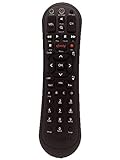
- Small and Easy to Handle
- Battery Level Indicator
- Aim Anywhere Feature
- Ability to Control your Set-Top Box or DTA even if they are Stored in a Closet or Another Room
Why might a scheduled recording fail?
A conflict can occur when more programs overlap than the DVR can record simultaneously. Xfinity’s stated priority order favors one-time recordings over series recordings; within either category, a more recently scheduled recording outranks an older one. You can review scheduled programs and adjust series priority, but do not assume every conflict will be handled identically across equipment. Xfinity explains priority management in its recording-priority guide.
When a conflict appears, check which programs overlap and whether a series recording can be given lower priority or rescheduled. The available recording slots are the constraint; stored hours do not resolve a simultaneous-recording conflict.
How Cloud DVR recording and playback differ
Cloud DVR has separate availability and playback rules from an X1 DVR in the home. Xfinity says Cloud DVR is available only to a limited number of customers in select Comcast areas. Its FAQ states that up to five devices can stream at the same time, counting live TV, DVR streams, and active downloads. In-progress recordings cannot be streamed outside the home network. These are playback limits, not a count of shows that can be recorded at once. Details are in Xfinity’s Cloud DVR recording and playback FAQs.
Downloads are a different limit
Xfinity’s download instructions say only completed recordings can be downloaded, and a downloaded recording is checked out to one device until it is returned. The page lists downloads to up to five mobile devices for DVR recordings, with up to two on select TV packages, and up to 50 downloads per device. These download allowances are distinct from the five-device simultaneous streaming limit. See Xfinity’s download instructions for the conditions.
Rank #4

- ✅【Compatible Models】for XFinity/Comcast Activated Cable TV X1, XG1, Xi3 Cable Boxes/DVR Receivers
- ✅【High Performance】Engineered with next-gen smart chip, this remote delivers instant button response and reliable 8m/26ft range coverage.
- ✅【Durable Construction】Manufactured from premium materials to guarantee long-lasting performance and withstand daily usage.
- ✅【Quality Assurance & Support】Package Contains: 1x Remote Control (2xAAA batteries are not included). Enjoy peace of mind with our comprehensive after-sales service. Contact us via email for any assistance, we'll get back to you within 12 hours on weekdays.
What can you record?
Xfinity says its DVR can record music channels and can capture Dolby Digital 5.1 audio when that audio is broadcast. Xfinity On Demand programming cannot be recorded by the DVR: watching an On Demand title is different from scheduling a recording of a program airing on a channel. See Xfinity’s X1 DVR overview.
Free tools Windows power users keep installed
One-click scans. No signup required.
Can you still record by channel and time?
As of August 2026, Xfinity Support says channel-based recordings between designated start and end times are no longer available. Program-based recordings for a single episode or a series remain available, according to Xfinity’s X1 recording guide. This is a dated feature change; check the support page if you are setting up a recording later.
Quick Recap
Best Value

- Voice search capability for hands-free channel changes, content navigation, and DVR control
- Infrared connectivity with up to 10-meter range for reliable performance
- Backlit buttons enhance visibility in dim environments
- Ergonomic design ensures comfortable handling during extended use
- Supports control of two compatible devices (e.g., DVR and television)
Product prices and availability are accurate as of the date/time indicated and are subject to change. Any price and availability information displayed on Amazon at the time of purchase will apply.




