You can write NUnit tests once for reusable driver logic and run them on Windows, then validate the Crestron-specific integration on a configured Crestron Home system. But the available documentation does not establish that NUnit itself runs on a Crestron Home processor—or that one NUnit test assembly can run unchanged in both places. Treat these as two complementary stages, not a promise of a single cross-platform test run.
What “write once” can realistically mean
Share the code and test intent where the driver architecture permits it: put deterministic behavior such as protocol parsing, validation rules, and state transformations behind code that a Windows test project can reference. This separation is an engineering approach, not a project layout mandated by Crestron.

As an Amazon Associate I earn from qualifying purchases.
Run those isolated tests with NUnit on Windows. Separately, exercise the packaged driver in Crestron Home to check behavior that depends on the platform, configured devices, routing, command traffic, and processor logs. The two stages answer different questions:
Quick wins for a faster PC:
Clear out junk files and repair common Windows errorsFree Scan →Scan for outdated or missing drivers - takes under a minuteDriver Scan →| Stage | What it checks | Where it runs | Typical prerequisites |
|---|---|---|---|
| Automated NUnit tests | Reusable logic and edge cases in isolation | Windows test runner | .NET or .NET Framework test target, NUnit adapter, and Microsoft test SDK for the documented modern dotnet test workflow |
| Crestron Home validation | Driver packaging, platform behavior, device interaction, routing, command and response behavior, and processor errors | A configured Crestron Home system | Home processor, configured system and applicable devices, driver package, and Crestron Toolbox access |
The difference in fidelity and feedback speed is a practical trade-off, not a published performance measurement: isolated tests are suited to repeatable logic checks, while processor validation catches integration issues that a Windows test runner cannot establish.
#1 Best Overall
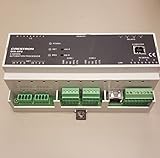
- 2-Series control engine, MMC memory expansion card slot
- Cresnet port - master/slave selectable, 10/100 Ethernet | SSL encryption
- e-Control 2, SNMP, & RoomView support, 2 bidirectional RS-232 COM ports
- 4 IR/serial ports, 8 Versiport I/O ports
- 4 Low-voltage relay ports, Configurable via Crestron D3 Pro software
Build a Windows NUnit test project
NUnit’s documented dotnet test workflow requires a test project targeting .NET or .NET Framework; .NET Standard is not a valid target for the NUnit test project itself. A .NET Standard library may still be referenced as the code under test. For modern project-format test projects, include the Microsoft test SDK and NUnit adapter along with NUnit. See NUnit’s .NET Core and .NET Standard guidance and its installation instructions.
- Choose the test target deliberately. Match the target framework to the runtime available in the Windows build and test environment. NUnit selects a runtime based on the test assembly’s target and what is installed; a mismatch can prevent the assembly from loading. Consult NUnit’s framework-driver notes.
- Add the runner dependencies. Start from NUnit’s test-project template or add NUnit, NUnit3TestAdapter, and Microsoft.NET.Test.Sdk references to the test project. Follow the current package and template guidance rather than treating any version shown in documentation as a permanent pin.
- Run the suite. From the test project or solution directory, use
dotnet testfor the documented command-line workflow. Confirm the selected target framework and installed runtime in the actual Windows environment.
Do not infer Crestron processor compatibility from a successful Windows run. NUnit’s runner/runtime requirements and the processor’s supported SDK and framework environment are separate compatibility questions.
Rank #2
- CRESTRON
- Used - Good
Validate the driver in Crestron Home
Crestron’s official Test a Driver guidance says Home testing should be performed when the driver is supported in Crestron Home. It begins with a configured Home system and applicable devices. The documented Home processors for running driver packages in that environment include CP4-R, DIN-AP4-R, and MC4-R; that identification does not mean those processors support an NUnit runner. See Crestron’s Drivers SDK overview and setup guidance.
Import and exercise the driver
- Configure the Crestron Home system and the devices needed for the driver test.
- Side-load the custom driver package before adding its corresponding device. Crestron documents transferring the package by FTP or File Manager into
UserThirdPartyDriversImport. For IR drivers, use Device Learner as applicable. - Exercise each driver function against the configured device. Check expected commands and responses, state updates, source routing, and any unexpected errors. Crestron’s guidance also calls out checking volume ramping from hardware keys.
Inspect processor output and errors
- Use Crestron Toolbox to establish a Telnet connection to the system.
- Open Text Console and enable program commands.
- Issue
ERRto view error logs and messages, then inspect the output while exercising driver functions.
Reimport a changed package safely
For an iterative test in which the package has changed, Crestron instructs users to remove instances of the old driver and reboot through the Crestron Home Setup UI before importing the new package. Its procedure specifically warns against using the reboot console command for this reimport.
Independent reader supportYour contribution helps us test, update, and keep practical guides available for everyone.Check compatibility before claiming a shared executable
Crestron’s Drivers SDK supplies libraries and files for drivers used in Crestron Home and other Crestron environments. The setup page identifies Visual Studio 2019 and the .NET desktop development workload for residential or 4-Series development, and names CP4-R, DIN-AP4-R, and MC4-R for running driver packages in a Home environment. Those setup details do not establish that every project has the same framework target or that NUnit can execute on the processor.
- Record the Windows OS, test target framework, NUnit, adapter, and Microsoft test SDK versions used by your build.
- Check the Crestron Home OS release and Drivers SDK/framework version for the target system.
- Confirm framework and runtime alignment before assuming a test assembly can be loaded in a different environment.
If you are building a platform-agnostic driver rather than one supported in Crestron Home, Crestron’s testing overview describes SIMPL as its most robust test platform. Use the platform-specific workflow appropriate to the driver instead of assuming Home validation applies universally.
Quick Recap
Best Value
- Brand New, High Quality Replacement AC Wall Power Charger Adapter
- Input: AC 100-240V 50/61Hz Auto (Worldwide AC Input)
- Over Voltage Protection, Over Heat Protection
- Tested Units. In Great Working Condition.
Rank #4

- AUDIO-VIDEO CONTROL PROCESSOR
- 6 COM PORTS
- 8 IR/SERIAL PORT
- 8 I/O PORT
- 50 W
Product prices and availability are accurate as of the date/time indicated and are subject to change. Any price and availability information displayed on Amazon at the time of purchase will apply.
The Tool Desk
Outbyte Driver Updater FREEFix the driver behind crashes, sound loss and screen glitchesFind Drivers →Outbyte PC Repair FREEClear out junk files and repair common Windows errorsFree Scan →



