Short answer: a Wirecast perpetual (lifetime) license lets you keep using the last version covered by your support, but Telestream says expired support means no further Wirecast updates or access to its support team. A new subscription restores access to updates and email support, according to Telestream. Neither license guarantees an uninterrupted YouTube stream. Choose based on how much you value continued updates and support—and budget separately for reliable internet, monitoring, recording checks, and failover.
What changes when perpetual-license support expires?
Telestream’s Wirecast Help and FAQs says that when support expires on a perpetual or lifetime license, you can remain on the last supported version, but you no longer receive Wirecast updates or access to the support team. Telestream lists a new subscription as the way to regain updates and email support; self-help resources are another option.
As an Amazon Associate I earn from qualifying purchases.
In other words, perpetual licensing concerns continued use of the covered version, not perpetual access to updates and support. If you rely on a fixed production setup and accept the risk of staying on a static version, the perpetual-license route may suit you. If you want access to ongoing software maintenance and vendor email support, the subscription route is the more relevant one.
Free tools Windows power users keep installed
One-click scans. No signup required.
Telestream’s help page refers readers to subscription FAQs for version 16.0. It does not establish every current subscription term. Check Telestream’s live offer or checkout for the current subscription price, billing cadence, renewal, cancellation, and refund terms before comparing long-term costs.
#1 Best Overall
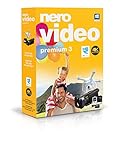
- ✔️ Edit in 4K and HD with Professional Quality: Import, edit, and export videos in stunning 4K, HD, and HEVC formats. Enjoy advanced video editing tools that bring your footage to life with exceptional clarity.
- ✔️ Create & Burn High-Quality DVDs and Blu-ray Discs: Burn videos, slideshows, and movies to DVDs and Blu-ray discs with the world's best burning engine, offering cinematic quality 24p Blu-ray output.
- ✔️ Stream & Playback Anywhere: Effortlessly stream your media to smart TVs, Xbox, and other devices using the free Nero Streaming Player App. Enjoy seamless playback of your videos, photos, and music.
- ✔️ First-Class Effects & Templates: Over 800 effects, transitions, text styles, and video templates, including 10 new ‘My Day’ and ‘Action’ film themes. Customize your projects with advanced picture-in-picture and tilt-shift effects.
- ✔️ Lifetime License with Full Support: One-time purchase with a lifetime license for 1 PC. Enjoy free updates and comprehensive support, with access to the Nero KnowHow Learning Center and mobile sync apps.
What do the listed prices and features establish?
Telestream’s Wirecast product comparison, accessed in 2026, displays the following prices. These are comparison-page figures, not confirmed subscription prices or a complete comparison of lifetime cost against subscription cost.
| Product | Displayed price | Listed YouTube and production features |
|---|---|---|
| Wirecast Studio | $599 (Telestream comparison page, accessed 2026) | YouTube destination; multiple simultaneous video capture/live inputs; USB and capture-card inputs; disk recording; RTMP/SRT/RTP outputs; two Rendezvous guests; no included virtual sets shown. |
| Wirecast Pro | $799 (Telestream comparison page, accessed 2026) | YouTube destination; multiple simultaneous video capture/live inputs; USB and capture-card inputs; disk recording; RTMP/SRT/RTP outputs; seven Rendezvous guests; three included virtual sets. |
The comparison supports choosing Studio or Pro by production needs, not by assumptions about which license type includes a feature. Both list YouTube as a destination and both support multiple inputs. Pro’s listed guest and virtual-set capabilities are the distinctions documented there. Confirm the current feature matrix and offer before purchase because vendor pages and terms can change.
Rank #2

- Enriched inputs selection: unlimited inputs select from 4*SDI, 4*HDMI and USB-type C, NDI HX source and SD/SSD playback. Supports landscape and portrait for both inputs and outputs.
- Multiple control methods: control your live event via GoStream built-in GUI & GoStream computer software (both for MAC and Win) & Bitfocus Companion.
- Rich key effects and transitions: Multisource, Luam Key, Chroma Key, Pattern Key, PIP, DSK. Transition with MIX, DIP, WIPE and T-Bar.
- Highly compatible live streaming methods: Up to 3 streaming platforms at one time. Streaming directly via Ethernet or Smart Phone hotspot(via USB cable). Or you can connect to all streaming software, like OBS, Vmix to streaming.
- Affordable Professional Streaming Solution: A GoStream Duet equals a GoStream Deck + 4 HDMI & SDI converter + a FREE NDI HX LICENSE(need to download the latest firmware to unlock free NDI) as a gift.
How should you compare the total cost?
Do not calculate a subscription break-even point from the $599 Studio or $799 Pro comparison-page prices: Telestream’s published information does not establish current subscription pricing or billing terms, and the displayed figures are not verified subscription quotes. Get the current subscription offer from Telestream, then compare it with the perpetual-license option over the period you expect to use Wirecast.
The Tool Desk
Outbyte Driver Updater FREEFix the driver behind crashes, sound loss and screen glitchesFind Drivers →Outbyte PC Repair FREERepair Windows errors before they cause bigger problemsFix Now →Telestream’s separate Wirecast Support Matrix lists Insider Access at $119/year and Premium Access at $299/year for Wirecast Access Plans. It says the first year of Insider Access was included with lifetime-license purchases and Premium Access is included at no added cost for Wirecast Pro subscription customers during the subscription term. These plan references may reflect a different product era or framing than the current licensing offer; do not add them to a current subscription quote without checking how Telestream currently applies them.
Rank #3
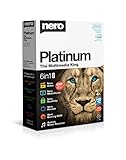
- ✔️ Multimedia Powerhouse: 6 apps in one! Edit videos, burn DVDs/Blu-rays, manage media, back up files, and more with Nero Platinum 2019.
- ✔️ Video Editing Mastery: Create professional-grade videos and slideshows in any format, with top-tier effects like Tilt-Shift, Chroma Key, and more. Edit in stunning 4K resolution.
- ✔️ Complete Media Management: Organize and stream your media on OneDrive with Nero MediaHome. Supports music, videos, photos, and slideshows.
- ✔️ Disc Burning & Backup: Copy and burn data to CD, DVD, and Blu-ray with advanced security standards using SecurDisc 4.0. Backup to cloud services like OneDrive & Google Drive.
- ✔️ Backup: The easy 1-Click BackUp solution: Rapidly keep everything safe and secure, even your cloud data.
Include operating costs in either licensing calculation: the computer and capture hardware required by your workflow, sufficient outbound internet capacity, backup equipment or encoder planning, monitoring time, and storage or archive checks. A lower software cost does not by itself make a 24/7 setup less costly or more resilient.
Does either license keep a YouTube stream live 24/7?
No. Wirecast’s YouTube destination establishes compatibility, not continuity. A stream can still be interrupted by a network outage, computer or encoder issue, software failure, or YouTube-side disruption. License choice alone does not guarantee uptime.
Rank #4

- Compatible with Nintendo Switch 2’s new GameChat mode
- HD lighting adjustment and autofocus: The Logitech webcam automatically fine-tunes the lighting, producing bright, razor-sharp images even in low-light settings. This makes it a great webcam for streaming and an ideal web camera for laptop use
- Advanced capture software: Easily create and share video content with this Logitech camera that is suitable for use as a desktop computer camera or a monitor webcam
- Stereo audio with dual mics: Capture natural sound during calls and recorded videos with this 1080p webcam, great as a video conference camera or a computer webcam
- Full HD 1080p video calling and recording at 30 fps. You'll make a strong impression with this PC webcam that features crisp, clearly detailed, and vibrantly colored video
YouTube’s streaming tips advise planning outbound capacity for the primary stream plus a backup stream, with an additional 20% headroom. That is YouTube’s network guidance, not a universal bitrate setting; the required capacity depends on your chosen stream configuration. YouTube also warns that a connectivity disruption can break a stream.
Quick wins for a faster PC:
Repair Windows errors before they cause bigger problemsFix Now →Fix the driver behind crashes, sound loss and screen glitchesFind Drivers →YouTube recommends professional-grade hardware encoders for higher-production-value events. That is a platform recommendation, not evidence that every always-on channel needs one. Match your encoder and backup plan to the production and interruption risk you can accept.
Best Value

- Webcam comes with privacy shutter – puts you in control of what you show and protects the lens with a snugly fitting cover. Does not include the 3-month XSplit VCam license.
- Full HD 1080P video calls – premium video quality that makes you look like a Pro
- Full HD 1080P video Recording – a glass lens and full HD mean your recorded videos are crisp and vibrantly colored
- HD autofocus and light Correction – enjoy razor-sharp high Def in every environment
- Stereo audio with dual mics – capture natural sound on calls and recorded videos
Build a reliability routine around the license
YouTube’s Live Streaming Tips are written for live events. For a continuous channel, adapt the relevant checks to your stream and its transitions rather than treating event timings as a 24/7 launch recipe.
Before going live or changing a stream setup
- Check that the channel is eligible to livestream. YouTube says the channel must be verified and have had no live-stream restrictions in the prior 90 days; its guidance also sets a minimum age of 16. See YouTube’s live-streaming eligibility guidance for details.
- Set up and test the encoder and connection in advance. For scheduled events, YouTube advises setting up at least two hours ahead and starting at least 15 minutes before the event.
- Preview the feed in Live Control Room, then verify it on the channel or watch page and on a mobile device. Check both audio and video.
- Confirm that any local recording or archive file is growing as expected.
- Test failover by stopping the primary encoder or disconnecting its Ethernet cable, and confirm that your backup process works as intended.
During continuous operation
- Monitor the outgoing audio and video rather than assuming a running encoder means viewers are receiving a healthy stream.
- Check local archive files periodically and make sure the expected recordings are actually being written.
- Plan stream transitions so an encoder restart or planned maintenance does not leave the channel without a workable recovery path.
YouTube advises stopping the encoder after the event has stopped on YouTube. For a continuous channel, apply that instruction to planned shutdowns and transitions: coordinate the encoder stop with the state of the YouTube stream instead of stopping it blindly.
When does Studio or Pro make more sense?
- Consider Studio if its listed inputs and production tools meet your workflow and you do not need the additional Pro guest capacity or the three included virtual sets shown in Telestream’s comparison.
- Consider Pro if your production needs the comparison’s seven Rendezvous guests or three included virtual sets.
- For either edition, confirm current feature availability and compatibility with your operating system and connected devices. The comparison lists USB and capture-card inputs and names UVC, DirectShow, and AVFoundation support; it does not establish compatibility for every capture-card model.
Telestream’s version history lists Wirecast 16.5.3, dated June 10, 2026. It also records that version 16.5.1 fixed an issue authenticating with the YouTube destination in Output Settings. This is a concrete example of why updates can matter to platform integration, but it does not mean every user will encounter that issue or needs a particular license. See the Wirecast version history.
Do these 3 things before closing this tab:
1Scan for outdated or missing drivers - takes under a minute2Clear out junk files and repair common Windows errors3Fix the driver behind crashes, sound loss and screen glitchesOr let it run in the cloud
If your channel’s format is prerecorded video rather than a live camera production, StreamNeo is a YouTube-only cloud service that loops uploaded videos or playlists. Upload your recording or build a playlist, add your YouTube stream key once, and go live. The stream runs from the cloud, so your computer and home connection do not have to stay on.
- Nothing has to stay powered on at home for the stream to continue.
- Each slot streams your uploaded video as made, up to 4K 60fps, at one flat price per slot rather than quality-based tiers.
- StreamNeo automatically recovers if YouTube drops the stream.
- The first day is free with no card; it is one free day per account.
Monthly: $9.99 per month. StreamNeo offers daily, weekly, monthly, six-month, and yearly billing; the product is the same on every plan, with only the billing length changing. Each slot includes one always-on stream, 10 GB storage per slot pooled across active slots, looping and playlists, and StreamNeo team support. UPI and cards are available in India; card checkout is available worldwide. For five or more slots, contact support.
Quick Recap
Start your free StreamNeo day.
Product prices and availability are accurate as of the date/time indicated and are subject to change. Any price and availability information displayed on Amazon at the time of purchase will apply.




