If a breaker keeps tripping after you have unplugged everything, the cause may still be a connected light or fixed appliance, a fault in the building’s wiring, or a problem with the protective device. “Nothing plugged in” only rules out plug-in equipment you have physically disconnected; it does not identify the fault. Make one normal reset attempt after unplugging accessible equipment. If the breaker will not stay on—or trips again when nothing has been reconnected—stop and arrange for a qualified electrician to test the circuit.
What “nothing plugged in” does—and does not—rule out
Switching an appliance off is not the same as unplugging it. The UK Institution of Engineering and Technology (IET) advises removing plugs completely from outlets on the affected circuit. Even after you do that, some loads may remain connected: for example, lights or appliances wired directly into the installation, or equipment elsewhere on the same circuit.
As an Amazon Associate I earn from qualifying purchases.
If the breaker still trips with all accessible plug-in equipment disconnected, the cause could also be a fault in fixed wiring or another part of the installation. The symptoms alone cannot tell you which explanation applies in your home.
Why a tripping breaker should not be ignored
A breaker is a safety device intended to interrupt current when conditions in a circuit become unsafe. The U.S. Electrical Safety Foundation International (ESFI) explains that circuit breakers protect wiring from overheating. A trip is therefore a warning to investigate, not an inconvenience to defeat.
#1 Best Overall

- ACCURATE CIRCUIT BREAKER IDENTIFICATION: Quickly locate the correct breaker with precision using the transmitter and receiver of the circuit breaker finder, ensuring efficient electrical troubleshooting
- CLEAR INDICATIONS: The Receiver provides visual and audible cues when the correct breaker is found, ensuring a hassle-free locating process on 90-120V AC circuits
- BUILT-IN GFCI TESTER: The Transmitter includes a GFCI outlet tester, enabling you to inspect wiring conditions and test GFCI devices for added safety
- LIGHT SOCKET AND GROUNDING ADAPTERS: Easily find the correct circuit for a lighting fixture with the light socket adapter, and use the included 3-prong to 2-prong grounding adapter for added convenience
- ALLIGATOR CLIP ADAPTER: Enables testing on bare wires, providing versatile usage options
The U.S. Consumer Product Safety Commission (CPSC) advises: “Investigate to determine why a fuse blows or circuit breaker trips. Do not simply replace the fuse or reset the breaker.” Repeatedly resetting a breaker when a fault remains can damage the device, according to IET guidance.
Possible causes
A connected load you have not unplugged
Check which outlets, lights, and fixed equipment are served by the affected circuit. A visible appliance may not be the only thing connected to it. Do not assume that an unidentified hidden load is the cause; a professional may need to trace and test the circuit.
Rank #2

- All-in-One Circuit Diagnosis: The KT302P Circuit Breaker Finder is designed for fast, intuitive troubleshooting. It easily locates breakers, checks outlet wiring, and tests GFCI protection—all in one compact tool. Combines a Circuit Breaker Finder, Outlet Tester, and GFCI Tester for fast, reliable troubleshooting in residential or commercial settings
- Reliable Breaker Tracing: Operating on 90–120V AC circuits, this Circuit Breaker Finder uses a simple two-scan process—learn first, then locate—to accurately identify the correct breaker without manual sensitivity adjustments. Stable signal performance and straightforward operation make it ideal for homeowners, DIYers, maintenance staff, and electricians who need a lightweight solution for routine breaker identification.
- Clear Visual & Audible Alerts: The receiver features bright LED indicators and a distinct audible signal to quickly identify the target breaker. When the correct breaker is found, the light illuminates and the beeper sounds for accurate confirmation. A built-in flashlight helps illuminate dark panels or tight spaces for added convenience
- Dual-Sided LED GFCI Outlet Tester: The transmitter doubles as a GFCI Outlet Tester with an automatic trip test function. Unlike traditional outlet testers that require referencing bottom light patterns, this upgraded transmitter features 6 LED indicators on both front and back, directly representing 6 wiring conditions. The dual-sided design eliminates blind spots caused by ground-up or ground-down outlets, ensuring clear visibility in any orientation.
- Complete Accessory Kit & Carrying Case: This Circuit Breaker Finder kit includes a 3-prong to 2-prong adapter, light socket adapter, and alligator clip adapter for expanded compatibility with various outlets and fixtures. The durable carrying case keeps the tool and accessories organized, protected, and easy to transport, making it practical for professionals on the go and organized home users alike.
A faulty plug-in appliance
If the breaker holds after all accessible equipment is unplugged, reconnect items one at a time. If reconnecting a particular item causes another trip, stop using that item until it has been repaired or assessed. Do not keep resetting the breaker to confirm the result.
What’s actually slowing this PC down?
Pick the symptom - the matching free tool is one click away.
A fault in fixed wiring or installation
Tripping can persist even when plug-in equipment has been removed if the problem is in the fixed installation. IET notes that installation faults can occur after DIY work, including hanging pictures or shelves. Do not open the panel, touch wiring, or attempt a wiring repair; have an electrician inspect and test the installation.
Rank #3

- All-in-One Circuit Diagnosis: KT301P circuit breaker finder Easily locate breakers, check outlet wiring, and test GFCI protection—all with one compact tool. Combines a Circuit Breaker Finder, Outlet Tester, and GFCI Tester for fast, reliable troubleshooting on North American 120V AC circuits in residential or commercial settings
- Large LCD Screen with Backlight: Displays real-time voltage (30–150V), outlet wiring status, and signal strength for faster, more intuitive diagnostics. Backlit indicators make it easy to read in dimly lit breaker panels or tight spaces. Clear visuals eliminate guesswork, making it ideal for professionals and DIYers working with complex circuit breaker panels
- GFCI Outlet Tester: The transmitter doubles as a GFCI outlet tester, featuring an automatic trip testing function. Red/green LED indicators provide clear visual feedback, while the large LCD screen displays detailed wiring conditions to accurately diagnose 7 common wiring faults. The auto-hold function retains the latest outlet test results and voltage reading even after unplugging
- Non-Contact Voltage Test: The receiver includes a Non-Contact Voltage Test function, which detects nearby voltage sources quickly and safely. This added feature allows you to locate live circuits without direct contact, enhancing safety and providing a comprehensive testing solution
- Complete Accessory Kit and Carrying Case: This Circuit Breaker Finder kit includes essential accessories like a 3-prong to 2-prong adapter, light socket adapter, and alligator clip adapter for increased compatibility. The durable carrying case keeps your device and accessories organized, secure, and portable, making it convenient for on-the-go professionals
The type of protective device
Different protective devices respond to different problems. A standard breaker responds to overcurrent; an AFCI is designed to detect dangerous arcing; and a GFCI or, in UK terminology, an RCD responds to ground-fault or leakage current. The device’s label or type is useful information to give an electrician, but it is not a diagnosis by itself.
A problem with the breaker or other protective device
A device fault is one possibility, but the trip alone does not establish that the breaker is defective or that it should be replaced. Wiring and connected equipment must also be considered. Have a qualified professional diagnose the cause before any replacement is considered.
Rank #4
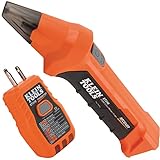
- ACCURATE CIRCUIT BREAKER IDENTIFICATION: Quickly locate the correct breaker with precision using our circuit breaker finder, ensuring efficient electrical troubleshooting
- TWO-PART SYSTEM: Consists of a Transmitter connected to the outlet/fixture and a Receiver to scan the panel, allowing for easy and accurate breaker identification
- CLEAR INDICATIONS: The Receiver provides visual and audible cues when the correct breaker is found, ensuring a hassle-free locating process
- WIDE COMPATIBILITY: Operates on 90-120V AC circuits, making it suitable for a variety of electrical systems and installations
- BUILT-IN GFCI TESTER: The Transmitter includes a GFCI outlet tester, enabling you to inspect wiring conditions and test GFCI devices for added safety
What to do safely
- Identify the affected circuit. Switch off or unplug accessible equipment supplied by it. Remove appliance plugs fully from the outlets; do not rely only on an appliance’s on/off switch.
- Make at most one normal reset attempt. If everything accessible is unplugged, a single attempt can show whether the breaker will hold. Do not repeatedly reset it if it trips again.
- If it holds, reconnect items one at a time. Stop using any item that triggers a trip until it has been repaired or assessed.
- Stop if the breaker will not reset or trips again with nothing reconnected. Arrange for a registered or otherwise appropriately qualified electrician to test the fixed installation. Do not remove the panel cover or work on wiring.
- Act promptly if there are warning signs. Burn marks, an unusually hot outlet, buzzing or crackling, smoke, or a burning smell warrant professional attention. Do not keep using the affected outlet or circuit.
When to call an electrician—and what to tell them
Contact a qualified electrician if the breaker will not reset after accessible equipment is unplugged, trips again before you reconnect anything, or keeps tripping during ordinary use. Electrical Safety First lists burn marks, buzzing or crackling sounds, hot outlets, and recurrent trips as warning signs not to ignore.
Outdated Drivers Are Slowing You Down
One free scan finds every outdated or missing driver and matches the right update for your exact hardware.Free scan · exact hardware matchWindows Errors? Fix Them Before They Spread
Repair common Windows errors and clear accumulated junk for a smoother, more stable PC - no reinstall needed.Free scan · no reinstallTell the electrician which circuit is affected, whether the breaker holds with plug-in items removed, what was connected when it last tripped, and whether you noticed heat, marks, noise, smoke, or a burning smell. If you can safely read the device label without opening the panel, note whether it identifies an AFCI, GFCI, RCD, or another type. That information can guide diagnosis, but it does not replace testing.
Best Value

- Quick & Accurate Circuit Targeting: This digital receiver offers precise detection to quickly locate breakers, effectively filtering out interference and minimizing the need for manual testing and troubleshooting.
- Two-Part Circuit Tester: Simply plug the Transmitter into an outlet or light socket, then scan your breaker panel with the Receiver to quickly identify the correct breaker, saving your time and effort.
- Clear Audio-Visual Alerts: The receiver beeps and flashes red to indicate the correct breaker, ensuring accurate identification. A built-in LED light illuminates dark panels, making circuit tracing operation easier and more precise in low-light conditions.
- Integrated GFCI Tester: Use the outlet tester to check wiring conditions and confirm GFCI functionality, helping ensure reliable electrical safety.
- Wide Voltage Compatibility: Supports 90–120V AC at 50/60Hz, covering most standard household electrical systems. Features auto-shutdown and low-battery alerts to help prevent unexpected interruptions during use.
How to interpret the available statistics
In ESFI’s 2025 survey of electrical contractors and related professionals in Georgia and South Carolina, 37% of reported service calls involved tripped breakers or fuses. Among breaker and fuse types reported in those tripping calls, respondents identified standard breakers at 38%, AFCIs at 24%, GFCIs at 19%, fuses at 10%, and dual-function AFCI/GFCI breakers at 9%. These figures describe a regional professional survey—not the odds that a particular homeowner’s wiring or breaker is faulty, and not specifically cases where everything was unplugged.
Regional terminology
The IET’s consumer-units guidance is UK-oriented and refers to a consumer unit, RCD, and registered electrical contractor. ESFI and CPSC guidance is U.S.-oriented and uses terms such as breaker, AFCI, and GFCI. Device names and local requirements vary; follow the terminology and licensing rules for your location, and use an appropriately qualified electrician.
Quick Recap
Product prices and availability are accurate as of the date/time indicated and are subject to change. Any price and availability information displayed on Amazon at the time of purchase will apply.
Recommended Free Tools




