A smart washer that leaves clothes dirty usually has an ordinary washing problem rather than a failed app, sensor, or control board. Start with the load size, loading pattern, detergent, dispenser, cycle, temperature, and washer cleanliness. Then check installation and leveling. If the washer also shows an error or cannot fill, drain, or spin, use the troubleshooting guide for the exact model instead of guessing.
The sequence below is designed for an unspecified model. Manufacturers use different cycles, detergent systems, button combinations, and service procedures, so treat model-specific instructions in your owner’s manual as authoritative.
As an Amazon Associate I earn from qualifying purchases.
Start by identifying the pattern
Before changing settings, look at what is actually happening. A single disappointing load points you toward loading, detergent, cycle, or fabric-care choices. Poor results on every load suggest that you should also inspect the dispenser, washer residue, water supply, installation, and any accompanying fault.
Windows Errors? Fix Them Before They Spread
Repair common Windows errors and clear accumulated junk for a smoother, more stable PC - no reinstall needed.Free scan · no reinstallOutdated Drivers Are Slowing You Down
One free scan finds every outdated or missing driver and matches the right update for your exact hardware.Free scan · exact hardware match| What you observe | Checks to make first | Next action |
|---|---|---|
| One load is stained or still visibly soiled | Load size, item movement, detergent amount, cycle, temperature, and garment labels | Rewash a smaller, correctly sorted load using the appropriate cycle and measured detergent |
| Clothes look dingy after mixed-color washing | Sorting and whether the drum was packed too tightly | Separate colors and leave enough room for items to move freely |
| Residue is left on clothing or in the dispenser | Detergent type and dose, hardened detergent, and a clogged dispenser | Clean the dispenser according to the model instructions and use the washer-specified detergent |
| Poor cleaning occurs with a fill, drain, spin problem, or error code | The displayed code and the related water or motion symptom | Follow the official guide for the exact model; arrange service if the guide directs you to do so |
Do not infer that wireless connectivity, an app setting, a sensor, or an electronic control board caused dirty clothes simply because the washer is marketed as smart. The manufacturer troubleshooting material for unspecified models does not establish that connection. Treat the appliance as a washing machine first and investigate smart features only when the model’s own diagnostics identify them.
#1 Best Overall

- NO. 1 WASHING MACHINE CLEANER TABLET*
- TIME-RELEASE DEEP CLEAN. Affresh tablets are scientifically designed to deliver extended cleaning action throughout the wash cycle, helping power away bacteria, grime and soap scum deep inside the washing machine’s pump, drum and filter to help optimize performance.
- STINKY PET ODOR? Affresh washing machine cleaner helps remove residues that can trap odors from pets, sweat and mildew that can transfer onto clothes and sheets.
- ONE TABLET, ONCE A MONTH. Avoid the twice-monthly cleaning cycles of other appliance cleaners and cut your machine cleaning maintenance time in half.
- TRUSTED BY APPLIANCE EXPERTS. Backed by over 100 years of appliance innovation, affresh is the washing machine cleaner brand recommended by Whirlpool, Maytag, and Amana.**
1. Reduce the load and load it correctly
Why overloading prevents cleaning
A tightly packed drum limits the tumbling or agitation that moves soil away from fabric. It can also keep detergent from reaching every item. Samsung’s washing-machine guidance lists overloading as a possible reason garments are not clean, and the same practical check applies regardless of whether a washer has app control.
Remove enough items that the remaining laundry can circulate loosely. Do not compress clothes to make one more shirt fit. A load that looks full before water enters can become effectively immobile once the fabric is wet. Use the capacity and loading directions in your model’s manual, because a top-load washer and a front-load washer do not use identical loading methods.
Load for movement, not just capacity
- Distribute items rather than creating one dense bundle.
- Keep bulky pieces from swallowing the rest of the load; wash them with a load size and cycle that the manual permits.
- For a test wash, use a deliberately smaller load. If that load cleans normally, capacity or distribution was a significant part of the original problem.
- Follow any instructions about opening zippers, securing fasteners, or turning garments inside out for the fabric.
Sort colors to avoid a false “dirty” result
Dye transfer can make lighter garments look gray or dingy even when soil has been removed. Samsung recommends sorting colors as part of its checks for clothes that do not look clean. Separate whites, lights, and dark or strongly colored items according to the care instructions, and do not use a mixed load as the only test of washer performance.
Do these 3 things before closing this tab:
1Clear out junk files and repair common Windows errors2Scan for outdated or missing drivers - takes under a minute3Repair Windows errors before they cause bigger problems2. Check detergent, dose, and the dispenser
Use detergent intended for the washer
Read the detergent label and the washer manual together. A high-efficiency (HE) washer generally requires detergent labeled for that type of machine; Whirlpool warns that non-HE detergent can create excessive suds and lead to poor cleaning or rinsing. Use the detergent type specified for your washer rather than choosing by the amount of foam you see.
Measure instead of estimating
Detergent concentration differs substantially between products. The suitable amount depends on the product directions, load size, and soil level. Measure the dose recommended on the label for the actual load rather than filling a dispenser to its maximum line every time.
Rank #2

- Works With All Washers - Perfect For High Efficiency Or Standard Toploader, Front Loading Compatible With GE, LG, Samsung, Whirlpool, Maytag, Electrolux, Etc. (Not For Dryer)
- Eco-Friendly Tabs - Natural Effervescent Foaming Tablets Are Septic Safe And Made With Less Packaging . Compare To Liquid Descaler And Wipes That Create Unnecessary Waste
- Instant Cleaning Power - Active Self Wash Tablet Cleans So You Don't Have To Brush And Wipe Your Washing Machines. When Exposed To Water, They Break Down Into Deep Scrubbing Powder Cleaners That Breaks Down Grime And Hard Water Build Up
- Bulk 24 Kit - Each Package Includes 1 Year Supply (24 Pods) Vs. Competitor 5 or 6 Tablet Packs Or Liquid Treatments Which Run Out Quickly
- Odor Eliminator- No More Smelly Washer. Descaler Will Freshen Your Laundry Machine Basket, Rubber Gasket, And Internal Parts So Your Clothes Will Come Out Clean And Smelling Fresh.
Too much detergent can leave residue, interfere with rinsing, and create oversudsing. Too little may not remove the soil in a heavily dirty load. Change only one variable at a time when troubleshooting: first use the correct detergent at its labeled dose with a smaller load, then evaluate the result.
Clear a clogged dispenser
Hardened or leftover detergent in a drawer or reservoir can block detergent from entering the wash water. LG lists a clogged dispenser among possible causes of poor cleaning. Remove the dispenser only as the manual permits, rinse away buildup, and clean channels and removable inserts. Do not force a drawer, pry at seals, or pour an unapproved chemical into an automatic dosing system.
After cleaning, check that the dispenser is seated correctly and that the selected compartment matches the product you are using. If the washer has separate compartments for main detergent, prewash detergent, or softener, follow the labels and the model instructions.
Do not diagnose by visible suds
Foam is not a reliable measurement of cleaning. Use the detergent label, the washer’s instructions, and the condition of the washed fabric instead of adding more detergent because a load appears low-sudsing.
3. Match the cycle to fabric and soil
Choose for the actual soil level
A Normal cycle is not automatically the best choice for every load. Select a cycle and options that suit both the fabric and how dirty it is, while observing garment care labels. LG notes that Heavy Duty or Deep Wash may be more suitable than Normal for some fabrics, soil levels, and wash recommendations. Those names and options are not universal, so use the equivalent cycle in your model rather than copying a button sequence from another washer.
Rank #3
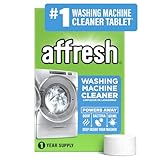
- NO. 1 WASHING MACHINE CLEANER TABLET*
- TIME-RELEASE DEEP CLEAN. Affresh tablets are scientifically designed to deliver extended cleaning action throughout the wash cycle, helping power away bacteria, grime and soap scum deep inside the washing machine’s pump, drum and filter to help optimize performance.
- STINKY PET ODOR? Affresh washing machine cleaner helps remove residues that can trap odors from pets, sweat and mildew that can transfer onto clothes and sheets.
- ONE TABLET, ONCE A MONTH. Avoid the twice-monthly cleaning cycles of other appliance cleaners and cut your machine cleaning maintenance time in half.
- TRUSTED BY APPLIANCE EXPERTS. Backed by over 100 years of appliance innovation, affresh is the washing machine cleaner brand recommended by Whirlpool, Maytag, and Amana.**
- Use the gentlest cycle that still meets the garment’s care label and soil requirement.
- For heavily soiled, durable items, choose a more intensive cycle only when the label and manual allow it.
- Use prewash, soak, or extra-rinse options only when the model and garment instructions support them; these options change water use and cycle time.
- Do not assume a longer or hotter cycle is safe for every fabric.
Set temperature within the care-label limits
Whirlpool recommends checking water temperature as part of a poor-cleaning diagnosis and using warmer water only when the fabric-care label permits it. Never switch every load to hot water as a blanket fix: heat can shrink, fade, or damage fabrics, and some garments require cold washing.
Quick wins for a faster PC:
Clear out junk files and repair common Windows errorsFree Scan →Scan for outdated or missing drivers - takes under a minuteDriver Scan →Repair Windows errors before they cause bigger problemsFix Now →If a cold-only wash is failing to dissolve detergent in winter, LG identifies that as a possibility for its front-load washer guidance. Treat this as an LG-specific condition, not a rule for every washer, climate, or detergent. Check the product’s dissolution directions and the washer’s water-temperature requirements before changing the setting.
Use labels and the manual as the boundary
Garment labels determine what the textile can tolerate; the washer manual determines which cycles and options the appliance supports. When those instructions conflict with a generic online tip, follow the label and the exact model documentation.
4. Run the washer’s cleaning cycle
Why internal residue matters
Detergent, soil, and moisture can leave residue inside a washer. That buildup can affect later loads and may appear as deposits on clothing. A maintenance cycle addresses the washer itself; it is not a substitute for the correct cycle or detergent on a dirty load.
Follow the model’s Tub Clean or Clean Washer procedure
LG recommends monthly Tub Clean maintenance in its “LG Washer – Not Cleaning Properly” guidance, displayed September 10, 2026. Whirlpool describes a Clean Washer cycle in its support material. These names, frequencies, and required steps can differ by model, so use the interval and procedure printed in your manual rather than treating monthly cleaning as a universal requirement.
Rank #4

- Deep Cleaning Descaler for Every Washer - Powerful foaming tablets penetrate your washer’s drum, tub, gasket, and internal components to break down grime, residue, soap scum, and hard-water buildup that cause odors and reduce performance.
- Easy Drop-In Use — No Measuring or Mess - Simply place one tablet in an empty washer, run a hot or self-clean cycle, and let the active foaming action do the work. Cleans hard-to-reach areas without scrubbing, wiping, or dismantling your machine.
- Compatible With All Washer Types - Safe and effective for HE, front-load, and top-load washing machines. Works with major brands including GE, LG, Samsung, Whirlpool, Maytag, Electrolux, and more.
- Ultimate Deodorizer & Keeps Laundry Fresh - Refreshes your washer by clearing away built-up residues and wash cycle odors, helping your machine stay clean and operate at its best. Supports consistently fresh laundry results with every load.
- 24 Tablets = Full 12-Month Supply - Bulk pack includes 24 easy-use tablets for a complete year of routine washer maintenance. Outperforms smaller 5- or 6-count packs and helps extend the life of your machine.
- Empty the drum completely.
- Open the owner’s manual and locate the Tub Clean, Clean Washer, or equivalent maintenance-cycle instructions.
- Use a washing-machine cleaner only if the manual permits it, and use the cleaner’s stated dosage. Whirlpool identifies affresh as one possible washer cleaner in its guidance; it is an example, not a requirement for every appliance.
- Run the complete maintenance cycle without clothing.
- When the cycle ends, follow the manual’s instructions for wiping seals, leaving the door or lid open, or cleaning the dispenser.
Do not mix cleaners or improvise a chemical recipe. Washer-cleaner compatibility and dosing vary, and an incorrect product can damage components or create hazardous fumes.
5. Check installation, water, and leveling
Verify connections if the problem started after installation
If dirty results began after moving or installing the washer, return to the installation guide. Whirlpool includes installation, water temperature, and hose connections among its poor-cleaning checks. Confirm that the required water supplies are connected, valves are open, hoses are not kinked, and the machine is receiving the water temperature and pressure specified for that model and market.
Do not disconnect hoses or alter plumbing while the washer is running. Shut off supplies and follow the installation instructions before inspecting a connection.
Level the washer
An unlevel washer can wobble and vibrate. Samsung says leveling problems can affect detergent dispensing or reduce spin speed because of vibration. A load that remains excessively wet after a reduced, correctly loaded cycle may therefore need an installation check as well as a cleaning check.
Recommended Free Tools
Use the model-specific leveling procedure and the required tool or floor-clearance guidance. Do not copy a foot-adjustment sequence from another model. After adjustment, run the manufacturer’s recommended test or a small load and observe whether wobbling has stopped.
Best Value

- Powerful Cleaning: The Bastion Washing Machine Cleaner Tablets effectively eliminate dirt, grime, and limescale from your washing machine, ensuring a thorough clean every time.
- One-Year Supply: With 24 tablets in each pack, our one-year supply ensures you have enough tablets for bi-monthly use, keeping your washing machine fresh and efficient all year long.
- Easy to Use: Simply drop one tablet into the drum, run a hot cycle without any laundry, and let the tablet dissolve to release a cleansing foam that reaches every corner of your machine.
- Extends Machine Lifespan: Regular use of these cleaner tablets prevents residue buildup, optimizing your washing machine's performance and extending its lifespan.
- Versatile Compatibility: Suitable for all types of washing machines, including front-loading, top-loading, and high-efficiency models. Tested and approved for GE, LG, Samsung, Whirlpool, Maytag, Electrolux machines & More.
Do not apply a generic calibration sequence
Some Samsung washers provide a calibration procedure, but the button combination differs between models. Calibration instructions are not universal. Find the exact procedure in your manual or the manufacturer’s support page for the model and region; pressing an unrelated combination can start a different function or provide no useful diagnosis.
Independent reader supportYour contribution helps us test, update, and keep practical guides available for everyone.6. Use the error code and related behavior to decide on service
When ordinary cleaning checks are appropriate
If the washer fills, washes, drains, and spins normally, and the only complaint is that clothes are less clean than expected, Samsung’s guidance indicates that service is not automatically required. Complete the routine checks in this order: reduce and redistribute the load, verify detergent and the dispenser, select a suitable cycle and temperature, run the approved maintenance cycle, and inspect installation and leveling if relevant.
When model-specific troubleshooting takes priority
A poor-cleaning complaint changes category when the washer also fails to fill, drain, or spin, or when it displays an error code. The same symptom can have different meanings across models. Record the exact code, when it appears, whether water enters and leaves normally, whether the drum reaches spin speed, and whether unusual vibration occurs. Then search the official support guide for the full model number and market.
The Tool Desk
Outbyte Driver Updater FREEFix the driver behind crashes, sound loss and screen glitchesFind Drivers →Outbyte PC Repair FREERepair Windows errors before they cause bigger problemsFix Now →When to arrange service
LG states that persistent poor performance may require service. Arrange support when the model’s guide directs you to do so, when the washer continues to clean poorly after the routine checks, or when a related water, drain, spin, or control fault remains. Provide the technician with the model number, error code, cycle used, load type, detergent and dose, and the checks you have already completed.
A practical troubleshooting sequence
Use this sequence for the next controlled test rather than changing several settings at once.
- Record the symptom. Note whether the problem affects one load or every load, whether clothing is stained, dingy, or coated with residue, and whether an error or fill, drain, or spin issue appears.
- Prepare a small, sorted load. Separate colors and loosely distribute items so they can move freely. Follow the capacity instructions for the washer’s design.
- Measure the correct detergent. Use detergent labeled for the washer type and dose it for the load size and soil level. Do not add extra detergent to compensate for poor results.
- Inspect the dispenser. Remove hardened or leftover detergent using the model’s cleaning instructions, then reinstall the dispenser correctly.
- Select the cycle and temperature. Match fabric and soil level, obey care labels, and use warmer water only when permitted.
- Evaluate the result. Compare this controlled load with the original. If it improves, the original load or settings were the likely contributors; if not, continue with maintenance and installation checks.
- Run maintenance. Use the washer’s Tub Clean, Clean Washer, or equivalent cycle with an approved cleaner and dosage.
- Inspect installation. If the issue followed installation or relocation, verify hoses, supply requirements, and leveling. Use only model-specific calibration instructions.
- Escalate with evidence. If poor cleaning persists or a code, fill fault, drain fault, or spin fault appears, follow the exact model’s support guide or arrange service.
Common troubleshooting mistakes to avoid
- Blaming the smart feature first: Connectivity or an app does not, by itself, prove a hardware failure. Start with physical washing conditions.
- Adding more detergent: Excess detergent can oversuds and worsen cleaning or rinsing, especially when the product is unsuitable for the washer.
- Filling the drum to the limit: Rated capacity does not mean every load should be compressed to the top. Items need room to move.
- Using hot water indiscriminately: Temperature must stay within the garment label and washer instructions.
- Copying another model’s buttons: Cycle names, calibration combinations, and maintenance procedures vary.
- Skipping the dispenser: A blocked compartment can prevent detergent from entering the wash water even when the chosen cycle is correct.
- Running a maintenance cycle with clothes inside: Tub Clean and Clean Washer programs are for an empty washer unless the manual explicitly says otherwise.
- Ignoring accompanying faults: Dirty clothes plus a fill, drain, spin, vibration, or error-code problem requires model-specific troubleshooting, not repeated rewashing.
What the available manufacturer guidance establishes
Official US support pages from Samsung, LG, and Whirlpool converge on the same starting point: inspect loading, detergent, cycle selection, water temperature, washer cleanliness, and installation conditions before assuming an electronic failure. LG’s page also recommends monthly Tub Clean maintenance for its guidance, while Whirlpool describes a Clean Washer cycle and a compatible washer-cleaner option. These instructions are practical starting points, not a universal specification for every smart washer sold worldwide.
Because no make, model, country, or error code is specified here, there is no responsible way to name a single correct cycle, water requirement, calibration sequence, detergent dose, or service part. Those details belong to the manual and support page for the exact appliance.
Quick Recap
Product prices and availability are accurate as of the date/time indicated and are subject to change. Any price and availability information displayed on Amazon at the time of purchase will apply.




