What’s actually slowing this PC down?
Pick the symptom - the matching free tool is one click away.
If an e-Way Bill has expired, stop moving the goods under that bill. The official E-Way Bill System FAQ says goods are not supposed to be moved after validity expires. It describes a limited extension route for exceptional circumstances and trans-shipment, but does not require a new bill in every expiry case. Check the live portal and the rules that apply to your consignment before taking further action.
What should you do when an e-Way Bill expires?
- Stop movement under the expired bill. The official E-Way Bill System FAQ states: “If validity of the e-way bill expires, the goods are not supposed to be moved.”
- Check whether the consignment qualifies for an extension. The FAQ describes exceptional circumstances, including a natural calamity, law-and-order issues, delay in trans-shipment, or an accident of the conveyance. The transporter must provide a reason for the extension.
- Use the portal’s extension function if the case qualifies and falls within its stated time window. The FAQ identifies the transporter carrying the consignment at the time of expiry as the party who may extend validity.
- If extension is unavailable or does not fit the facts, verify the applicable rule before generating another bill. The official material does not establish a universal replacement-bill instruction for every expired e-Way Bill.
Can you extend an expired e-Way Bill?
The FAQ describes an extension after expiry only in exceptional circumstances and trans-shipment. It says: “However, under circumstance of ‘exceptional nature and trans-shipment’, the transporter may extend the validity period within 8 hours after the expiry period after updating reason for the extension and the details in PART-B of FORM GST EWB-01.” An extension is conditional, not automatic: the reason and consignment details matter.
As an Amazon Associate I earn from qualifying purchases.
The FAQ and the GSTN API documentation state an extension window from eight hours before expiry through eight hours after expiry. Being within that window does not by itself establish eligibility. The API documentation also lists a system restriction against extending an e-Way Bill beyond 360 days from its generation; treat this as a technical validation and confirm current portal behavior.
Information required in the extension flow
The FAQ says the requester enters the e-Way Bill number, reason for extension, current place, approximate remaining distance, and Part-B details. The API documentation also describes extension validations involving the current transporter assignment. Keep the consignment’s current location and relevant vehicle or transport-document details available before using the portal.
#1 Best Overall

- Before Purchase, Please NOTE: Not supported for OS; Not compatible with Square POS system. NOTE: Applicable smartphone APP - Loyverse (Retail/Clothing), iREAP (Retail/Inventory), CasierStock (Shopping/Inventory Management), Kyte (Mobile Sales), etc.. Please make sure your cellphone is compatible with these softwares.
- Effortless Connectivity: This thermal printer supports both BT and USB cable connections, fit for Android and fit for Win with maximum flexibility. For smartphones, download the compatible APP, click and enter into the APP and use the BT function to connect to the printer. For computers, please use the USB cable to connect to the computer and download the pionted driver.
- High-Speed & High-Resolution Printing: Achieve exceptional clarity with 203dpi resolution and swift business operations with a maximum print speed of 70mm/s from this thermal receipt printer, which has been equipped with 58mm wide print paper and 1 USB cable.
- No-Ink & Cost-Effective Operation: Utilizing an advanced thermal print head, this USB ticket printer requires no ink, toner, or ribbons, ensuring sharp printing and significantly lower long-term costs. which also has been built in with a 1500mAh rechargeable battery, allowing you to print on the go, anytime and anywhere.
- Universal Application: Ideal for a vast range of businesses including supermarkets, restaurants, retail stores, and more, this versatile thermal printer is an ideal fit for all your receipt printing needs.
How to request an extension
- Sign in to the official E-Way Bill System using the transporter account responsible for the consignment at expiry.
- Open the e-Way Bill validity-extension function and enter the e-Way Bill number.
- Provide the reason, current place, approximate distance remaining, and the requested Part-B transport details.
- Submit the request only if the circumstances and timing meet the portal’s current requirements. Confirm the resulting validity and details in the portal before resuming movement.
Portal labels can change; use the live extension function and its prompts rather than relying on an assumed menu path.
Do you need to generate a new e-Way Bill after expiry?
Not solely because the previous bill expired, based on the official sources cited here. The FAQ gives a conditional extension route, while the CBIC E-waybill Rules set out particular circumstances in which a new e-way bill is required. For example, the rules address a transporter transferring goods from one conveyance to another during transit. That specific requirement should not be treated as a blanket instruction to generate a fresh bill whenever validity runs out.
Rank #2

- Wireless Bluetooth Connectivity for Flexible Use: The RONGTA RP425 Bluetooth thermal shipping label printer is fully compatible with iOS and Android phones/tablets. Simply download the "RONGTA" App from the App Store or Google Play, connect via Bluetooth through the App, and start printing instantly
- Automatic Label Identification: Rongta shipping label printer automatically detects, grabs, and feeds labels, eliminating manual adjustment hassle. It supports all direct thermal labels with a width range of 0.98" to 4.37", covering common sizes such as 4x6" shipping labels, 2x2" circular labels, 2x1" barcode labels, and 1x1" QR code labels
- Easy Installation for Multiple Systems: The Windows and Mac driver software is available on Rongta official website for easy setup. Compatible with Windows 7 and newer, Mac OS 10.11 and newer, and Chrome OS
- Compact and Portable Design: The Rongta thermal label printer features a space-saving compact build with dimensions of 10.2 x 7.4 x 5.3 inches, making it easy to store anywhere on your desk, in a drawer, or during travel
- High-Speed Printing Performance: Features fast printing speed of up to 150 mm/s with 203dpi resolution and thermal printing method, ensuring efficient label production for warehouses, offices, and on-the-go use
Whether extension or a new bill is appropriate depends on the consignment’s movement status, the reason for delay, the current transporter and conveyance, and whether a separate rule applies. If the portal does not offer a suitable extension action, confirm the correct treatment for the particular movement with the portal or a qualified GST adviser before generating another bill.
How e-Way Bill validity is calculated
The E-Way Bill System FAQ states that, for regular vehicles or transport modes, validity is based on one day for every 200 km or part thereof. The validity starts when the first Part-B entry is made. The portal says this change took effect on 1 January 2021. Check the live rules and the bill’s own validity details for the consignment rather than calculating from distance alone.
Rank #3

- Note: Not compatible with Square POS/IOS/Uber Eats/Clover/Postmates/Shopify/Lightspeed & iPhone, iPad, Android phones and Android tablets. Please confirm compatibility with your system before purchasing.
- 【User-Friendly Design】This 80mm receipt printer has USB ports to suit different needs. It also has an auto cutter that prevents the receipt from falling to the ground after printing. It has an overheating protection function that automatically adjusts the temperature, ensuring reliable performance and long-lasting print head life.
- 【Wall Mount Option】This POS receipt printer has two hanging holes at the bottom that allow you to hang it on the wall, saving you space and making it more convenient. It is an ideal choice for receipt printing in large shopping malls, supermarkets, retail, hotels, canteens, restaurants, etc.
- 【High-Speed & Easy Printing】Equipped with an advanced thermal print head and auto cutter, this USB desktop receipt printer delivers blazing-fast print speeds up to 300mm/s. No ink or ribbons needed. Features a large paper compartment and one-touch cover opening for hassle-free paper loading and maintenance. USB-only interface (no support LAN, Wi-Fi, or Bluetooth).
- 【One-Stop Service】We provide you with a receipt printer installation video and printer precautions to help you set up and use the printer smoothly. If you have any questions or issues, please feel free to contact us and we will be happy to assist you. We also offer high-quality small printers, barcode readers, thermal receipt paper, and more to support your retail business development.
Which details determine the right action?
| What to check | Why it matters |
|---|---|
| Expiry time and current time | The FAQ and API documentation state an extension window of eight hours before through eight hours after expiry; other eligibility conditions still apply. |
| Reason for delay | The FAQ limits its post-expiry extension description to exceptional nature and trans-shipment and requires a reason. |
| Current location and distance remaining | These are requested in the extension flow. |
| Transporter assigned at expiry | The FAQ identifies the transporter carrying the consignment at expiry as the party who may extend validity. |
| Conveyance changes or other movement facts | A separate CBIC rule may require a new e-way bill for a specified circumstance, such as transferring goods from one conveyance to another during transit. |
Because official FAQ guidance, statutory rules, and portal/API validations serve different purposes, check the current official portal and applicable rules for the actual consignment. For a case where the portal does not permit extension or the facts are unclear, get qualified GST advice before moving the goods.
Quick Recap
Best Value
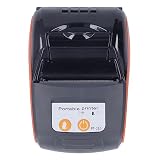
- Highly Compatible: The thermal receipt printer supports Bluetooth USB computers and is compatible with multiple systems. External USB power adapter and mobile charging stand for efficiency and convenience. Supports for for for for WinXP, for for VMSTA , for for LINUX.
- Wide Application: The thermal receipt printer supports a variety of software platforms and can be connected to conventional cash registers and cash withdrawal software for printing, supporting various types of printing software such as for Word, for Excel, for TXT, etc. It is widely used in the catering industry, takeaway and delivery, garment industry, convenience stores, traffic control orders, storage and logistics.
- Fast Print Speed: The thermal receipt printer supports Bluetooth 4.0 capability for Android, for IOS and for allowing you to print data from your device. Print speeds of up to 90 mm/sec can be achieved, making it and more energy efficient.
- Clear Printing: Thermal receipt printer with clear printing and long service life, its use of thermal paper instead of ink makes it smaller, quieter and more energy efficient than dot printers.
- Long Lasting: Print command ESC and POS, life cycle time 50km (print density below 12.5%) / 10 billion pulses, barcode types UPC A E, EAN 13 8, CODE39 93 128, TIF, CODABAR. 2D codes is QRCOE,PDF417.
Rank #4

- Fast Printing & Auto Cutter: High-speed printing technology with auto cutter thermal receipt printer. With a high printing speed of 160mm/sec, it's fast and efficient, reliable performance.
- Print width: 79.5±0.5mm; Paper Width: 3 1/8" (80mm); Printhead lifespan: 100 km; Cutter lifespan: 800,000 cuts.
- Multi-interface: USB+Ethernet ports, multi-interface support allows for an easy connection.
- Wide Compatibility&Sturdy Design: The pos receipt printer supports the standardized ESC/POS commands. One-button open cover and large paper warehouse design, easy to use and maintain. This thermal printer is compatible with POS. No WiFi, no Bluetooth.
- Most Cost-effective: Do not require a ribbon or ink cartridge, resulting in low operating costs.The printer has the function of overheating protection, long service life. Printing characters with high speed, reliable performance.It does not work for Doordash, Uber Eats, Square, GrubHub. Please check the systems and APP before using them.
Product prices and availability are accurate as of the date/time indicated and are subject to change. Any price and availability information displayed on Amazon at the time of purchase will apply.




