What’s actually slowing this PC down?
Pick the symptom - the matching free tool is one click away.
Before buying a used Sigma fp or fp L, confirm which model it is, test every control and recording function, inspect sample images for sensor-area marks, and verify the battery and accessories you need. Both bodies use an electronic shutter, so also judge flicker and motion effects against your intended photography. The checklist below helps separate normal design tradeoffs from possible condition problems.
First, confirm the model and whether it fits your needs
The two cameras share a compact, full-frame L-Mount design, but their resolution differs: Sigma specifies approximately 24.6 megapixels for the fp and approximately 61 megapixels for the fp L. Check the camera’s information display, seller paperwork, and image dimensions rather than identifying it by appearance alone. The higher-resolution fp L may suit detailed stills or cropping; factor in the larger files, storage needs, and processing workload as well.
| # | Preview | Product | Price | |
|---|---|---|---|---|
| 1 |

|
Sigma fp Mirrorless Full-Frame Digital Camera | $1,740.00 | Buy on Amazon |
| 2 |

|
Sigma fp Mirrorless Full-Frame Digital Camera with 45mm f/2.8 Contemporary DG DN Lens | $2,419.00 | Buy on Amazon |
| 3 |

|
Sigma FP L Digital Camera | $1,639.99 | Buy on Amazon |
| 4 |

|
Sigma FP L Digital Camera + Electronic Viewfinder | $3,299.00 | Buy on Amazon |
| 5 |
|
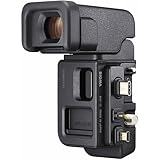
Sigma EVF-11 Electronic Viewfinder | $649.99 | Buy on Amazon |
As an Amazon Associate I earn from qualifying purchases.
Both use L-Mount lenses. Sigma identifies lenses from Sigma, Leica, and Panasonic as part of the L-Mount ecosystem. The optional Sigma MC-21 can adapt Sigma SA and Canon EF lenses, but confirm compatibility and firmware requirements for the specific lens. For a video rig, Sigma lists 12-bit CinemaDNG recording and RAW output over HDMI; test the actual recorder, cable, media, power arrangement, and settings you plan to use.
Sources: Sigma fp L specifications and product information; Sigma fp product information; Sigma MC-21 information.
#1 Best Overall
- Compact & Lightweight Design: Weighing just 422 grams, this full-frame mirrorless camera is the world's smallest and lightest, perfect for travel and everyday use
- Full-Frame 24.6MP Sensor: Capture stunning detail and shallow depth of field with the large 35mm full-frame BSI CMOS sensor
- UHD 4K Video Recording: Record smooth, high-quality video at 24, 25, or 30 fps with UHD 4K resolution
- Electronic Image Stabilization: Steady your shots with built-in EIS, ensuring sharp images and stable videos even when handheld
- Dust & Splash-Proof Structure: Protect your camera from harsh weather conditions with its robust, lightweight aluminum body and sealed design
Use this in-person inspection sequence
1. Inspect the body, mount, doors, and controls
- Look for cracks, impact damage, bent or loose parts, corrosion, residue, and signs of liquid exposure. Check the lens mount and contacts, tripod socket, battery/card door latch, port covers, and screen edges.
- The fp L has a fixed rear screen. Check its full surface for cracks, pressure marks, uneven brightness, and touch dead zones.
- Operate every button and dial repeatedly, especially the rear control dial on the original fp. An owner discussion reports unreliable fp rear-dial behavior and mentions a Sigma service upgrade, but this is anecdotal: it does not establish how common the issue is or whether such service is currently available. If a seller says a dial was repaired, ask for service documentation.
Sources: RTINGS’ Sigma fp L review; Sigma fp owner discussion.
2. Test the screen, menus, card, and recording
- Power on with a known-good battery. Check the LCD and touch controls across the screen, then move through menus and operate the controls you expect to use.
- Insert an SD-family card. If appropriate, format it in-camera, then capture several stills and play them back. Confirm that the camera recognizes the card and writes files without errors.
- Check both still and cine operation. If video matters, record a clip that exercises your intended workflow and review it on another device when possible.
Sigma’s manual notes that a small number of LCD pixels may remain lit or unlit as a normal characteristic and will not affect recorded images. If you see a point or mark on the display, check the captured file before treating it as an image defect. The fp L supports SD, SDHC, and SDXC media; Sigma did not include a memory card in its standard package.
Rank #2
- SUPERB IMAGE QUALITY - Capture stunning detail with the 24.6MP full-frame CMOS sensor, ensuring exceptional clarity and vibrant colors in every shot, perfect for professional photography.
- VERSATILE LENS OPTIONS - Explore creative possibilities with the L-Mount system, compatible with a wide range of high-quality lenses, allowing you to adapt to any shooting scenario with ease.
- EXCEPTIONAL LOW LIGHT - Achieve clean, detailed images even in challenging lighting conditions, thanks to the camera's impressive ISO range, expandable up to 102400 for remarkable performance.
- PROFESSIONAL VIDEO CAPABILITIES - Record high-resolution 4K UHD video with various frame rates, offering filmmakers the flexibility to create stunning cinematic content with exceptional clarity.
- COMPACT AND DURABLE DESIGN - Experience the perfect blend of portability and robustness, with a splash-proof structure and lightweight body, ideal for on-the-go shooting in diverse environments.
Source: Sigma fp L Manual EN, Firmware Version 3.0 (2023).
Recommended Free Tools
3. Check sample images for dust marks and bright points
- With a lens fitted, photograph a uniformly bright, plain surface at a small aperture. Inspect the file at 100% for persistent marks in the same image area.
- Make a dark or longer-exposure test and look for bright points in the captured file.
- If a point appears, distinguish a sensor-area mark from a display pixel by reviewing the image on another screen. A technician can assess persistent contamination or other concerns.
The fp L manual documents a Pixel Refresh function and care for the sensor protection glass. Sigma advises using a blower for cleaning and contacting a service station for stubborn dust or stains; it warns against aerosol air cleaners and brush blowers that could damage the glass. Do not touch or scrape the glass during a casual inspection. A forum comment about dust accumulation is user-reported, not evidence of a widespread defect.
Rank #3
- New member to the FP series
- Full Frame mirrorless 61 MP image sensor
- Worlds lightest and smallest pocketable full frame camera
- Package Dimensions: 26.009 H x 17.399 L x 21.488 W (centimeters)
Sources: Sigma fp L Manual EN, Firmware Version 3.0 (2023); Sigma fp owner discussion.
4. Judge the electronic shutter against your use
Sigma states in the fp L manual: “This product is not equipped with a mechanical shutter mechanism.” The manual warns that flickering light sources, including fluorescent lighting, can cause uneven exposure and that fast-moving subjects can appear distorted. These are design characteristics to assess, not proof that a used camera is faulty.
Rank #4
- Package Dimensions: 10 L x5.9 H x6 W (Inches)
- Package Weight: 3 pounds
- Country of Origin : Japan
- Full Frame mirrorless 61 MP image sensor
- If you photograph under fluorescent or LED lighting, take test frames at the shutter speeds you expect to use and check for bands or uneven brightness.
- If you shoot sports, fast pans, or other moving subjects, test motion under realistic conditions.
- If you rely on flash, note Sigma’s stated maximum sync speed: 1/15 second, or 1/10 second or slower with 14-bit DNG or DNG+JPEG settings.
Source: Sigma fp L Manual EN, Firmware Version 3.0 (2023).
5. Verify power and included accessories
Ask what is included, then test each item you will rely on. Sigma’s fp L manual lists the BP-51 battery and HU-11 hot shoe unit among standard package contents; the package did not include a memory card, and regional adapter details can vary.
Best Value
- Large viewfinder for clarity and comfort
- 90 Degree upward tilting mechanism
- User interface designed for superb visibility and convenience
- Audio monitoring during video capture
- External recording to portable SSD
- Check whether the listing includes a BP-51 battery, charger or adapter, USB cable, body cap, strap pieces, and HU-11 hot shoe unit.
- Charge the battery, check the camera’s battery indication, and test USB charging or power in your intended setup. An included older battery should be judged by operation, not simply by its presence.
- If you plan to use the supported external flash connection, confirm that the HU-11 is present and fits securely. Sigma says it is available when the HU-11 is mounted.
- Confirm whether a usable SD, SDHC, or SDXC card is included. Do not assume one is supplied.
Source: Sigma fp L Manual EN, Firmware Version 3.0 (2023).
6. Treat sealing as limited protection
Sigma describes sealing at 42 points on the fp series, but explicitly says the construction is not waterproof. RTINGS says it did not independently test the advertised sealing. A used body’s appearance cannot establish its moisture history or guarantee safe use in rain. Ask about exposure and inspect seams, doors, and ports for residue or corrosion.
Sources: Sigma fp features and sealing information; RTINGS’ Sigma fp L review.
Quick wins for a faster PC:
Scan for outdated or missing drivers - takes under a minuteDriver Scan →Clear out junk files and repair common Windows errorsFree Scan →Compare two listings on the factors that change the decision
| Factor | What to compare |
|---|---|
| Resolution and file workload | fp: approximately 24.6 MP; fp L: approximately 61 MP, as specified by Sigma. Consider detail and cropping needs alongside storage and processing. |
| Control condition | Operate each body’s controls. Pay particular attention to the original fp rear dial, while treating owner reports as anecdotal rather than a failure-rate estimate. |
| Shutter fit | Both use electronic shutters. Check flicker, moving-subject distortion, and flash-sync requirements against your work. |
| Accessories and system readiness | Compare working BP-51 batteries, charging gear, HU-11 if needed, card inclusion, and any required L-Mount lens or compatible adapter. |
| Video setup | Test the ports, media, power, and external recorder configuration you expect to use. |
Sources: Sigma fp L specifications; Sigma fp specifications; Sigma fp L Manual EN, Firmware Version 3.0 (2023).
Quick Recap
Product prices and availability are accurate as of the date/time indicated and are subject to change. Any price and availability information displayed on Amazon at the time of purchase will apply.




