PC Slower Than It Used to Be?
A free scan shows the junk files, broken settings and background clutter dragging Windows down - then fixes them in one click.Free scan · Windows 10 & 11Crashes, No Sound, or Screen Glitches?
Random freezes, missing sound and display glitches usually trace back to one bad driver. Find and replace yours safely.Free scan · under a minuteMobile check deposit is a feature in a bank or credit union’s official app that lets you deposit a paper check by submitting photos of it. Also called remote deposit capture, it sends the check information to your financial institution without requiring a branch or ATM visit.
How mobile check deposit works
The service belongs to the bank or credit union where you hold the account; it is not a universal app that accepts checks for any institution. The app guides you through the steps, and its rules determine which checks it accepts, the amount you can submit, what endorsement is required, and how to photograph the check. The CFPB’s mobile-banking guidance recommends checking your institution’s instructions.
As an Amazon Associate I earn from qualifying purchases.
- Open the authentic app for your bank or credit union and choose its mobile check deposit feature. A familiar-sounding app name alone does not prove that it is legitimate; the FDIC advises verifying that the app is genuine.
- Follow the app’s prompts. Confirm the eligible check types, deposit limit, endorsement wording, image requirements, and account receiving the deposit.
- Submit the check images and keep the paper check while you track the deposit.
- After the institution confirms the check has cleared, the deposit is in your account, and any holds have expired, destroy the original securely.
Does a mobile deposit become available immediately?
Not necessarily. A deposit showing as submitted or pending does not mean the money is ready to spend. The timing depends on the institution’s policy, applicable holds, cut-off times, and the circumstances of the deposit. The CFPB says mobile check deposits may follow a different timetable from other check deposits. A deposit made after an institution’s cut-off may be treated as received on the next business day.
Longer holds can apply in circumstances such as a new account, repeated overdrafts, a suspected uncollectible check or fraud, an emergency, or a large deposit. Ask your institution when the money from your particular deposit will be available; do not assume that mobile deposit means instant, same-day, or next-day access.
#1 Best Overall

- Make sure this scanner model is supported by your financial institution or software provider before buying Scan speeds of 55, 75, or 120 documents per minute All models are network-ready with Ethernet-over-USB Switch between USB and network operation Compatible with Digital Check API, SecureLink 2.0 network API, or SmartPVA (55 dpm model only) Automated cleaning mode with Smart LED indicator Front-feed ID capture up to 600 dpi color Single-line rear Inkjet endorser (standard on 120 dpm model, optional on 55/75 dpm) Optional network-ready receipt printer available (ReceiptNOW Elite) Uses ink cartridge: PN-MS0083
Do you need to endorse a check for mobile deposit?
Follow the wording shown in your app. Some institutions may ask for an endorsement or additional text, and there is no single instruction established for every mobile-deposit service. The CFPB explains that writing “for deposit only” with the payee’s signature is a restrictive endorsement: it limits the check to deposit into that payee’s account. That definition does not replace your institution’s current instructions.
Independent reader supportYour contribution helps us test, update, and keep practical guides available for everyone.What should you do with the paper check afterward?
Keep it until the deposit has cleared and any holds have expired. The CFPB advises retaining the original until the deposit has posted and holds are over. The FDIC also recommends tracking remote deposits; writing the deposit date on the check can help you distinguish it from an unsubmitted check. Once the funds are in the account and the check has cleared, destroy the paper securely. The FDIC suggests using a high-quality paper shredder.
Quick Recap
Best Value
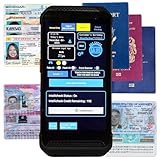
- FREE 5"" x 7"" ID Scanning Notice Included – Every Minor Decliner scanner includes a durable vinyl decal to display at your entrance or point of sale. Alerts customers that IDs are scanned and verified to help deter underage sales, fake IDs, and fraud.
- Unlimited Standard ID Scanning — Always Free - Instantly verifies age and expiration on every scan and automatically creates a compliance log - Eliminates math mistakes and protects your business during inspections.
- STOP FAKE IDs — REAL DETECTION, NOT GUESSWORK: Optional fake ID detection powered by Forensic Barcode Scanning — the industry gold standard. Analyzes encrypted barcode data against a live security database with 90%+ detection accuracy. Includes 6 free scans. After that, simply purchase scan credits. You only pay when you choose to run a fake check. Unlimited fake scans are not available.
- Fast & Easy Operation – Scans U.S. driver’s licenses and state IDs in under 2 seconds. No training required. Designed for high-volume environments.
- Portable, Battery-Powered Design – Built for long shifts per charge with a swappable battery. Fast charging in under 90 minutes for minimal downtime.
Rank #4

- Features 75 DPM with Inkjet.
- The TS240 comes ready to use out of the box, requiring no assembly.
- The new styling on the device is not only attractive, but it is also functional.
Rank #3

- Check Scanner with Printing Capability
Rank #2

- Digital Check
- Part #: TS240-50IJ
- Check Scanner - 50 DPM with Inkjet
Product prices and availability are accurate as of the date/time indicated and are subject to change. Any price and availability information displayed on Amazon at the time of purchase will apply.
Recommended Free Tools




